A Flight Sim Enthusiast's Notebook
-
Connecting Garmin D2 Charlie Titanium Aviator Watch to Garmin Pilot
Unboxing the Garmin D2 Delta PX Titanium Aviation Watch
 Garmin D2 Delta PX Titanium Aviation Watch Setup Guide
Garmin Pilot is a renowned iPad app for pilots, offering features such as charts, flight planning, terrain maps, PFD, and ADS-B receiver connectivity. This site previously introduced Garmin Pilot Support for X-Plane 10. Since version 8.1, it has supported the X-Plane 10 flight simulation software, allowing you to use Garmin Pilot for navigation at home, even when not in the aircraft.
-
Garmin D2 Charlie Titanium Aviation Watch Initial Setup
Garmin D2 Delta PX Titanium Aviation Watch Unboxing
Garmin D2 Delta PX Titanium Aviation Watch Setup GuideFollowing the previous article Garmin D2™ Charlie Titanium Aviation Watch Unboxing, the following is a record of the initial setup process.
First, regarding the operation of the D2™ Charlie smartwatch, since it does not have a touchscreen, all operations rely on the 5 buttons on the watch face, so you must remember the function of each button.
-
Garmin D2 Charlie Titanium Aviation Watch Unboxing
Unboxing the Garmin D2 Delta PX Titanium Aviator Watch
Garmin D2 Delta PX Titanium Aviator Watch Setup GuideThe Garmin D2 series is a smartwatch designed for pilots. It not only features a flight log but also GPS navigation and a “Nearest Airport” shortcut button, enabling one-touch navigation. As an aviation enthusiast, I have coveted this watch for a long time.
This year, the latest top-tier model in the D2 series, the “D2™ Charlie”, was launched. It features a built-in color dynamic map and a wrist-based heart rate monitor. Equipped with a titanium bezel, a titanium bracelet, and a scratch-resistant sapphire lens, it connects to a mobile phone to obtain global weather data for airports, pushing the capabilities of aviation smartwatches to a new height.
-
Aviation Spotting Photos at Nagoya Chubu Centrair International Airport Part 2
As a follow-up to Revisiting Chubu Centrair International Airport, here are a few photos taken when the lighting was decent. Feel free to click to view the full-size images.
N854NW Airbus A330-223 - Delta Air Lines <img src=https://imgproc.airliners.net/photos/airliners/9/0/8/4691809.jpg?v=v479e2106ff6 referrerpolicy=“no-referrer”> Delta Air Lines’ A330-200 is an uncommon sight; perhaps this is the first photo I’ve taken of one. I checked online, and it turns out there are only 11 of them in total.
-
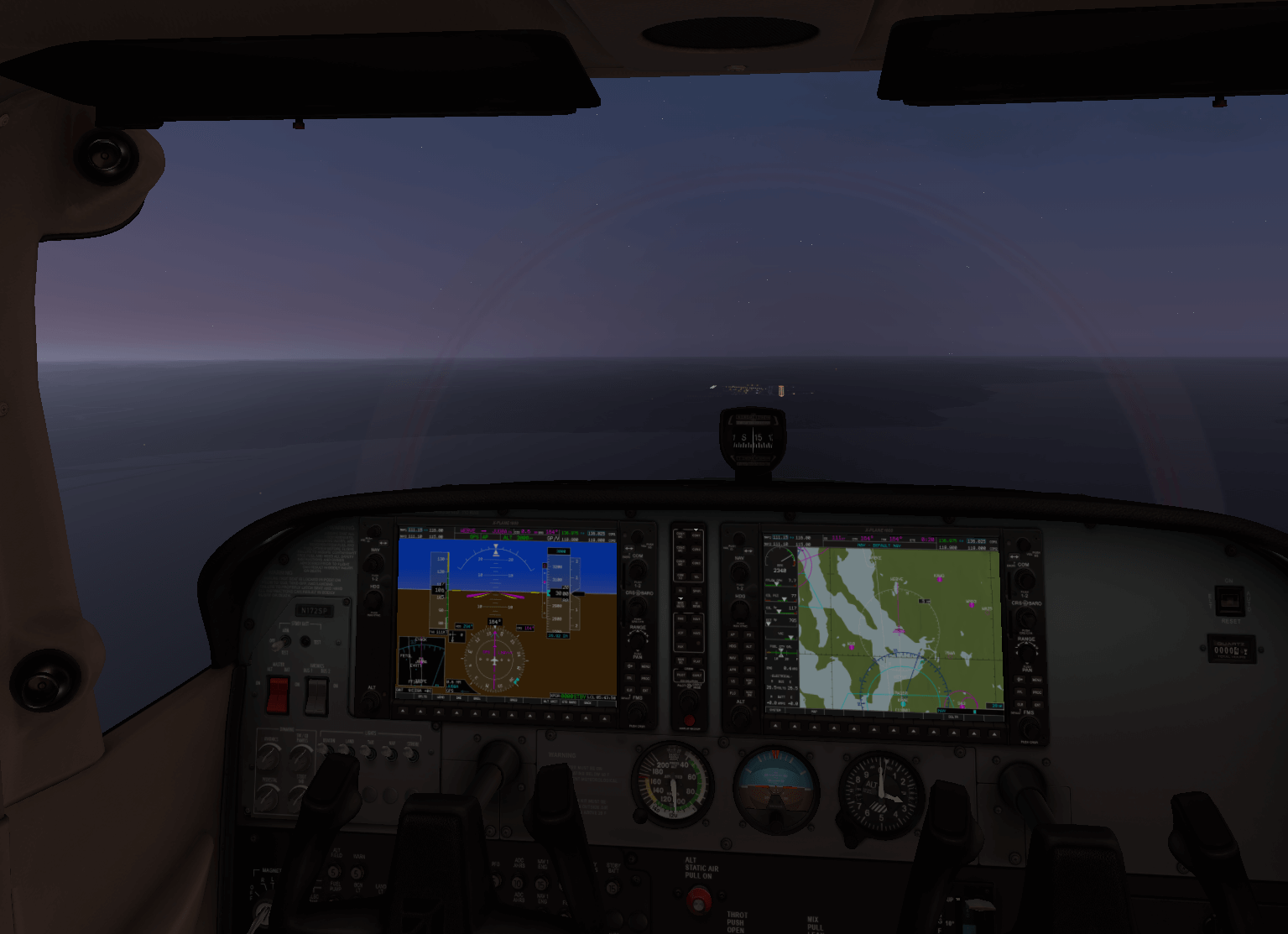
Upgrading to X-Plane 11.10b8 to Try Out the G1000
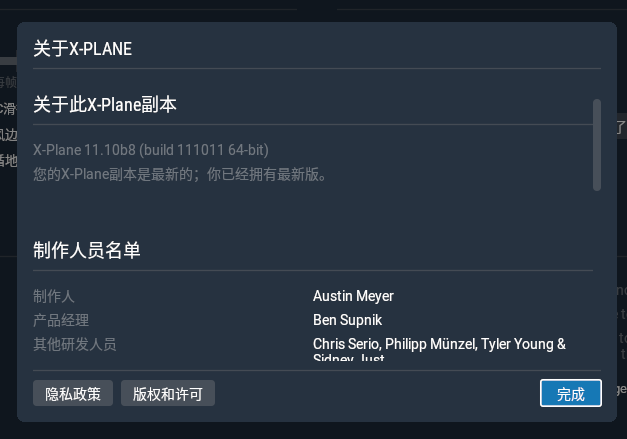
Updated X-Plane and noticed the version has reached 11.10b8.
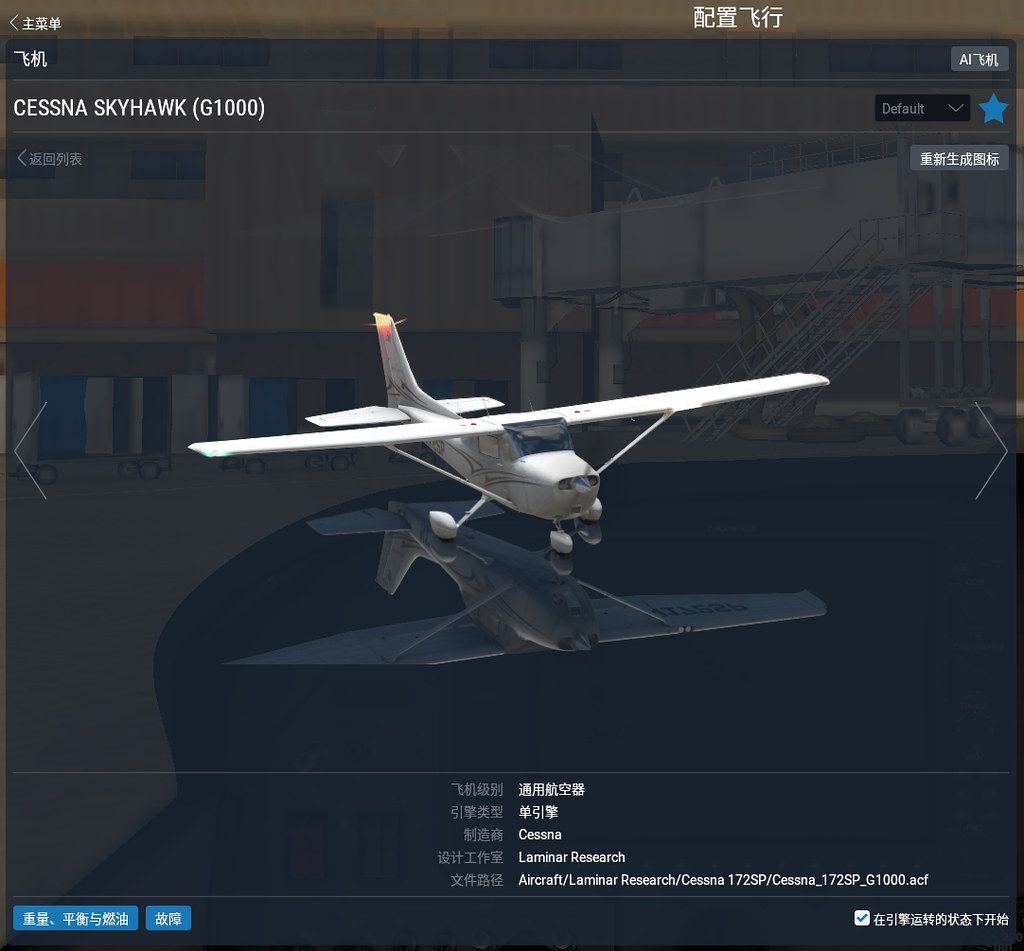
Immediately switched the aircraft to a C172 equipped with a G1000 glass cockpit.
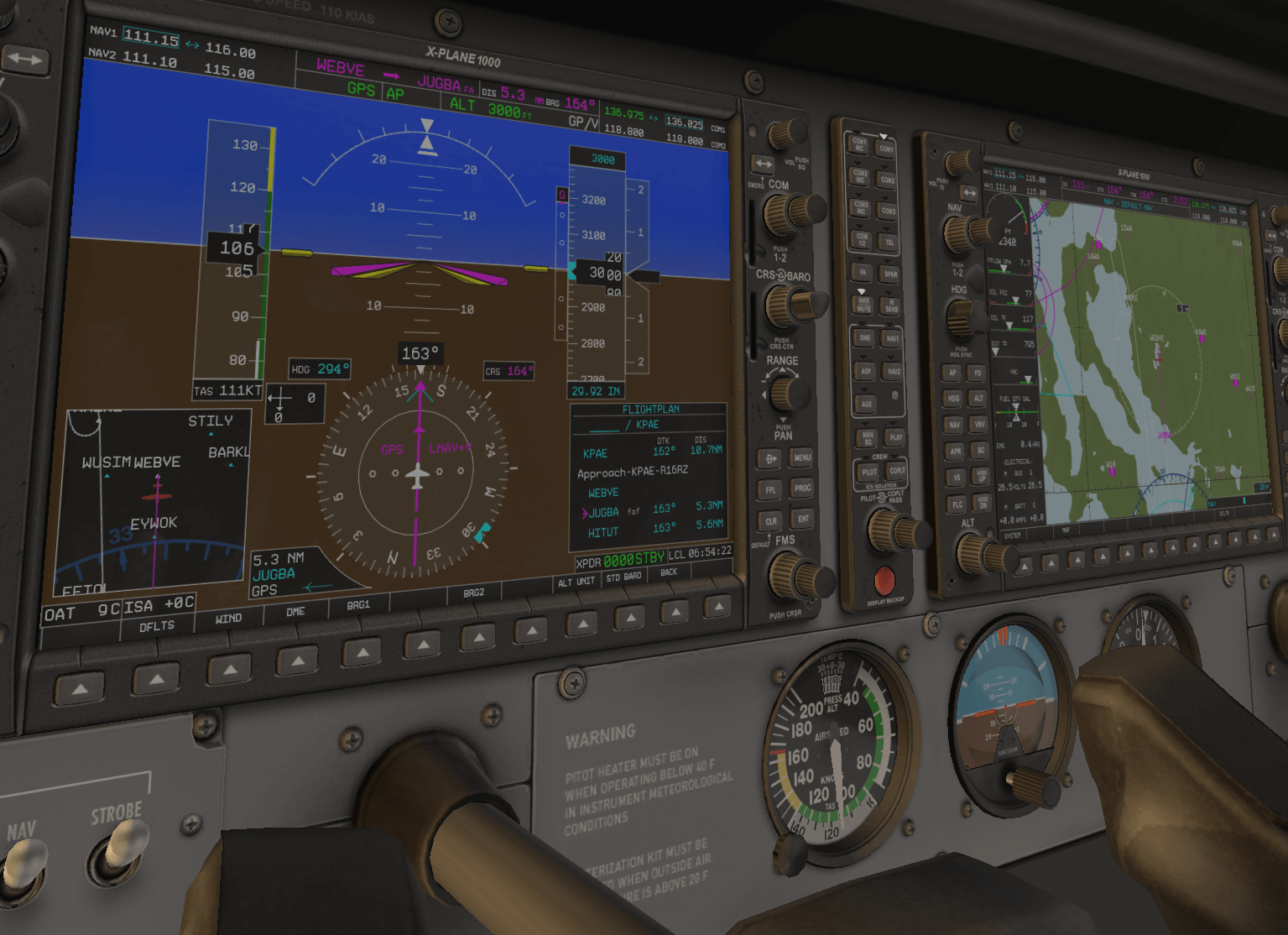
 It felt like a major upgrade, moving straight from the analog era into the digital age.
After switching the aircraft, I checked the hardware settings. It seems the defaults provided by X-Plane 11 are quite good.
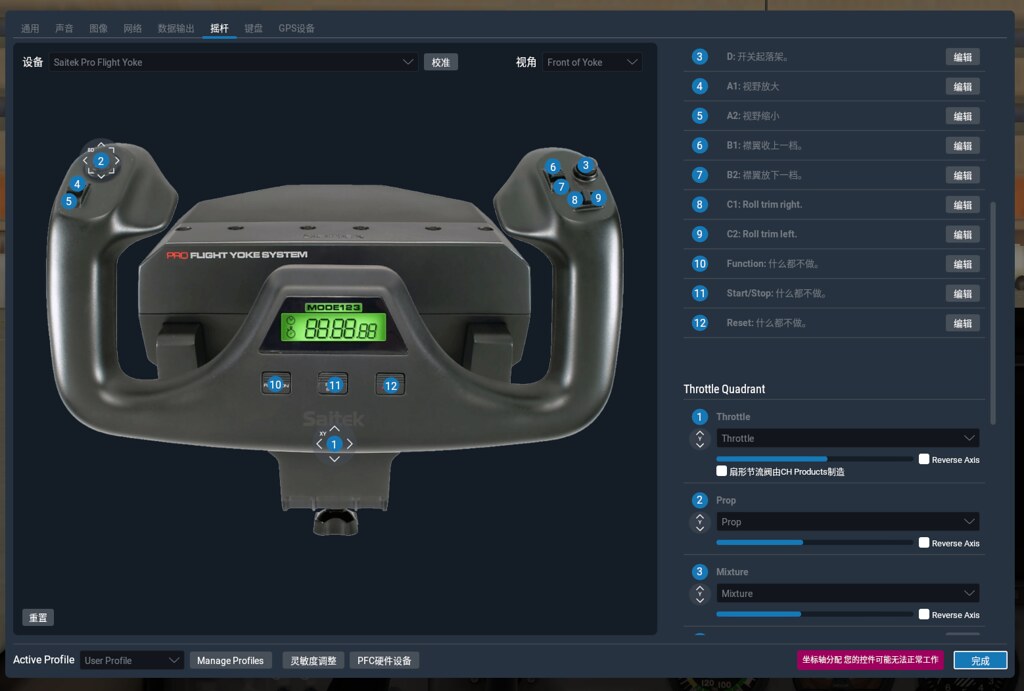 I decided not to reconfigure them, so I just flew it like this to have some fun.
 -
X-Plane 11 Quick Start Guide and Garmin G1000 Navigation Equipment
I found some great manuals on the official website, such as the X-Plane 11 Quick Start Guide (Chinese), C172_Pilot_Operating_Manual, C90B_Pilot_Operating_Manual, and Baron_Pilot_Operating_Manual.
However, the Garmin G1000 navigation manual I was expecting is not yet available; it looks like we’ll have to wait a while longer.
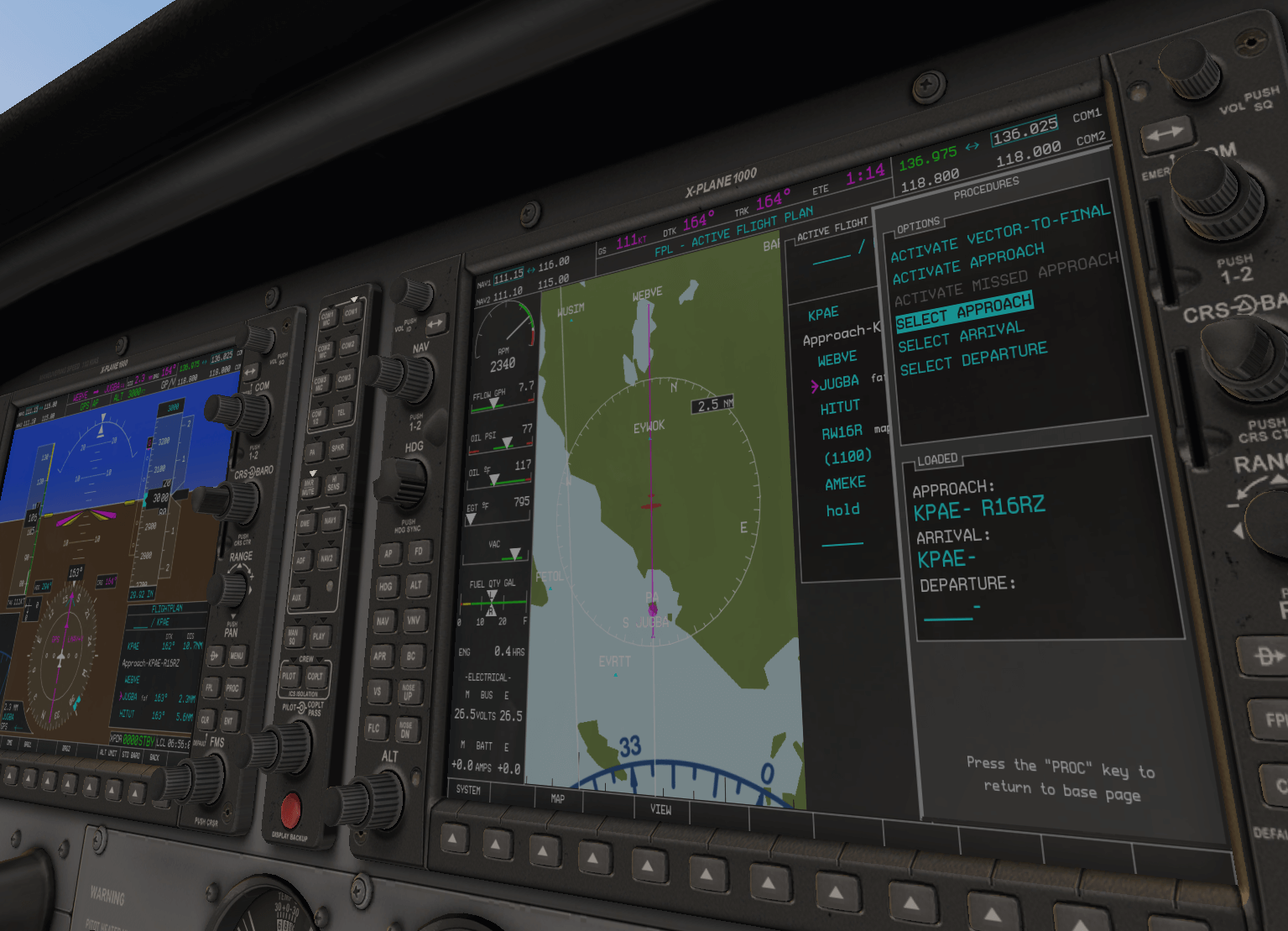
Additionally, the official website introduced X-Plane 11.10 Includes G1000 GPS. The visuals are incredibly well-crafted, so I’ve posted them here for appreciation.


Previous Comments
chimp - 11/02/2019 06:40:16 PM
-
A Return to Chubu Centrair International Airport
I took advantage of a break during my business trip to visit Nagoya Chubu Centrair International Airport.
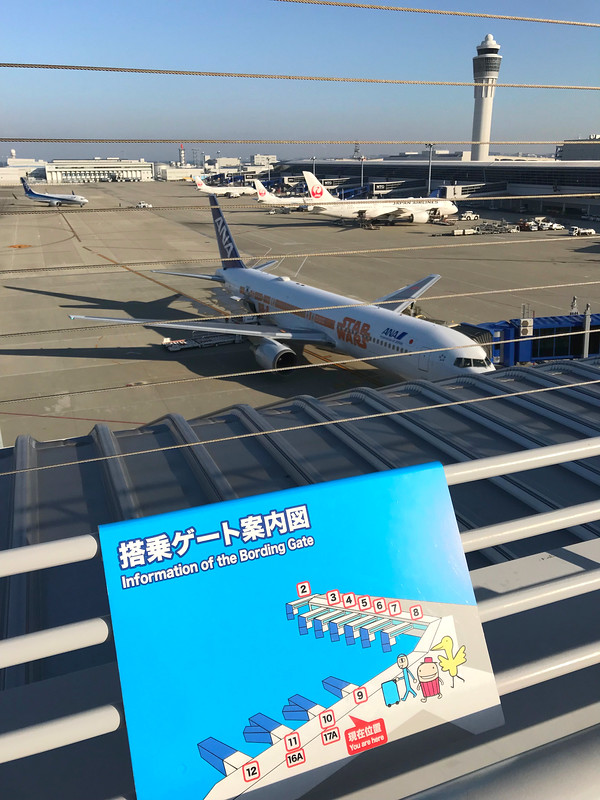 My last visit was four and a half years ago.
As mentioned in the Nagoya Centrair Training Plan,
I saw ANA continuously performing touch & gos at the field.
It was quite interesting.
My last visit was four and a half years ago.
As mentioned in the Nagoya Centrair Training Plan,
I saw ANA continuously performing touch & gos at the field.
It was quite interesting.Since it was against the light, I won’t post high-resolution photos; just take a look at the general view.

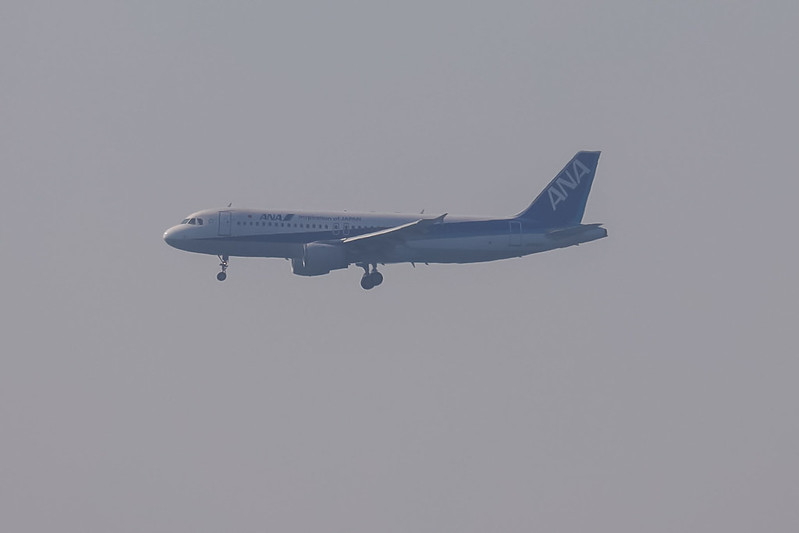 You can see the landing gear hasn't been retracted yet on the downwind leg, confirming it looks like training.
I wasn’t lucky this time; unlike when I saw the DreamLifter last time, I only saw one four-engine aircraft, which is a huge regret.
-
On Discussing Depth of Field Issues in Aircraft Photography
As mentioned in the formula for calculating lens focal length based on the distance and size of the subject, regarding focal length calculations when photographing aircraft, below is a write-up on a simple depth of field calculation problem. However, this time, instead of using an estimation formula, I used an app.
On Instagram, I saw a work by a photographer I’ve known for a while (link), (who is also a co-author of the book Airplane Photography Bible) and became interested in its depth of field.
 Because both the foreground and background in the photo were in very sharp focus, I really wanted to know the shooting method.
So, I asked the photographer directly on Instagram and got an answer.
Because both the foreground and background in the photo were in very sharp focus, I really wanted to know the shooting method.
So, I asked the photographer directly on Instagram and got an answer. -
X-Plane 11.10 Update, Finally Introduces Chinese Interface
X-Plane 11.10 Release Notes Looking at this long list of Release Notes, I really don’t know where to start, but after installing it, I found that just this one thing is enough: The 11th version of X-Plane finally introduces a Simplified Chinese interface, which is truly great news for Chinese flight simulation enthusiasts.
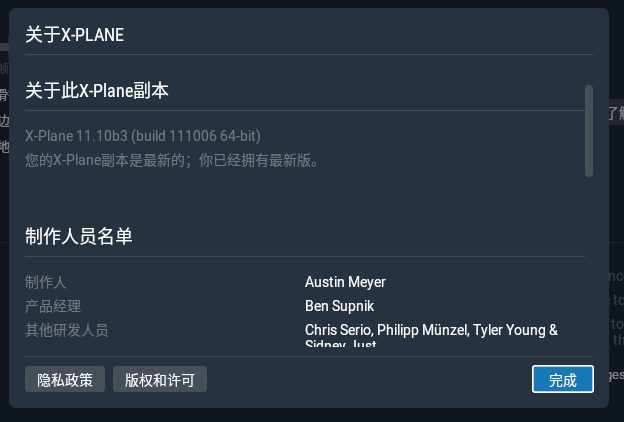
The language setting can be found in “Settings - General - Language”.
-
simMarket Launches Simplified Chinese Version
simMarket is a famous online flight simulation store, offering a massive amount of airport Scenery, terrain, aircraft Plugins/Addons, and some hardware. Now it has launched a Simplified Chinese version, and supposedly Alipay is accepted for payment. This is truly great news for flight simulation enthusiasts.
Of course, while it’s called a Chinese version, it is actually still in a very preliminary stage. Only navigation information, titles, FAQs, and parts of product descriptions have been localized; the majority of the interface remains in English.
-
G530 Navigator Flight Simulation Hardware
After finishing the X-Plane 11 G530 Navigation Unit Tutorial, I discovered a piece of G530 hardware. This is truly a great piece of gear, so let me introduce it first.
GarSIM GNS530 from emuteq.com

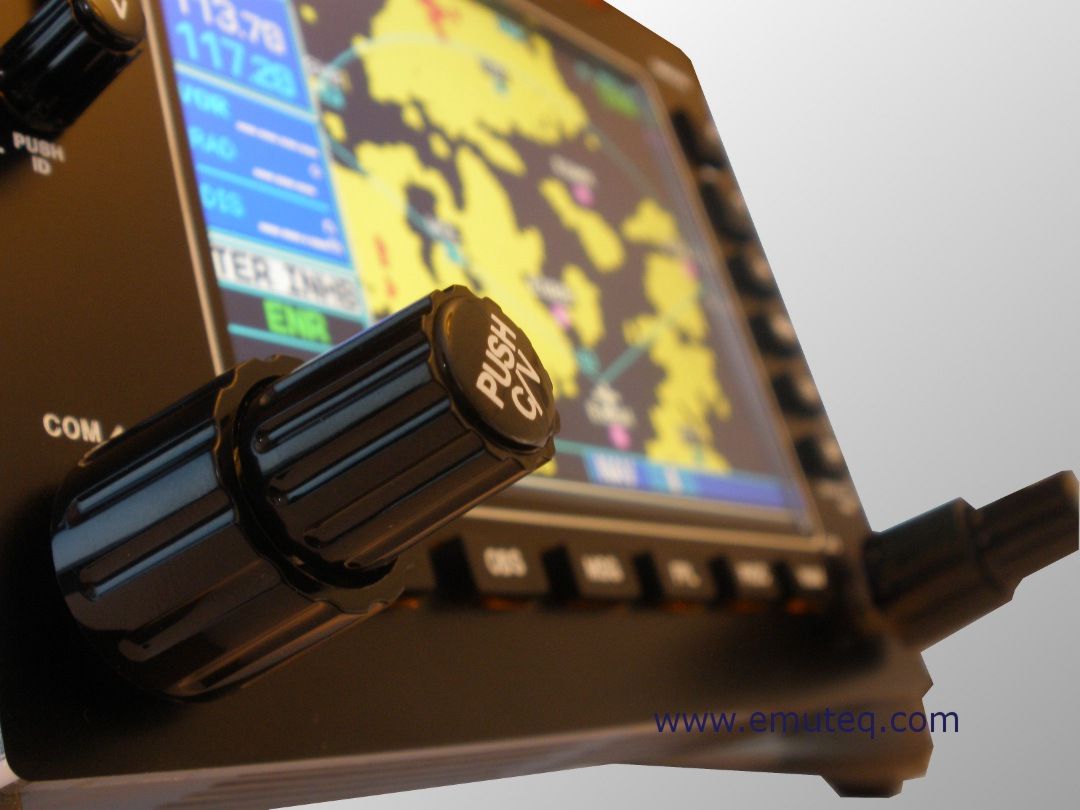
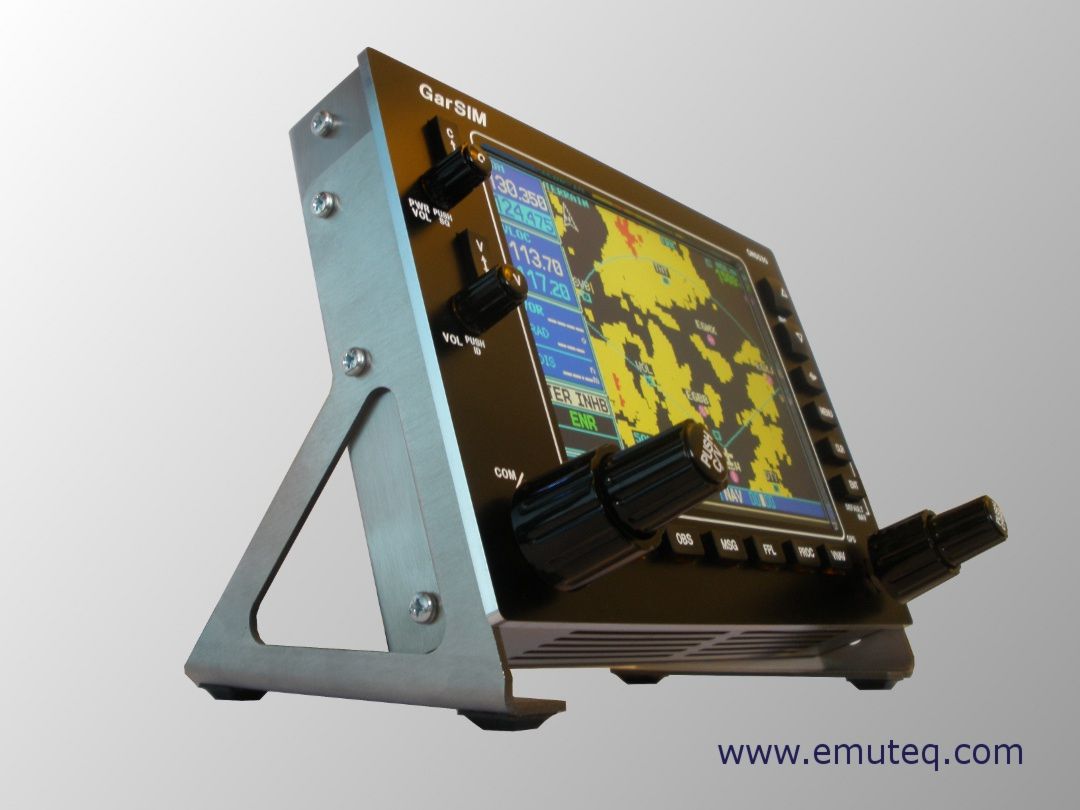
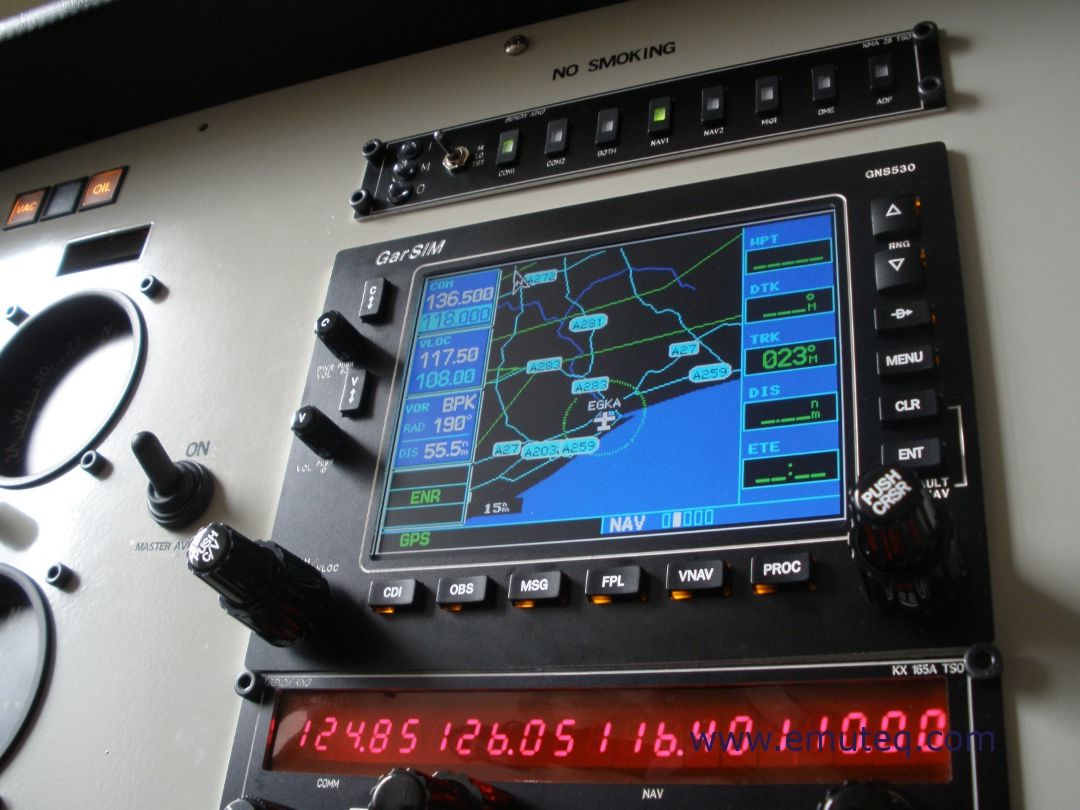
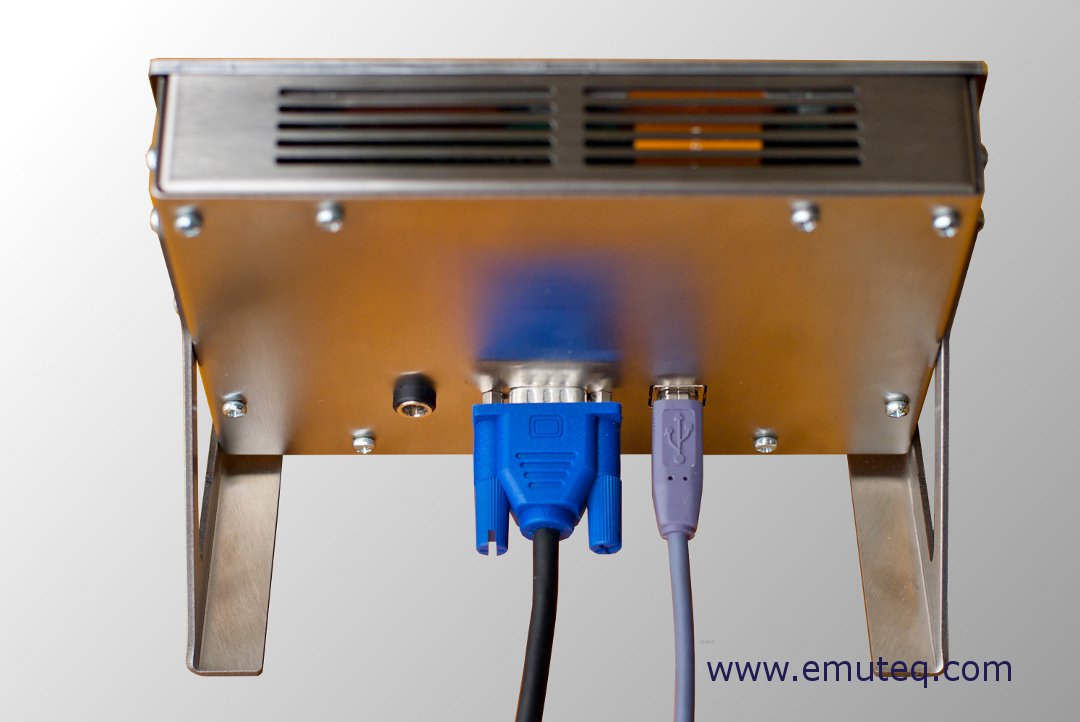
Its features are as follows: USB interface, 5.6-inch display, adjustable backlight, optional 12V external power, detachable mount, Software compatible with X-Plane, FS2004, FSX, RealityXP, FlyThisSim
By the way, emuteq also has a G1000 product, priced at £2,200, which also looks incredibly cool.
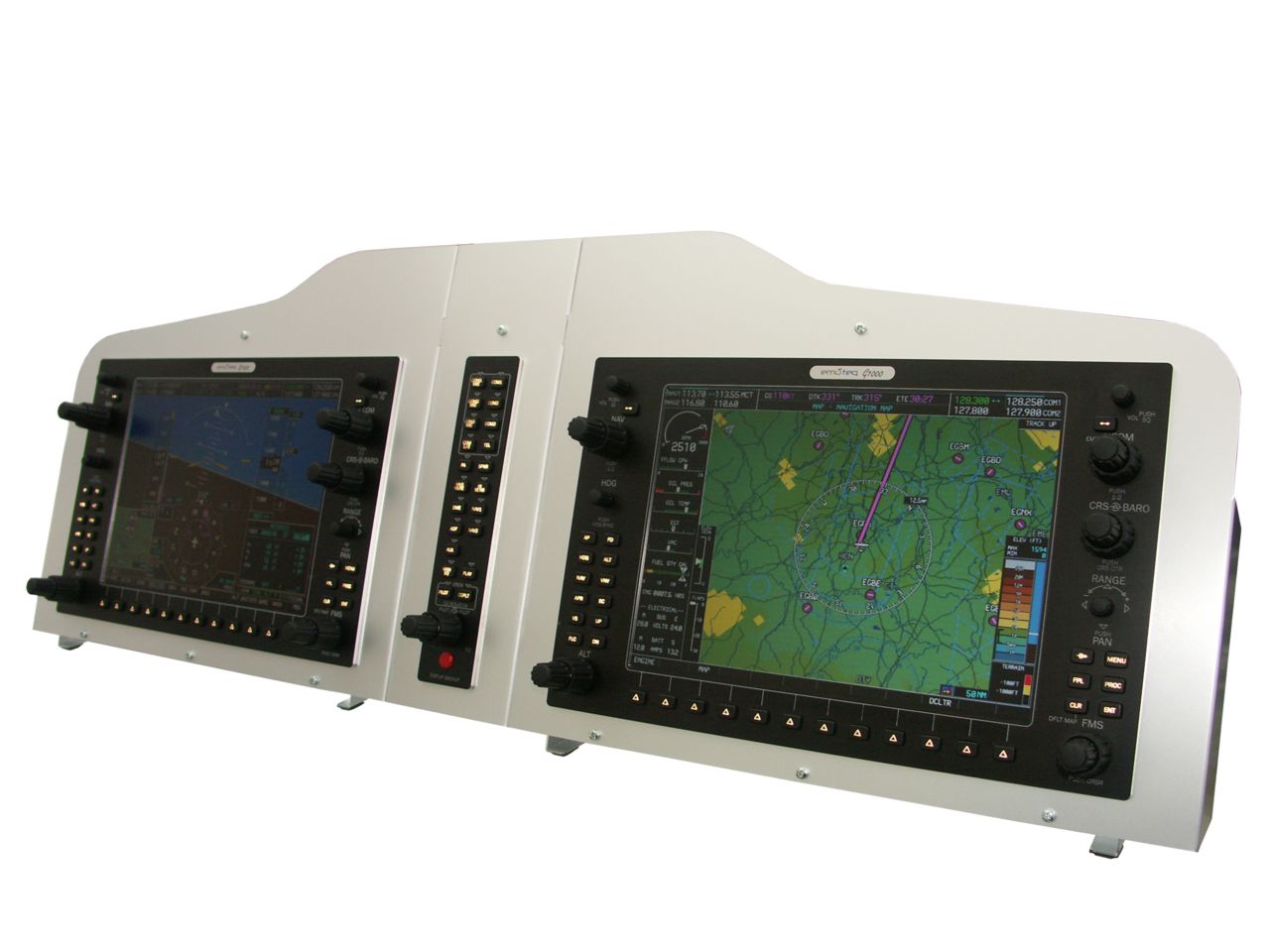 After seeing the G1000, looking at the G530, the price of less than £500 doesn’t seem too high after all (anyway, I can’t afford either…)
 -
Calculation Formula for Estimating Lens Focal Length Based on Subject Distance and Size
A very simple memo: Focal Length (mm) = Distance (m) x Sensor Size (mm) / Subject Length (m)
Full-frame DSLR sensor is 36mm, APSC is around 23mm.
For example, photographing an aircraft taking off from an airport observation deck, Distance to Runway is 500 meters, using a Canon 5D4, the subject is a Boeing 787-9 airliner, with a length of 63 meters. So, calculate using the formula above. Note that it is best to leave about 10% margin on both sides for the length, 500 x 36 / (63 x 1.2) = 238mm
-
XTouchDownRecorder V5
5 years ago, I introduced the X-Plane Landing Speed Plugin for displaying and evaluating landing speeds, but this plugin hasn’t been updated for a long time, so I haven’t installed it on X-Plane 11. Recently, I discovered this XTouchDownRecorder V5, which has more functions, including:
- Touchdown time recording
- Recording Descent rate, fuselage attitude, G-force, touchdown speed
- Landing log
- Automatically pops up window during taxiing after landing
- Configurable hotkeys And so on. Here is a brief introduction.
The installation method is very simple. Download the compressed package from the webpage above and unzip it, then copy the XTouchDownRecorder directory to X-Plane 11\Resources\plugins.
-
X-Plane 11 G530 Navigator Usage Tutorial
The G530 navigation equipment built into X-Plane 11 is very convenient. Here is a brief introduction to how to use it. Using the default C172, you can see the striking 3D G530 in the 3D cockpit.
 0 Display and Button Explanation
1 Frequency Tuning
2 Navigation NAV Mode
3 Waypoint Mode
4 Nearest Mode
5 Flight Plan Mode
6 Creating a Flight Plan
7 Direct To Waypoint
8 Activate Jump / Activate Waypoint
9 Activate Approach
10 Loading Flight Plan Files
11 OBS Function
12 Suspend Mode
13 System Messages
14 Autopilot
0 Display and Button Explanation
1 Frequency Tuning
2 Navigation NAV Mode
3 Waypoint Mode
4 Nearest Mode
5 Flight Plan Mode
6 Creating a Flight Plan
7 Direct To Waypoint
8 Activate Jump / Activate Waypoint
9 Activate Approach
10 Loading Flight Plan Files
11 OBS Function
12 Suspend Mode
13 System Messages
14 Autopilot -
Future Changes to Runway Operations at Haneda Airport
Yesterday, the Japan Civil Aviation Bureau (MLIT) published the budget summary for FY2018. It reveals that significant changes are coming to Runway usage at Haneda Airport in the future, particularly regarding operations during Landing.
For plane spotters, when the Runways change, the shooting spots must also change, so there is high sensitivity to this information.
Currently, under sunny conditions with a South wind, Haneda Airport uses LDA Approaches for landing on Runways 22 and 23. Aircraft coming from the North enter Tokyo Bay and use the South side Runway 23, while aircraft coming from the South use the North side Runway 22, but both need to make a turn before landing.
-
The Go-Around in Front of You, Part 2
Going around during landing shouldn’t be a big deal, right? It has been introduced many times on this site. Just yesterday, I encountered it again while taking photos at the observation deck of the International Terminal at Haneda Airport.
(By the way, the news says the name of the “International Terminal” might be changed to “Terminal 3” in the future, because the current “Terminal 2”, which only operates domestic flights, will also launch international flights; otherwise, passengers will get lost.)
-
VR INSIGHT - FLIGHT MASTER YOKE III
This VR INSIGHT - FLIGHT MASTER YOKE III on simMarket looks well-built, and it has a lot of buttons, basically combining the functionality of a Saitek flight stick and throttle quadrant with a flight switch control panel.
Yoke control, main power and battery switches, instrument switches, engine start, brakes, fuel pumps, beacon light, navigation lights, strobe lights, taxi light, landing lights:
.jpg)
Flaps lever, trim wheel, throttle lever, landing gear lever:
.jpg)
.jpg)
-
Cumulonimbus Clouds and Supercells over Tokyo
I came to the seaside for a stroll, only to be captivated by the massive cumulonimbus clouds over Tokyo. I watched them for quite a while.
 In the photo, you can see a passenger plane that has just taken off from Tokyo Haneda Airport.
I estimate the pilot must be on edge, worried about turbulence or something similar.
In the photo, you can see a passenger plane that has just taken off from Tokyo Haneda Airport.
I estimate the pilot must be on edge, worried about turbulence or something similar.Another passenger aircraft flying near the cumulonimbus clouds.

-
ANA Flight NH37 Rapid Decompression Emergency Landing Captain ATC Recording
Yesterday, August 12th, marked the 32nd anniversary of the Japan Airlines JAL123 crash. However, on this very day (same month, same day) at roughly the same time (takeoff at 18:24), ANA Flight NH37, also flying from Tokyo to Osaka, experienced a terrifying moment that made everyone hold their breath. The aircraft type is Boeing 777-200, registration JA703A, manufactured in 1997.
However, the facts are not as severe as depicted by some media outlets. There was no loud bang in the air, no forced landing, and no emergency descent.
-
Changes in the X-Plane 11 Map Window
The map window functionality in X-Plane 11 has changed quite a bit compared to XP10, even though the shortcut key to toggle the map window is still “m”.
Today I played for about half an hour, trying out the frequency function in the map while approaching Runway 25R at Hong Kong’s new airport (VHHH).
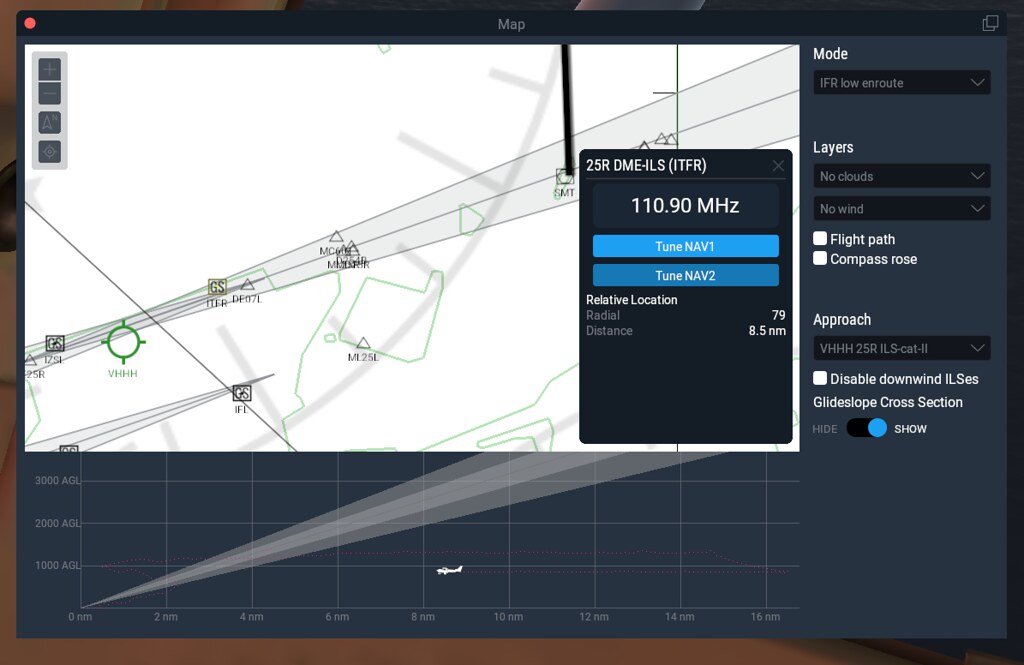 In this screenshot, you can see the Approach column,
which automatically displays a list of VHHH ILS frequencies.
So, I selected VHHH 25R ILS-cat-II,
and the navigation radio’s frequency pop-up window appeared,
showing the display of 110.90MHz, along with the TuneNAV1 and TuneNAV2 buttons.
In this screenshot, you can see the Approach column,
which automatically displays a list of VHHH ILS frequencies.
So, I selected VHHH 25R ILS-cat-II,
and the navigation radio’s frequency pop-up window appeared,
showing the display of 110.90MHz, along with the TuneNAV1 and TuneNAV2 buttons.