A Flight Sim Enthusiast's Notebook
-
GPS Flightplan Input via Keyboard
The G530 navigator and G1000 navigator in X-Plane 11 are excellent, but there is an inconvenience: it is not easy to input Waypoints. Dragging that tiny knob with a mouse is really not a good user experience.
Fortunately, I discovered this Plugin: Gps Flightplan Input via Keyboard, which allows you to input Waypoints directly using the keyboard. This should make utilizing the G530 and G1000 much more convenient.

However, looking at the instructions:
-
Do the Left and Right Main Landing Gears Retract Simultaneously?
This site has previously discussed topics regarding landing gear, such as The Center Main Landing Gear Not Extending Landing Gear Override Trigger Nose Landing Gear of Several Aircraft Types Today, we will continue with this theme.
Recently, while plane spotting in Osaka, I noticed a phenomenon. When a Boeing 767-300ER retracted its landing gear after Takeoff, the left and right sides did not retract simultaneously, which was quite unexpected.
Below are four consecutive photos.
 Fig 1, It can be seen that the right landing gear door opens slightly earlier than the left.
 -
Introduction to Some Free Asian Airports in X-Plane 11
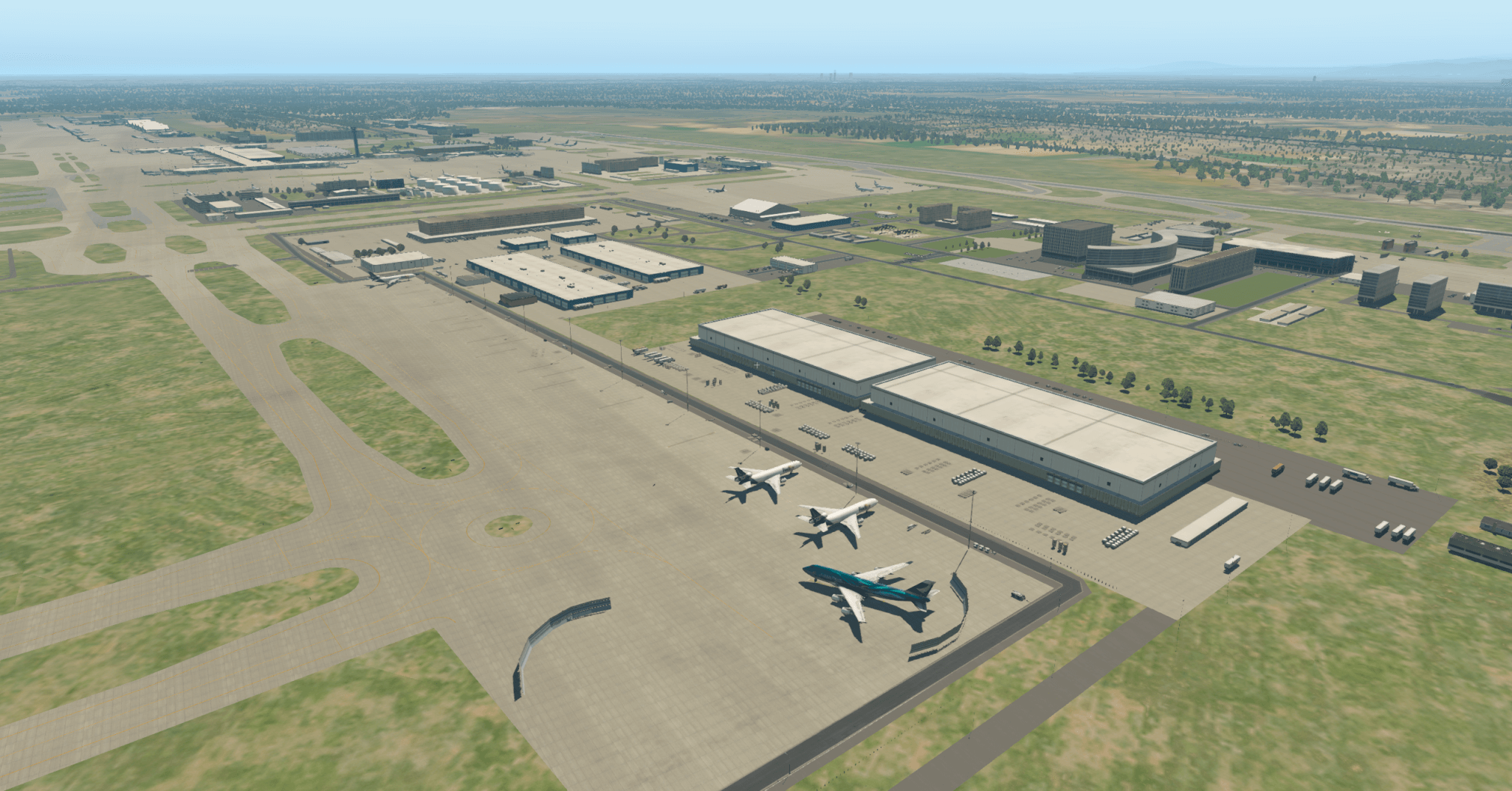
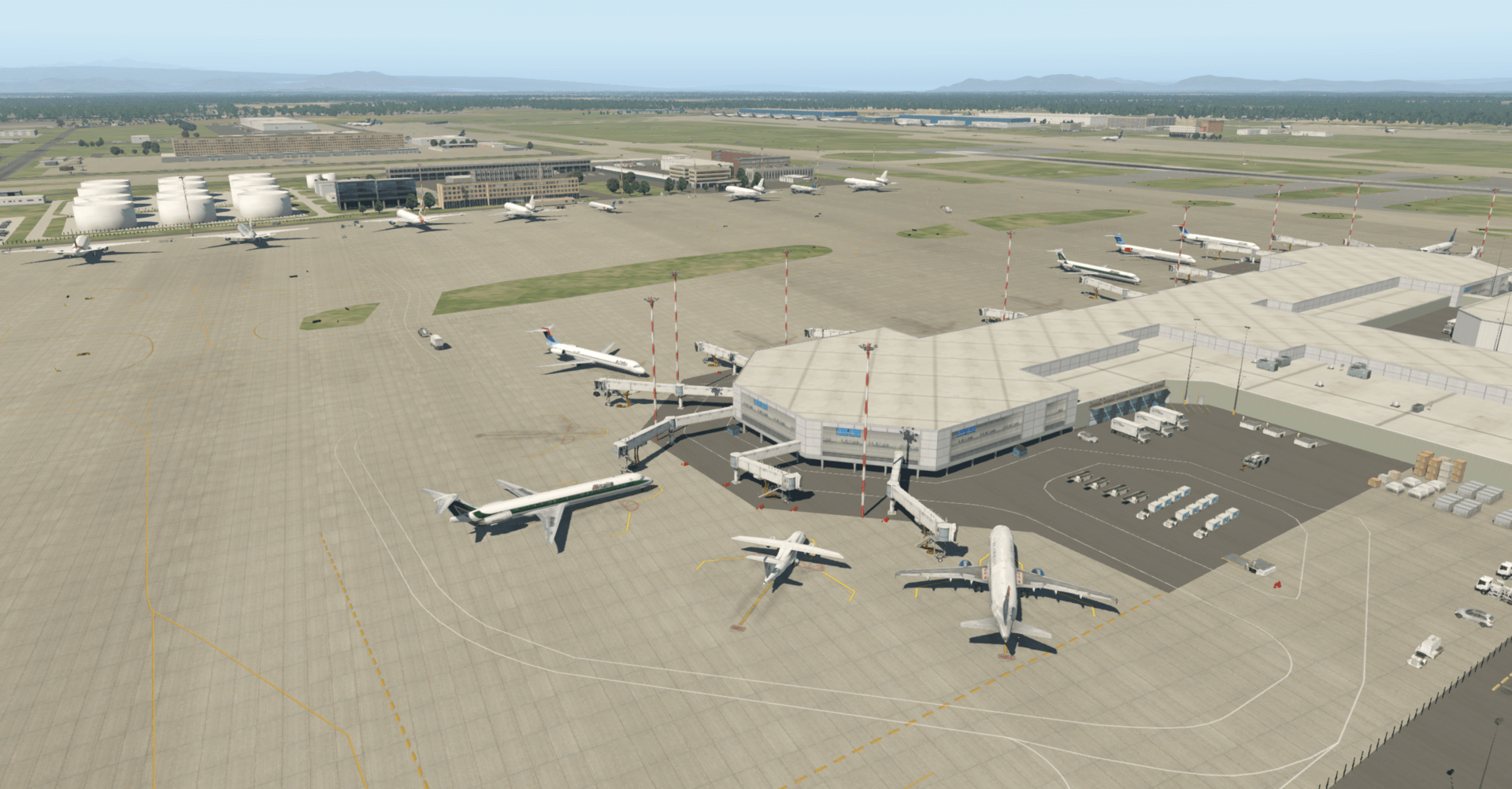
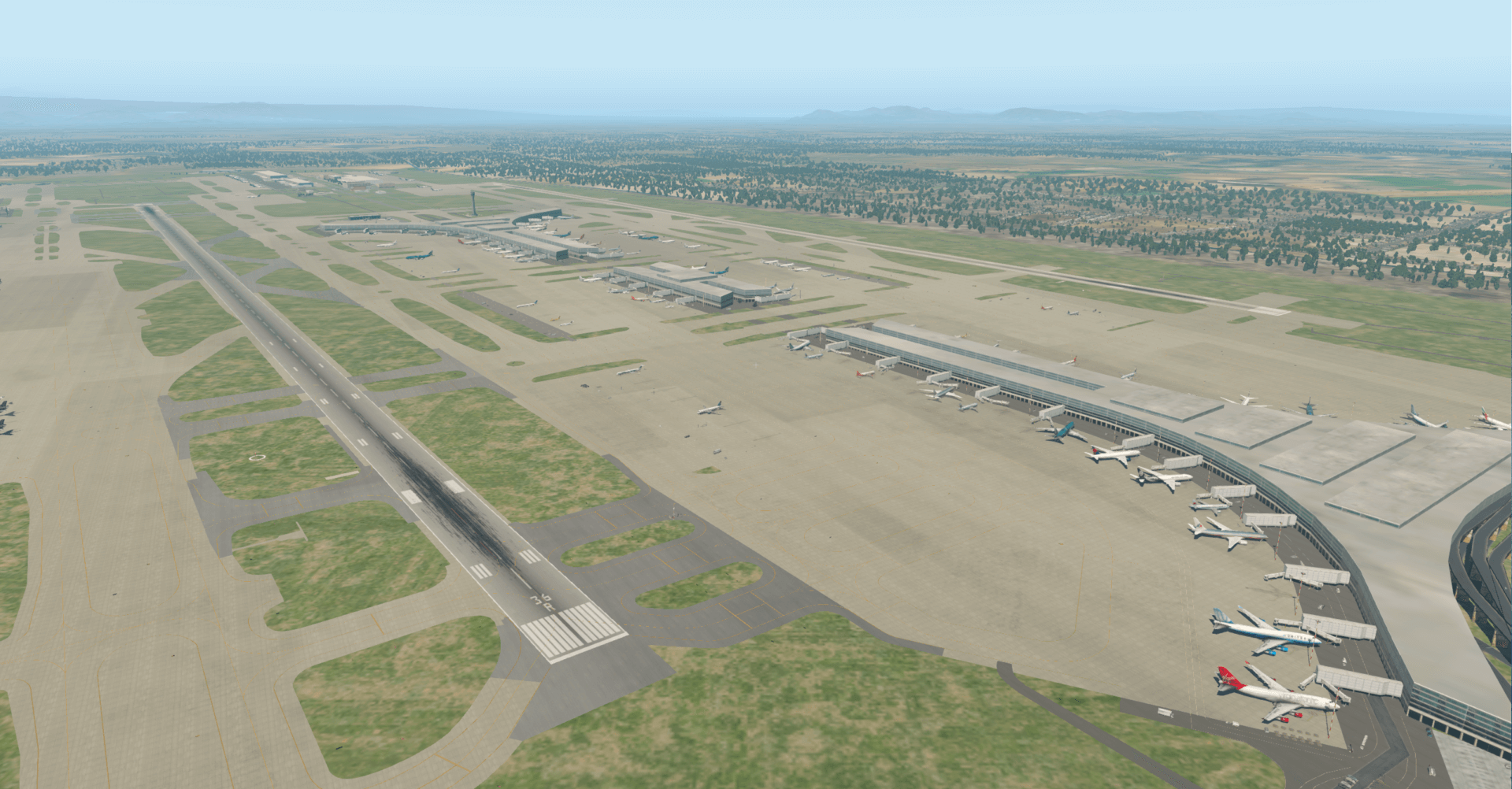
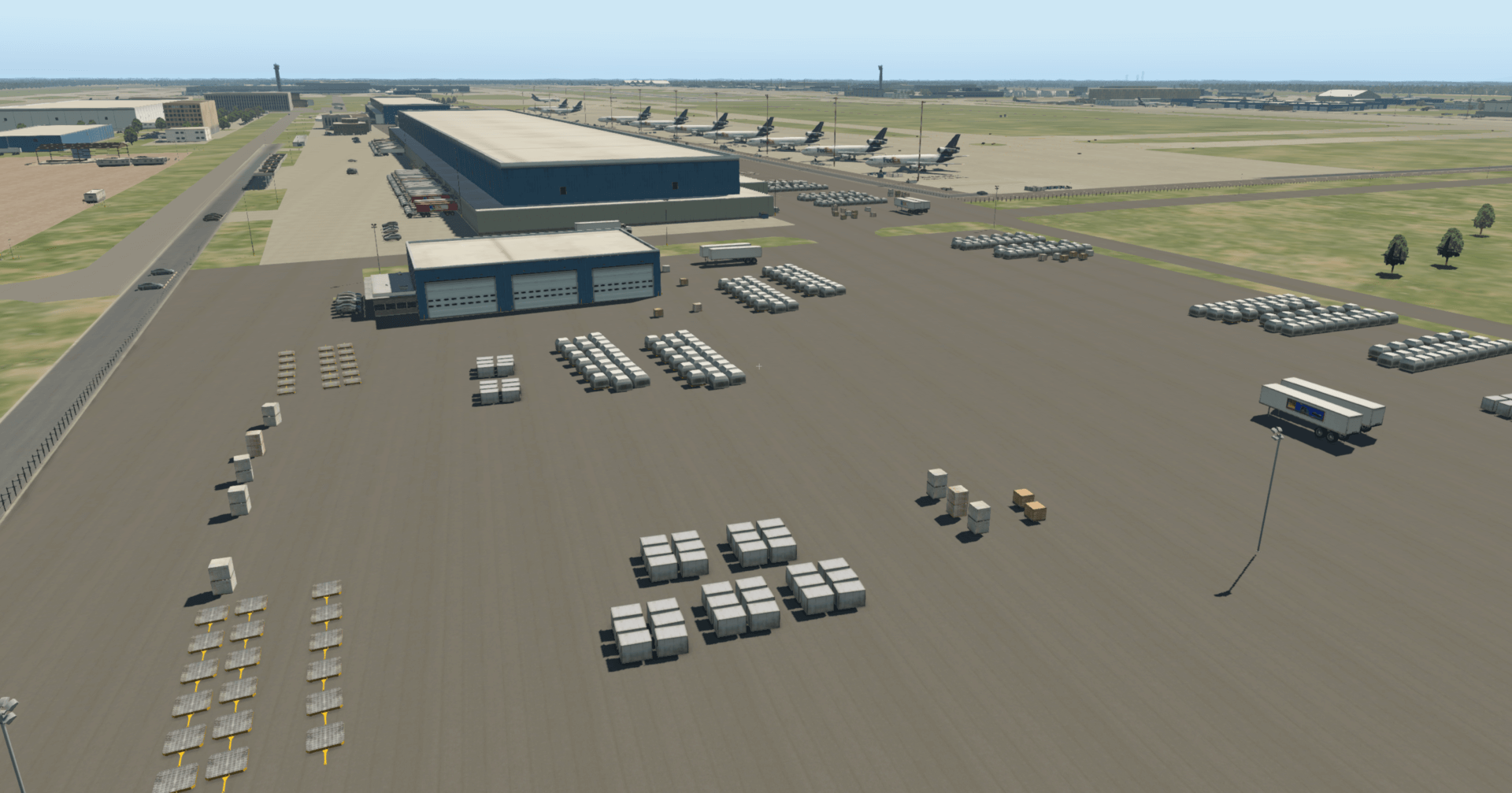
The X-Plane.org community has recommended some exquisite free airports. Below are a few from Asia, including Beijing Capital International Airport, Guangzhou Baiyun Airport, Hangzhou Xiaoshan Airport, and Tokyo Haneda International Airport, among others. There is no need to download these airports separately, as they are all included in the base X-Plane game.
First, let’s look at Beijing Capital International Airport Beijing Capital Intl (ZBAA)
Overview
 Tower View
 Overview from South Side
 Cargo Area
-
The Era of Free Flight for Micro and Light Unmanned Aircraft Has Arrived: Reading the Interim Regulations on Flight Management for Unmanned Aircraft (Draft for Comments)
Upon seeing the Notice from the Ministry of Industry and Information Technology on Soliciting Public Opinions on the “Interim Regulations on Flight Management of Unmanned Aerial Vehicles (Exposure Draft)", it indicates that restrictions on the management of micro drones will be relaxed in the future. This is truly great news.
The specific classification of drones is as follows:
Based on the level of operational risk, civil drones are categorized into Micro, Light, Small, Medium, and Large. Wherein: A **Micro drone** refers to a remotely piloted aircraft with an empty weight of less than 0.25 kg and design performance that simultaneously meets the following: true altitude does not exceed 50 meters, maximum flight speed does not exceed 40 km/h, and the radio transmission equipment complies with the technical requirements for micro-power short-distance radio transmission equipment. A **Light drone** refers to a remotely piloted aircraft that simultaneously meets the following: empty weight does not exceed 4 kg, maximum takeoff weight does not exceed 7 kg, maximum flight speed does not exceed 100 km/h, and possesses airspace retention capability and reliable surveillability that comply with airspace management requirements, but excludes Micro drones. A **Small drone** refers to a drone with an empty weight not exceeding 15 kg or a maximum takeoff weight not exceeding 25 kg, but excludes Micro and Light drones. A **Medium drone** refers to a drone with a maximum takeoff weight exceeding 25 kg but not exceeding 150 kg, and an empty weight exceeding 15 kg. A **Large drone** refers to a drone with a maximum takeoff weight exceeding 150 kg.
Note: Empty weight refers to the sum of the solid device weights such as the drone body, battery, and fuel containers, excluding the weight of filled fuel and mission payload.
-
Osaka Itami Airport Photo Spot Introduction #6: Shimogawara Park
Shimogawara is also a well-known spot for plane spotting.
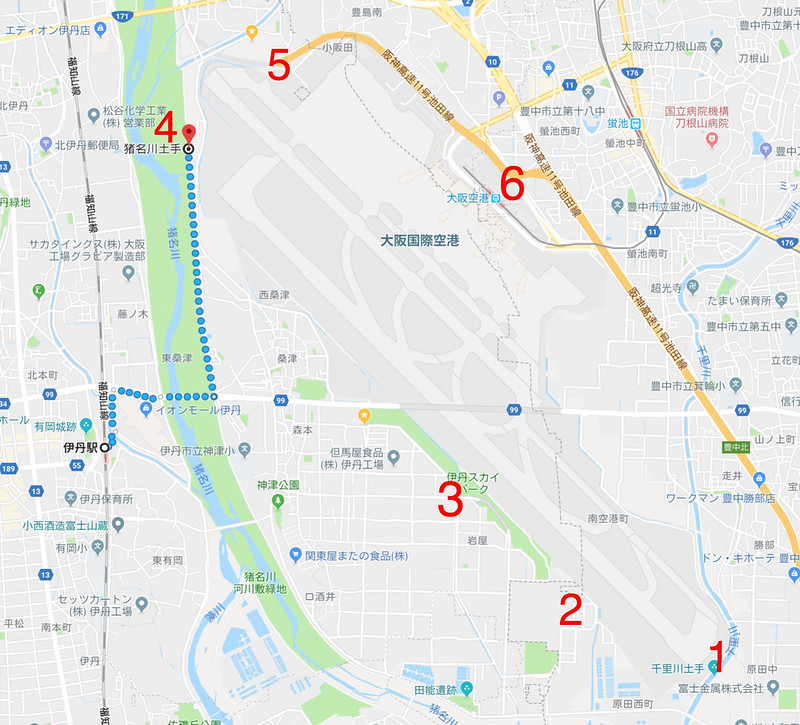 It is located at the northwest corner of Itami Airport; this is the area marked as “No. 5” in the picture.
For transportation, you can get off at JR Itami Station,
take a bus to “Shimogawara” from Platform 6,
and after getting off at the terminal, it is a 10-minute walk to get there.
It is located at the northwest corner of Itami Airport; this is the area marked as “No. 5” in the picture.
For transportation, you can get off at JR Itami Station,
take a bus to “Shimogawara” from Platform 6,
and after getting off at the terminal, it is a 10-minute walk to get there.When taking photos here, actually, most of the time the lighting is against the sun (backlit), so I chose to go in the late afternoon during dusk when the light is softer.

-
Osaka Itami Airport Photography Spot Introduction #5: Inagawa River Embankment
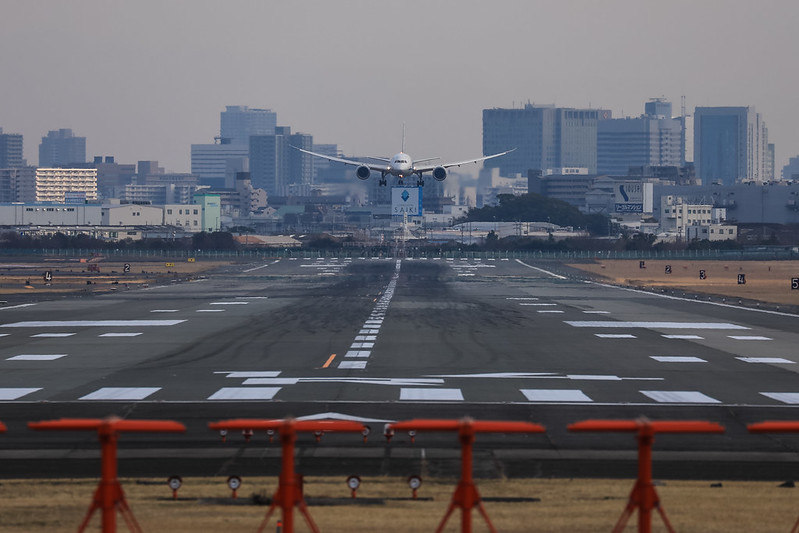
After leaving Sky Land Harada, I headed to another Osaka plane spotting location, “Inagawa River Levee”. Inagawa is the name of a river, and “dobete” means riverbank, so “Inagawa Dobete” is not a park, but a river levee at the approach end of the Itami Airport Runway. From here, you can capture head-on shots of aircraft taking off and landing on Runway 32L.


-
Osaka Itami Airport Photography Spot Introduction Part 4: Sky Land Harada
Sky Land Harada is also a famous spotting location at Osaka Itami Airport. It is located outside the southeast corner of the airport, and the closest point is only about 100-200 meters from the Runway, allowing you to take many very distinctive photos. I made a special trip to run over and take a look this time.
Since it was my first time and I was unfamiliar with the place, I chose the bus for transportation. Get off at JR Itami Station, go to bus stop No. 6, take the Route 22 bus, get off at Higashiguchi Sakai,
 and then walk northeast for 3 minutes to arrive.
 -
Reviewing the Garmin D2 Charlie Aviation Watch
Unboxing the Garmin D2 Delta PX Titanium Aviator Watch
 Garmin D2 Delta PX Titanium Aviator Watch Setup Guide
Usually, I take the Shinkansen when I go to Osaka for business trips. However, to test the Garmin D2 Charlie, I booked ANA flights for both the outbound and return journeys this time.
I created the flight plan early on Garmin Pilot,
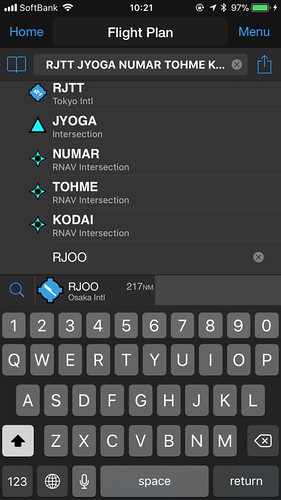
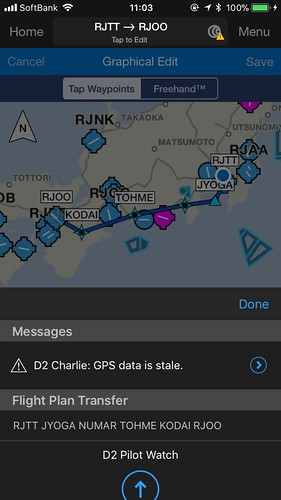
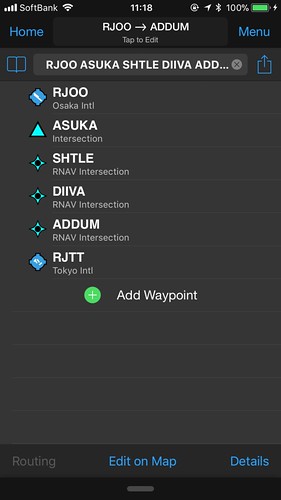
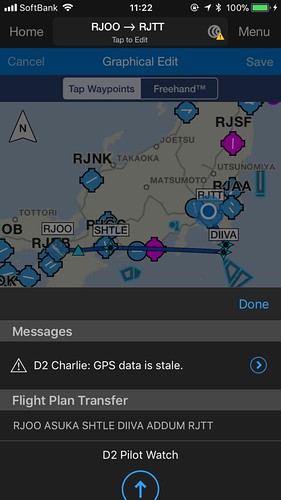 and transferred it to the watch.
After boarding, open the navigation app, select “Flight Plan”, and then select “Stored Plans”.
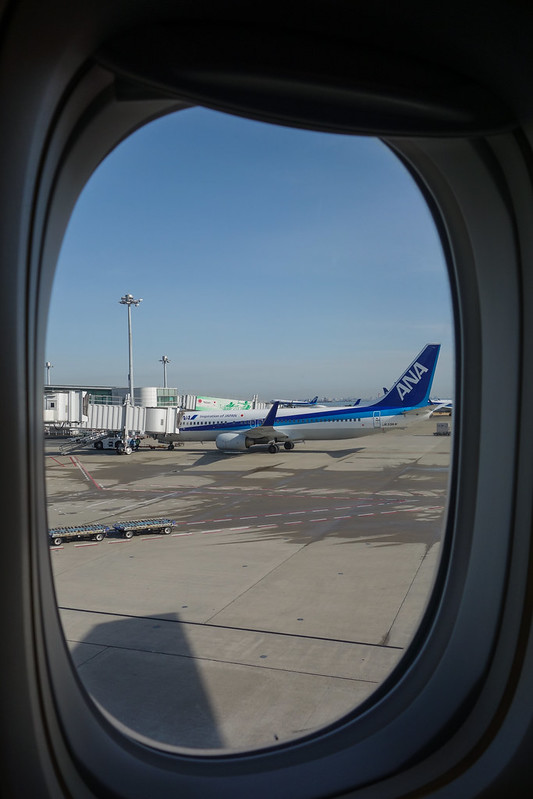 After pushback and during taxiing, I checked the watch,
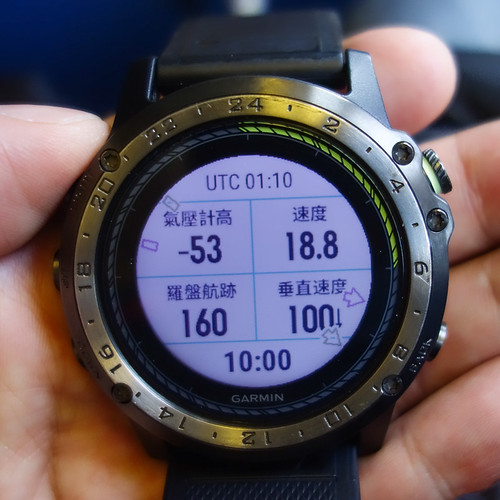 the speed was about 20 knots, but the altimeter data seemed a bit odd.
 -
Low Visibility Takeoff and Landing Using HUD
Just taking a note, I didn’t realize the HUD was this useful. Learned something new.
Facing this heavy fog and low visibility, with the strong support of the Shandong ATMB and Jinan Airport, Shandong Airlines enabled HUD to achieve a safe takeoff under 150-meter visibility conditions. This is the first commercial flight in the history of Chinese civil aviation to achieve takeoff with an RVR (Runway Visual Range) of 150 meters.
Shandong Airlines took the lead in completing the HUD RVR 150-meter takeoff validation test flight in Beijing on September 8, subsequently successfully completing HUD RVR 150-meter takeoff validation test flights at airports in Jinan, Qingdao, Kunming, Urumqi, and Shijiazhuang.
-
Depth of Field Comparison Between Full-Frame and APS-C Cameras
Most people know that full-frame cameras have larger sensors and better image quality. However, when photographing aircraft, the APS-C focal length offers more advantages. Deciding which model to use is indeed a headache. Let’s take the Canon 5D4 and 7D2 as examples to see the differences in Depth of Field (DoF) between full-frame and APS-C bodies.
For example, photographing an object 100 meters away: When using the 7D2 with a 200mm focal length and aperture f/7.1,
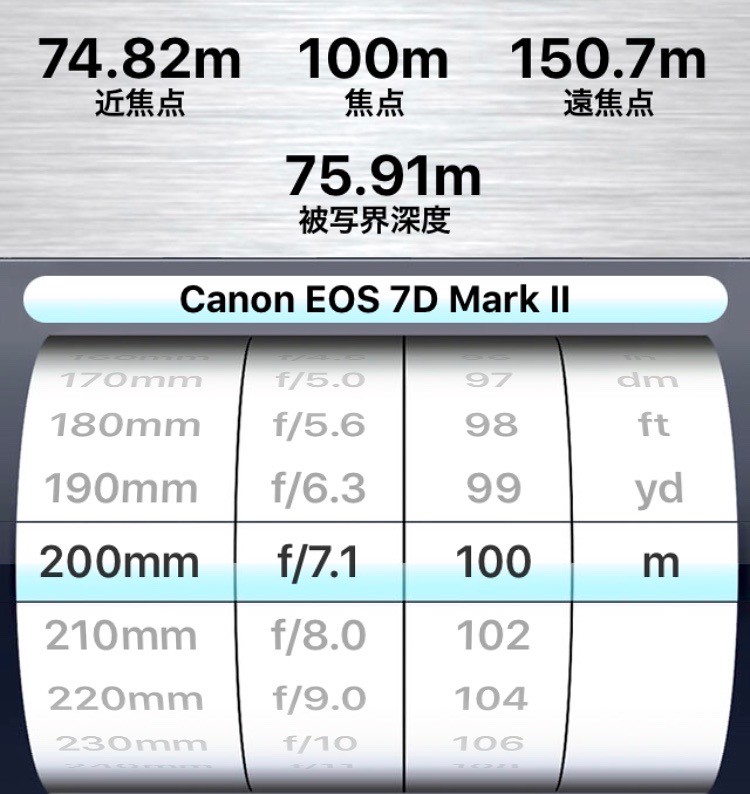 You can see the Depth of Field is 75 meters.
 -
X-Plane 11.11 ATC Air Traffic Control Function Review
Flew a short loop using the ATC function in X-Plane 11.11r2. I feel that the Air Traffic Control section in XP11, except for the lack of navigation during the cruise phase, has a much higher degree of automation than before, highly recommended. Below, I will briefly paste some screenshots to introduce it.
Click the ATC icon in the upper right corner to launch the Air Traffic Control window.
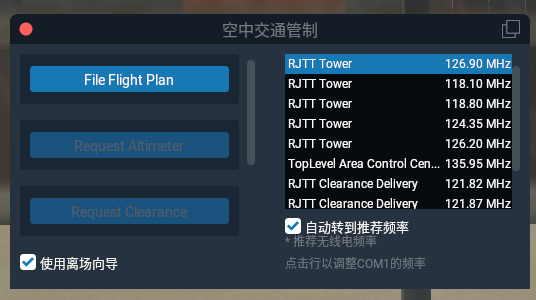 Since no flight plan has been entered yet, you can see the File Flight Plan button.
 -
X-Plane 11.20's VR Features Look Promising
Starting with X-Plane 11.20 beta, VR devices are now supported. According to the official X-Plane 11.20 VR Beta Instructions, the requirements are: Windows 7 64 bits or newer operating system HTC Vive or Oculus Rift 1 or more VR controllers Steam VR installed
Since I don’t have a Windows computer, nor an HTC Vive or Oculus Rift device, I’ll just have to watch the reports from other players.
You Can Use VR With Any Edition of X-Plane 11 mentions explanations regarding the hardware, but without the physical device, it’s hard to understand. So I searched on YouTube and found some good explanations; I’m posting them here for your reference.
-
A Relaxing Trip to Haneda: Photographing the Lufthansa Five-Star Livery, Part 2
Following the previous post, here are the photos mainly uploaded to Airliners.net (anet).
At noon at the International Terminal, I spotted a Gulfstream G550, VP-CFG Gulfstream Aerospace G-V-SP Gulfstream G550 (C-37B) <img src=https://imgproc.airliners.net/photos/airliners/9/9/5/4758599.jpg?v=v47bcf4e7de8>
Last summer, an old classmate came to Tokyo with his family, and I went to Haneda Airport to pick them up. At that time, they were on this China Southern A330-200. <img src=https://imgproc.airliners.net/photos/airliners/3/4/6/4758643.jpg?v=v417afa3312f>
I also have a connection with the Shanghai Airlines A330-300, after all, I took it when I went to see the Shanghai Rolex Masters 2017. <img src=https://imgproc.airliners.net/photos/airliners/9/1/0/4759019.jpg?v=v40884e844a1>
-
A Trip to Haneda to Relax and Spot the Lufthansa Five-Star Livery Aircraft
I’ve been quite busy lately and haven’t been out to spot planes for a long time.
I saw a news piece, Lufthansa becomes Europe’s first Skytrax 5-star airline.
According to Reuters, Lufthansa has passed Skytrax's 5-star certification, becoming Europe's first 5-star airline. To win passenger favor in a fiercely competitive market, Lufthansa has been continuously improving the passenger experience by updating its fleet and retrofitting cabins.
Then there was Lufthansa promoted to 5-star airline, the only one in Europe.
-
How to Update Data and Apps on the Garmin D2 Charlie Titanium Aviation Watch
Garmin D2 Delta PX Titanium Aviation Watch Unboxing
Garmin D2 Delta PX Titanium Aviation Watch Setup GuideData on the D2 Charlie that frequently needs updating includes maps, the aviation navigation database, Apps, Widgets, and Firmware.
For example, for the watch’s own operating system, Seeing that the US Garmin official website has released D2 Charlie software version 3.20, which fixed some bugs and added some new features, you might need to update the Firmware. (It seems the Chinese version hasn’t been released yet.)
-
Garmin D2 Charlie Titanium Aviation Watch Self-Test Mode
One day, I accidentally dropped my D2 on the floor. Upon picking it up and inspecting it, I was relieved to find that the exterior surface was completely undamaged. However, remembering that this watch contains so many sensors, I wondered how I could check for any internal issues? I searched online and found that Garmin watches have a self-test mode, so I decided to try it out on my D2 Charlie.
-
X-Plane 11.10 Is Here
X-Plane 11.10 Is Here! X-Plane 11.10 Official Release Available X-Plane 11.10 Release Notes I saw on the developer’s blog that the official version of 11.10 has been released. I updated to take a look and found it has left beta, The version is Release Candidate 3, which means it is about to enter the stable version.
According to the official introduction, the highlights of X-Plane 11.10 are:
-
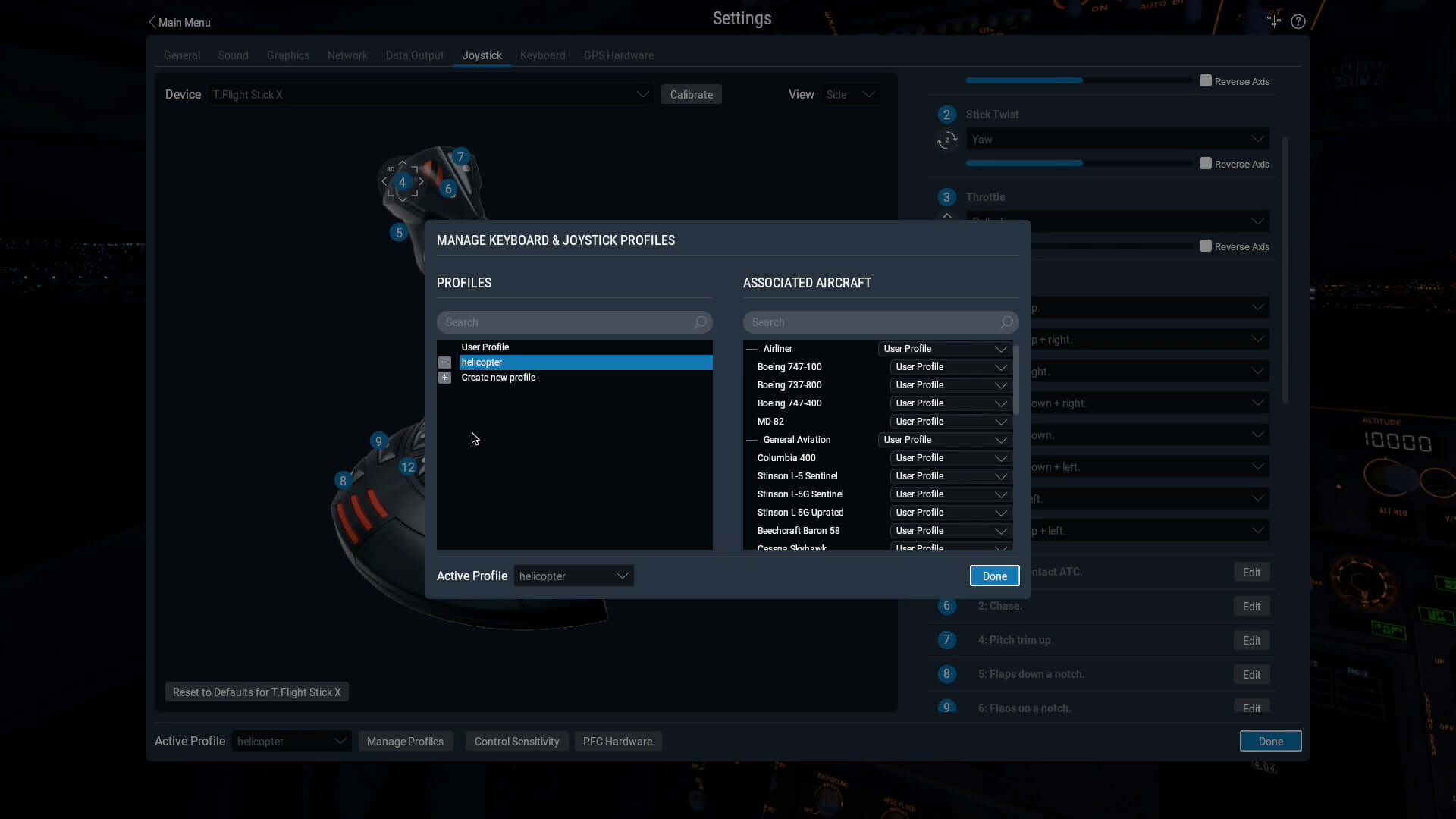
Keyboard, joystick, and other hardware settings saved separately (Joystick & Keyboard Profiles) Hardware profiles can be saved according to the aircraft or scenario, For example, key settings are different when flying a Cessna 172 versus a Boeing 737, Now you can save them separately for each aircraft type.
-
-
Garmin D2 Charlie Titanium Aviation Watch Review Part 2
Unboxing the Garmin D2 Delta PX Titanium Aviator Watch
Garmin D2 Delta PX Titanium Aviator Watch Setup GuideContinuing my thoughts on using the year’s most powerful smartwatch, the Garmin D2 Charlie, this time I’m summarizing from the perspective of a general smartphone user.
Regarding settings, one customizable default is the backlight. For example, the feature that automatically activates the backlight when you raise your hand is extremely convenient. However, the menu is quite deep, located at “Settings-System-Backlight-During Activity-Raise Hand-On” and “Settings-System-Backlight-Not During Activity-Raise Hand-On”. Additionally, the backlight timeout and brightness can be customized; personally, I found the defaults a bit low, so I increased both the time and brightness.
-
Garmin D2 Charlie Titanium Aviation Watch Review: Part 1
Garmin D2 Delta PX Titanium Aviator Watch Unboxing
Garmin D2 Delta PX Titanium Aviator Watch Setup GuideAfter using the Garmin D2 Charlie for nearly a week, I can summarize my thoughts on the experience.
First of all, it is an excellent smart watch. For instance, the color screen has high resolution and is easy to read even in sunlight. Additionally, it is very power-efficient. A simple test over the last few days showed that after two days of use, there was still 20% battery remaining. Therefore, you don’t need to constantly worry about running out of power and can boldly use its various functions. Furthermore, if you don’t use the navigation and sports features and just use it to tell the time, it can easily last a week.
-
A First Look at the G1000 Navigator in X-Plane 11
After writing Upgrading to X-Plane 11.10b8 to Try Out the G1000, I became interested in how to use the G1000. I went to the official Garmin website and downloaded the Garmin G1000 Pilot’s Guide for Cessna Nav III manual. I’ve only looked at the beginning of this 600+ page document, but I found that its operation is still very similar to the G530. The usage methods introduced in the X-Plane 11 G530 Navigation Tutorial are all applicable. It seems that when designing the UI, the product had mature considerations regarding operational compatibility.