Changes in the X-Plane 11 Map Window
The map window functionality in X-Plane 11 has changed quite a bit compared to XP10, even though the shortcut key to toggle the map window is still “m”.
Today I played for about half an hour, trying out the frequency function in the map while approaching Runway 25R at Hong Kong’s new airport (VHHH).
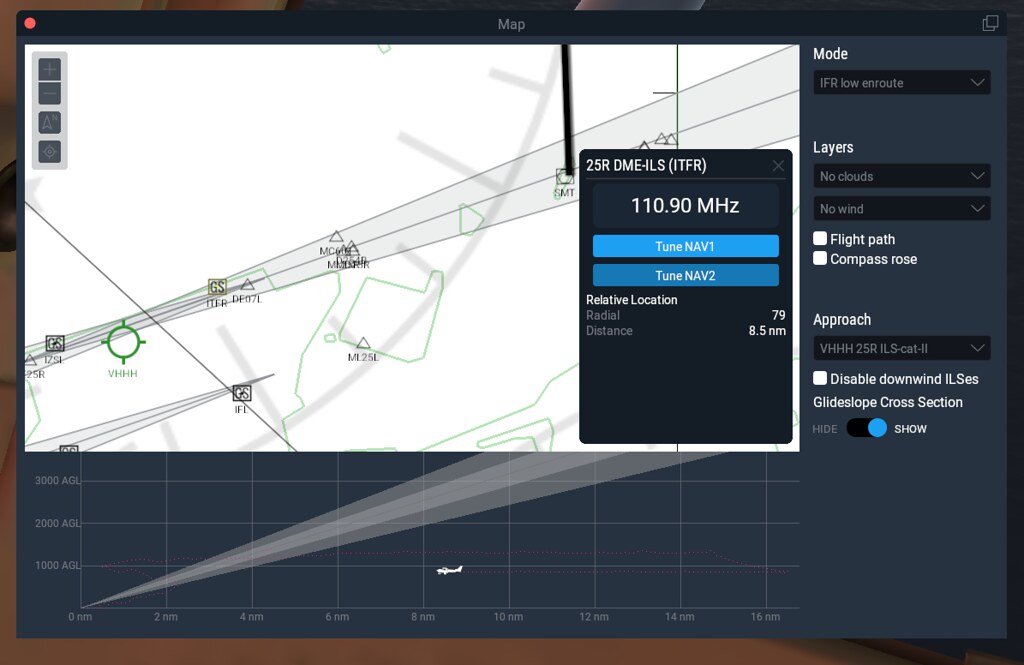 In this screenshot, you can see the Approach column,
which automatically displays a list of VHHH ILS frequencies.
So, I selected VHHH 25R ILS-cat-II,
and the navigation radio’s frequency pop-up window appeared,
showing the display of 110.90MHz, along with the TuneNAV1 and TuneNAV2 buttons.
In this screenshot, you can see the Approach column,
which automatically displays a list of VHHH ILS frequencies.
So, I selected VHHH 25R ILS-cat-II,
and the navigation radio’s frequency pop-up window appeared,
showing the display of 110.90MHz, along with the TuneNAV1 and TuneNAV2 buttons.
Simply pressing TuneNAV1 eliminates the need to manually tune the frequency like in the past,
the NAV1 frequency is automatically set.
Click the AP button on the autopilot in the lower right corner of the instrument panel to engage the autopilot,
and select NAV and APR modes.
The change in OBS1 can be seen below.

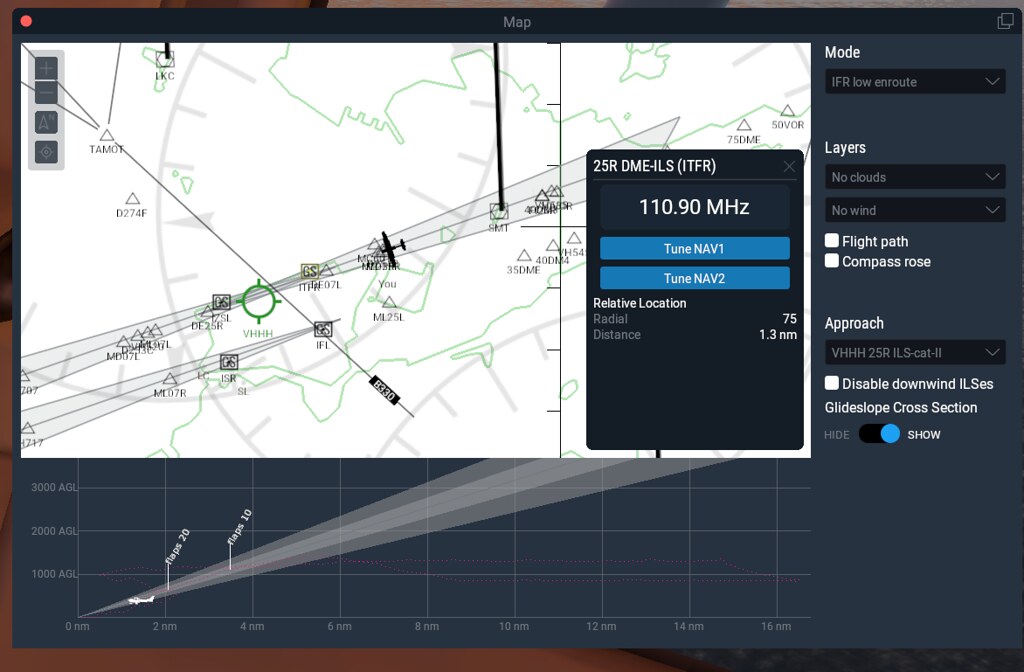 Gradually approaching the Runway, manually lower the Flaps and reduce the throttle,
 Hong Kong's new airport is right before your eyes.