X-Plane Flight Simulation Software FAQ Part 1: Installation
X-Plane 11 is now available! Please check out the latest reports: Installing and trying the X-Plane 11 free demo and X-Plane Chinese Tutorials!
Q: What is the difference between X-Plane 10 and Microsoft’s FSX? Which is more fun? Which is more realistic? A: Overall, FSX is a flight game with flight missions and rich Air Traffic Control features, making it slightly more entertainment-oriented. X-Plane can be called a home flight simulator, with very low entertainment value, purely focused on flight. Therefore, its support for terrain, roads, railways, and aerodynamic models is slightly better.
Q: How can I try X-Plane 10? A: You can download the trial version for Mac/Windows/Linux from the official X-Plane website. It includes over 40 aircraft, scenery near Seattle, and IFR and VFR Air Traffic Control functions. Once you have confirmed that your computer can run XP normally, you can consider purchasing the genuine version to use all its features.
Q: What are the differences in the X-Plane 10 Demo? A: The features of the demo are explained in the previous point. After purchasing the genuine version, you can use worldwide scenery.
Q: Is there an installation tutorial for X-Plane 10? A: You can refer to this site’s Getting Started Guide, Installation Method & Walkthrough.
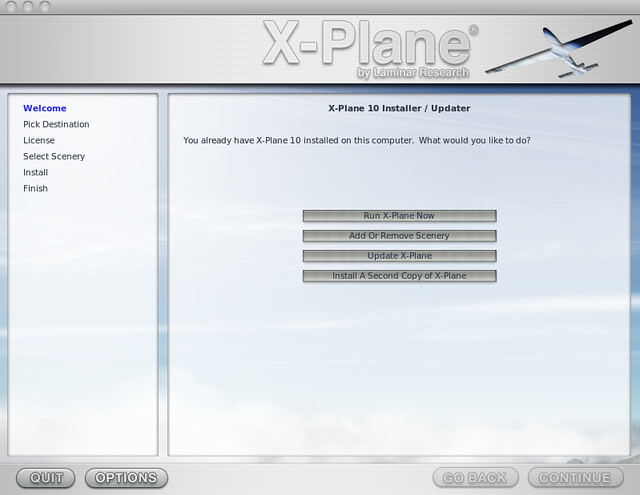
Q: My version is too old, how do I update to the latest version?
A: Launch the installer (X-Plane 10 Installer.app on Mac, X-Plane 10 Installer.exe on Windows), then select “Update X-Plane”.
Q: Does X-Plane have a registration code? A: This software does not require a registration code.
Q: How do I select the language in X-Plane 10? How do I crack and localize X-Plane 10? How do I change X-Plane 10 to Chinese? A: First of all, there is no Chinese version of XP. Although there are some methods online to change it to Chinese, it is not recommended. Because XP is not a game, but a professional flight simulation software, if you haven’t mastered some aviation knowledge, translating these professional terms into Chinese won’t help you use it.
Q: Can the Lenovo Y471A play X-Plane? Q: Can my specific model run XP? Q: Help me check my machine’s hardware specifications, etc. A: Computers from recent years will definitely work. I have used a very old 2008 MacBook to run it, without any problems. Of course, with older machines, you can’t pursue too high graphics settings. Since everyone plays differently, the safest method is to first download the trial version from the official X-Plane website, which includes over 40 aircraft, scenery near Seattle, and IFR and VFR Air Traffic Control functions. Once you have confirmed that your computer can run XP normally, you can consider purchasing the genuine version to use all its features.
Q: How to crack X-Plane 10 Mac DVD 1? A: XP is not encrypted software, so it does not need cracking.
Q: Do I always need the disc to play the genuine X-Plane 10? A: No, you just need to create a virtual disk from DVD1 and load it before starting. For details, please refer to this site’s Getting Started Guide, Installation Method & Walkthrough.
Q: Does X Plane 10 have built-in flight tutorials? A: No. But looking at this site should be enough.
Q: Can the X-PLANE 10 upgrade be interrupted? A: Yes, it can.
End