X-Plane 11 FMS 使用教程
x-plane.org にて、X-Plane 11用FMS操作マニュアルが公開されています。 その中には以下のように記載されています。 “This document may be copied and distributed by Laminar Research customers for entertainment only.” というわけで、当サイトにてご紹介します。
このフライトマネジメントシステムのシミュレーションの程度について、マニュアルには次のように書かれています: “Due to the immense complexity of a real-life Flight Management System, the version modelled in X-Plane 11 is simplified, and does not support every capability. However, the functions necessary to program and execute a flight plan are present, including the use of published arrival and departure procedures (SIDs and STARs) and instrument approaches.” つまり、Boeing 737のようなCDU(コントロールディスプレイユニット)に相当するフライトプラン機能が提供されており、SID、STAR、およびインストルメント・アプローチが含まれています。
CDUはフライトコンピュータへの入力デバイスとして、X-Plane 11ではポップアップ表示される2Dウィンドウとなっています。 マウスを使ってポップアップさせたり、位置を移動させたり、サイズを変更したり、ウィンドウを閉じたりすることができます。
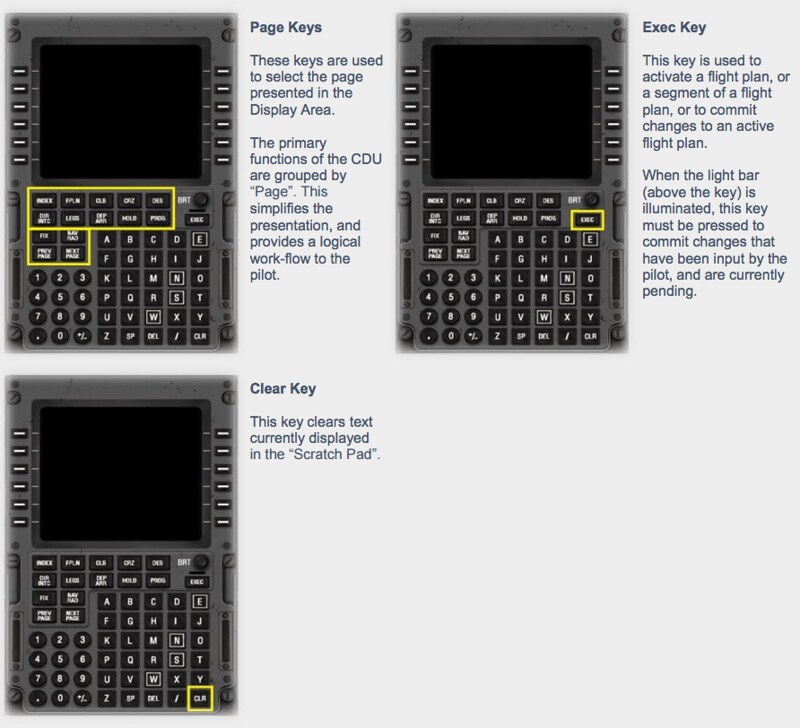
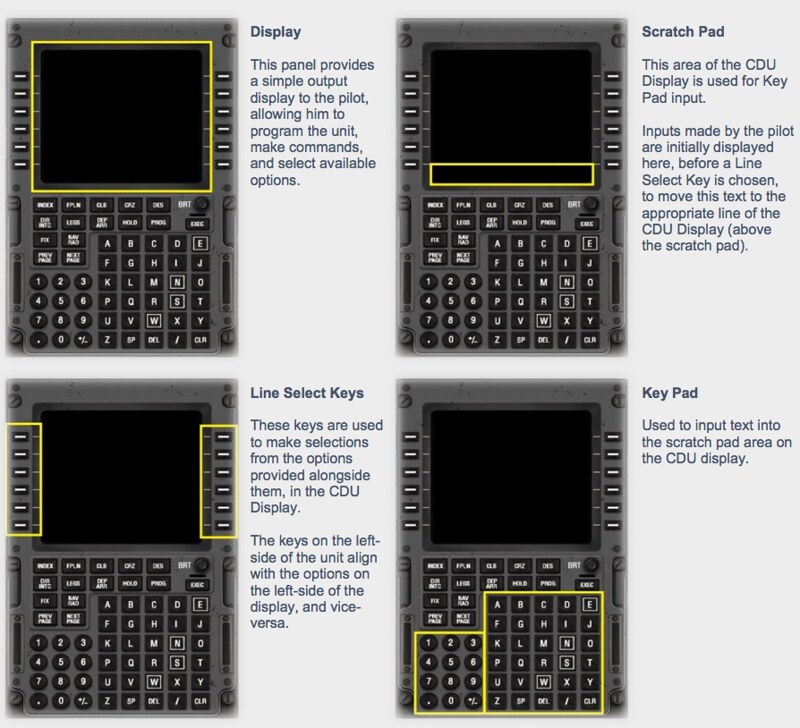
機能に基づくと、CDU内部は以下のいくつかの領域に分けられます:
表示画面 (Display)
入力エリア (Scratch Pad)
ラインセレクトキー (Line Select Keys)
キーパッド (Key Pad)
ページキー (Page Keys)
実行キー (Exec Key)
クリア(削除)キー (Clear Key)