A Flight Sim Enthusiast's Notebook
-
An Interview with Ben Supnik, X-Plane 10 Graphics Engine Developer
It’s been over a month, and between business trips and a busy work schedule, I’ve barely had any time to practice with X-Plane, and this blog hasn’t been updated for a long time. My apologies.
Today, I came across an interview on aerosoft.com with Ben Supnik, the graphics engine developer for X-Plane 10. http://asn.aerosoft.com/?page_id=5878 I’ve selected a few interesting topics from the interview to share with everyone.
-
X-Plane 10.04 Beta 2 Released
X-Plane 10.04 Beta 2 has been released. Since this is still a beta version, you still need to manually launch the X-Plane 10 Updater program to update.
The update points are listed below. It seems they aren’t particularly relevant to me, as the functions I use regularly are basically not on the list.
All buttons on the FMS’s should work properly even if there are two different FMS’s in the airplane. Wind-shear and turbulence model refined a little more to be more complex in it’s randomness, and not always quite so strong in what are requested to be moderate conditions, and to change in a reasonable way with altitude. This should help improve wind and turbulence modeling, especially with Real-Weather turned on. X-15 drop and Space-Shuttle-carry missions should work properly now. Right-mouse drag to look around in 3-D cockpit command-look view, and mouse scroll wheel zooms. This is a pretty convenient way to look around the 3-D cockpits. (This works in “command” look mode, not mouse look mode! So when you are not right-mouse dragging, the view stays still and you can manipulate the 3-d panel.) Track-IR functions in ALL 3-d cockpit views now… It has WORKED for years, but is now easier to find since it engages in ALL 3-d cockpit views, not just one. Cool new feature for QuickTime movies: Movie quality! Set it high or low depending on how good you want it to look… and how much disk space you want to burn! External visuals should sync-up faster in the multi-machine setups, which should save some time in real flight-training scenarios. Landing lights, spotlights, and spotlight aiming-angles all go from master machine to external visuals now. Plane-Maker system screen: Option to auto-load with current values, or not, airspeed, vertical speed, and altitude when a new autopilot mode is engaged. Visibility tuned to change with altitude in a more accurate way to follow the reported weather more closely. AI planes should be better about holding desired altitude now, resulting in less annoyed air traffic controllers. Fixed: incorrect warnings about missing scenery Fixed (partly): the ocean shading should have fewer sharp lines on it. Far view shading of the ocean is still a work in progress…more color tuning in a future beta. Fixed: wing flex now works - X-Plane was incorrectly zeroing out wing-flex on some v10 planes. Fixed: sharp turns in taxiway lines now render correctly at KSEA and other airports. Fixed: right button on Linux is now the “right” button, not the scroll wheel itself. Fixed: plugins won’t crash if they try to read the weather from XPluginStart Facades:
-
Hawaii Roaming First Helicopter Flight
Continuing from yesterday’s flying session in Hawaii, I’ve practiced touch and go at Honolulu International Airport (PHNL) quite proficiently. So now, let’s steer clear of the airport and thoroughly enjoy the tropical ocean scenery.
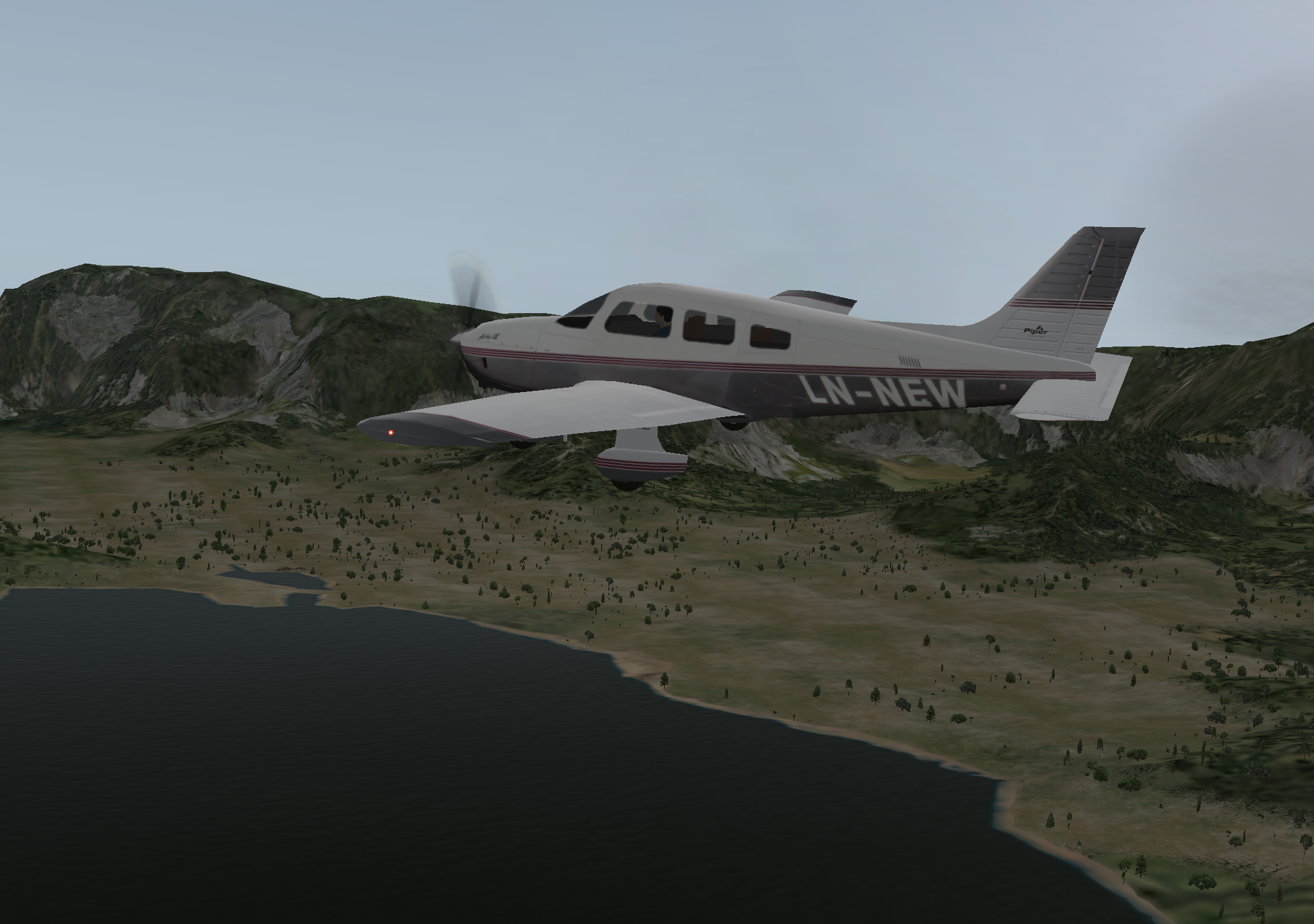
Today, I switched to the Piper PA-28. After practicing touch and go 2 or 3 times, I took off and circled Oahu.
This scenery feels so familiar; after all, these are places I’ve personally flown to, and it always feels heartwarming. Finally, I landed successfully—leaving a keepsake here.
-
Training Diary: Traffic Pattern at Honolulu International Airport
I’ve always treated RJTA near my home as my home base, doing all my practice there.
But the wind’s been strong these days—lousy for training—so I switched to Hawaii’s Honolulu International Airport, a field I’ve actually flown myself.At first, I wasn’t quite used to the new environment. I picked Runway 26L at random and spent an hour doing touch and goes.
The flight path was all over the place,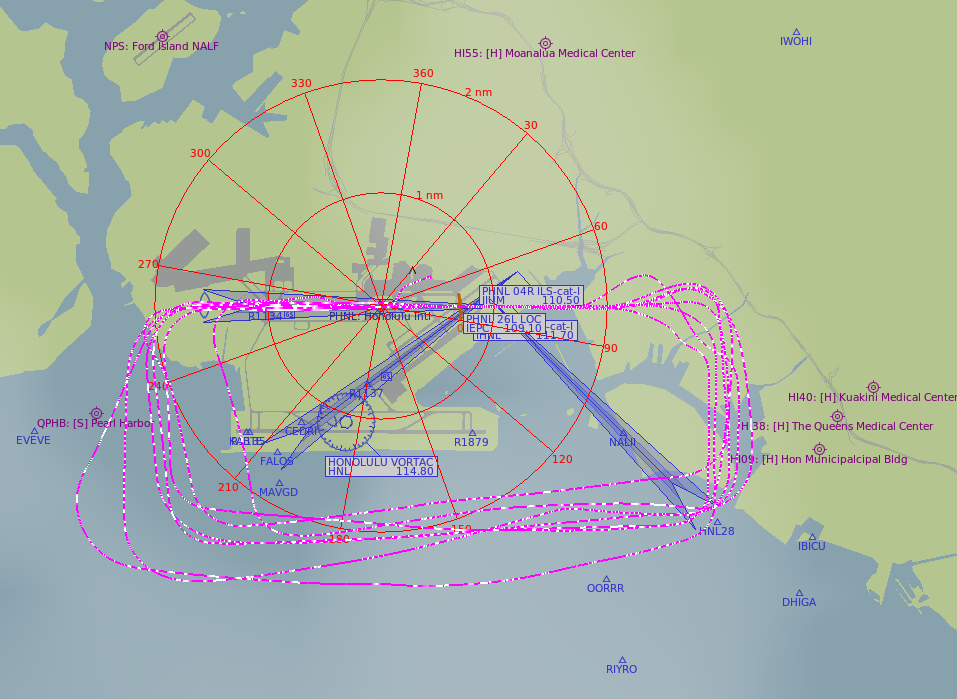 and altitude control was erratic—up and down,
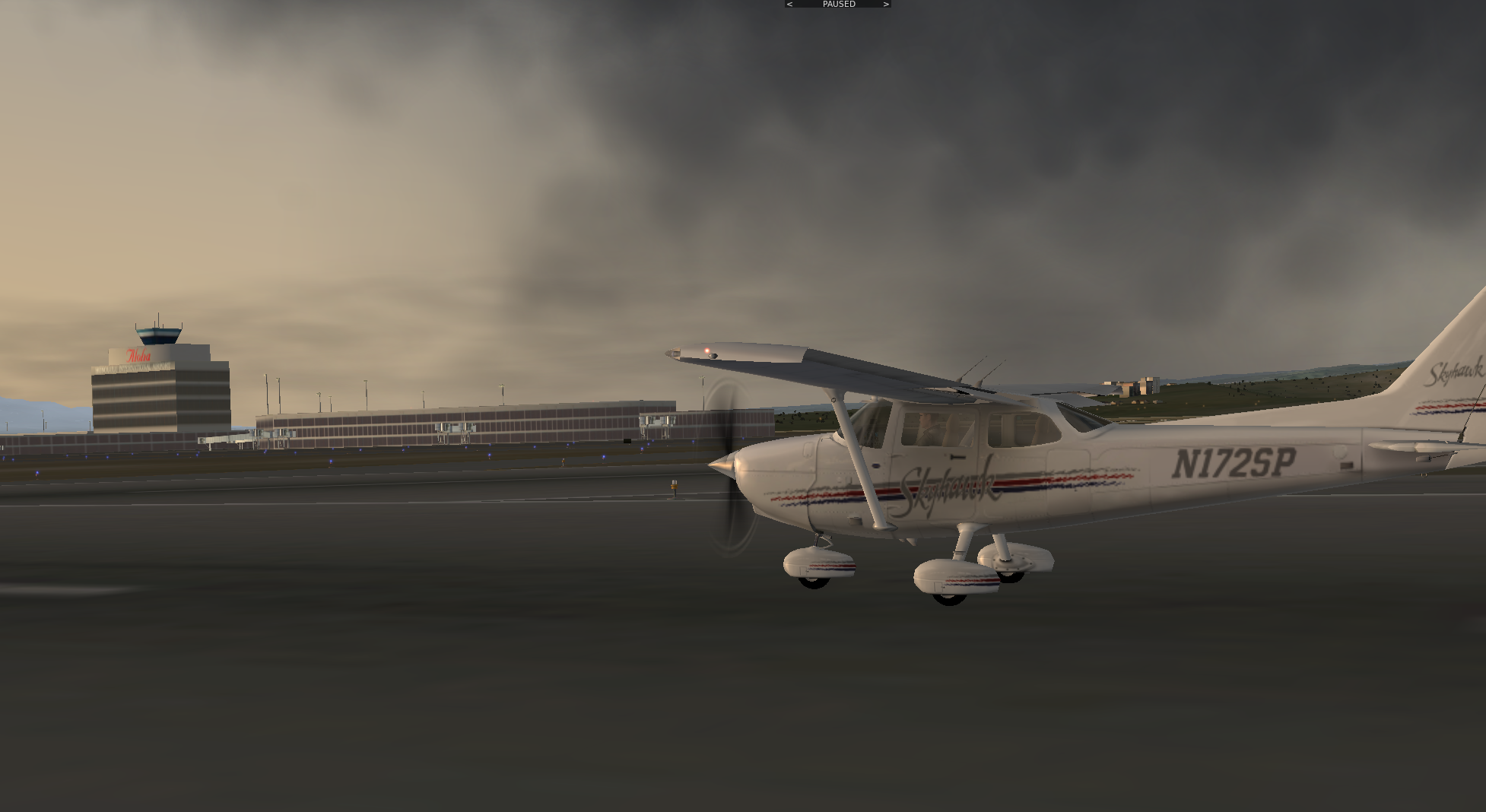
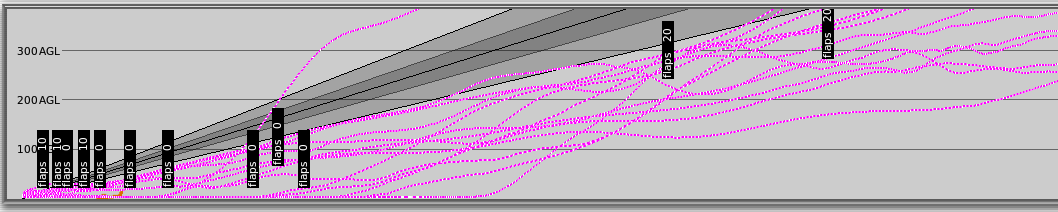 but after an hour, I finally got the hang of the terrain. Control on final leg gradually became second nature. The last landing was pretty satisfying; after a full stop, I snapped a photo with Aloha Tower in the background to commemorate the moment.
-
Training Diary: Basic Flight Maneuvers Practice
Personal Summary of Basic Operations: Level Flight, Climb, and Descent
I’m writing this down now so I don’t forget it later.
To maintain a steady state of Level Flight, Climb, or Descent, you must follow this sequence: first adjust Thrust, then control the aircraft’s pitch attitude, and finally adjust the trim.
The reason the first step, power adjustment, is so important is that engine Thrust determines the aircraft’s state of ascent or descent. Most people have the impression that a pilot pulls back on the stick to make the plane Climb and pushes forward to make it Descent. In reality, this is a misconception. Pulling back on the stick does indeed cause the aircraft to gain some altitude, but if Thrust remains unchanged, the Airspeed will continuously decrease until the aircraft enters a Stall. Similarly, if you try to force the plane to Descent by pushing the stick forward, the nose will drop continuously, causing Airspeed to increase. This increase in speed generates more Lift, which will actually cause the altitude to rise instead. Therefore, remember: to maintain a stable altitude change, you must adjust Thrust. When transitioning from a Climb to Level Flight (level-off), you must first appropriately reduce engine Thrust; when transitioning from Level Flight to a Climb, increase Thrust; and when transitioning from Level Flight to Descent, reduce Thrust.
-
Training Diary: Practicing Traffic Pattern and Touch and Go After a Two-Week Break
Due to a business trip, I haven’t practiced X-Plane for two weeks. Fearing my skills might have gone rusty, I hurriedly took the weekend to review. Today was mainly repetitive touch and go maneuvers, circling the airport round and round.
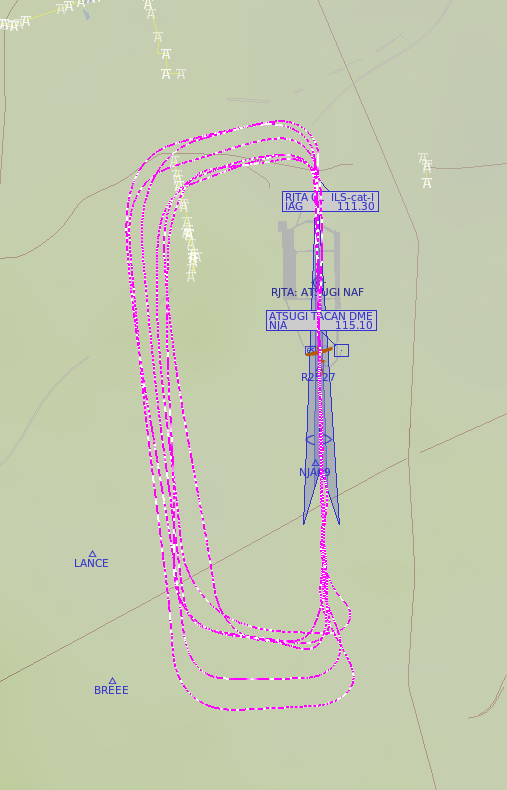
Looking at the track plot, I feel the base leg is still the biggest problem. The airspeed is a bit too fast, the timing for entering the final approach is quite late, and additionally, the nose isn’t properly aligned with the runway.
-
X-Plane 10.04 Beta 1 Released
More info on X-Plane versions, piloting, installation, and getting started
Just got back from a business trip, so this blog has been on a nearly two-week hiatus. Apologies.
X-Plane 10.04 is finally released. As usual, the first release is the beta 1 version. Note that to install it, you must manually launch the X-Plane 10 Updater program. It is not like before, where you were prompted to update when launching the main program. You should go update and check it out.
-
Plugin Introduction: Google Maps Display GMAP FOR X-PLANE EFB Edition Display Mode
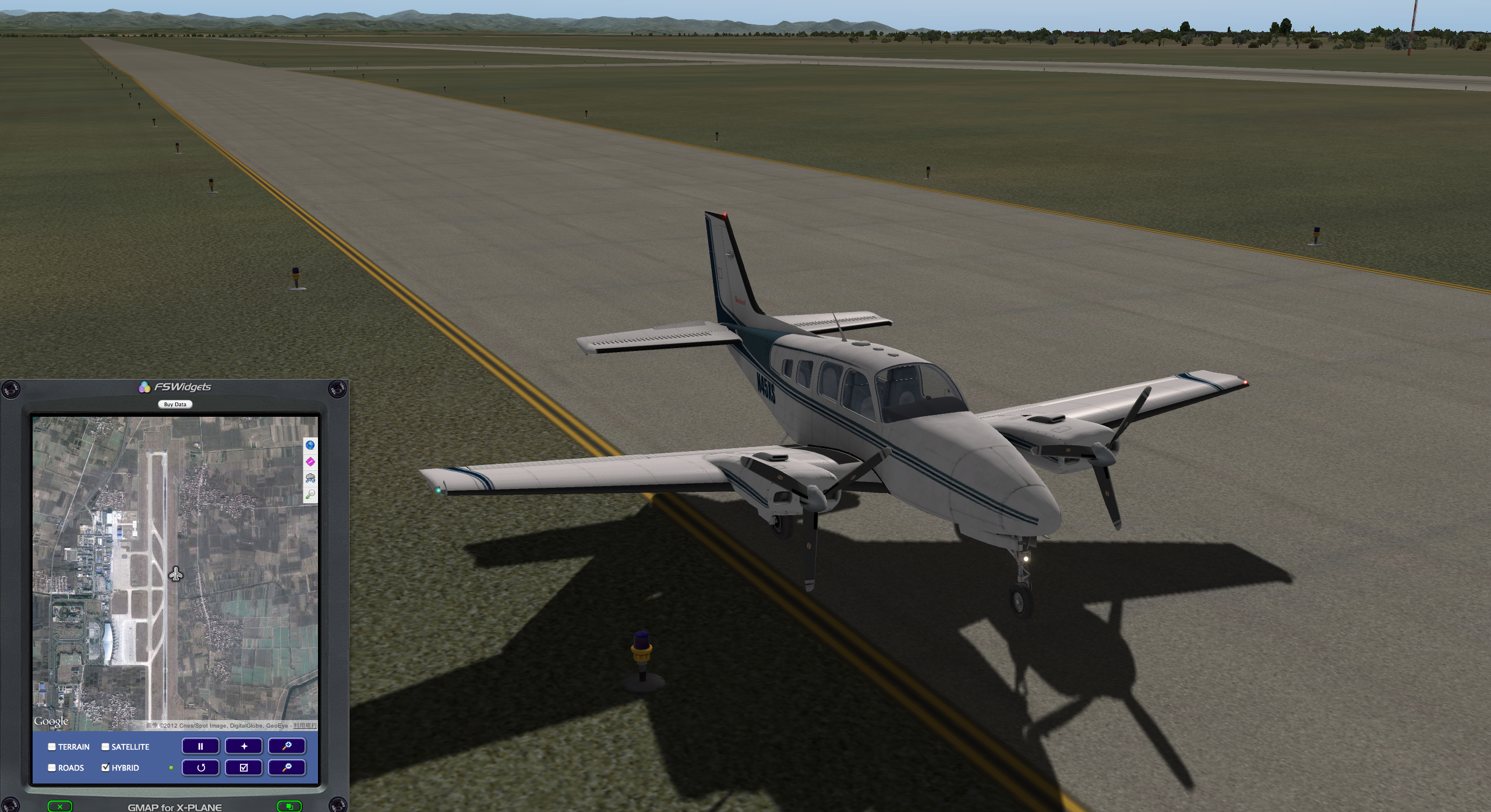
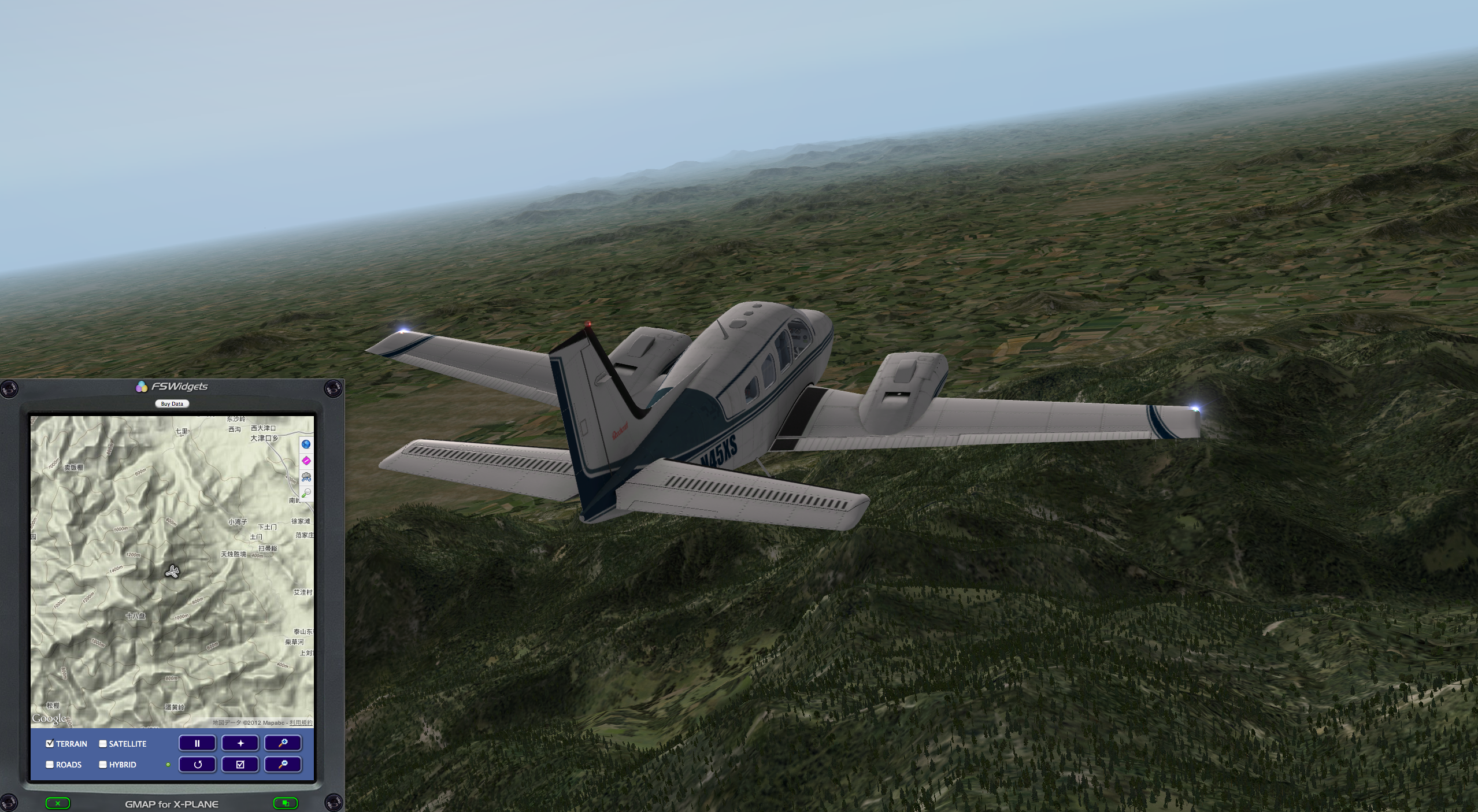
I have previously introduced Plugin Introduction: Google Map Display GMAP FOR X-PLANE (FREE MOVING MAP). Actually, this Plugin has another display mode: GMap for X-Plane (Mac Version) 2.0 EFB Edition. I feel it looks more like a GPS Navigator and has a stronger sense of realism. I recommend it.
-thumb-800x435.png)
The screenshot above shows the aircraft stopped at Jinan Airport.
-thumb-800x439.png)
-
Training Diary: The Difficulty of Maintaining Speed and Altitude
Continuing to practice touch and go and steep turns in the Cessna 172, maintaining altitude and bank angle during steep turns is slightly better than before, looking at the near figure-eight track drawn on the local map still brings a sense of accomplishment. In the past, my attention was mainly focused on altitude and bank angle; after a few days of practice, there has been some improvement, but I hadn’t paid much attention to speed stability. During today’s flight, I paid closer attention to the Airspeed Indicator and found that the speed fluctuated quite a bit, very unstable between 80 and 100 knots; this simply won’t do. From now on, I still need to focus on keeping speed variations within 10 knots and practice more.
-
Training Diary: Touch and Go
It’s Saturday today, and I finally have time to practice to my heart’s content. So, I chose the airport near my home, RJTA. I disregarded ATC, took off, and immediately flew the rectangular traffic pattern, followed by touch and go. One lap after another—I probably did about 15 circuits—before finally doing a full stop.
Today’s takeaway is the importance of observing ground markings: when to enter the crosswind leg, when to enter the downwind leg, and when to enter the base leg. At first, I was using the runway as my reference point, which forced me to constantly switch views, making it extremely cumbersome. Later, I started spotting distinct landmarks on the ground—such as tall buildings, highways, or large patches of greenery like parks. Using these as references meant I could focus on maneuvering the aircraft during the Turn without constantly checking the Runway’s position.
-
Continuing liveatc.net Listening Practice
A few days ago, I introduced liveatc.net. Listening in real-time indeed has a great sense of presence, but the speech rate is too fast. After trying for a few days, I felt it was still very hard to understand. Is there a better method?
I continued to search and found that liveatc.net has a very useful archive function. Past ATC recordings can be downloaded. This is very useful. For example, the archive page for Kennedy Airport, http://www.liveatc.net/archive.php?m=kjfk_twr After selecting the date and time, you can enter the MP3 playback and download page. Very convenient, right?
-
Upgraded Again: X-Plane 10.03 Release Candidate 2
It looks like this update just fixed some minor bugs: one fixed geometry errors at certain locations so that building roofs wouldn’t stretch into the sky, and the other displays a clear error message and stops execution when running on certain unsupported legacy hardware platforms.
-
Title: Insights on Practicing Steep Turns
I’ve been practicing Steep Turns for the past couple of days.
I recently read blogs from people getting their pilot licenses in the US. It seems they usually practice this maneuver after just one or two flights, and most beginners find it very difficult to maintain altitude while holding a 45-degree bank angle.
I wanted to see if I could handle it in X-Plane, so I flew a few sorties. Sure enough, my altitude control was terrible—I instantly dropped 500 feet…
-
Title: X-Plane 10.03 Finally Ends Beta Testing, Release 1 Released
I planned to practice Steep Turns today, but upon starting up, I realized there was another update. The official version of X-Plane 10.03 is finally released! Hurry up and give it a try.
X-Plane 10.03 Release 1 Improvements
Performance: Improved frame rates in 2D cockpit display mode and when the forward view has no HUD, especially when HDR is enabled
Rendering: Cloud Rendering is much better
ATC: Fixed minor crashes Improved Arrival altitudes slightly Fixed Descent steps, Descent angle is shallower
-
An Interview Video with Austin Meyer
I found a precious interview video with Austin Meyer (the author of X-Plane) on YouTube, where he personally demonstrates X-Plane 10, providing a detailed commentary while flying; this is extremely convincing. If you are not blocked by the firewall, you must watch it.
-
X-Plane 10 747-400 Takeoff and Landing, Air Traffic Control ATC, Instrument Flight Rules IFR Practice Beginner Full Tutorial
X-Plane 11 is out now, please check the latest coverage X-Plane 11 Information Summary!
Today, we will use the Boeing 747-400 to perform an Instrument Flight Rules (IFR) flight from Tokyo Haneda Airport (RJTT) to Hokkaido New Chitose Airport (RJCC). This will help you better understand the ATC functions in X-Plane 10 and the usage of the Boeing 747-400’s 3D cockpit. This article is adapted from the free support documentation provided by the Japanese software dealer MGJ SHOP. All graphics in this article were created by me.
-
X-Plane 10.03 Beta 10 Released
Beta 9 was just released yesterday, and today I found that beta 10 is already here. It looks like issues are being found and resolved quickly.
The update contents for this time are: Fixed the freeze issue during startup or when certain AI aircraft were flying Fixed the very rare issue of missing DSF surface tiles on high-load machines
-
X-Plane 10.03 Beta 9 Release
Today, Laminar Research released the latest version of X-Plane — X-Plane 10.03 Beta 9. This release jumps directly from Beta 7 to Beta 9, mainly because the Windows version was found to crash during the preparation for Beta 8, so after an emergency fix, the version was bumped to Beta 9. After using it personally, it feels like the display is a bit faster than before, and the calibration function at startup is also very convenient. Also, the handling stability feels better. I performed a few figure-eights; although I was still busy trying to maintain altitude and speed, subjectively it felt a bit easier. (Or maybe my skill level has improved?)
-
ATC Practice Methods--liveatc.net
With X-Plane 10 significantly enhancing its ATC functionality, I’ve developed quite an interest in air traffic control. I had some basic knowledge before, but it was just scratching the surface. So, I looked up some information online and found a great website worth recommending: http://www.liveatc.net/
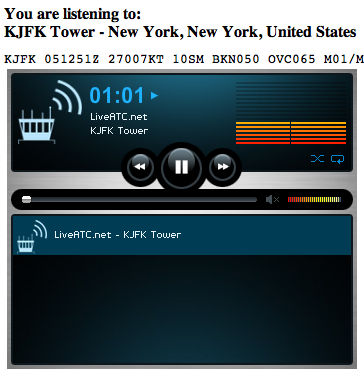
As the domain name suggests, this is a website for listening to live ATC. Search for the airport you want to monitor (mainly in the US and Canada), select the feed you want to listen to, such as Tower or Ground, click its “Listen” button, and a new window will pop up. Put on your headphones and listen carefully to the live feed.
-
Title: Plugin Introduction: Radio Settings
A few days ago, I introduced a plugin called COM1RadioTuner for adjusting radio frequencies. Today, I am introducing an even more convenient plugin. Not only can you set ATC frequencies like COM1 and COM2, but you can also set navigation frequencies such as NAV1, NAV2, ADF, and DME. Plus, it features a Standby setting column, making it much more convenient to use.
Installation is as follows: Click the Download link from the webpage below to download the
PI_radios.pyfile. http://forums.x-plane.org/index.php?app=downloads&showfile=14196 Copy that file to theResources/plugins/PythonScripts/directory in your main X-Plane folder.