X-Plane Plugins
-
Plugin Introduction: Google Maps Display GMAP FOR X-PLANE (FREE MOVING MAP)
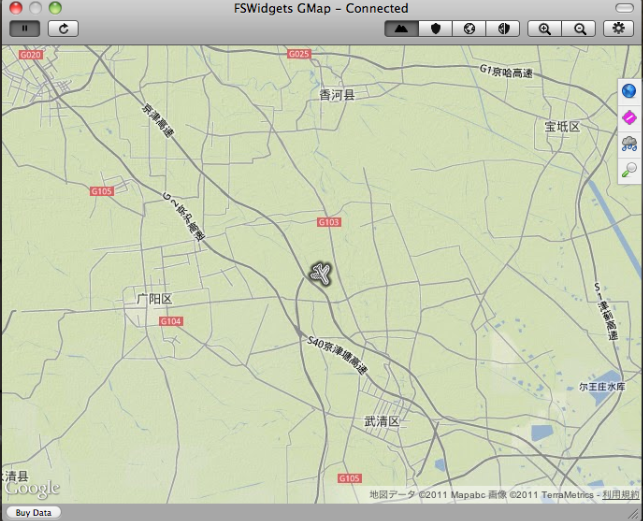
While X-Plane allows you to switch to map mode at any time, it interrupts the flight every time, which isn’t very convenient. Is there a Plugin/Addon that allows you to view the map while flying? It would be even better if it could display Google Maps. I recently found a nice Plugin/Addon online—let me introduce it—GMAP FOR X-PLANE.
This Plugin/Addon can display Google Maps based on the aircraft’s current position. You can choose between satellite imagery or standard administrative maps, making it quite similar to a GPS navigation unit. It can also download airport, navigation station, and weather data from the internet. Most importantly, this is free software.
-
Plugin Introduction: COM1RadioTuner
When accepting ATC commands, having to constantly use the mouse to change radio frequencies is not only inconvenient but also diminishes the realism of the flight simulation.
Recently, I found this convenient Plugin online that can alleviate the hassle of mouse operations.
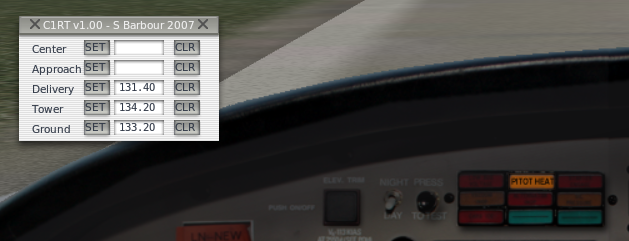
As shown in the figure, before the flight, you can pre-input the frequencies for Clearance, Ground, Tower, Approach, and Center. Then, simply press the SET button when needed, and the COM1 frequency will be set instantly. It is extremely convenient.
-
Training Cessna 172 Available on the Official Website
The Cessna 172 is surely an introductory model familiar to beginners. As one of the aircraft provided for free with X-Plane, it has accompanied me through countless hours. Upon learning that a Cessna 172 dedicated for flight schools was available on the official website, I immediately downloaded it to give it a try.
Download Link: http://forums.x-plane.org/index.php?app=downloads&showfile=12634
Installation is very simple. Just extract the downloaded archive to generate the “X-PPL Cessna 172SP” directory, and copy the entire directory to
Aircraft/General Aviation/in your main directory.