X-Plane Plugins
-
Most Popular Plugins on x-plane.org in May
The most popular addons on x-plane.org for May have been released. I haven’t installed them yet, but after reading some introductions and watching videos, I think they are pretty good. Here is a brief overview.
Best Aircraft
A new version 1.1 of the Spanish ELA07-S Autogyro. The previous version 1.0 was introduced here before and was rated as one of the best aircraft addons of 2012.
-
PA28 181 ARCHER II 2.0
I bought the PA28 181 ARCHER II during Carenado’s Christmas sale last year, and the 2.0 version was released yesterday. I upgraded immediately this morning and found that the new version is well-optimized for X-Plane 10. Therefore, it runs much more smoothly than previous versions; I guess I certainly won’t be using version 1.0 anymore.
Additionally, the 2.0 update includes significant sound improvements. At different throttle positions, the changes in engine sound are clearly audible. At the same time, the sound effects for opening/closing doors, tires touching down, and retracting/extending Flaps feel more realistic than before, significantly enhancing the overall immersion.
-
ZBSJ Shijiazhuang Zhengding International Airport Scenery for X-Plane 10.20
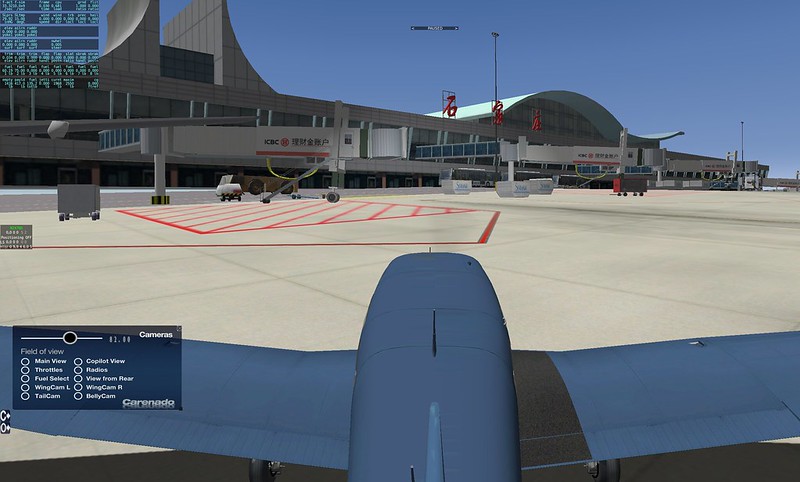
Here is the translation following your constraints: 常犯井的三胖 on Weibo, also known as ShaneMontoya on x-plane.org, has once again brought us a new surprise. This time, it is scenery for Shijiazhuang Zhengding International Airport. I immediately installed and gave it a try. I am very satisfied. Here is a quick introduction to everyone, with a few screenshots for the record.
This airport isn’t very large. Before departure, I boarded right in front of the terminal and loaded my luggage.
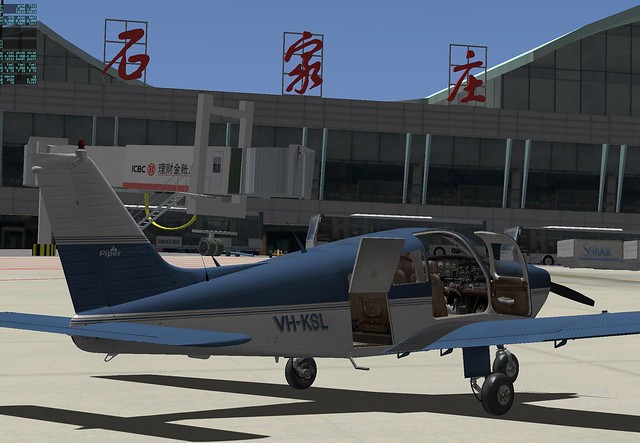 Then I took a walk around the area,
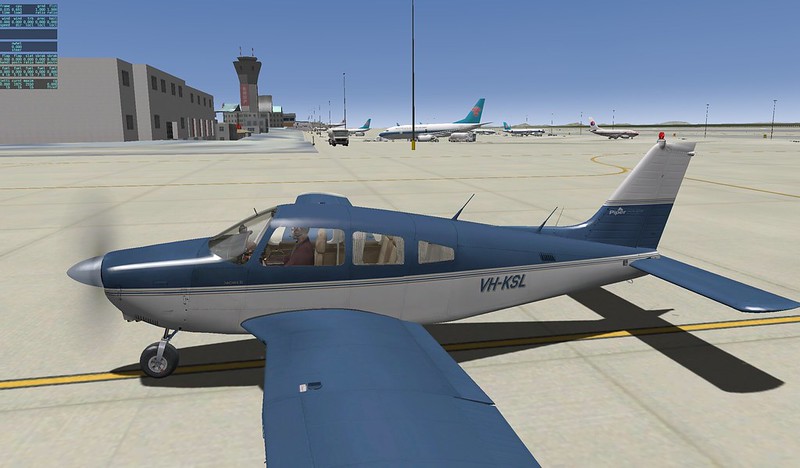
 There are quite a few A320s and 737s from China Eastern and China Southern,
 Oh, there is also a cargo office here.

-
Honolulu Intl Airport Scenery USA_HI_PHNL v 2.1
I recently found another free scenery package for Honolulu International Airport, created by the famous Freddy.
I recommend it because it features extensive details for the airport Runway and buildings. It includes not only the main terminal but also the Apron used by FedEx and other express companies on the south side, significantly enhancing the realism of the flight. Even more impressive is the inclusion of the US Air Force section; you can see military aircraft and hangars such as F15s, C17s, and DC10s, which is quite a bonus.
-
Eclipse 550 Jet Plugin
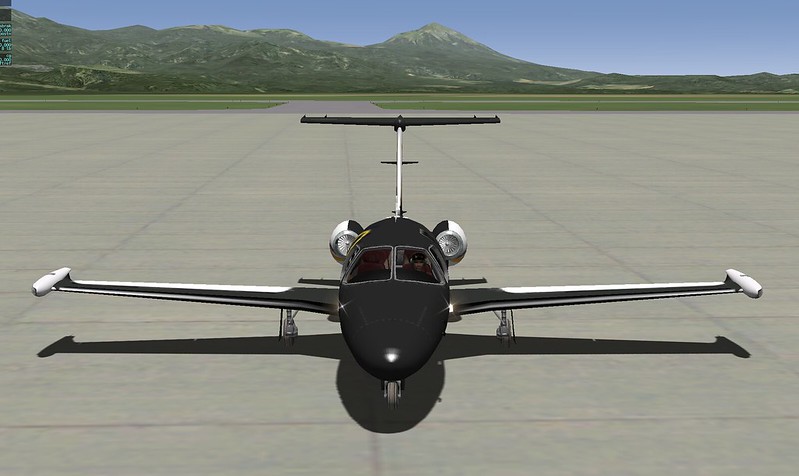
Recently, I installed the top-ranked free aircraft addon on x-plane.org, the Eclipse 550. After trying it out, I was quite impressed, so I wanted to recommend it here.
Installation is straightforward. Log in to x-plane.org, click the download link in the URL above to get the
Eclipse 550-v1-1zip file, and extract it to theX-Plane 11/Aircraft/General Aviationfolder. Then, launch X-Plane and select the aircraft.Exterior of the Eclipse 550:
-
X-Avionics Xavion-SIM iPad Software
X-Avionics is a paid iPad Electronic Flight Instrument System (EFIS) software developed by Austin Meyer, the creator of X-Plane, designed for real-world flight. It serves as an effective EFIS, displaying a wealth of flight data on the iPad. Furthermore, it can automatically search for the nearest airports and calculate the landing track, making it a truly intelligent pilot assistant software.

Here is some good news: X-Avionics has now released a trial version that can be used in conjunction with X-Plane. If you own an iPad, I highly recommend installing this free app—Xavion-SIM.
-
Best of the year 2012 - Winners
The most popular plugins of 2012 have been announced on x-plane.org, and they are all free—be sure to download and try them out.
Best Aircraft
- x737project Boeing 737-800/BBJ2 by bstratmann
- Boeing B-17G for Xplane10 by K&A
- SBACH 300 by XPFR
- SSG Boeing 747-8 Freighter by stekeller
- Zenith Aircraft CH650 S-LSA by Hydroz.net
Other popular aircraft:
- Learjet 35 by FlyingPenguin711
- Cessna Skylane Turbo 182RG by nicolas
- Caudron Simoun C630 & C635 by benead
- Piper PA-32-300 Cherokee by nicolas
- Boeing B-377 Stratocruiser by ScifiX
- Dassault Mystere IVA by Gasthood
- Grumman F6F-5 Hellcat by ScifiX
- F14B Tomcat by Sailor
- Breguet Provence 763 by Nicolas
- Messerschmitt Bf.108 Taifun by Paolo
- Super King Air B-200 by matt66
- ELA07-S Autogyro 1.0 by awall86
- SPAD S.XIII 1 by Paolo
- Caproni Ca.33 by Paolo
-
''New Sky Colors "Final"'
Previously, in the article How to make the sky bluer in X-Plane 10? Sky color settings, I introduced a method to change the sky color settings. The downside to this method is that the X-Plane system cannot save this setting automatically, so you have to reset it every time you restart X-Plane, which is quite troublesome. Today, I found out that there is actually a simpler method: the “New Sky Colors Final” Plugin/Addon, which can save you the trouble of setting it every time. Below is a brief introduction to the installation method.
-
SimHeaven Scenery Plugin
If you are very dissatisfied with the wilderness scenery in X-Plane, but don’t want to spend money on expensive, exquisite scenery plugins, then the free scenery from SimHeaven might satisfy you.


simHeaven is based on Open Street Maps, and its scenery files are very small, making it very suitable for users with average hardware configurations. Below are some download links; I highly recommend you give them a try. <a href=http://simheaven.com/?page_id=25&wpfb_list_page=2>OSM country sceneries OSM continent sceneries
-
Scandinavia3D Scenery
If you are interested in simulating flight over the Scandinavian Peninsula, you should try this Scandinavia3D 1.7 scenery package, which includes Norway, Sweden, Denmark, Iceland, and Finland.
This scenery Plugin uses OSM data from the famous online map collaboration project OpenStreetMap, providing 3D buildings, ground classifications, roads, and more. After downloading the archive from the link below, simply extract it and copy the respective directories into the “Custom Scenery” folder. Also, here is the configuration file
scenery_packs.ini: SCENERY_PACK Custom Scenery/iceland/ SCENERY_PACK Custom Scenery/sweden/ SCENERY_PACK Custom Scenery/norway/ SCENERY_PACK Custom Scenery/finland/ SCENERY_PACK Custom Scenery/denmark/ -
Hongqiao Airport (ZSSS) Scenery
The famous scenery for Hongqiao Airport has also received its new version 2.0. You simply must have this. Moreover, the author’s Chinese blog provides us with detailed installation instructions, which saves me from waffling on too much here.
One small thing to add: the download link for this Russian Ruscenery library is right here. Just click the link to download and copy it to the Custom Scenery directory.
Therefore, after installing the library and the scenery, you should add these two lines to
scenery_packs.ini: -
The x737project Boeing 737 Aircraft Plugin Now Supports 64-bit X-Plane
The free x737 is a well-known Boeing 737 aircraft plugin in X-Plane, and it offers 150 types of liveries. In the latest version 4.7.5, they also support X-Plane 10.20 64-bit, so I updated it to give it a try.

The download link is here. There are two buttons, of course, choose this one: Download the x737project aircraft for X-Plane 10.20b9+, all platforms 32/64bit
After downloading the ZIP file, extract it and move the entire
x737_800_BBJ2_XP1020_basedirectory toAircraft/Heavy Metal/in your main directory. -
Title: New Aircraft: Piper PA-32-300 Cherokee Debuts
The Piper PA-32-300 Cherokee is a very common single-engine piston general aviation aircraft. Yesterday, I found a free version of it on x-plane.org. Out of my fondness for Piper products, I immediately downloaded it to give it a try.
Download Link <a href=http://forums.x-plane.org/index.php?app=downloads&showfile=17608>http://forums.x-plane.org/index.php?app=downloads&showfile=17608 Of course, if you don’t have an x-plane.org account, you’ll need to register one first—it’s free anyway. Just click the Download button on the page.
Installation The installation method is very simple. Unzip the downloaded archive
Piper PA32-300 Cherokee.zipto generate aPiper PA32-300 Cherokeedirectory. Copy the entire directory toX-Plane 11/Aircraft/General Aviation/. -
Plugin Introduction: Landing Speed Display and Evaluation X-Plane Landing Speed Plugin
Whether in real flight or flight simulation, the landing phase is basically considered the most difficult maneuver.
I discovered a nice Plugin/Addon that displays the vertical speed at touchdown and evaluates the landing operation, which is very helpful for practice. Here is an introduction.
First, regarding the installation method: download the old version from here or download the new version that supports 64-bit from here, and extract the files into the
Resources/pluginsdirectory under the main X-Plane directory. -
Introduction to X-Mapper: A Convenient X-Plane Map Display App for iPad/iPhone
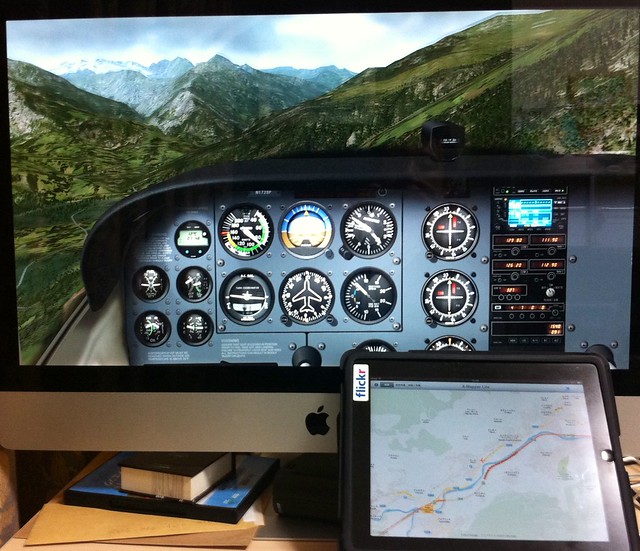
Today, I’d like to introduce a fantastic free app for iPad/iPhone — X-Mapper. It transmits your aircraft’s real-time geographic position during flight to an iPad or iPhone, letting you view the terrain using iOS’s built-in world map or satellite imagery. The realism is 100%.
The photo below was taken with an iPhone while using an iMac and an iPad simultaneously at home. The flight location is near Briançon, France — the highest town in Europe. The shot was taken flying from the town towards the Alps, and you can even see the snow-capped mountains in the distance. However, flying a Cessna 172 here is definitely a foolish move; shortly after, I flew into the clouds and crashed into a mountain, haha.
-
Title: Introduction to khamsin.org
A netizen named pitaFly living in Canada recommended the www.khamsin.org website to me.
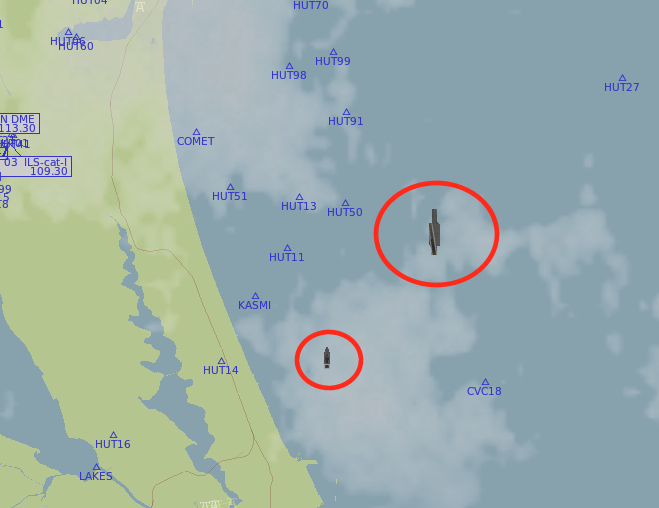
I went to check it out immediately and found that this website has developed quite a few stunning Plugins and aircraft for X-Plane, such as the B17 Flying Fortress bomber, offshore oil drilling platforms, the Nimitz-class aircraft carrier, the Perry-class frigate, and so on. They are exquisitely made and are truly worth recommending. In fact, the aircraft carriers and frigates produced by this website are now standard equipment in X-Plane 10; you can fly out to sea to look for them. The method to find them is simple: open the Local Map in the Location menu, move to any sea area, and then look on the map for the icons within the circle in the image below. The large one is the aircraft carrier, and the small one is the frigate. You can generally find them.
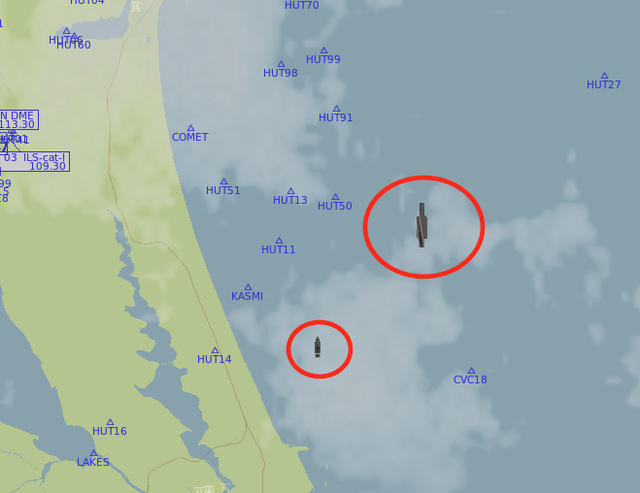 See if you can find them?
If you really can’t find any, you can check if you haven’t selected the item in Settings -> Rendering Options. You can refer to the image below,
See if you can find them?
If you really can’t find any, you can check if you haven’t selected the item in Settings -> Rendering Options. You can refer to the image below,
-thumb-640x480.png) Make sure to check “draw aircraft carriers and frigates”.
Make sure to check “draw aircraft carriers and frigates”. -
Title: X-Plane OpenSceneryX Object Library and Ground Services Plugin
I heard about a Plugin for ground fueling / pushback / passenger boarding stairs, so I looked into it. The results of this Plugin are as follows:
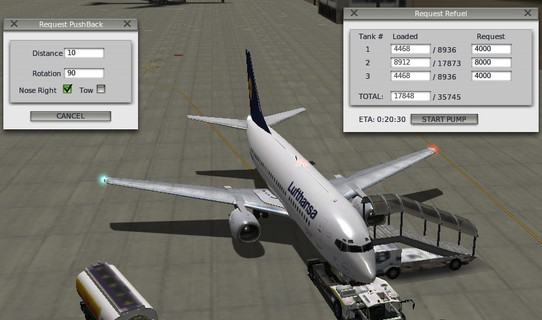
The installation method is as follows: First, you need to install the OpenSceneryX Object Library for X-Plane® Plugin. You can download the installer from the URL below: OpenSceneryX Object Library for X-Plane® For example, select “Mac Installer” for download if you are on Mac, then just start “OpenSceneryX Installer.app”. Because it needs to download a large number of scenery maps from the internet, it takes quite a bit of time; it took me about 1 hour to finish the installation.
-thumb-640x511.png) There are many scenery packages that support OpenSceneryX; here there are scenery maps for hundreds of airports. It seems they are all free—a real treasure trove.
There are many scenery packages that support OpenSceneryX; here there are scenery maps for hundreds of airports. It seems they are all free—a real treasure trove. -
Munich International Airport EDDM Scenery
Today, the official x-plane.com website recommended a free scenery add-on for Munich International Airport. Since it is free, of course I had to download and check it out.
The download link is here: http://www.x-planes.de/. The product is named “EDDM v2.1 Beta 2”, and the download package name is EDDM_2_1G8B2.zip. It might be a bit tricky to find on the website, so please search patiently.
After downloading, unzip the file to get the EDDM_2_1G8B2 directory. To install, simply copy this directory into the
Custom Sceneryfolder within your main X-Plane 10 directory. -
Plugin Introduction: Google Maps Display GMAP FOR X-PLANE EFB Edition Display Mode
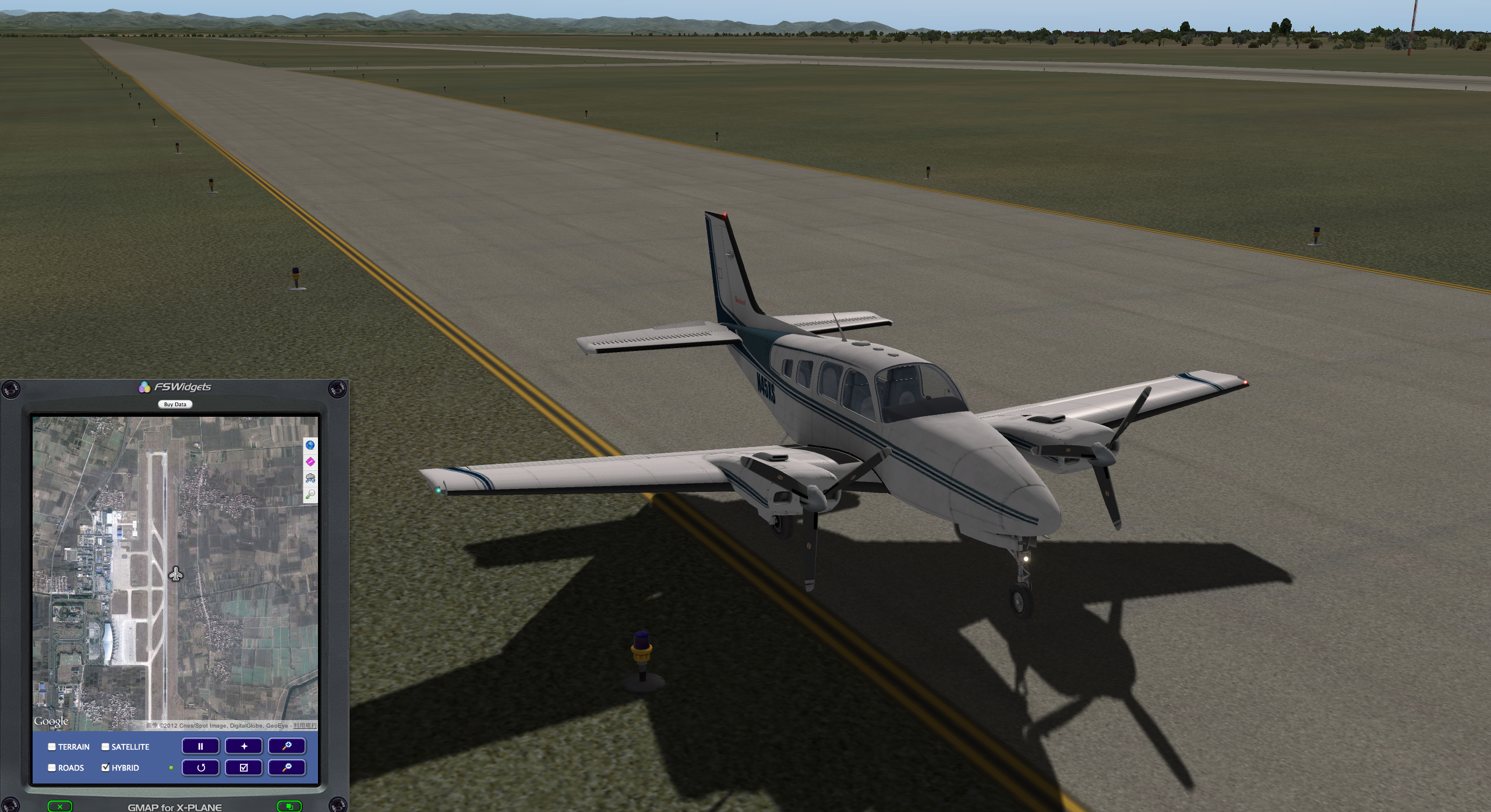
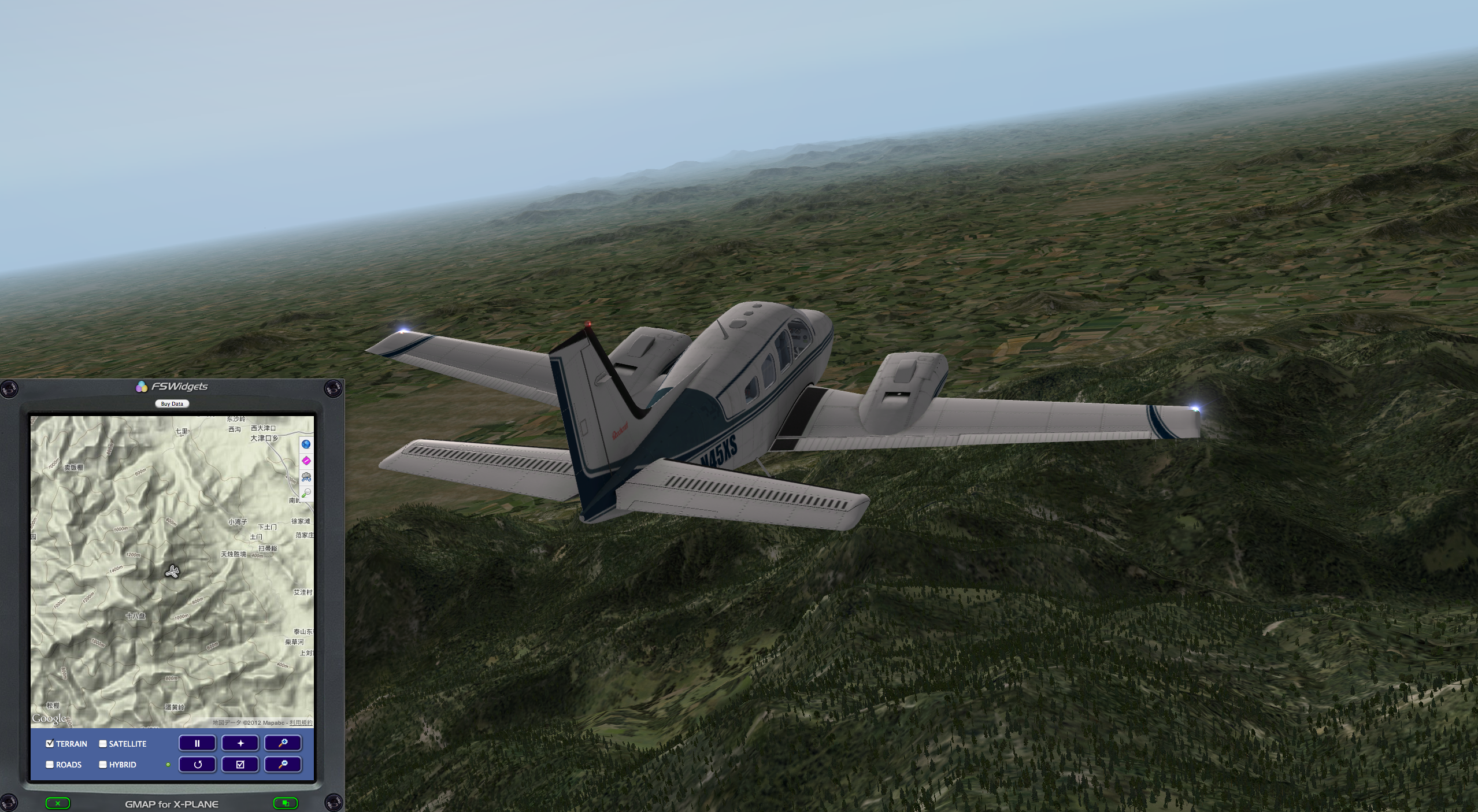
I have previously introduced Plugin Introduction: Google Map Display GMAP FOR X-PLANE (FREE MOVING MAP). Actually, this Plugin has another display mode: GMap for X-Plane (Mac Version) 2.0 EFB Edition. I feel it looks more like a GPS Navigator and has a stronger sense of realism. I recommend it.
-thumb-800x435.png)
The screenshot above shows the aircraft stopped at Jinan Airport.
-thumb-800x439.png)
-
Title: Plugin Introduction: Radio Settings
A few days ago, I introduced a plugin called COM1RadioTuner for adjusting radio frequencies. Today, I am introducing an even more convenient plugin. Not only can you set ATC frequencies like COM1 and COM2, but you can also set navigation frequencies such as NAV1, NAV2, ADF, and DME. Plus, it features a Standby setting column, making it much more convenient to use.
Installation is as follows: Click the Download link from the webpage below to download the
PI_radios.pyfile. http://forums.x-plane.org/index.php?app=downloads&showfile=14196 Copy that file to theResources/plugins/PythonScripts/directory in your main X-Plane folder.