X-Plane 10 Version Info
-
X-Plane 10.32r1 Release and News on 10.35 & 10.40
The latest version 10.32r1 of X-Plane 20 was released yesterday. I haven’t had the time to install and test it yet, but looking at the official release notes, the content of this version is just a long list of bug fixes, so I don’t expect any major issues.
More importantly, in the developer blog, we get some information about future plans. For example, X-Plane 10.35 is expected to be released in one or two weeks. Its biggest highlight will be the many new airport sceneries introduced from the X-Plane Airport Gateway. Additionally, for Mac users, some bugs on Yosemite will also be fixed. Regarding X-Plane 10.40, the performance improvements for the DSF (Distribution Scenery Format) that everyone has been eagerly awaiting, as well as DSF visual range improvements in the distance, are likely to be introduced in this version.
-
X-Plane 10 Mobile Flight Simulator Released
X-Plane 10 is finally available on iOS! You can download it from the App Store via the link here.
I will post a few screenshots here and write a simple tutorial. I will provide a detailed introduction later when I have time.
This is the aircraft selection screen.
 As we know, besides this free Cessna 172, you can now purchase and use the following aircraft, ranging from $2 to $5:
• F-22 Raptor
• Airbus A320 airliner
• A-10 Thunderbolt II (“Warthog”)
• F-4 Phantom II
• Beechcraft Baron B58
• Beechcraft King Air C90B
• Piper PA-18 Super Cub
• Piaggio P.180 Avanti
• Sikorsky S76 helicopter
As we know, besides this free Cessna 172, you can now purchase and use the following aircraft, ranging from $2 to $5:
• F-22 Raptor
• Airbus A320 airliner
• A-10 Thunderbolt II (“Warthog”)
• F-4 Phantom II
• Beechcraft Baron B58
• Beechcraft King Air C90B
• Piper PA-18 Super Cub
• Piaggio P.180 Avanti
• Sikorsky S76 helicopter -
Relationship between X-Plane 10 Desktop and Mobile Versions
A post titled “Sibling Rivalry” by Ben was published on the official X-Plane developer blog. The article explains the relationship between the X-Plane 10 desktop and mobile versions. The summary of the content is as follows:
Without the revenue from the X-Plane 9 mobile version, Laminar Research could not have initiated the development of the X-Plane 10 desktop version. In the past, due to limited resources, Laminar Research only had the capacity to develop one product at a time. Now, with more developers finally hired, work can proceed simultaneously on both the X-Plane 10 desktop and mobile versions, representing the “two fronts” approach. Advanced and powerful mobile devices have also made code sharing between the two products possible, such as in terms of OpenGL, and there is no longer a significant gap in software performance. Additionally, the Android version of X-Plane 10 Mobile is currently under development.
-
Participate in the X-Plane 10 Mobile Beta Test
Received an official invitation email from X-Plane this morning to participate in the internal beta testing of x-plane 10 mobile.
So, I logged in via the webpage below: Sign Up for the X-Plane 10 Mobile Beta
A few hours later, I received the test invitation email sent by Apple.
Next, I went to the App Store to download the app and launched it to get started.
Please note that this is still an internal beta test. According to the agreement, participants are required to maintain strict confidentiality and must not upload screenshots or other content to the internet or SNS.
-
X-PLANE 10 MOBILE
It looks like the X-Plane 10 mobile app is coming soon. Right now, there is only an official landing page, and the content is very simple: This is an app for iPhone and iPad, and it is free!



It might be released before Christmas; let’s wait and see
-
X-Plane 10.31 Is Out
The official release of X-Plane 10.31 is out. You can check the brief notes on the official developer blog. It basically boils down to two sentences:
10.31 is out The Steam version will be released soon
So, feel free to upgrade and see if stability has improved.
-
X-Plane 10.31r2 Released
The latest version of X-Plane, 10.31r2, has been released. According to the official release notes, this version is a bug fix release and includes the following updates:
Fixed quit mid-flight when DNS network lookup times out. Fixed rendering of prop angle for counter-clockwise props. Cylindrical projection does not show black screen when the option is picked for the first time. Use the correct localizer and glideslope reference so that the glideslope in the local map displays precision approaches correctly. Preserve existing contents of logbook when opened with the “Choose Pilot Logbook” function. Added support for the newest USB keys.
-
X-Plane 10.30 Is Out the Door
The official version of X-Plane 10.30 is finally released. You can check out the announcement on the official blog here.
The development cycle for this version was quite long. It spanned a total of 5 months, from Beta 1 in late May, Beta 3 in June, Beta 6 in July, Beta 8 in early August, r1 in late August, to r2 in early September. The features of 10.30 have been introduced in previous blog posts, so I won’t go into details here.
-
Release of 10.30r2 and Plan for the Next Fix Version
According to the official blog, X-Plane 10.30r2 has been released, so development of version 10.30 is coming to a close, and it is estimated that it will be fully completed next week.
However, there are some known issues that haven’t had time to be fixed, so version 10.31 will be released just 1-2 weeks after 10.30! Of course, although the version number is changing, this will only include bug fixes and there won’t be any new features.
-
Released on gateway.x-plane.com
I heard about this feature a few months ago, and it seems to have just gone live. Here, users can more easily find airport scenery from third-party developers. http://gateway.x-plane.com/
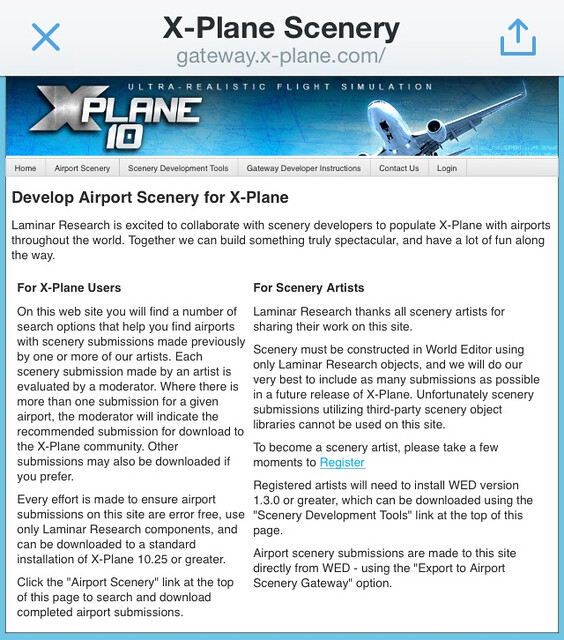
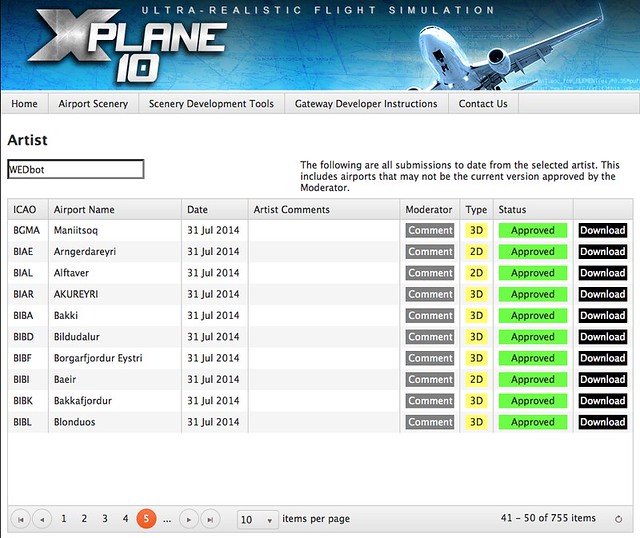
I tried downloading and installing two airports and found the method to be very simple: just copy the downloaded directory directly into the
Custom Sceneryfolder. There is no need to modifyscenery_packs.ini. Below is a screenshot of KAVX airport.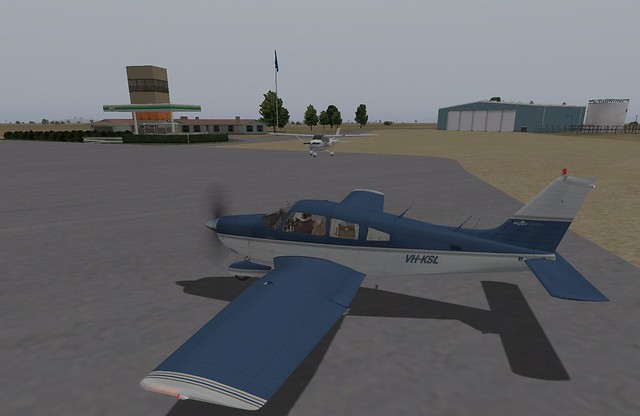
-
X-Plane 10.30r1 Official Version Finally Released
According to the official blog, the final version r1 of the latest version 10.30 is finally here.
I updated and found the download for this release to be quite fast; it took less than 5 minutes to complete. I tried running it and found that the startup time is much faster than 10.30b8, which is very satisfying. Additionally, I selected a location in Germany and flew for nearly an hour in a C172 without finding any issues. This version is very stable, so everyone can use it with confidence.
-
X-Plane 10.30 Beta 8
X-Plane 10.30 Beta 8 was released just an hour ago. I happened to see the official blog at home and immediately upgraded to give it a try. This update seems to bring significant changes, requiring a download of over 500 MB. After some brief testing, I found it to be quite stable. I flew the C152 and C172 for 10-20 minutes respectively, and didn’t notice any performance degradation or instability issues like the app crashing midway. You can use it with confidence. Additionally, according to the official notes, Beta 8 will be the last test version for 10.30, so the next update should be the official release.
-
X-Plane 10.30 Beta 6, Very Unstable
I noticed that Beta 6 for version 10.30 was just released. It claims significant performance improvements, and a new GPS navigator is built into the C172, King Air, and Baron. Plus, hundreds of new airports were added. So, I decided to upgrade and give it a try.
By the way, the official blog mentions that the updater has a bug and requires manually copying the executable file, but I didn’t encounter any issues myself.
-
X-Plane 10.30 Beta 3 Is Out
Today (10/30), I upgraded to Beta 3. According to the official blog, this version fixes many bugs, so I believe stability will be improved.
On my machine, I encountered two minor issues while running Beta 2; specifically, crash reports appeared when closing X-Plane. Although it didn’t affect the actual operation of the software, it was still quite annoying. I’ll upgrade to Beta 3 in a bit to see if there is any improvement.
-
X-Plane 10.30 Beta 1 Usage Test
Watching the Champions League final while browsing the web early in the morning, I discovered that X-Plane’s latest version, 10.30 Beta 1, has finally been released. At first, I was worried that the new version might not be stable enough and hesitated about whether to install it. However, since the previous developer blog mentioned that this version had already undergone some external testing, the quality shouldn’t be too bad, so I decided to go ahead and install it.
-
X-Plane 10.30 Beta 1 is Getting Closer, Part 2
Following up on yesterday’s report, the new features of X-Plane 10.30 have finally been revealed. Let’s take a look at them one by one:
The new GPS navigation device will definitely be released; it will be easy to add to any aircraft in Plane-Maker or the panel editor
Support for Oculus Rift still has some UI issues, so it might not be released for now
Improvements to cloud rendering, including effects when flying into and out of cloud layers
-
X-Plane 10.30 Beta 1 is Getting Closer
According to the official blog, the X-Plane 10.30 Beta 1 will be released soon. Moreover, the announcement was made by the founder Austin. Although he didn’t disclose specific details, I believe it will be available to users within this month. Ben said he will release some details within 24 hours, so let’s stay tuned.
Additionally, Austin highly recommended the Bell 407 Helicopter Addon.
 The price is $35, which is a bit expensive, so I can’t bring myself to buy it just yet.
 -
Latest Information on X-Plane 10.30
X-Plane developer Ben has revealed some news about the new version X-Plane 10.30 on his blog again. There are two main points: improvements to distant visibility, and significant upgrades to navigation instruments for small aircraft.
Regarding distant visibility, the 64-bit version will display 12 DSFs (Distribution Scenery Format) simultaneously instead of the current 6. This will significantly improve the cockpit view during high-altitude flight.
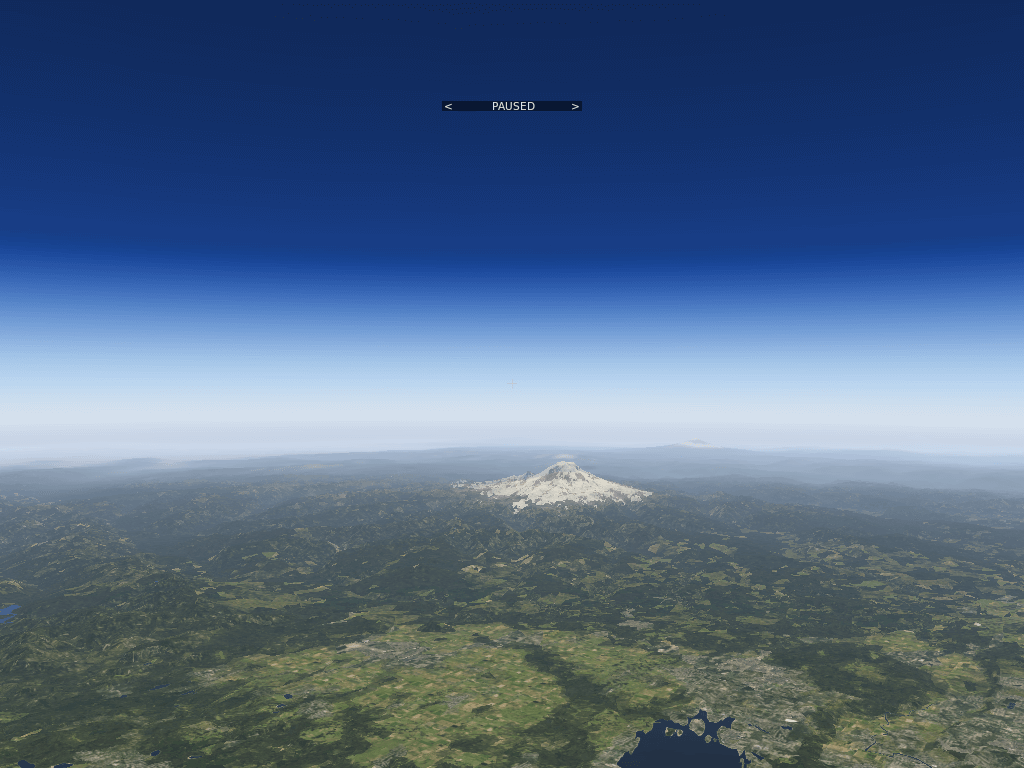
Regarding navigation instruments, this is a truly major update. A large number of features have been added to the existing Garmin 430, making it very close to the actual flight navigation equipment. This is really something to look forward to. Specifically, the current version of the 430 only has the function to fly directly to a specified Waypoint. In 10.30, it will support:
-
Regarding X-Plane's New Features -- An Interview with Ben Supnik on flightsim.com
Today, an interview with X-Plane developer Ben was published on flightsim.com. Ben is the engineer responsible for graphics, with over 10 years of X-Plane development experience, having participated in the programming of the terrain engine for versions 8, 9, and 10. Below, I will introduce a few topics that I personally found interesting.
Regarding Autogen It seems that the automatic terrain generation system, Autogen, is Ben’s favorite. This is because in X-Plane 10, this system does not merely display a 3D model; instead, it projects elements like roads and houses onto the terrain in real-time, so the realism brought by this system is very powerful. The development team is currently developing a new generation of buildings; many things are being redone, and they are committed to performance testing and fixing bugs.
-
Release Plan After X-Plane 10.25
Ben, a developer of X-Plane, published a blog post discussing future development plans. However, he spent a considerable amount of time explaining how difficult predictions are, while basically mentioning no specific features.
From this long article, the only information we can gather is:
- Version 10.25 has been officially released. However, more bug fix versions within the year are not ruled out; these fixes generally do not involve the source code and are estimated to be mainly data file related.
- The next major version will be 10.30, with a release date sometime next year; specific features are unknown.
- If third-party developers discover any bugs, please do not rush to modify your own work, but instead provide feedback to the X-Plane development team first.
Alright, let’s look forward to the arrival of 10.30.