X-Plane 10 Version Info
-
X-Plane 10.50 Is Out!
While the world’s attention is still focused on the iPhone 7 just released by Apple, the official version of X-Plane 10.50 has actually also quietly launched.
Although I couldn’t find any special news in the X-Plane 10.50 Release Notes, I still updated it immediately.
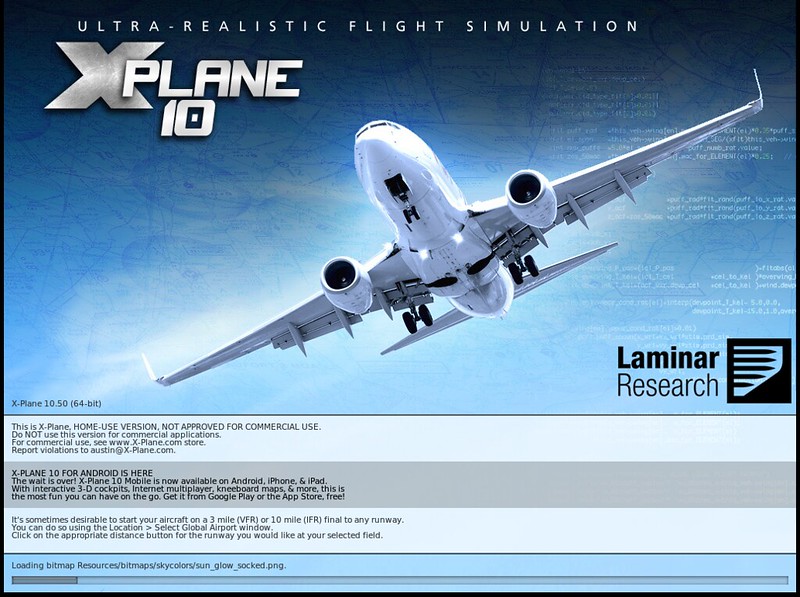 However, I haven’t noticed any changes after using it.
 -
X-Plane 10.50 RC3 and Los Angeles Airport
Seeing the official release of X-Plane 10.50r3 is Out, I estimate that the official version of 10.50 will be released soon.
I checked the Release Notes and found that there are no major changes, just some minor bug fixes.
So I upgraded to r3 and continued test flying near Los Angeles for over an hour. The operation was very stable, and I didn’t find any issues.
I think the autogen effects in 10.50 are quite nice. I circled around at an altitude of 1000 feet over Los Angeles International Airport.
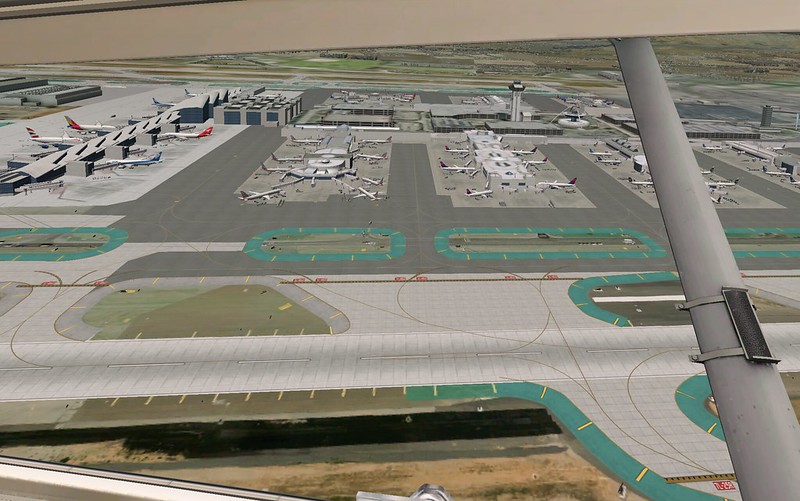 The details of the scenery are very realistic,
 -
X-Plane 10.50 Beta 6
X-Plane 10.50 Beta 6 Released, mostly bug fixes, I flew for 30 minutes after downloading and didn’t notice any major changes, Haneda Airport is still bare..
Checked the release notes, couldn’t find any clues either, So I might as well move my base to the US, that’s the best way to fully enjoy the 10.50 AUTOGEN Scenery effects.
So I set up base at KSMO Santa Monica Municipal Airport next to Los Angeles,
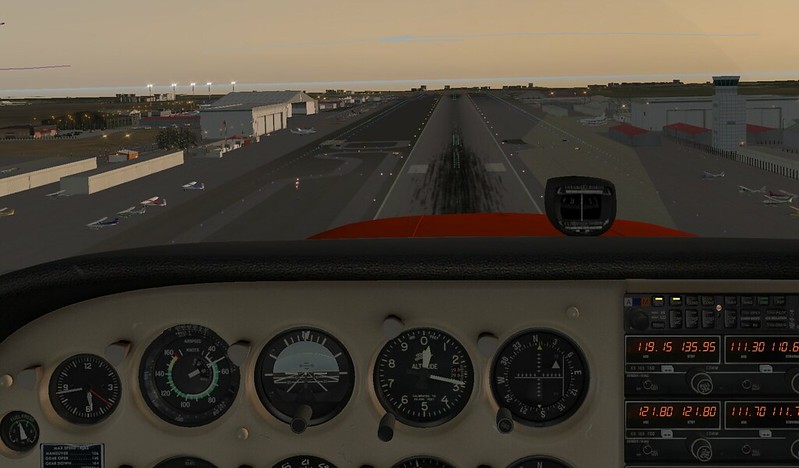 The AutoGen effects look decent, but I can’t set the display settings too high,
Barely keeping the framerate between 10-15 FPS.
The AutoGen effects look decent, but I can’t set the display settings too high,
Barely keeping the framerate between 10-15 FPS. -
First Impressions of X-Plane 10.50 beta1
Seeing the announcement “X-Plane 10.50 Beta 1 Is Here (And Only Slightly On Fire)” on the official blog, I immediately upgraded. Regarding this version, “A look at the new features of X-Plane 10.50” was introduced previously.
Upon launching, I saw the 10.50b1 identifier as expected,
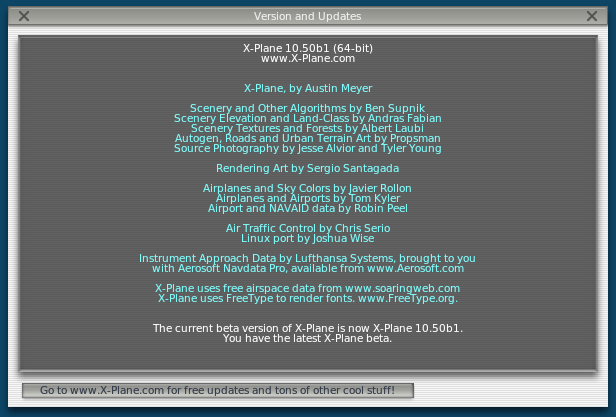 and the loading screen has changed slightly.
My impression is that there are still quite a few bugs. For example, the sky above RJTT airport was empty, with nothing but the Runway; X-Plane would crash abnormally after enabling the high-altitude wind function; The AUTO GEN performance is mediocre; a trip to Las Vegas looked like a vast grassland with countless yurts on it; For the two built-in aircraft, King-Air and Baron, only the left engine was functional, etc. It looks like we’ll have to wait a version or two for the new features to become stable and usable.
-
Overview of New Features in X-Plane 10.50
A list of new features for X-Plane 10.50 has been released on the official developer blog, and it looks very attractive!!
The ones I’m interested in are:
New Autogen New ground building models added to automatically generated scenery.
apt.dat 1050 with Static Aircraft and New Models Airport data now supports static aircraft models. Hopefully, no more complaints about “bare airports” in the future.
Global Winds Aloft High-altitude wind data uses NOAA’s global data. Previous versions only supported the US.
-
New Features of X-Plane 10.50
I received an email from the developers this morning introducing the new features of X-Plane 10.50. Here is a brief introduction.
Regarding static aircraft on the airport, although they increase realism, they sometimes block the Taxiway, and they are not intelligent enough. Therefore, in the new version, airport developers do not need to place static aircraft manually. They only need to configure the settings, and the system will handle everything else.
-
X-Plane 10.45 Beta 1 Released
The official blog states that X-Plane 10.45 Beta 1 has been released. I haven’t had time to install and test it yet, but according to the release notes, there aren’t many new features; it’s mostly bug fixes. The main new features are as follows:
- This version adds another 722 new 3D airports, bringing the total number of free 3D airports to 2,432. However, looking at the list, there seem to be no changes for the East Asia region.
- Navigation data updated
- The vertical offset ratio in Extended Field of View can now be modified
A significant bug fix included is:
-
X-Plane 10.40 RC 1 Release
Since the release of beta 1 on June 12, version 10.40 has gone through a long 3-month testing phase. Today, the RC1 version was finally released, marking that the official release is not far away.
The changes from beta 11 to RC1 are mostly fixes for minor bugs, such as the following ones you might have encountered before: Fixed rudder not animating on Cessna 172 (1822) Fixed user interface for picking plugin-based commands for joystick and keyboard setup (1819) Fixed overly sensitive rudder and nose-wheel steering commands (1820)
-
X-Plane 10.40 Beta 10
10.40 Beta 10,估计这是10.40的最后一个beta版, 内容还基本上是修改一些比较小的bug,说明本版本已经很接近稳定状态了。
Ben说正式发布候选版rc1将在两周内推出, 有一些Windows 10上的问题要花一些时间, 不过对于还在观望的朋友来说是个仍然是个好消息。
每次看Release Notes,Windows版总是bug最多的, Mac版本相对要稳定得多,所以Mac用户一般总是可以大胆的尝试各种最新的Beta。
-
X-Plane 10.40 Beta 8 Is Out
According to the official blog, the Beta 8 version of the 10.40 beta has been released, fixing a large number of bugs. You can check the Bug Fixes section in the <a href=http://www.x-plane.com/?article=x-plane-10-40-release-notes>release notes, although the content is quite dry.
I haven’t had time to upgrade and test it yet, but based on past experience, there shouldn’t be any major issues. There is only one thing I don’t quite understand: “Using METAR weather works again.” I don’t know what that refers to.
-
X-Plane 10 Global Digital Download Edition
X-Plane 10 has released a digital download version. This means you don’t need to purchase the DVDs; you can simply buy and download it directly online.
According to the official instructions, after purchasing, you will receive a 24-character Product Key. You can use this to download and run X-Plane, so there is no need to keep the first DVD in the optical drive when launching.
 Fin.
Fin.
-
X-Plane 10.40 Beta 4
Beta 4 is also out. Checking the release notes, it’s still bug fixes, such as the issue with QPAC products not working, some Plane-Maker issues, and improvements to some minor issues. I test-flew for nearly an hour and didn’t find any major issues, so everyone can upgrade with confidence.
Fixed for Beta 4
Restored sorting and first character of apt.dat. This fixes the QPAC plugin. (bug 1673) Fixed crash in Plane-Maker on deeply animated aircraft like the Jar A330 Fixed rendering presets to have no roads in lowest setting (bug 1672). Fixed winds-aloft parser to read lat/lon stations Added ultralight classification to Plane Maker Fixed tail number bugs in Plane-Maker: empty tail numbers are allowed, 6 digit tail numbers are allowed, and existing tail numbers are not erased. (Bugs 1665,1666,1679) Disabled glideslope on AP when back course is selected (bug 1680) Better ATIS report - we now correctly report variable wind directions, and issue wind shear alerts the same time a real windshear alert system would Fixed dewpoint reporting in the ATIS ATIS now reports few clouds instead of scattered if the METAR reads ‘few’. Commands alphabetized for easier location. Default to 3-d cockpit rendering option only shows 3-d cockpit if the airplane has a 3-d cockpit (bug 1677) Nosewheel steering with tiller interpolates with rudder correctly (bug 1676) Fix for engine flooding when boost pumps are on (bug 1675) Pro-key option to not get update notifications fixed. Command interface scrolls to show all commands.
-
X-Plane 10.40 Beta 3 Is Out
10.40 Beta 3released. Of course, there are no new features here, just bug fixes; these are minor issues from beta 2.
Fixed performance loss with spinning props on NVidia Windows. Fixed crash on startup for some Macs. Fixed legacy GPS/FMC not detecting KTPA and other airport codes. Fixed real weather not assigning METARs to the right locations. Fixed crash in scenery engine when objects have incorrect ordering of animations. This fixes EHLE. Scenery that -started- crashing in 1030 may start working again, but should still be fixed by their authors. Updated Magnetic Variation Fixed R22 Clutch Fixed replay of sliders Fixed bogus log messages for empty apt.dat files Fixed typos in German menus in Airfoil-Maker Fixed hobbs time to properly be saved between uses of the aircraft. Fixed new nav radio 3-10 datarefs to function properly. Fixed UI error in “operations and warnings” when USB pro key is in use Startup sequence less dark and gloomy
-
First Impressions of X-Plane 10.40 beta1
As soon as I got home, I upgraded X-Plane to the 10.40 beta 1. I flew around Matsumoto Airport. It feels just as described in the previous introduction; the distant visibility has improved significantly, but the display speed has also slowed down considerably. The frame rate has dropped from 25-30 to around 10-15. Let’s take a look at a few update points combined with screenshots.
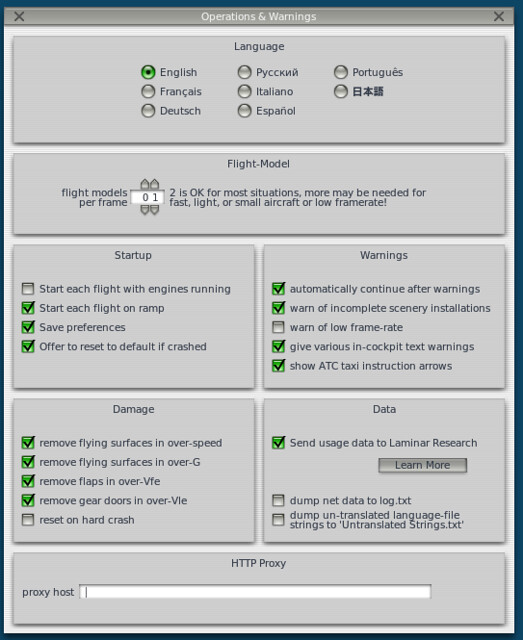 In the Operations and Warnings settings above, there are quite a few new options.
For example, inside Startup, "Offer to reset to default if crashed" allows you to choose the display mode after a crash.
In Warnings, "show ATC taxi instruction arrows" is used to turn off
In the Operations and Warnings settings above, there are quite a few new options.
For example, inside Startup, "Offer to reset to default if crashed" allows you to choose the display mode after a crash.
In Warnings, "show ATC taxi instruction arrows" is used to turn off
-
10.40 beta1 Released!
<a href=http://www.x-plane.com/?article=x-plane-10-40-release-notes>X-Plane 10.40 beta1 is finally out. Let’s take a look at what’s new in this version:
Added 576 new airport sceneries, including Beijing Capital, Shenzhen Bao’an, and the new Hong Kong International in China, as well as Narita and Sapporo New Chitose in Japan. The system now totals 1,730 3D airports.
Added a shortcut key to regenerate weather: “sim/operation/regen_weather”.
High-altitude wind information can now be obtained from the network.
-
X-Plane 10.40 New DSF Loader
Ben mentioned the new DSF (Distribution Scenery Format) loader in the developer blog. It seems that the development of 10.40 was quite a winding road, and the release date remains unknown.
Regarding this DSF Loader, the main improvement is increasing the speed of loading terrain data to reduce stutters during flight. Technically speaking, it uses worker threads to load 2 DSFs simultaneously in the background.
This version also adds an option for “extended DSF region”. When turned ON, it can load 4 DSFs simultaneously, which will improve the visual range of distant scenery.
-
X-Plane 10.40 News
Austin Meyers has shared some news about X-Plane 10.40, which is currently under development. If you are interested in this new version, you can send him an email directly to apply for early access testing.
- New weather handling. While it is still only possible to set 3 layers of wind, higher-level winds can be loaded, and they can be reloaded with a single click.
- New turboprop engine model, capable of distinguishing between normal thrust, beta thrust, and reverse thrust.
Regarding beta thrust, I’m not sure how to translate it into Chinese; it should be the range position between neutral and maximum range.

- Handling of compressor stalls has been changed; the failure mode now resembles a landing gear damage scenario.
- A new simple interface for internal programs can continuously receive reference data via socket.
- The development of the data reference library makes plugins like “Winter Scenery” easier to create.
The visibility issue was not mentioned; it is unknown how much longer we will have to wait.
-
X-Plane 10.35 Beta 1 Is Out
A month after the release of 10.32r1, news of 10.35 beta1 has finally arrived.
Just like the previous release, version 10.35 has added 562 new airports.
I looked at the list, and since there are no airports starting with Z or RC, it’s a pity that there are no Chinese airports. However, there is one improved airport: ZSPD Pudong.
There are a few airports starting with RJ: RJBE Kobe Airport, RJFM Miyazaki Airport, RJSD Sado Airport, RJSS Sendai Airport. While not many, it’s a good trend.
-
Austin Meyer's Latest Interview Q&A: New iPad Client Coming Soon
On the official website, the latest interview with Austin Meyer, the author of X-Plane, has been released. It contains information about Austin’s personal life and some new developments regarding XP. Here is a brief translation.
Q: What was your earliest aviation experience? A: It’s funny; it was playing Microsoft Flight Simulator on the Apple II.
Q: What computer do you use? How does it help you develop XP? A: I program on a MacPro and then spend a long time testing new features on it. The iMac also offers an excellent performance-to-price ratio.
-
Photos of X-Plane 10 Mobile Android
It seems that the development of the Android version of X-Plane 10 Mobile is proceeding smoothly. Yesterday, relevant personnel posted a photo on Twitter:
As you can see, whether on a phone or a tablet, X-Plane 10 Mobile has been ported to Android. Could it have already entered the testing phase?There's still plenty of work left to do, but #XPlane10Mobile is running just great on @Android! pic.twitter.com/OgIzKcRI8R
— cjserio (@cjserio) January 27, 2015Let’s wait and see.