GarminD2
-
Shopping with the Garmin D2 Delta PX Titanium Aviator Watch and Garmin Pay
Saw on the Garmin Japan official website that Japan Net Bank starts supporting Garmin Pay, I happened to have an account and VISA card with this bank, so I immediately set it up and tested it out with a purchase.
Launched the Garmin Connect App on my iPhone, found the Garmin Pay settings page,

 selected VISA, entered the card number and expiration date; the setup was very simple.
After filling in the details, a confirmation email was sent to the Japan Net Bank email address. The screen looked like this:
selected VISA, entered the card number and expiration date; the setup was very simple.
After filling in the details, a confirmation email was sent to the Japan Net Bank email address. The screen looked like this:
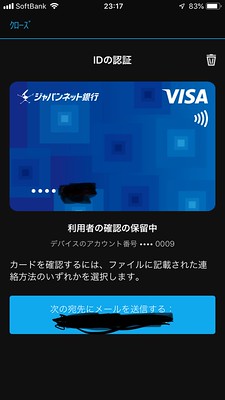 Once confirmed, the VISA card setup is complete.

-
Garmin D2 Delta PX Titanium Aviation Watch Amazon Music Functionality
Noticing that Amazon Music playback was released on Connect IQ, I went ahead and installed it. The music playback functionality on the D2 Delta was introduced in the Garmin D2 Delta PX Titanium Aviation Watch Setup Review, so I won’t cover the basic usage here.
After downloading Amazon Music on Connect IQ, press and hold the top-left “LIGHT” button to launch the music player. Find Amazon Music in the music library, and tap it to see
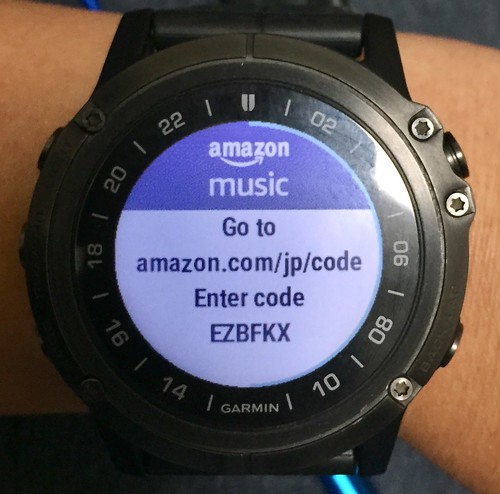 which indicates you need to visit amazon.com/jp/code via PC to bind the watch device to Amazon Music.
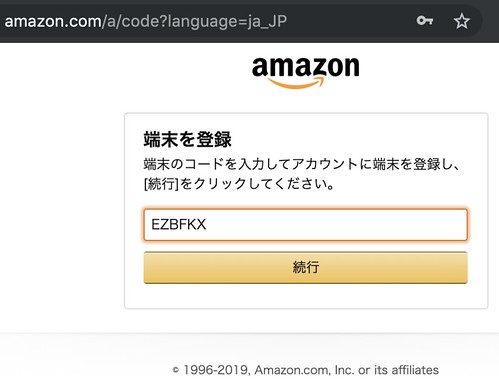 Enter the connection code, and the authorization confirmation screen will appear,
 After granting permission, you can see the setup was successful.

-
Garmin D2 Delta PX Titanium Aviation Watch Tutorial Video
D2 Delta PX
[Tutorial] D2 Delta PX: Getting Started
[Tutorial] Garmin News: Origin of the D2 Series Name
[Tutorial] Garmin Pilot: Connecting D2 Series Devices with Connext
Garmin Connect IQ Apps Make Their Debut
[Tutorial] Connect IQ: Downloading Watch Faces
[Tutorial] Altimeter & Barometer: Basic Principles & Troubleshooting
-
Thoughts on Using the Garmin D2 Delta PX Titanium Aviator Watch
I have been using the D2 Delta PX for over half a year now, so I think it’s time to summarize my thoughts on it.
First of all, the design of the outer bezel has improved significantly compared to the D2 Charlie. The color of the outer ring matches the Watch Face, giving it a more harmonious overall feel. Additionally, the outer ring has a slight slope, which improves the issue of frequently bumping into things when wearing the D2 Charlie.

-
Garmin D2 Delta PX Titanium Aviation Watch Navigation Functions
Garmin D2 Delta PX Titanium Aviator Watch Unboxing Garmin D2 Delta PX Titanium Aviator Watch Setup Guide
After completing the basic settings, let’s test the aviation features of the D2 Delta PX. To update to the latest navigation data, you need to register the watch on the flyGarmin website first.
So, use a browser to visit the Add Device URL,
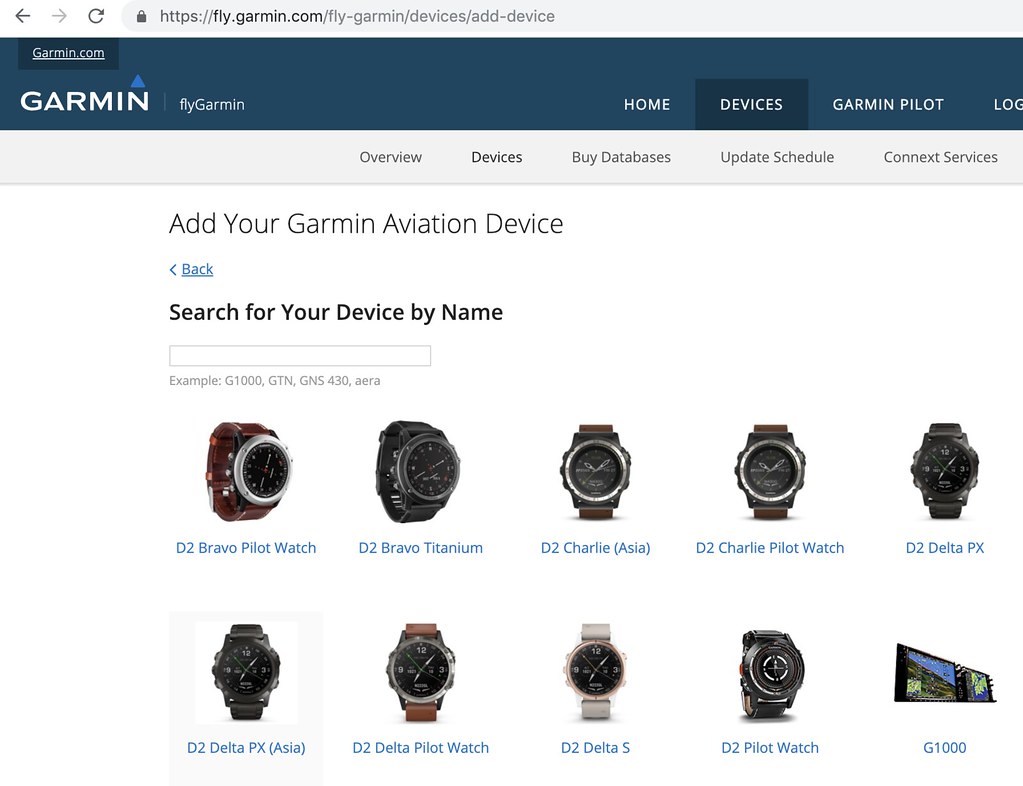 Find the D2 Delta PX,
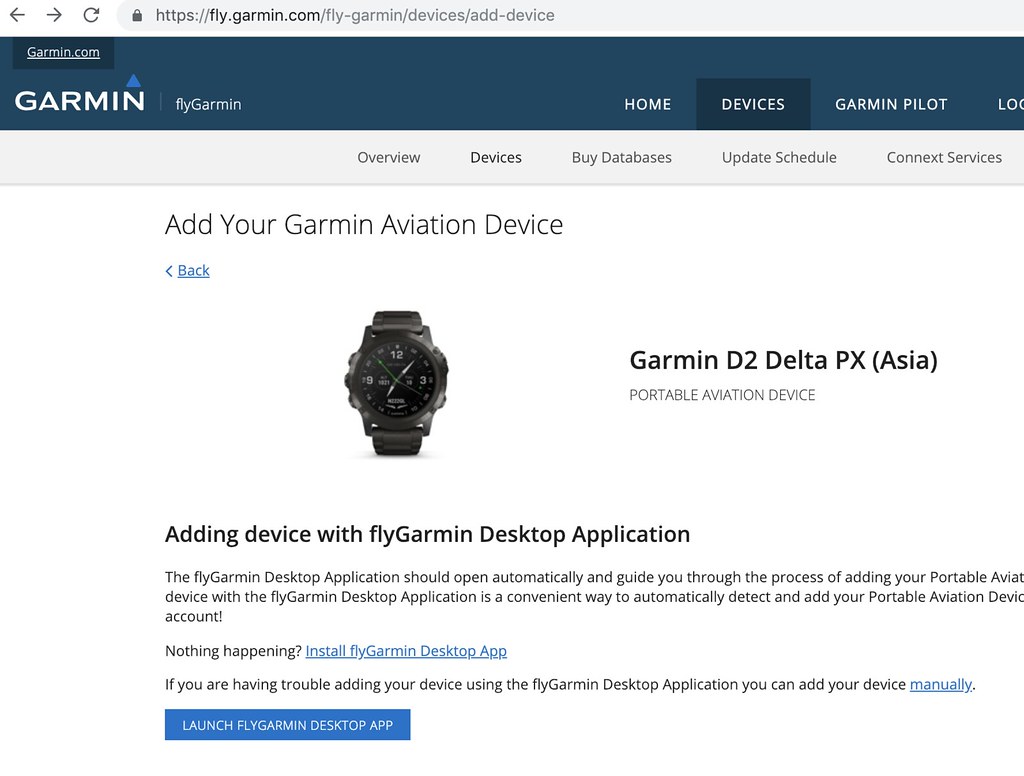
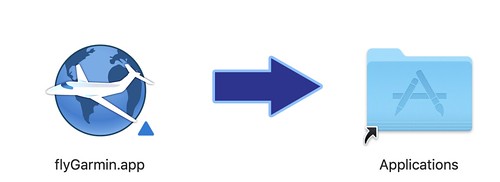
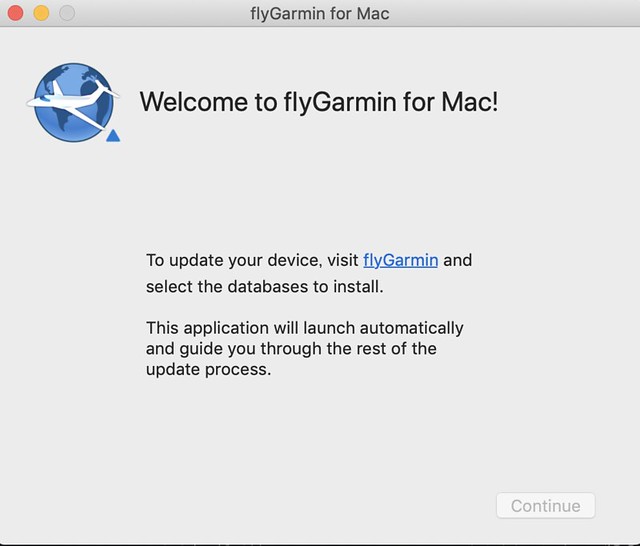
Click the blue button “LAUNCH FLYGARMIN” at the bottom of the screen, To launch the FlyGarmin software on your computer. If FlyGarmin is not installed on your computer, You can download and install it from the same website.
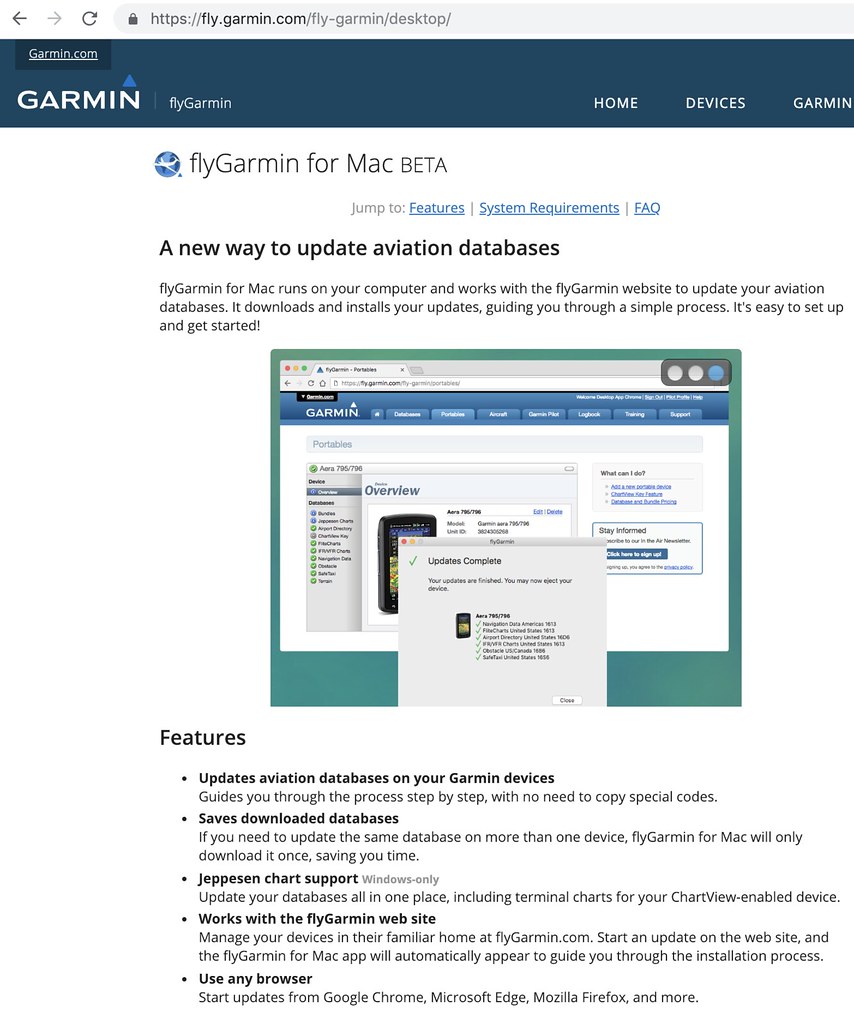
-
Garmin D2 Delta PX Titanium Aviation Watch Setup: Getting Started
Following up on the previous post Unboxing the Garmin D2 Delta PX Titanium Aviation Watch
The setup method for the Garmin D2 Delta PX Titanium Aviation Watch is basically the same as the D2 Charlie. Here is a brief overview of the usage of each button: Top Left “LIGHT”: Press to turn on the backlight; Long press to display the shortcut menu. Middle Left “UP-MENU”: Press to display the Widget app directory or move up; Long press to display the settings screen. Bottom Left “DOWN”: Press to display the Widget app directory or move down; Long press to return to the watch face. Top Right “Direct-to”: Press to display the APP activity application directory or confirm; Long press for Direct-to destination. Bottom Right “Nearest/Back-LAP”: Press to return to the previous screen, record a lap during an activity; Long press to display nearby locations.
-
Unboxing the Garmin D2 Delta PX Titanium Aviation Watch
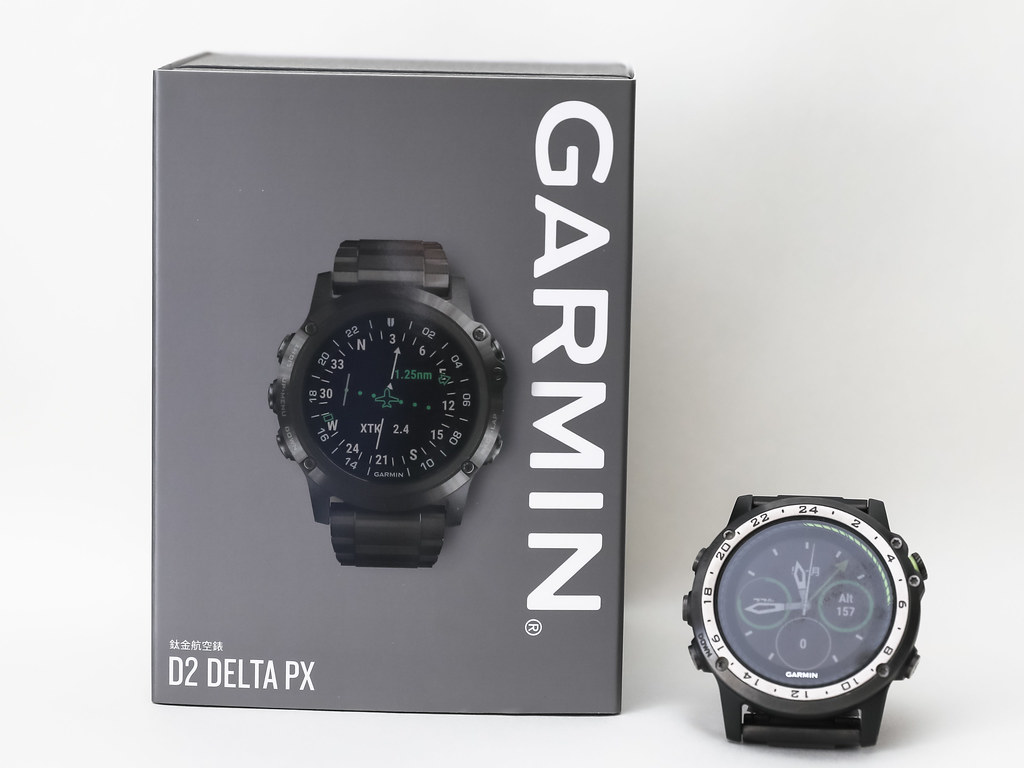
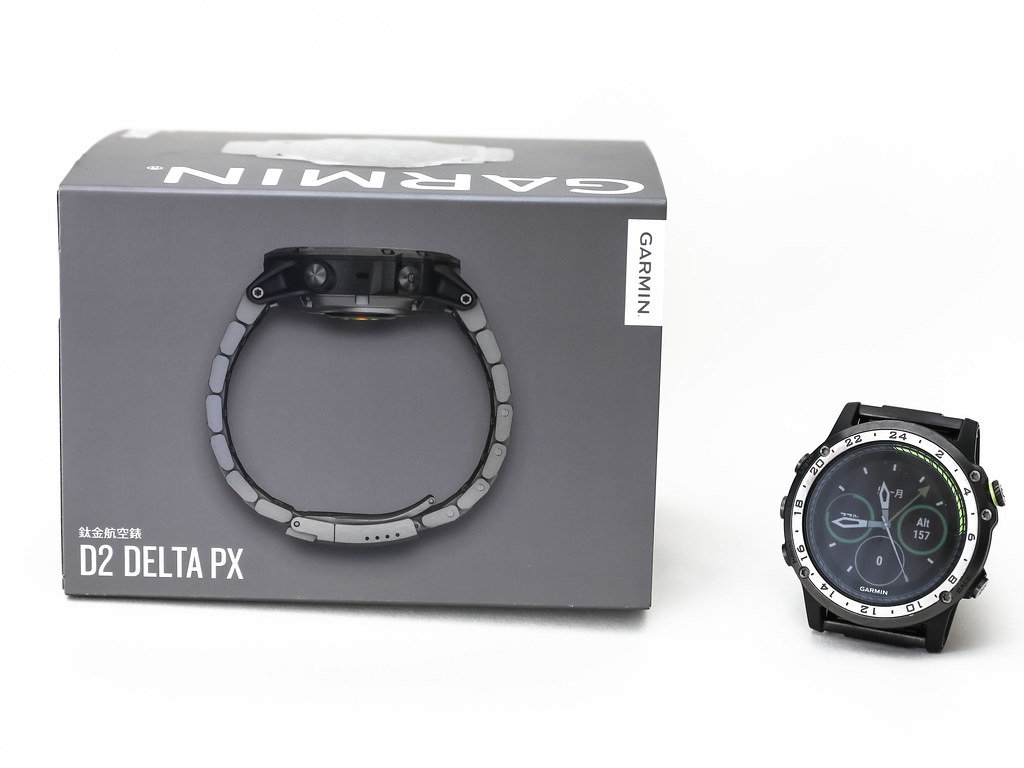
Several months ago, this site introduced the news about the latest products in the Garmin D2 series, the D2 Charlie D2 Delta. Since then, we have been eagerly awaiting the release of this product in Asia. Today, January 14th, we finally welcomed the release of the D2 Delta PX in Taiwan, and this site is honored to provide an unboxing review in the first instance to report to you all.
Front and side of the Garmin D2 Delta PX Titanium Aviation Watch’s gray outer box sleeve, with the previous generation Garmin D2 Charlie placed alongside for size comparison.
-
Tutorial Videos for Garmin Smartwatches such as the D2 Charlie and the D2 Delta
Unboxing the Garmin D2 Delta PX Titanium Aviator Watch
 Garmin D2 Delta PX Titanium Aviator Watch Setup Guide
I came across some official Garmin tutorial videos for the D2 Charlie on YouTube. They were quite good, so I’m posting them here to share.
D2 Charlie: Updating Airport Information This video will show you how to update the aviation database via the flyGarmin website to keep the airport information on your watch up to date.
-
World Cup Widget on Garmin Smartwatch
Due to the time difference, I didn’t watch much of the 2018 FIFA World Cup Russia. However, after the group stage and entering the knockout rounds, I sometimes wanted to know the future schedule.
I accidentally found this World Cup widget, “FIFA World Cup Russia 2018” I downloaded it immediately to check it out, the startup screen looks like this.
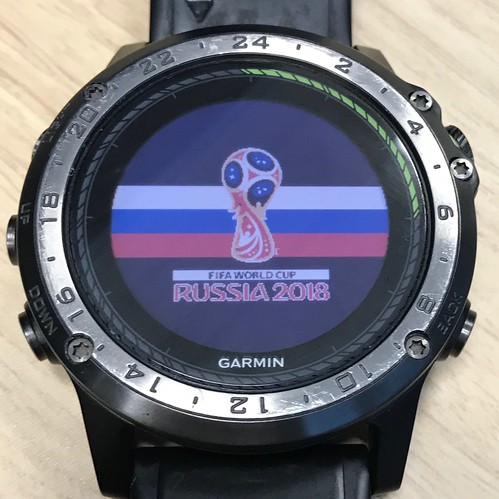
Then press the D button in the upper right to start downloading the schedule,
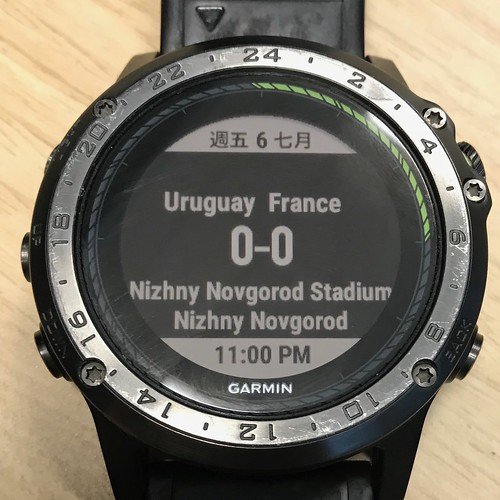 It turns out there will be a match between Uruguay and France this Friday.
 -
Paired a Charging Cable with Garmin D2 Charlie
The original charging cable for the Garmin D2 Charlie has a very unique shape, so I was always worried about the inconvenience if I lost it. Also, I always need a backup cable when traveling for business or leisure, so when I saw this product on Amazon US:
[2-PACK]TUSITA Charger For Garmin Fenix 5 5S 5X/Forerunner 935/Approach S60,X10,S10/Quatix 5,5 Sapphire/Vivoactive 3/Vivosport/D2 Charlie/Impact/BarkLimiter 2,2VT USB Data Sync Charging Cable Cord
And the price was less than $7, much cheaper than the original, so I bought it immediately.
-
Garmin D2 Charlie Titanium Aviation Watch Firmware Updated to 4.00
Unboxing the Garmin D2 Delta PX Titanium Aviation Watch
Garmin D2 Delta PX Titanium Aviation Watch Setup GuideAbout half a year ago, when I introduced how to update data and apps on the Garmin D2 Charlie Titanium Aviation Watch, the system version was 3.2. Recently, I noticed that version 4.00 has been released, so I connected it to my computer to complete the upgrade. The entire process took about 1 minute.
-
Garmin D2 Charlie User Manual
I noticed many search queries looking for the D2 Charlie user manual, so here is a collection of links.
Garmin D2 Charlie User Manual China (Mainland) Version Product Page
Garmin D2 Charlie Chinese User Manual Taiwan Version Product Page
Garmin D2 Charlie Instruction Manual Japanese Version Product Page
Garmin D2 Charlie Owner’s Manual (PDF) English Version Product Page
-
Did the US Air Force Equip U-2 Pilots with Garmin D2 Charlie Aviation Watches?
According to the announcement on Garmin’s official website, United States Air Force selects Garmin® D2 Charlie aviator watch, stating that the United States Air Force will provide 100 D2 Charlie aviator watches to U-2 pilots to serve as backup GPS devices within the cockpit.
Garmin International, Inc. a unit of Garmin Ltd. (NASDAQ: GRMN), today announced that the D2™ Charlie aviator watch has been selected by the United States Air Force (USAF) for use by the pilots of the Lockheed U-2 aircraft. The high-sensitivity WAAS GPS-enabled D2 Charlie aviator watch incorporates global navigation capability, rich and colorful moving maps and more, providing pilots in the USAF with an exclusive, back-up navigation timepiece in the cockpit.
With a service ceiling of 70,000 feet, the D2 Charlie will provide unique benefits such as barometric-based O2 alerting and GPS-specific features including track, distance to the next waypoint, estimated time enroute and more.
According to the above statement, the D2 Charlie can provide barometric altitude alerts, GPS tracks, distance and time to the next Waypoint, and other information at an altitude of 70,000 feet.
-
Reviewing the Garmin D2 Charlie Aviation Watch
Unboxing the Garmin D2 Delta PX Titanium Aviator Watch
Garmin D2 Delta PX Titanium Aviator Watch Setup GuideUsually, I take the Shinkansen when I go to Osaka for business trips. However, to test the Garmin D2 Charlie, I booked ANA flights for both the outbound and return journeys this time.
I created the flight plan early on Garmin Pilot,
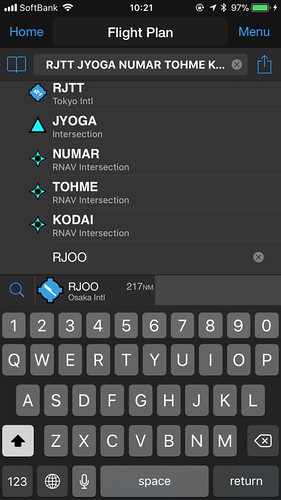
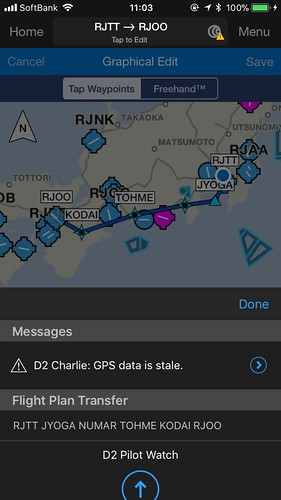
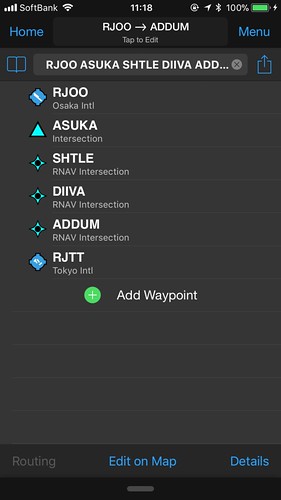
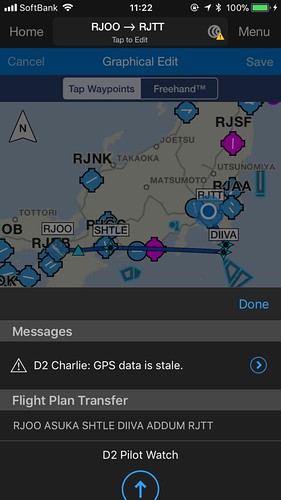 and transferred it to the watch.
After boarding, open the navigation app, select “Flight Plan”, and then select “Stored Plans”.
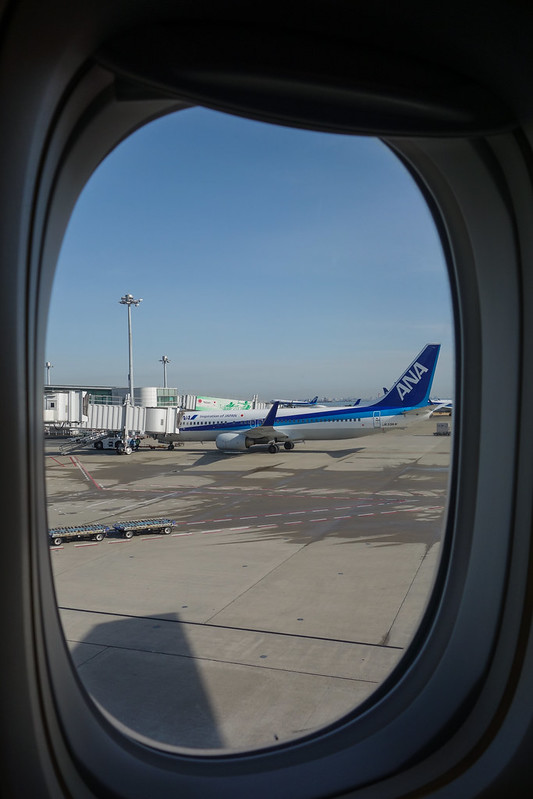 After pushback and during taxiing, I checked the watch,
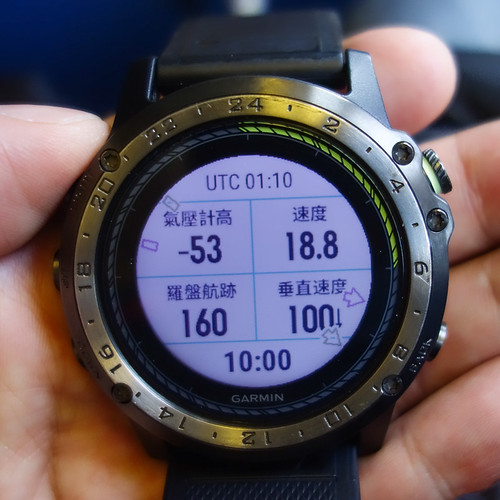 the speed was about 20 knots, but the altimeter data seemed a bit odd.
 -
How to Update Data and Apps on the Garmin D2 Charlie Titanium Aviation Watch
Garmin D2 Delta PX Titanium Aviation Watch Unboxing
Garmin D2 Delta PX Titanium Aviation Watch Setup GuideData on the D2 Charlie that frequently needs updating includes maps, the aviation navigation database, Apps, Widgets, and Firmware.
For example, for the watch’s own operating system, Seeing that the US Garmin official website has released D2 Charlie software version 3.20, which fixed some bugs and added some new features, you might need to update the Firmware. (It seems the Chinese version hasn’t been released yet.)
-
Garmin D2 Charlie Titanium Aviation Watch Self-Test Mode
One day, I accidentally dropped my D2 on the floor. Upon picking it up and inspecting it, I was relieved to find that the exterior surface was completely undamaged. However, remembering that this watch contains so many sensors, I wondered how I could check for any internal issues? I searched online and found that Garmin watches have a self-test mode, so I decided to try it out on my D2 Charlie.
-
Garmin D2 Charlie Titanium Aviation Watch Review Part 2
Unboxing the Garmin D2 Delta PX Titanium Aviator Watch
Garmin D2 Delta PX Titanium Aviator Watch Setup GuideContinuing my thoughts on using the year’s most powerful smartwatch, the Garmin D2 Charlie, this time I’m summarizing from the perspective of a general smartphone user.
Regarding settings, one customizable default is the backlight. For example, the feature that automatically activates the backlight when you raise your hand is extremely convenient. However, the menu is quite deep, located at “Settings-System-Backlight-During Activity-Raise Hand-On” and “Settings-System-Backlight-Not During Activity-Raise Hand-On”. Additionally, the backlight timeout and brightness can be customized; personally, I found the defaults a bit low, so I increased both the time and brightness.
-
Garmin D2 Charlie Titanium Aviation Watch Review: Part 1
Garmin D2 Delta PX Titanium Aviator Watch Unboxing
Garmin D2 Delta PX Titanium Aviator Watch Setup GuideAfter using the Garmin D2 Charlie for nearly a week, I can summarize my thoughts on the experience.
First of all, it is an excellent smart watch. For instance, the color screen has high resolution and is easy to read even in sunlight. Additionally, it is very power-efficient. A simple test over the last few days showed that after two days of use, there was still 20% battery remaining. Therefore, you don’t need to constantly worry about running out of power and can boldly use its various functions. Furthermore, if you don’t use the navigation and sports features and just use it to tell the time, it can easily last a week.
-
Connecting Garmin D2 Charlie Titanium Aviator Watch to Garmin Pilot
Unboxing the Garmin D2 Delta PX Titanium Aviation Watch
Garmin D2 Delta PX Titanium Aviation Watch Setup GuideGarmin Pilot is a renowned iPad app for pilots, offering features such as charts, flight planning, terrain maps, PFD, and ADS-B receiver connectivity. This site previously introduced Garmin Pilot Support for X-Plane 10. Since version 8.1, it has supported the X-Plane 10 flight simulation software, allowing you to use Garmin Pilot for navigation at home, even when not in the aircraft.
-
Garmin D2 Charlie Titanium Aviation Watch Initial Setup
Garmin D2 Delta PX Titanium Aviation Watch Unboxing
Garmin D2 Delta PX Titanium Aviation Watch Setup GuideFollowing the previous article Garmin D2™ Charlie Titanium Aviation Watch Unboxing, the following is a record of the initial setup process.
First, regarding the operation of the D2™ Charlie smartwatch, since it does not have a touchscreen, all operations rely on the 5 buttons on the watch face, so you must remember the function of each button.