Flight Plan
-
A Comprehensive Research Report on Global Aeronautical Information Publication (eAIP) Copyright Systems and Open Data Policies
Regarding this rather gray topic, I asked Google Gemini to conduct a deep investigation, and I feel it is quite a valuable reference.
---
1. Introduction: The Misconception of "Openness" in Aeronautical Information and the Legal Reality
1.1 Raising the Issue
With the acceleration of digitalization, many countries worldwide have made their Aeronautical Information Publications (AIP) freely available via the internet. This status quo has created a widespread illusion among users that "aeronautical information is a public product with no copyright restrictions." However, as evidenced by your concern regarding the question "How exactly does eAIP copyright work?", the actual legal situation is extremely complex. "Gratis" (free of charge) and "Libre" (freedom to use) are two legally distinct concepts, a distinction particularly pronounced in the field of aviation data. -
Real-world Flight Plan Database Websites
I found a great UK website, which provides over one hundred thousand real-world flight plans submitted by professionals. Although there is a lot of outdated data, it is still highly recommended. Real World Flightplan Database
You need to register for a free ID before using this website. The process is very simple and takes about 1 minute, so I won’t go into details here.
After logging in, click the Search section in the link bar on the left side of the website, and fill in the required information. For example, if I want to find a flight plan to Beijing Capital International Airport, I enter ZBAA in the Destination ICAO field.
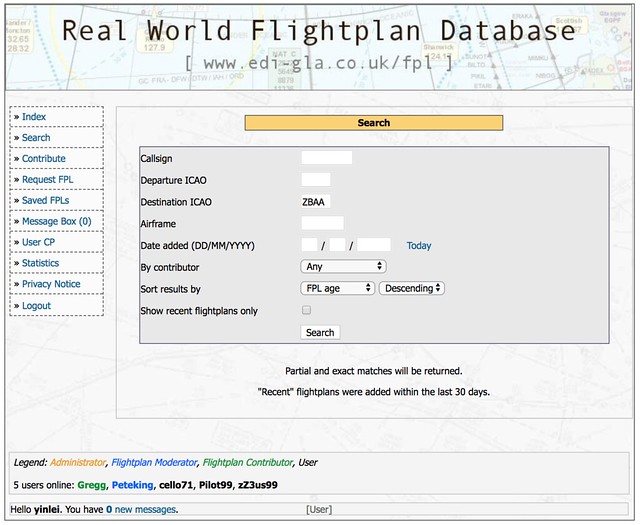 Then you get the search results:
 -
Introduction to Little Navmap, an Excellent Free Flight Planning Tool
I found a very popular free flight planning tool on x-plane.org called Little Navmap. I downloaded it for a trial run and found it to be extremely powerful. I highly recommend it. Here is a brief introduction to how to use Little Navmap.
First, download Little Navmap from the official website, unzip the
LittleNavmap-macOS-1.8.5.ziparchive, and it is ready to use. Upon the first launch, you need to specify the path to **X-Plane 11**,
the "Flight Simulator Base Path",
and Little Navmap will automatically check the flight database.
Upon the first launch, you need to specify the path to **X-Plane 11**,
the "Flight Simulator Base Path",
and Little Navmap will automatically check the flight database.
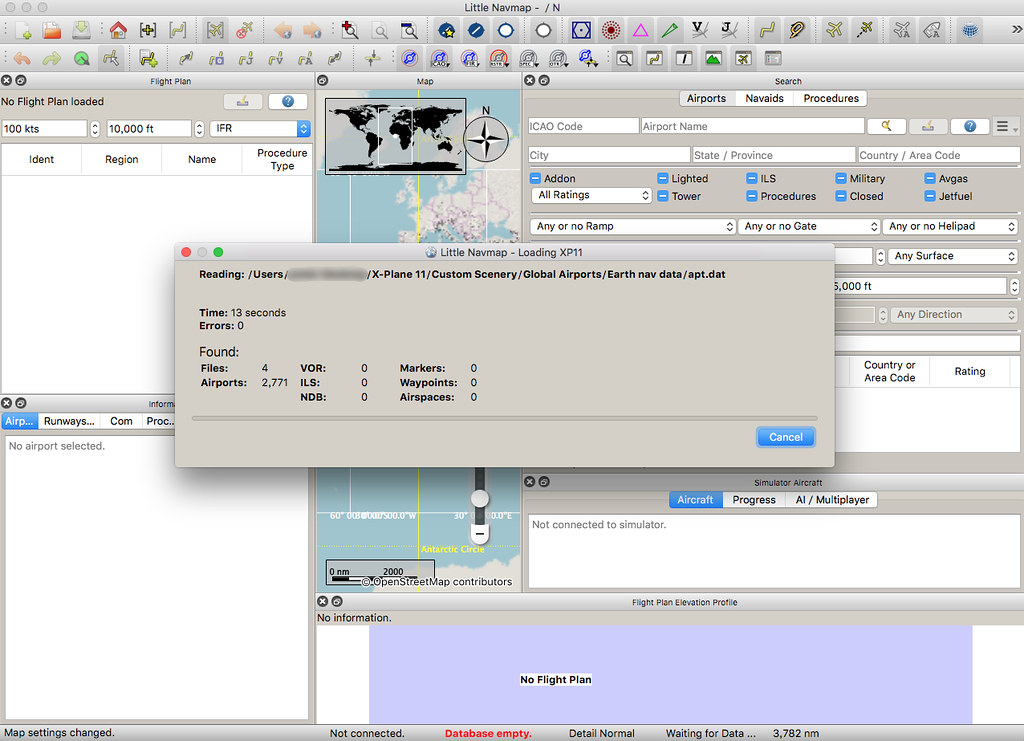
It took nearly 5 minutes to complete the scan.
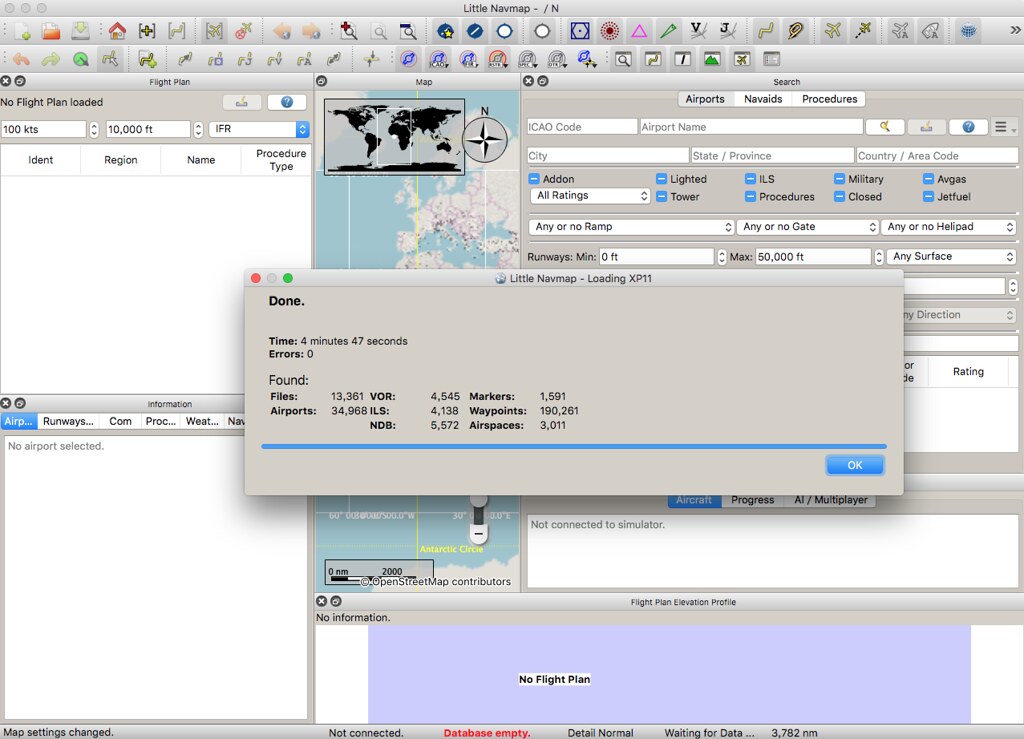 It found 34,968 airports, 4,545 VORs, 5,572 NDBs,
4,138 ILSs, 190,261 waypoints, and 3,011 airspace information entries.
It found 34,968 airports, 4,545 VORs, 5,572 NDBs,
4,138 ILSs, 190,261 waypoints, and 3,011 airspace information entries. -
Clearing Discontinuous Waypoints
Here is a very short memo, simply summarizing information previously recorded in the guestbook.
- A discontinuity appeared on the Boeing CDU, specifically ROUTE DISCONTINUITY. For example, if a Waypoint at line 3L in the LEGS page is not connected, You can first press 3L to copy it to the Scratch Pad input area, and then press 3L again, and it should connect.
You can refer to this video on YouTube:
-
Professional Flight Planning Website 1800wxbrief.com
1800wxbrief.com is a professional website for pilots, but simulation flight enthusiasts like us can also use it for free, so I will give a brief introduction today.
After registering on the website, log in with your personal information and aircraft information, and then you can start planning.
Enter the flight type, aircraft, departure and destination, click Evaluate for the departure time,
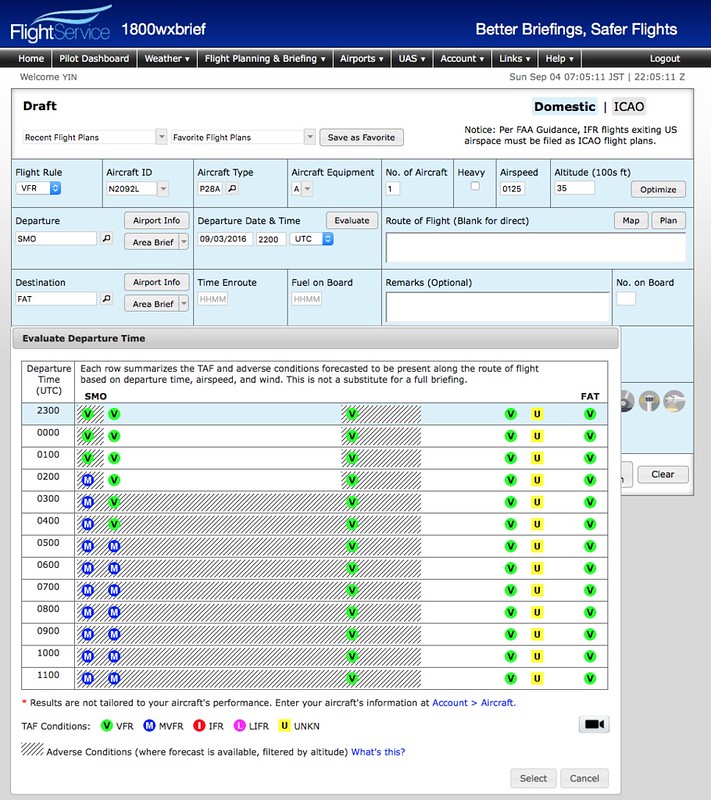 and you can see the meteorological conditions at the airport. It will become MVFR in a few hours; this information is very convenient.
 -
On Creating Flight Plans in Flight Simulation
Reader Sam Sun asked a question about flight planning in the guestbook, so I will provide a brief summary below.
First, I must declare that I fly under VFR 99% of the time in X-Plane and never make a plan. Since I am not flying IFR, I do not file a plan with the system; I just go wherever I please.
Sometimes, to test a new version or to practice ATC for a bit of realism, I will occasionally file a plan, but I generally find it troublesome and lacking in fun.
-
Free X-Plane Flight Plan Creation Tool: Flight Plan Converter
The Flight Plan Converter is a compact web tool that converts data retrieved from FlightAware, RouteFinder, and SkyVector into the fms format used by X-Plane.
The usage is very simple and requires no detailed explanation; just watch this 3-minute video to understand.
-
China AIP AMD1304
The official website of the Air Traffic Management Bureau of the Civil Aviation Administration of China (ATMB) Aeronautical Information Service Center, aischina.com, recently released AMD1304.
I have merged the latest data into AIP China. Please continue to use it.
The major updates this time include the aerodrome information for: ZUUU ZULS ZSSS ZSDQ ZBAA ZLXY ZLLL ZBHH ZBAA etc.
End
-
Title: New Features in X-Plane 10.10 Beta 9 -- Airport Map Navigation iPad App ForeFlight Mobile Support
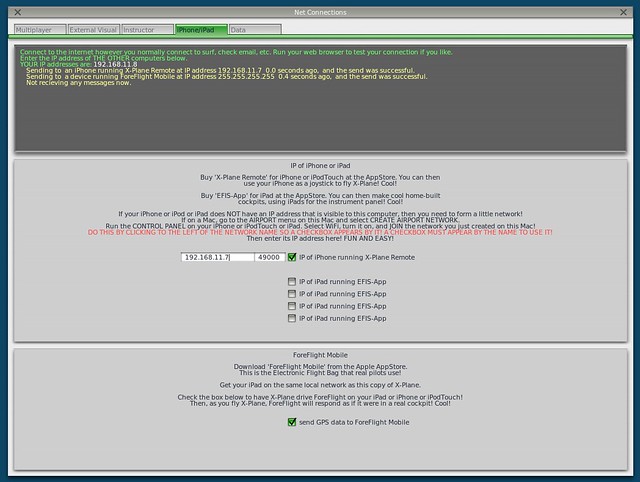
X-Plane 10.10 Beta 9 is released, and it looks like a lot of bugs have been fixed. However, the highlight of this version is the support for the iPad/iPhone airport map navigation app, ForeFlight Mobile. It can display Visual Flight Charts, radar, flight plans, airport maps, and other information.
Here is a brief introduction on how to use it. First, upgrade X-Plane and install ForeFlight on your iPad/iPhone. After starting X-Plane, open the Internet option in the Settings menu, then select the iPhone/iPod tab and check the “ForeFlight Net Connections” item at the bottom of the screen, as shown below.
-
Title: Introducing a Free Flight Plan Management Website
I found a flight plan management website http://xplane.anzui.de:3000/flight-planner. It allows you to simply input airports and Waypoints on the map, and save them as an .fms file for use in X-Plane. Since it is free and easy to use, I recommend it to everyone.
