X-Plane 12.4.0beta Released
The beta version of X-Plane 12.4.0 was officially released before the end of the year, and of course, I upgraded immediately to test it. But first, let me copy down the introduction from the official Laminar Research website.
“Development of X-Plane 12.4.0 has been a long journey, bringing some fundamental improvements to the engine. I am naming this version C-Check, as it best summarizes the work we have done. We replaced core components of the simulator, improved systems, and addressed numerous bug reports. X-Plane 12.4.0 is not about adding flashy new features, but about preparing for the future and refining existing functionality.”
Airbus A330-300 Improvements
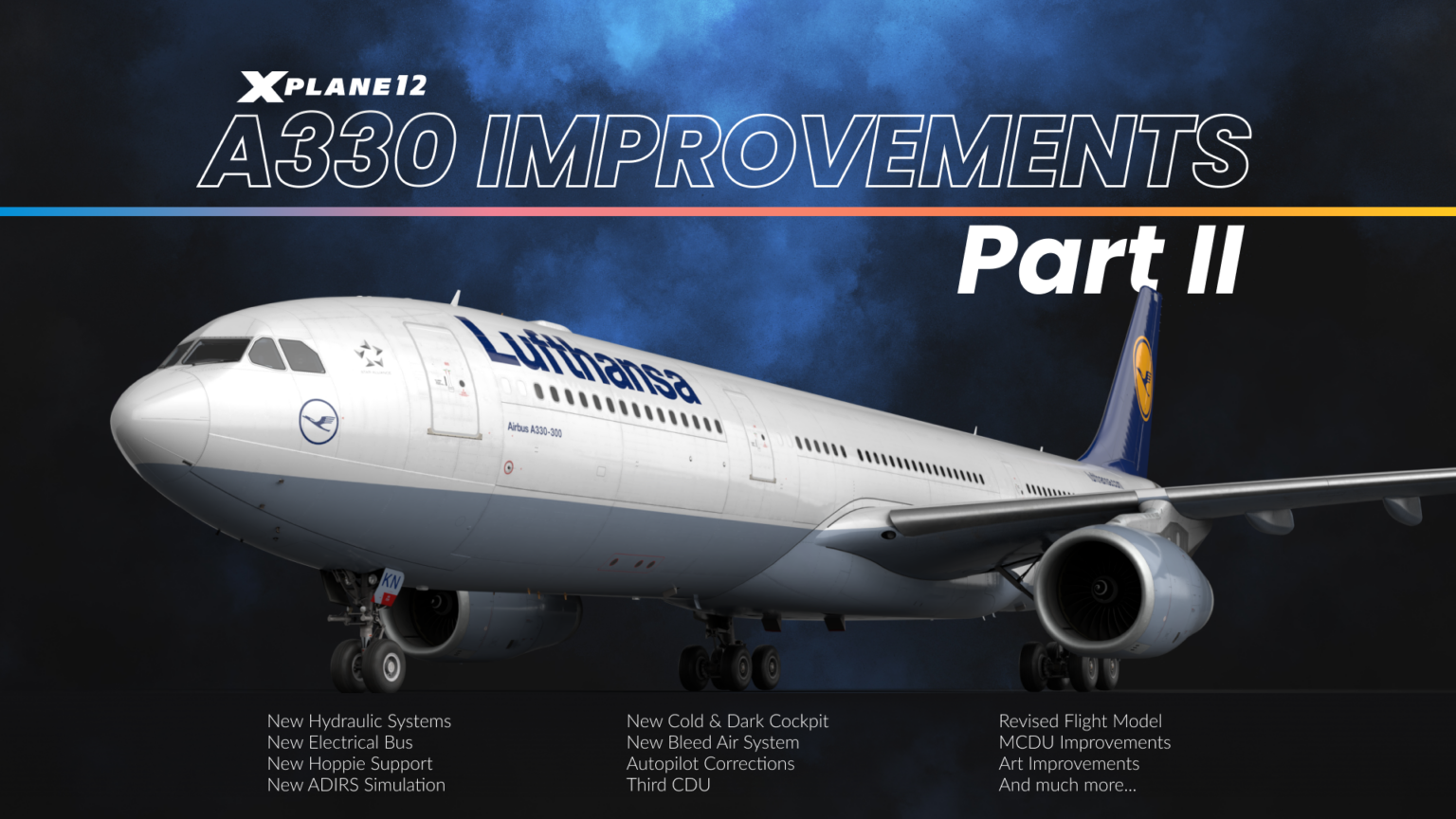 We have a deep appreciation for the Airbus A330-300 and have continued the work we started in X-Plane 12.3.0.
We completely redesigned the aircraft’s electrical system from scratch, working closely with A330 pilots to ensure the authenticity of Cold and Dark startup procedures.
This “Deep Maintenance” update covers almost every system on the aircraft—from the Flight Management System and avionics to hydraulics, displays, and emergency systems.
We have a deep appreciation for the Airbus A330-300 and have continued the work we started in X-Plane 12.3.0.
We completely redesigned the aircraft’s electrical system from scratch, working closely with A330 pilots to ensure the authenticity of Cold and Dark startup procedures.
This “Deep Maintenance” update covers almost every system on the aircraft—from the Flight Management System and avionics to hydraulics, displays, and emergency systems.
If you haven’t experienced it yet, now is the perfect time.
Electrical System The A330’s electrical system has been completely rewritten. We now model all busbars, including AC1, AC2, AC ESS, DC BAT, DC1, DC2, and emergency configurations. The Electrical Contactor Management Unit (ECAM) correctly manages busbar contactors, and you can see accurate status information on the ECAM AC/DC pages.
The system includes realistic components such as Transformer Rectifier Units (AC to DC), Static Inverters (Battery to AC), and an emergency generator powered by the Green hydraulic system. Emergency electrical configurations now work correctly, including automatic bus shedding when required.
All cockpit systems now draw power from their respective buses, meaning indicators and displays respond realistically to available power. Even custom systems like the In-Flight Entertainment (IFE) system consume power. The Full Authority Digital Engine Control (FADEC) only draws power when the engine is off and selected on, while the unique power demands of the Yellow standby hydraulic pump have also been accurately modeled. You can power it up simply by connecting a GPU, even without activation from the cockpit.
Cold and Dark Configuration Today, the A330 in a completely Cold and Dark state is identical to the real aircraft. We spent a significant amount of time communicating with A330 pilots repeatedly to ensure every switch position is correct for a perfect Cold and Dark startup. Now, when you load the aircraft in the Cold and Dark state, all overhead switches and controls are automatically set in place.
The system includes Auto modes for generators and other equipment; you can leave switches in the “ON” position just like in the real aircraft—they will auto-start when corresponding conditions are met. Screen configurations now respond correctly to different power states. For example, on battery power only, you will only see the upper Electronic Centralized Aircraft Monitor (ECAM) and the Captain’s Primary Flight Display (PFD), which is consistent with the real A330.
We have also set appropriate boot-up times for all displays, making the cold start process more realistic. This isn’t just surface level—the entire boot process follows the actual timing and behavior found in real life.
MCDU / FMGC The Multi-function Control Display Unit (MCDU) has undergone comprehensive improvements. We have added a secondary flight plan to all pages, including INIT A/B, FUEL PRED, and F-PLN, giving you greater flexibility in flight planning and monitoring.
The FMGC system has been fully upgraded to 4D mode—upgrading from three-dimensional planning (route and altitude) to four-dimensional planning, taking time constraints into account. You can now set Required Time of Arrival (RTA) constraints for waypoints, for example, if you need to reach an oceanic entry point at or before a certain time, or if you know the gate won’t be available until later, requiring a time or later for the arrival waypoint. The FMGC system will adjust flight speed as needed to ensure time constraints are met—or inform you that, without a time machine, it’s impossible.
In the same domain, we have added Equal Time Points (ETP), which show when flying to an ETOPS alternate airport is faster than returning. Of course, this accounts for upper winds in real weather.
During trans-oceanic flights, accelerating or decelerating may not be possible due to Air Traffic Control constraints. Therefore, you can now add Constant Mach segments to the flight plan. Simply select your oceanic entry waypoint and set a Constant Mach until the oceanic exit waypoint.
Flight plans can now recognize Time Mark Waypoints—when flying with an augmented crew, you might need to set a reminder to notify yourself when it’s time to wake up the relief captain—or like me, notify myself when I need to check how the cookies in the oven are doing. To do this, simply enter a UTC time in the scratchpad and insert it into the flight plan—the FMGC will then create a pseudo-waypoint indicating your position at that UTC time. When you see a small donut icon on the ND screen, you know it’s time to wake the relief crew (or take out the cookies).
The “Airport Location Information” page now allows direct input of runway numbers—you can enter something like KCLT18L or EDDF18 to get information immediately. Additionally, we have improved color coding and line visibility on the “Airport Location Information” page and added correct fix name labels on the Navigation Display (ND).
The OFFSET function now supports optional entry and exit waypoints. You can specify a left or right offset for all or part of the flight plan, and the autopilot will guide the aircraft along a lateral offset, parallel to your flight plan. This is very useful for avoiding bad weather.
LL XING/INCR/NO has been added to lateral revisions, allowing you to create oceanic reporting points not included in the flight plan. You can create custom waypoints indicating where the flight plan intersects lines of latitude or longitude.
A significant addition is the third CDU, now in use, designed specifically for AOC (Airline Operational Communication) operations. Through ACARS support provided by the third MCDU, you can request weather, ATIS, and pre-departure clearance when flying on VATSIM, PilotEdge, or the default ATC system, bringing a realistic airline operational communication experience to your flight. VATSIM and PilotEdge services are accessed via the Hoppie network.
ADIRS The Air Data Inertial Reference System (ADIRS) now features a realistic alignment process, simulating the A330’s operation in actual flight conditions. The system requires a certain amount of time to align after power is applied, accurately simulating the real aircraft’s initialization process. In high latitude areas, initialization takes longer, and more information is displayed on the Primary Flight Display (PFD) and Navigation Display (ND) as alignment completes.
The ADIRS alignment process is fully integrated with the electrical system and displays—when the system completes the alignment sequence, you will see corresponding indications on the ECAM and Navigation Display. Flight Director and Autopilot functions will be appropriately restricted until ADIRS alignment is complete.
The system correctly manages its three independent Air Data Reference (ADR) and Inertial Reference (IR) units, providing accurate airspeed data and inertial reference information for flight management, autopilot, and display systems once aligned.
Flight Model / Autopilot The A330’s flight model and autopilot system have been significantly improved to deliver more realistic flight performance. Autopilot turn anticipation has been enhanced, resulting in smoother navigation and more precise flight plan tracking. We eliminated the previous glideslope signal loss issue that caused some automatic landings on runways to fail. The system can now reliably capture and track the Instrument Landing System (ILS) signal throughout the approach.
Speed management is now more precise; after takeoff, once Flaps and Slats are retracted, the Minimum Selectable Speed (VLS) correctly increases in two steps, consistent with the actual flight performance of the A330. Releasing the auto brake system now requires only 5% more brake pressure than the current auto brake setting, giving you smooth manual control when needed.
We also fixed some edge cases, including the issue where the aircraft might activate reverse thrust before detecting weight on wheels. Throughout the flight envelope, you will find the aircraft’s performance more predictable and realistic.
Emergency Systems Currently, emergency operations are effectively simulated through fully functional Ram Air Turbine (RAT) and emergency generator systems. In an emergency, the RAT deploys and drives the Green hydraulic system, while the emergency generator uses hydraulic pressure from the Green system to provide emergency power. Emergency electrical configuration logic correctly manages bus shedding and power distribution in degraded modes of operation.
The Emergency Locator Transmitter (ELT) is now fully operational with realistic FMOD sound effects and event timing. In an emergency, the system operates exactly as it does on the real aircraft, further enhancing operational realism.
These systems are seamlessly integrated with the new electrical architecture, ensuring emergency procedures follow the actual protocols of the A330.
Display Units All cockpit displays now feature realistic startup behavior, showing appropriate boot times after power is applied. Screens do not appear immediately—they need time to initialize, just like in the real aircraft, enhancing the realism of the Cold and Dark procedure.
TERR ON ND can now recognize peaks (displayed in the lower right corner) and no longer warns you about the terrain of the airport you are landing at.
Display configurations respond intelligently to power states. The upper Electronic Centralized Aircraft Monitor (ECAM) and Captain’s Primary Flight Display (PFD) rely on battery power alone, while other displays require appropriate AC or DC bus power to function. Each display draws power from its corresponding source bus, meaning system failures and power configuration changes directly impact what you see in the cockpit, just as in reality.
ECAM pages switch accordingly based on different display states. ECP (ECAM Control Panel) buttons have been updated to work correctly in single-screen ECAM configurations—pressing and holding the button allows you to view system pages, which is crucial for monitoring the APU during Cold and Dark battery-only operations.
The Primary Flight Display (PFD) and Navigation Display (ND) have received numerous improvements, including higher map contrast, more accurate TCAS symbol display, and more precise altitude indication. ND brightness can now be adjusted correctly, and approach names will appear on the ND when within 100 miles of the destination track.
Our team has worked tirelessly, with tremendous assistance from A330 pilots. We believe the improvements we have made will take this aircraft to the next level and provide users with an outstanding and comprehensive Airbus simulation experience.
Other Improvements
Avionics Improvements
We have clearly heard your call—many of you asked for improvements to our avionics suite, and we have made significant updates to the X430, X530, and X1000 units.
Terrain, Traffic, and Weather Pages on X430 / X530
X430 and X530 now include a comprehensive Traffic Information page, offering selectable ranges of 2, 6, and 12 nautical miles, giving you better situational awareness in busy airspace. TIS-B traffic information is also displayed on the main map and navigation map pages. We added a terrain awareness page, displaying yellow and red terrain warnings at 120° or 360° viewing angles to help you avoid hazardous terrain. The all-new NEXRAD weather page provides comprehensive weather information at 120° and 360° viewing angles, which is crucial for planning weather avoidance.
The all-new “Freq” (Frequency) page makes navigation smarter, automatically displaying the departure airport’s frequency in the first half of the flight and switching to the destination airport’s frequency as you approach. If you don’t have a flight plan, it shows the frequency of the nearest airport. X430 now also includes a dedicated Position page, displaying ground track, ground speed, MSL altitude, time, and bearing/distance to the nearest airport—all critical information at a glance.
You can now check GPS reliability information via the new “Satellite” page, which shows your GPS status, including WAAS capability (displaying “3D DIFF NAV” or “3D NAV” based on satellite availability). On the larger X530, the “Position” and “Satellite” pages have been merged to make full use of the larger screen space.
X430/X530 maps can now display bodies of water such as rivers and lakes to enhance situational awareness.
After startup, you can check the database validity date, and then access a fully functional self-test page that you can use to verify connections to the aircraft’s CDI or HSI and fuel totalizers.
These updates bring the X430/X530 closer to their real-world counterparts and provide the more realistic Instrument Flight Rules (IFR) capabilities that pilots have always asked for.
X1000 Improvements The X1000 has received a comprehensive update, focusing on bug fixes and new features. We addressed several key issues, including Synthetic Vision airport rendering errors, terrain display issues, and crashes when rendering runway stripes and numbers. Aircraft icons now display correctly at all zoom levels, and SVT tile loading is now complete and stable.
The navigation map now offers a profile view, showing a vertical view of the terrain ahead. You can also choose to display terrain higher than your current altitude in a specific color for an extra warning.
Obstacles are now displayed at appropriate zoom levels (within coverage of FAA Digital Obstacle Files (DOF)).
The Multi-function Display (MFD) now accounts for wind, displaying a wind direction indicator and a ground track vector predicting your position one minute from now. The fuel range ring also considers wind, showing your true range over the ground.
Major additions include enhanced trip planning functionality, with a dedicated new page showing Estimated Time of Arrival (ETA)/Estimated Time of Enroute (ETE) to the destination. For daytime Visual Flight Rules (VFR) flights, the system calculates sunset and sunrise times at arrival, ensuring you meet night flight currency requirements. Additionally, fuel efficiency calculations are provided, including remaining fuel estimates, density altitude, and total air temperature. A brand new “Utilities” page tracks your flight statistics, including flight time, time since startup, flight distance (odometer reading), and ground speed records—perfect for users who love tracking flight data. Your parameters are saved per aircraft, so you can track ground speed records for your 172 and Cirrus separately.
The User Waypoint feature has been available for a while, and you can now find them via the “Nearest” page. State and provincial borders have been added to the MFD map, providing better situational awareness.
System customization has been greatly expanded through enhanced settings options. You can now configure temperature units (Celsius/Fahrenheit), time display (Local Time/UTC), fuel units (Gallons/Pounds), transition altitude alerts, arrival alerts, and comprehensive airspace warnings including altitude buffers and various warnings. The assignment of the four Multi-function Display (MFD) data fields is now fully customizable, including some more exotic options such as Current Climb Gradient (CCG), which can be crucial when executing obstacle departure procedures in complex terrain. You can now set the Communication (COM) channel spacing to 25 kHz or 8.33 kHz, which affects the tuning knob behavior in European operation modes.
Now, on the Cessna 172 and RV-10, the “Engine/Lean/System” soft key correctly displays the “Lean” page. The “Aux” soft key on the “Engine” page can now display the highest or last reached Peak Exhaust Gas Temperature (EGT) and its relative temperature, making the leaning procedure more intuitive for the C172, Cirrus SR-22, and RV-10.
Aircraft-specific improvements include proper support for auxiliary sensor inputs (e.g., co-pilot pitot, Attitude Heading Reference System (AHRS), etc.) for the co-pilot Primary Flight Display (PFD). You can choose to use a separate set of sensors to drive the second co-pilot PFD, or to achieve redundancy for a single PFD, such as in the Cirrus SR-22.
SR-22 Improvements
This update brings a series of avionics and flight management improvements to the SR-22, enhancing pilot situational awareness and reducing workload. We fixed GCU errors that occurred when using Pop-out mode and corrected flight plan behavior when removing holding patterns.
The avionics system now displays Current Climb Gradient (CCG) data on the Multi-function Display (MFD), along with a new one-minute trend vector and wind vector, while the flight path vector has been improved to more accurately reflect the geometric climb path considering wind. Autopilot performance during takeoff has also been improved—GFC-700 now supports Heading Arm (HDG ARM) during takeoff.
FXAA Anti-aliasing Improvements
We have fully received your feedback regarding FXAA causing blurriness on cockpit displays and instruments. In version 12.4.0, we have completely excluded cockpit displays from FXAA processing. This means you can now use FXAA across the entire simulator for smoother edges while keeping text and graphics on instruments, Multi-function Displays (MFD), and Primary Flight Displays (PFD) crisp and readable.
This change addresses one of the most common complaints about FXAA, making it a more viable anti-aliasing option, especially for users seeking better performance than more demanding anti-aliasing methods.
Air Traffic Control Improvements The Air Traffic Control system has received several practical improvements that enhance the realism and usability of the simulation. We have significantly increased the transmission range of the Automatic Terminal Information Service (ATIS) and Tower radio, bringing them closer to reality, so you can now receive frequency signals at an appropriate distance instead of the previous too-short range.
The new automatic check-in option greatly enhances the user experience. For pilots performing long-haul unattended flights, air traffic controllers can now automatically check in during the flight and handle altimeter and transponder settings. The system is cleverly designed—it won’t automatically check in for the final destination or handle uncoordinated handoffs, reducing tedious mouse-clicking during long flights while maintaining a degree of realism.
We have also applied wind correction to all “Fly Heading” instructions, making air traffic control guidance closer to reality. Altitude reporting during flight tracking using Standard Terminal Arrival Procedures (STAR) has been improved, and all air traffic control text conversations now include corresponding voice prompts to improve clarity.
Multi-core Scenery Processing This version of X-Plane includes a true milestone—scenery processing now uses multi-core technology. Anyone familiar with multi-threading knows that this doesn’t guarantee performance gains for all users, but it is undoubtedly a significant step forward, offloading heavy scenery processing tasks from the main thread.
Whether performance gains are significant depends on your specific hardware configuration. Users with modern multi-core CPUs may see noticeable improvements. However, if your CPU was not the bottleneck before, you may not notice a significant change. For example, GPU-bound systems benefit little from this update.
This is just one step in a series of multi-core improvements. We have already applied this technology to other parts of the simulator and will continue migrating more systems to multi-threading.
We conducted extensive testing internally and during the Alpha phase following this release. Test results vary by system configuration, which is entirely consistent with our expectations for multi-core optimization. These charts show actual performance data across different hardware configurations, giving you an idea of the performance you might expect on your system.
This is foundational work, opening the door for us to continue optimizing X-Plane’s multi-threading architecture for future performance gains.
If your system is already limited by GPU, fewer CPU cores, or other bottlenecks, you may not see significant improvements. In terms of complex airport scenery processing, multi-core computing performs best on modern multi-core CPUs, whereas scenery processing was previously the bottleneck. Your results may vary significantly from these examples. Please remember, this is just a milestone in improving X-Plane’s performance. There is more to come in the future!