miniCOCKPIT miniFCU Peripherals
The miniFCU (Flight Control Unit) I ordered from miniCOCKPIT a few months ago has finally arrived. I immediately installed it on X-Plane 12 to give it a try.
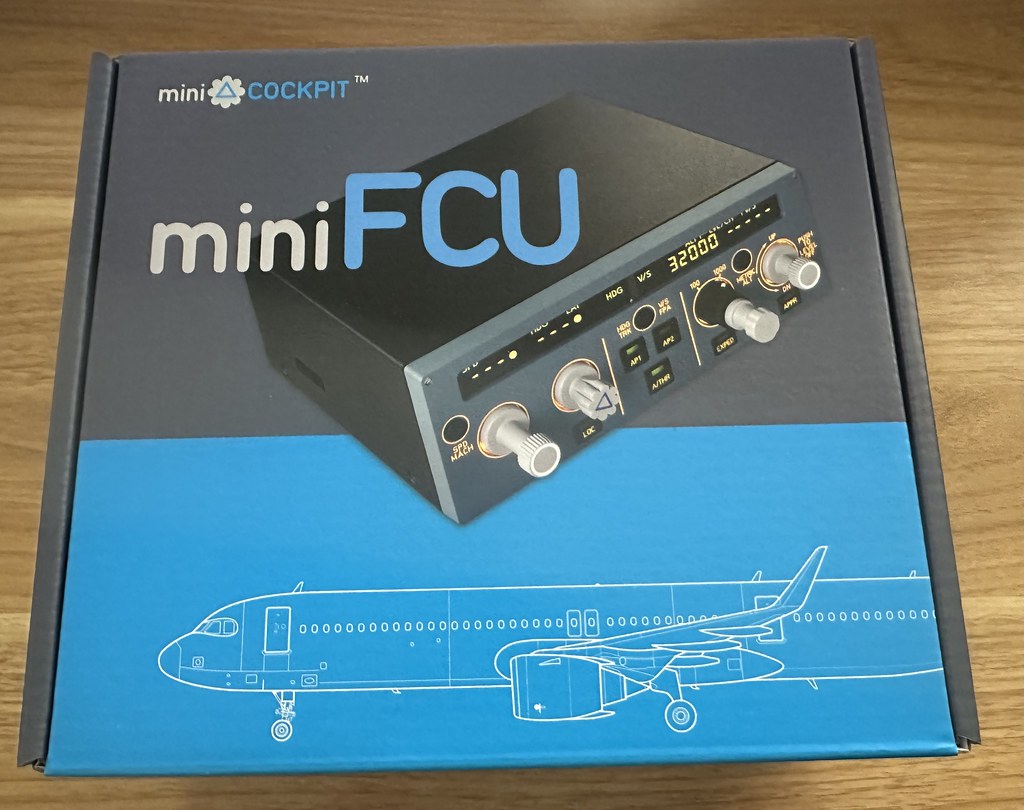

First, I registered the device on the official website to activate the one-year warranty service.
First, install the Plugin. According to the instructions here,
download DLS miniCOCKPIT_mac_1.0.0.zip for X-Plane 12,
and then copy the Plugin into X-Plane’s plugins folder.
Due to the issue where the Mac.xpl Plugin doesn’t start on MacOS, I also needed to allow Mac.xpl in the system’s security settings.
Before starting XP, I tested the device’s demo mode:
Hold down the SPD MACH key, then plug in the USB cable to power the miniFCU. It will enter demo mode after a few seconds.
 I tested every button and knob. The tactile feel of pressing and pulling the knobs was particularly satisfying—I’m very pleased with it.
Then I launched X-Plane 12 and checked the Plugins menu.
 I found miniCOCKPIT, and it displayed “Hardware connected”.
It looks like there are no connection issues. Clicking “About miniCOCKPIT”, I can see the Plugin version is 1.0.
I found miniCOCKPIT, and it displayed “Hardware connected”.
It looks like there are no connection issues. Clicking “About miniCOCKPIT”, I can see the Plugin version is 1.0.
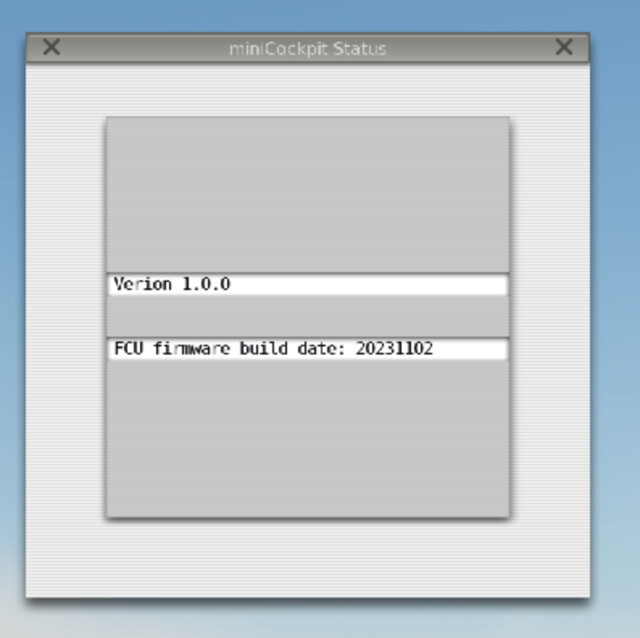 The firmware version of the miniFCU hardware is 20231102. Everything is normal.
The aircraft models supported by miniFCU are as follows: Toliss A319/320/321/340 series, FlightFactor A320, Default A330 (X-Plane 12), and Jardesign A320.
Next, I selected the Airbus A330 in XP12. I could see that the data on the miniFCU and the sim’s FCU synchronized automatically.
 So, let’s do a quick flight.


After takeoff from the Runway, I engaged the autopilot and autothrottle. The flight lasted for about 30 minutes. Speed, altitude, Heading—Climb, Descent, Level Flight—in terms of basic functions, there’s nothing particularly special to mention; the user experience was very comfortable.
Additionally, regarding the EXPED button on miniFCU, there is an introduction to the EXPEDite function on the official website for your reference.
The EXPED button is an optional feature provided by Airbus. With just one push, pilots can temporarily increase the Climb or Descent gradient. When EXPEDite mode is activated during a Climb, the aircraft will soar through the sky at Green Dot speed (a slower speed with the best Lift-to-Drag ratio). Note that Green Dot speed increases with altitude; using EXPED to Climb above 25,000 feet is not recommended (to avoid getting too close to Stall speed).I feel that the FS and LS buttons are not commonly used, so I stuck with the default setting, which is the standard ALT button function.During Descent, pressing the EXPAD button releases an adrenaline-fueled high-speed descent. The aircraft changes its speed target to Mach 0.80 or 340kt (whichever is higher), allowing it to lose altitude very quickly while exchanging kinetic energy (gaining speed) for potential energy (losing altitude). It’s like riding a thrilling roller coaster through the sky! So, if you want to experience the thrill of a rapid Descent or a high-altitude Climb, the EXPED button is the perfect tool in your arsenal.
However, in reality, this function is rarely used (pilots simply use the speed knob to achieve the same goal). Therefore, in the miniFCU, we designed it to be interchangeable with other more common functions like FS and LS.
A while back, I did some decluttering and sold off most of my Saitek equipment because it took up too much space. The miniFCU, with its compact and exquisite size, perfectly fits my needs. I reckon I won’t be letting go of it for the next ten years.
Key Features of miniFCU: Developed by two Airbus captains with over 18 years of fleet experience and 15,000 flight hours, the miniFCU features the same appearance and control mechanism as the real Flight Control Unit on Airbus aircraft, providing an authentic and immersive experience. Our mission is to develop affordable flight simulation hardware that is easily accessible to everyone, without compromising on quality or authenticity.
- Authentic Performance: Including the signature push/pull knobs and custom LCD, the miniFCU is an accurate replica inspired by the iconic AirbusTM FCU, offering a realistic operation experience.
- 80% Portable Size: The miniFCU’s compact size makes it easy to integrate into any gamer’s current setup.
- Affordable: The miniFCU is not only one of the most accurate consumer-grade autopilot flight controllers on the market, but also the cheapest choice! We offer it at a very affordable price.
- Easy Integration: The miniFCU is compatible with various flight simulators, including MSFS: Default A320, FBW A320, XP11/XP12: Toliss, FlightFactor, and Jardesign, etc. More support coming in the future!
- Extended Functionality: The miniFCU is not just a standalone product; it is part of a series that includes miniEFIS and miniECAM. More features will continue to expand your dream simulator cockpit.