First Impressions of Getting X-Plane 12
After waiting for nearly a year, I noticed early this morning that the Early Access version of X-Plane 12 has been released. I immediately purchased and installed it.
X-Plane 12.00 Release Notes
 Downloading the scenery took about 2 hours, and finally, the installation was complete.
Startup screen
Downloading the scenery took about 2 hours, and finally, the installation was complete.
Startup screen

Main menu

I found that the various settings pages are no different from X-Plane 11, so it’s quick to get started.


 No need to specifically explain the settings.
I took a Cirrus SR22 for a spin around Tokyo Haneda Airport.


 The flight feels very smooth, and it seems a bit snappier than X-Plane 11, with the framerate around 20.
By the way, the machine OS is macOS Monterey.
The hardware configuration isn’t very high: 16GB memory, 10-core CPU, 16-core GPU, and 1TB SSD.
Also, a 31.5-inch monitor with a resolution of 3072 × 1728.
The flight feels very smooth, and it seems a bit snappier than X-Plane 11, with the framerate around 20.
By the way, the machine OS is macOS Monterey.
The hardware configuration isn’t very high: 16GB memory, 10-core CPU, 16-core GPU, and 1TB SSD.
Also, a 31.5-inch monitor with a resolution of 3072 × 1728.


 The depiction of clouds is more realistic, quite reminiscent of Impressionist oil paintings; this is indeed one of the major improvements in X-Plane 12.
Next, I flew an approach at Narita Airport. The system remained responsive and stable, with no bugs appearing.


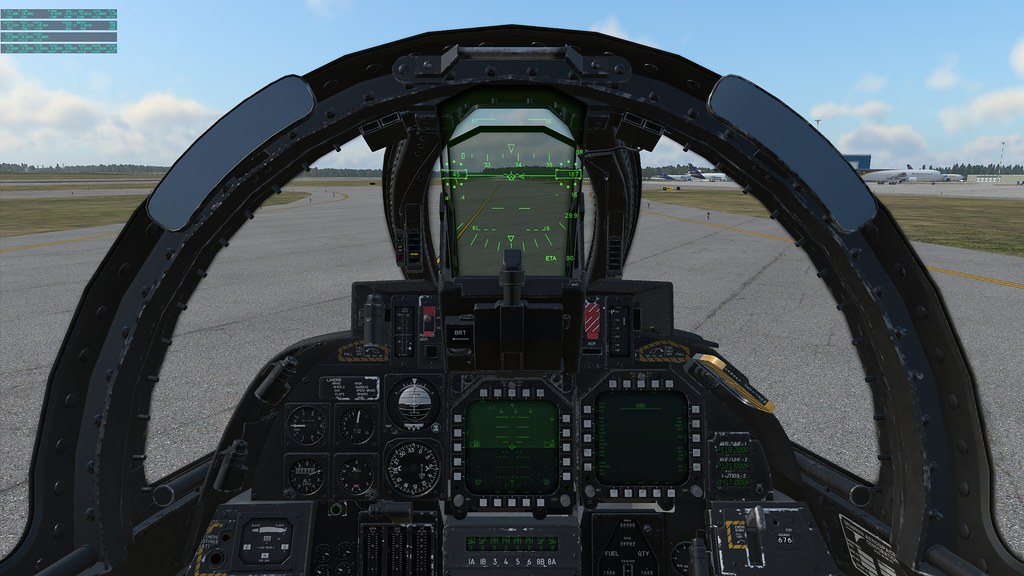
By the way, starting with this version, the F-14 fighter jet is now standard equipment. I took it up for a spin immediately, and I absolutely love it.


My first impression of X-Plane 12 is very satisfying, so I immediately recorded it to share with everyone.