Garmin D2 Delta PX Titanium Aviation Watch Amazon Music Functionality
Noticing that Amazon Music playback was released on Connect IQ, I went ahead and installed it. The music playback functionality on the D2 Delta was introduced in the Garmin D2 Delta PX Titanium Aviation Watch Setup Review, so I won’t cover the basic usage here.
After downloading Amazon Music on Connect IQ, press and hold the top-left “LIGHT” button to launch the music player.
Find Amazon Music in the music library, and tap it to see
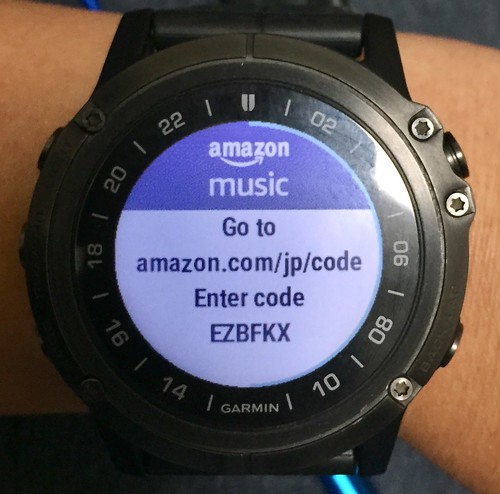 which indicates you need to visit amazon.com/jp/code via PC to bind the watch device to Amazon Music.
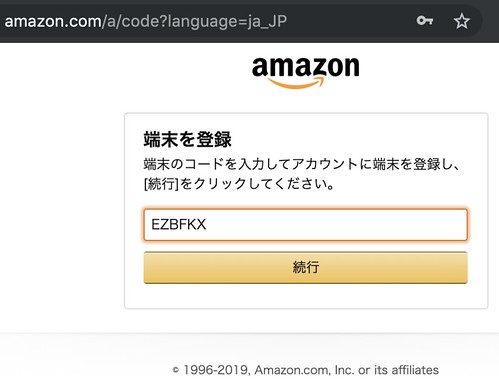 Enter the connection code, and the authorization confirmation screen will appear,
 After granting permission, you can see the setup was successful.

Next, it’s quite simple. Find the music you want to listen to in the music player,


 Once connected to Wi-Fi, a warning message appeared,
 Battery is less than 50%, unable to download music data.
I dug out a cable to charge the D2 Delta while continuing to operate,

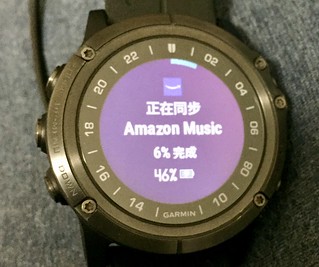

 The download and sync completed, and I could finally start listening to music.
 Glenn Gould performing Bach’s Goldberg-Variationen—music I could listen to countless times without ever getting tired of it.
Additionally, in the Edit Download menu, you can see that data no longer needed can be deleted from here.
