Garmin D2 Charlie Titanium Aviation Watch Firmware Updated to 4.00
Unboxing the Garmin D2 Delta PX Titanium Aviation Watch Garmin D2 Delta PX Titanium Aviation Watch Setup Guide
About half a year ago, when I introduced how to update data and apps on the Garmin D2 Charlie Titanium Aviation Watch, the system version was 3.2. Recently, I noticed that version 4.00 has been released, so I connected it to my computer to complete the upgrade. The entire process took about 1 minute.
The specific usage method is exactly the same as above, so I won’t go into details here. I just copied the new version features below.
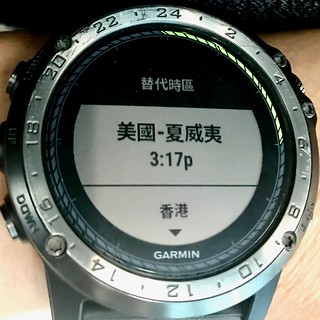
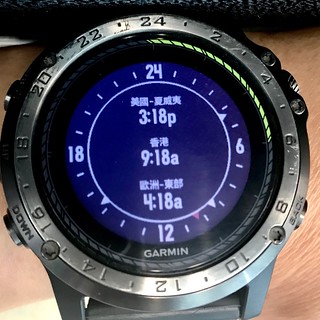
Changes made from version 3.30 to 4.00:Added helicopter ownship symbol option for aviation map. Settings > Activities & Apps > FLY > FLY Settings > Ownship. Added support for a Sunrise & Sunset widget. Settings > Widgets > Add Widgets > Sunrise & Sunset. Added support for an Alternate Time Zones Widget. Settings > Widgets > Add Widgets > Alt. time Zones. Improved rendering of aviation navigation symbols on map at larger zoom ranges. Improved Bluetooth connectivity with Huawei phones. Improved the accuracy of resting heart rate measurements. Improved the accuracy of All-Day Stress tracking. Improved the smart notification text layout for longer messages. Fixed an issue where the Heart Rate graph would intermittently stop updating. Fixed an issue where the altitude on device wasn’t accurate when using the Jumpmaster app. Fixed an issue where Flashlight would turn off when using gestures. Fixed an issue where a ConnectIQ watchface would flash when downloaded using the Garmin Connect Mobile app and the device would revert back to a stock watchface.
Changes made from version 3.20 to 3.30:
Added the ability to navigate with the FLY activity Direct-To a Saved Locations (Navigate>Flight Planning>Saved Locations and then Direct-To) Added the ability to view raw METAR text from within the METAR widget (‘Show Raw Text’ is an option in the menu on the last page of METAR/TAF info) Fixed an issue with the operation of Altimeter, Barometer, and/or Compass when added to, and launched from the control menu. Fixed an issue where Flight Plans and Courses could not be created using certain types of waypoints. Improved stability of Connect IQ watchfaces and applications.
As you can see, most are minor bug fixes and improvements, and there isn’t anything particularly noticeable in actual use. Personally, I find the following features quite useful:
The “Show Raw Text” function for METAR in 3.3
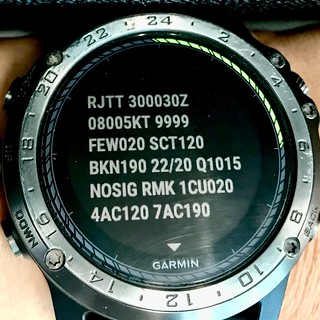 Took a photo of the recent weather report for RJTT as shown above.
Sunrise & Sunset time widget in 4.0
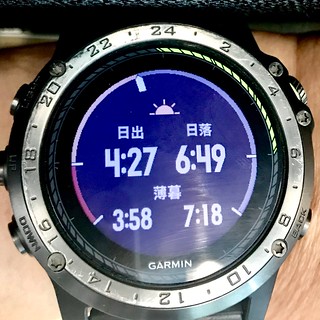
Alternate Time Zones widget