Garmin D2 Charlie Titanium Aviation Watch Review Part 2
Unboxing the Garmin D2 Delta PX Titanium Aviator Watch Garmin D2 Delta PX Titanium Aviator Watch Setup Guide
Continuing my thoughts on using the year’s most powerful smartwatch, the Garmin D2 Charlie, this time I’m summarizing from the perspective of a general smartphone user.
Regarding settings, one customizable default is the backlight. For example, the feature that automatically activates the backlight when you raise your hand is extremely convenient. However, the menu is quite deep, located at “Settings-System-Backlight-During Activity-Raise Hand-On” and “Settings-System-Backlight-Not During Activity-Raise Hand-On”. Additionally, the backlight timeout and brightness can be customized; personally, I found the defaults a bit low, so I increased both the time and brightness.
Regarding connection to the phone, I keep it connected via Bluetooth basically 24 hours a day,
so I receive over 100 push notifications a day.
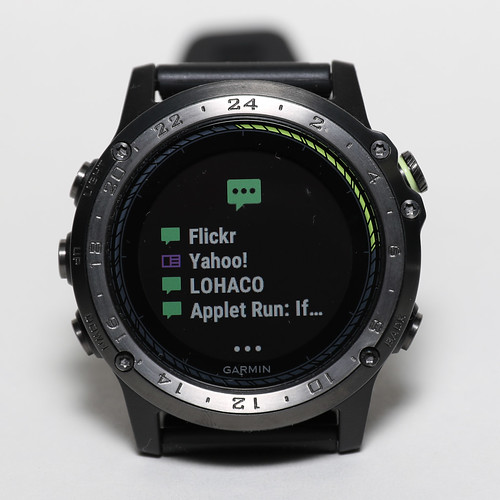 Reminders for meetings in 15 minutes, breaking news, important sports match results,
friends’ tweets, promotions from Yahoo and Amazon, subway delays, and so on,
can all be received instantly from the phone.
Reminders for meetings in 15 minutes, breaking news, important sports match results,
friends’ tweets, promotions from Yahoo and Amazon, subway delays, and so on,
can all be received instantly from the phone.
*Note Users who purchased the mainland China version may encounter issues where the watch cannot connect to the phone via Bluetooth indoors; connection is only possible outdoors after a GPS signal is received. If you need to use Garmin Pilot, please re-register in Garmin Connect using a new email address and select a non-China region in Advanced.
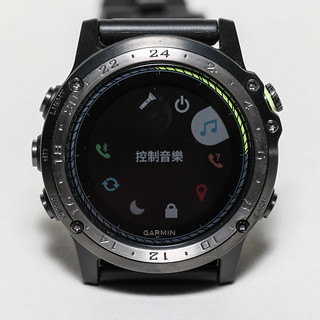
Using the watch to control phone music playback has also become a habit;
for instance, when the phone is in the bag, I don’t need to take it out to adjust the volume or skip to the next song.


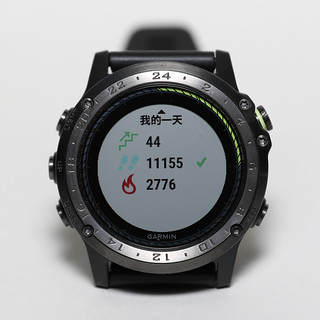
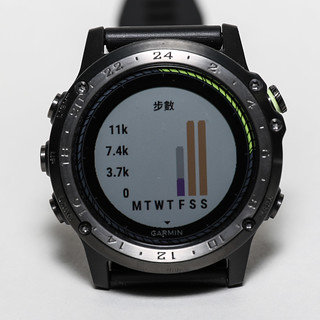
Also, my health awareness has greatly improved. Daily metrics like steps taken, distance covered,
calories burned, and sleep time are all right on my wrist,
which naturally makes me want to move my body more.

One morning, seeing clear weather forecast on the watch, I went out to Climb a nearby small mountain. The view of Mt. Fuji was refreshing.
 Finally, I took a souvenir photo of the Garmin D2 Charlie with Mt. Fuji.

In late autumn, the red leaves were at their peak, so I ran to North Kamakura to enjoy the maples.


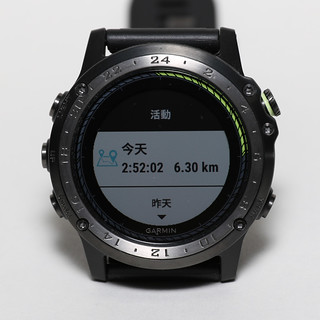
Recording using the Garmin D2 Charlie’s “Track Activity” App is as follows,
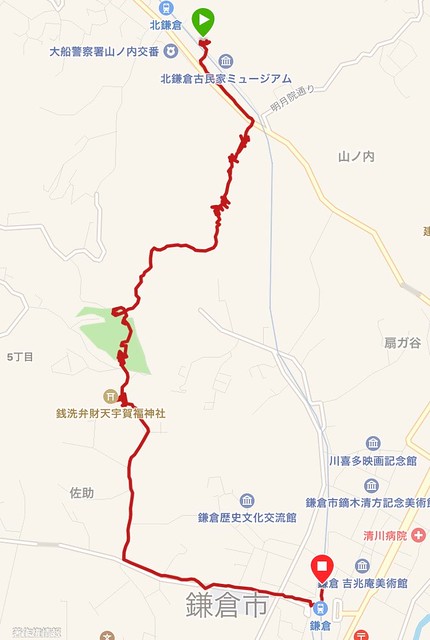 Total time 2 hours 52 minutes, 6.3 km, 720 calories burned, average speed 2.2 km/h, altitude 140m.
Such a perfect record relies entirely on the D2 Charlie possessing high-precision sensors like GPS and an Altimeter;
this watch is truly a powerful personal tool.
Total time 2 hours 52 minutes, 6.3 km, 720 calories burned, average speed 2.2 km/h, altitude 140m.
Such a perfect record relies entirely on the D2 Charlie possessing high-precision sensors like GPS and an Altimeter;
this watch is truly a powerful personal tool.
Finally, introducing two games, one is Space Bird Widget,
and the other is Classic Tetris Game APP,
which can be used to kill spare time.
It’s really unexpected to be able to play 80s arcade games on a watch.
To commemorate the launch of Charlie, there is a launch online campaign from 11/23 to 12/22.
Simply buy a D2 Charlie and share online to be entered into a draw for a flight experience provided by ANGEL Flight Training Center.
 Hope you don’t miss this once-in-a-lifetime opportunity.
During the campaign period, purchase the D2 Charlie Titanium Aviator Watch, share your trial post on Facebook (images, videos, or text are all acceptable, please ensure the post is set to Public), and Hashtag #D2Charlie Titanium Aviator Watch to enter the draw for a free dual flight experience provided by ANGEL Flight Training Center (each person can bring one companion, value NTD29,800). Make your dream of flying come true!Official website info here
End