Garmin D2 Charlie Titanium Aviation Watch Review: Part 1
Garmin D2 Delta PX Titanium Aviator Watch Unboxing Garmin D2 Delta PX Titanium Aviator Watch Setup Guide
After using the Garmin D2 Charlie for nearly a week, I can summarize my thoughts on the experience.
First of all, it is an excellent smart watch. For instance, the color screen has high resolution and is easy to read even in sunlight. Additionally, it is very power-efficient. A simple test over the last few days showed that after two days of use, there was still 20% battery remaining. Therefore, you don’t need to constantly worry about running out of power and can boldly use its various functions. Furthermore, if you don’t use the navigation and sports features and just use it to tell the time, it can easily last a week.
The operation method is also simple and natural. Once you are familiar with it, you can use it by feel without needing to look at the keyboard or button positions. For example, in watch mode, pressing the “DOWN” button three times launches the Altimeter widget. Most smart watches use touch screens, which not only consume power but also require you to look at the screen while operating. In contrast, the D2’s button-only operation is extremely convenient in many situations.
From an aviation enthusiast’s perspective, being sensitive to the weather is crucial. So, having a watch equipped with a barometer, Altimeter, GPS, maps, and a compass, which can also automatically download METAR data from nearby airports to calibrate barometric pressure, feels incredible to have such a perfect aviation instrument right on your wrist.
There is also a manual mode for pressure calibration. When the pressure at your location differs from that of nearby airports, adjustment is very easy. The operation at this time is exactly the same as the Altimeter pressure setting in the cockpit, so as a flight simulation enthusiast, you will certainly be very familiar with this process. Additionally, the D2 Charlie’s barometer is very precise; in my experience, you generally only need to adjust plus or minus 1 hPa to get quite accurate altitude values.
Taking the elevator at work and watching the Altimeter needle and values rise with the floors,
this habit might be a bit nerdy, but I personally enjoy it.
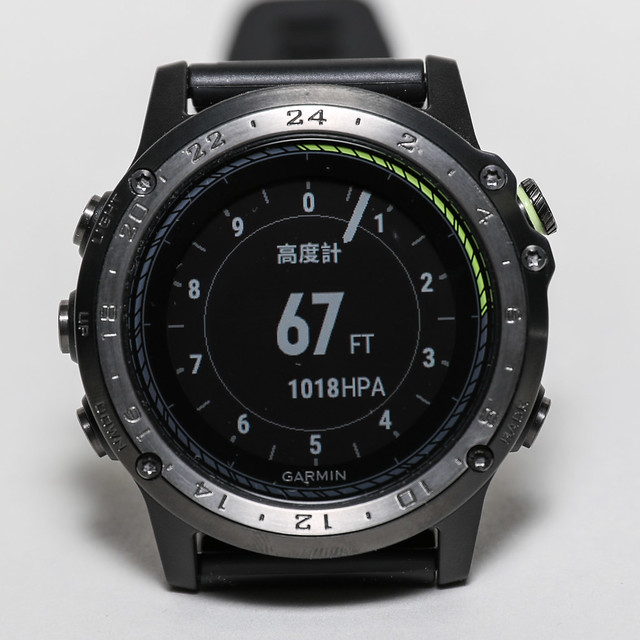 (The “1018HPA” at the bottom is the set pressure calibration value of 1018 hPa.
For usage instructions, please refer to the section introducing the “Altimeter Kollsman window” in this site’s article Using the Barometric Altimeter.)
(The “1018HPA” at the bottom is the set pressure calibration value of 1018 hPa.
For usage instructions, please refer to the section introducing the “Altimeter Kollsman window” in this site’s article Using the Barometric Altimeter.)
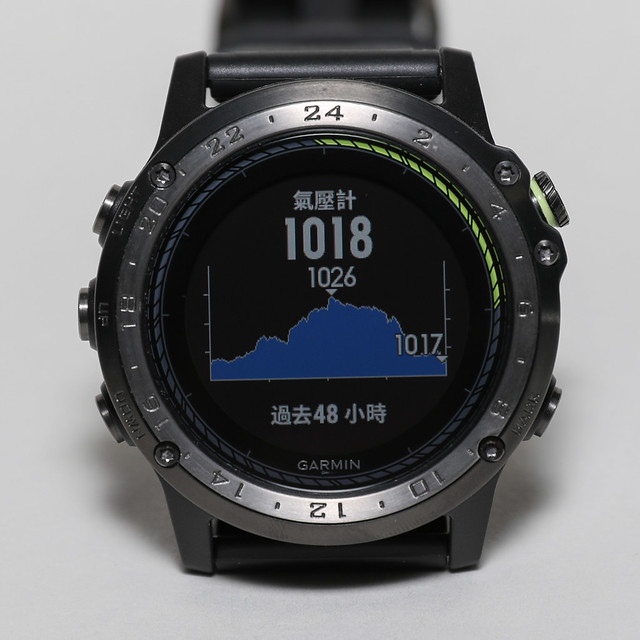
Just looking at this barometer tells you the weather trend for the next two days.
Oh, it’s been sunny for a day and now it’s cloudy again.
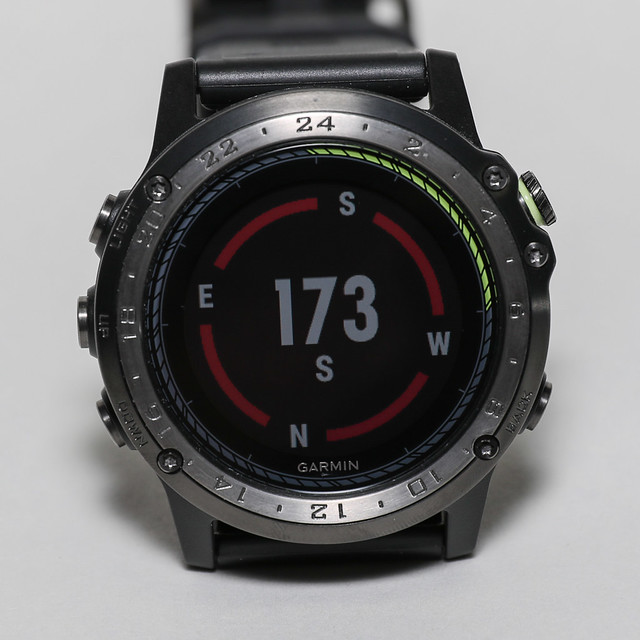
The compass needle is also very useful on the ground. For example, when using Google Maps for navigation, it says “Please walk 300 meters north.”
The question is, where is north?
At this moment, just raise your hand to check your watch and you’ll know.
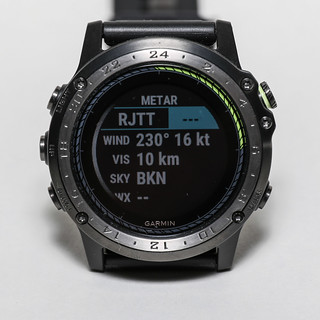
Of course, checking airport weather METARs is so simple, and there’s no need to worry about the battery.
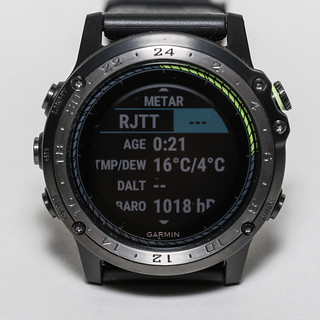 The number of times I check the weather on my wrist has increased dramatically every day.
*Note Users who purchased the Mainland China version may encounter issues connecting to their phone via Bluetooth while indoors. Connection is only possible outdoors after receiving a GPS signal. If you need to use Garmin Pilot, please re-register in the Garmin Connect app using a new email address and select a non-Chinese region in the Advanced settings.
However, compared to the default METAR widget, the METAR/TAF app in the Connect IQ Store is more convenient,
as it displays more airport information. I highly recommend it.
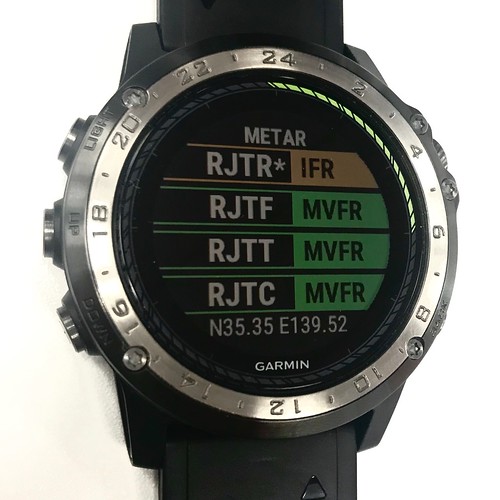
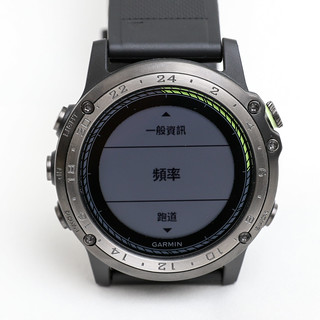
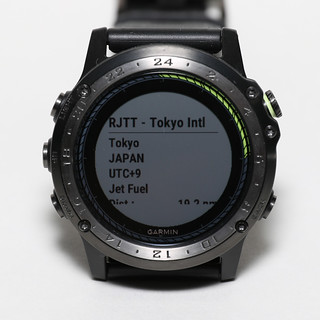
When going to the airport to spot planes, you don’t need to check a manual; just raise your hand to get information like frequency/Runway,
especially when visiting an unfamiliar airport, which significantly lightens your luggage load.
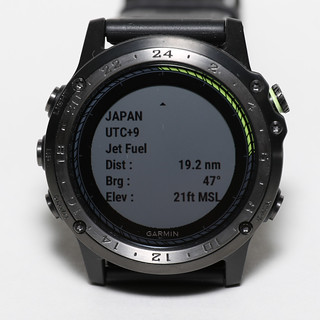
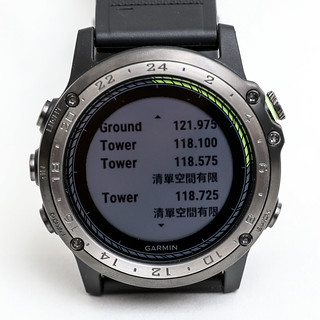
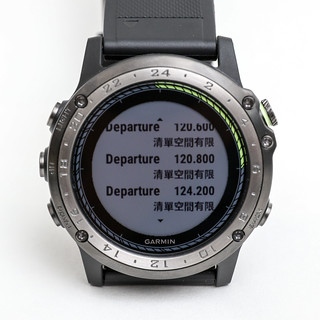
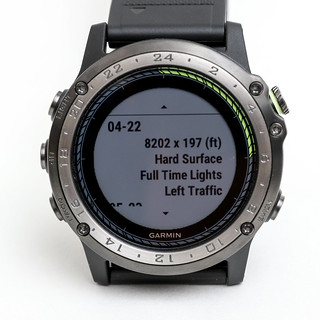
Also, this Widget called “Sun & Moon”, downloaded from the Connect IQ Store, is very handy.
It lets you know the sunrise, sunset, moonrise, and moonset times.
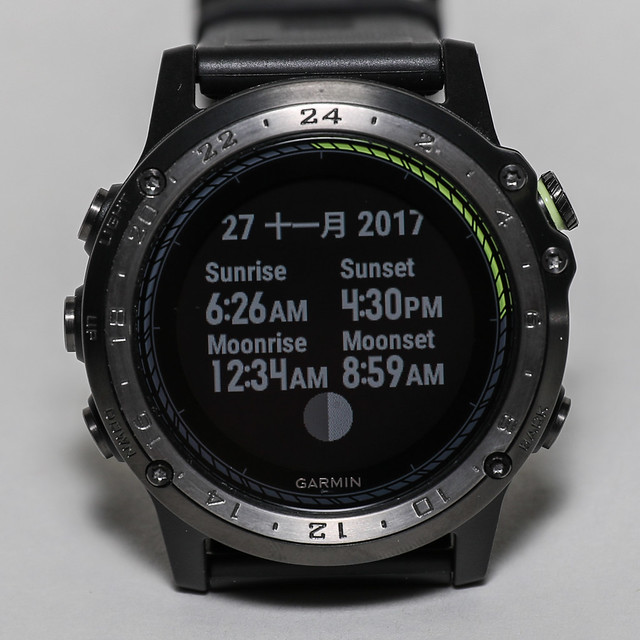 Friends who enjoy photography know that the light at sunrise and dusk is the most charming.
Since photography is the art of light and shadow, how can you not know these times?
Friends who enjoy photography know that the light at sunrise and dusk is the most charming.
Since photography is the art of light and shadow, how can you not know these times?
Knowing the moonrise time and carefully observing takeoffs and landings at nearby airports,
if you are lucky, you can capture works like the following.
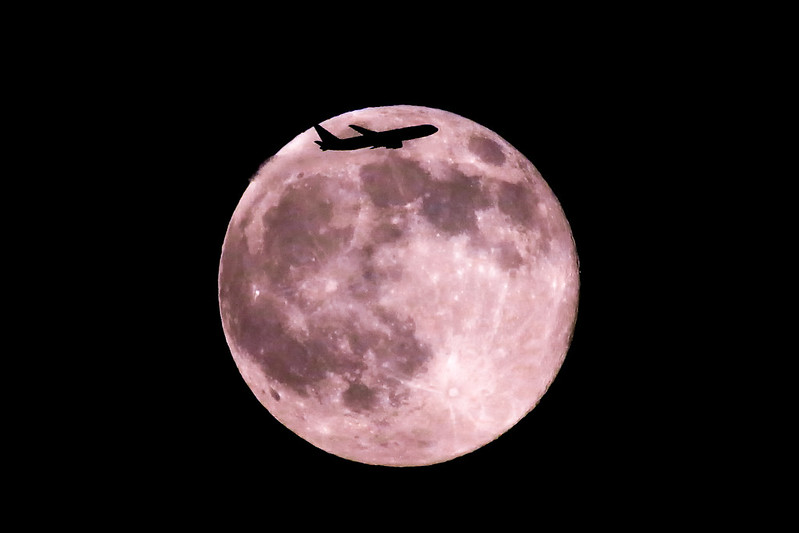 This photo was taken from my home balcony, and the subject is a Boeing 777 that had just taken off from Haneda Airport.
There is also an APP in the Connect IQ Store called SkyWatch, which helps you find the position of the sun, moon, and stars in the sky using the watch’s hands. In addition to photographing the moon, it is also very helpful for night sky photography.
Regarding watch faces, I highly recommend this GearMin one.
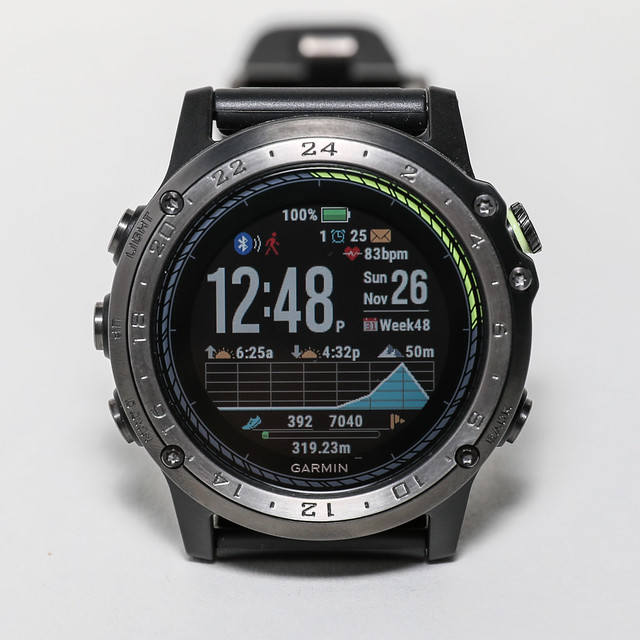 It provides battery percentage, phone Bluetooth connection status, alarm status, phone notification count,
heart rate, time, calendar, sunrise/sunset times, Altimeter, pressure changes, step count, and more all on one screen. It is truly powerful.
It provides battery percentage, phone Bluetooth connection status, alarm status, phone notification count,
heart rate, time, calendar, sunrise/sunset times, Altimeter, pressure changes, step count, and more all on one screen. It is truly powerful.
To celebrate the launch of Charlie, there was a web launch event from 11/23~12/22.
Anyone who purchased a D2 Charlie and shared it online could enter a lucky draw for a flight experience provided by Ange Flight Training Center.
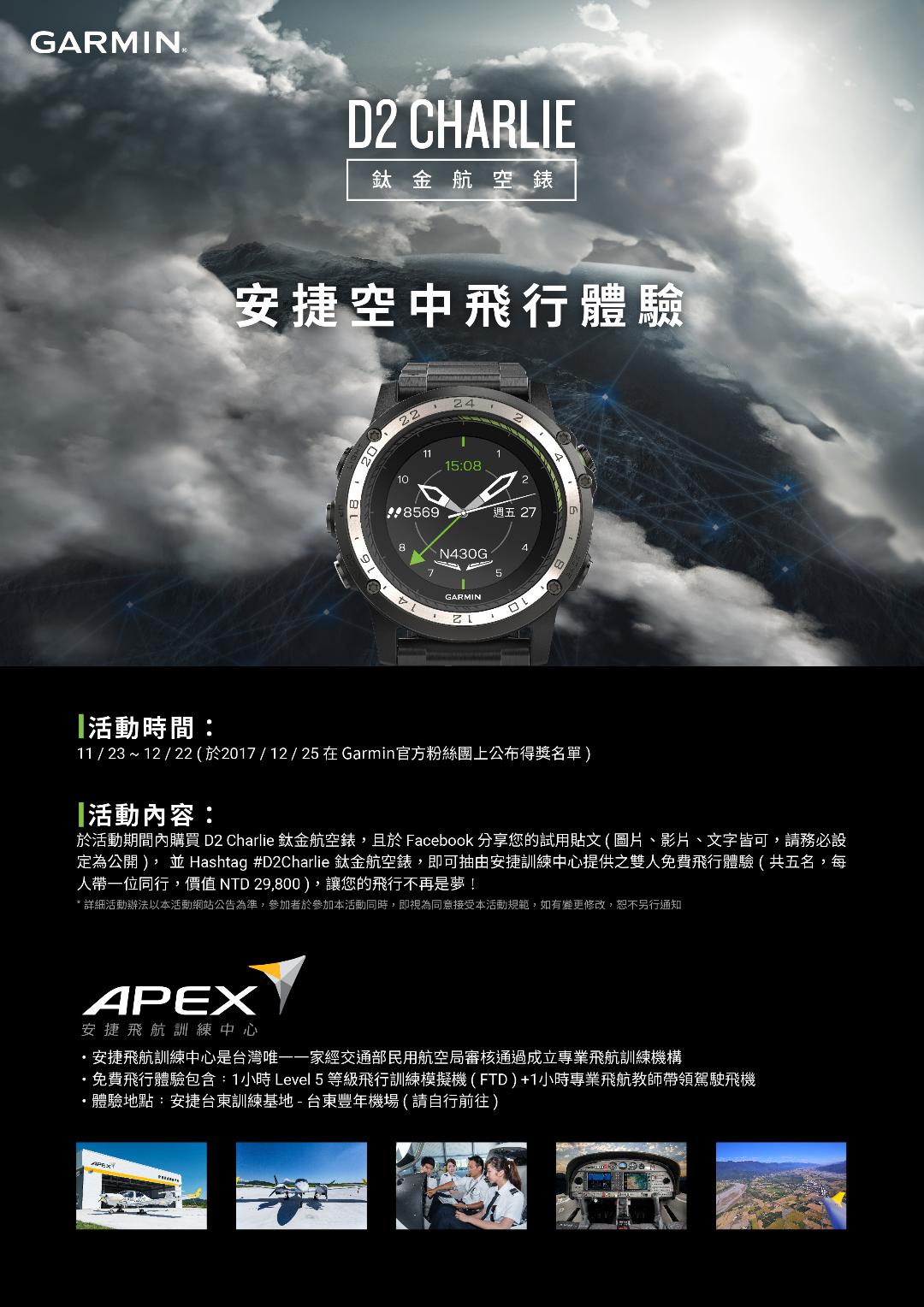 I hope you don’t miss this once-in-a-lifetime opportunity.
During the event period, purchase the D2 Charlie Titanium Aviator Watch and share your trial post on Facebook (images, videos, or text are all acceptable; please ensure it is set to public), and add the Hashtag #D2Charlie鈦金航空錶 to enter the draw for a free dual flight experience provided by Ange Training Center (you can bring one companion, value NTD29,800), making your dream of flight come true!Official information is here
End