Garmin D2 Charlie Titanium Aviation Watch Unboxing
Unboxing the Garmin D2 Delta PX Titanium Aviator Watch Garmin D2 Delta PX Titanium Aviator Watch Setup Guide
The Garmin D2 series is a smartwatch designed for pilots. It not only features a flight log but also GPS navigation and a “Nearest Airport” shortcut button, enabling one-touch navigation. As an aviation enthusiast, I have coveted this watch for a long time.
This year, the latest top-tier model in the D2 series, the “D2™ Charlie”, was launched. It features a built-in color dynamic map and a wrist-based heart rate monitor. Equipped with a titanium bezel, a titanium bracelet, and a scratch-resistant sapphire lens, it connects to a mobile phone to obtain global weather data for airports, pushing the capabilities of aviation smartwatches to a new height.
I am very fortunate to have the opportunity to use the Garmin D2™ Charlie. I plan to write a series to introduce the usage of this product in detail for you. For the opening article, it naturally starts with the unboxing.
The outer box of the Garmin D2™ Charlie Titanium Aviator Watch comes with a gray paper sleeve.
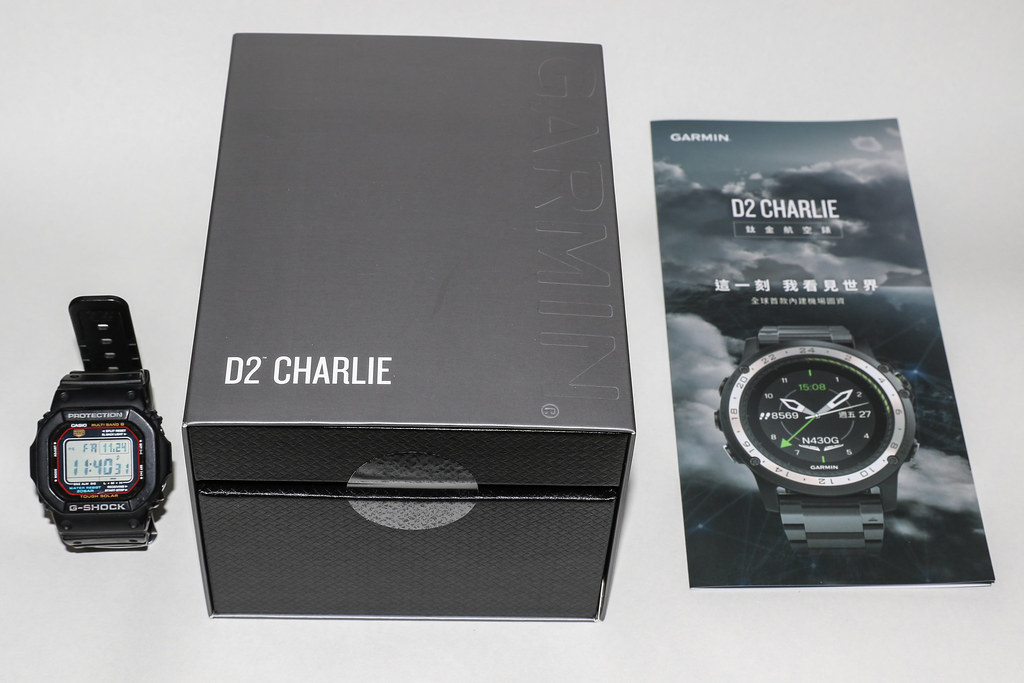 I specifically placed a Casio G-Shock next to it so you can use its size as a reference.
Let’s look at the product description on the bottom of the paper sleeve.
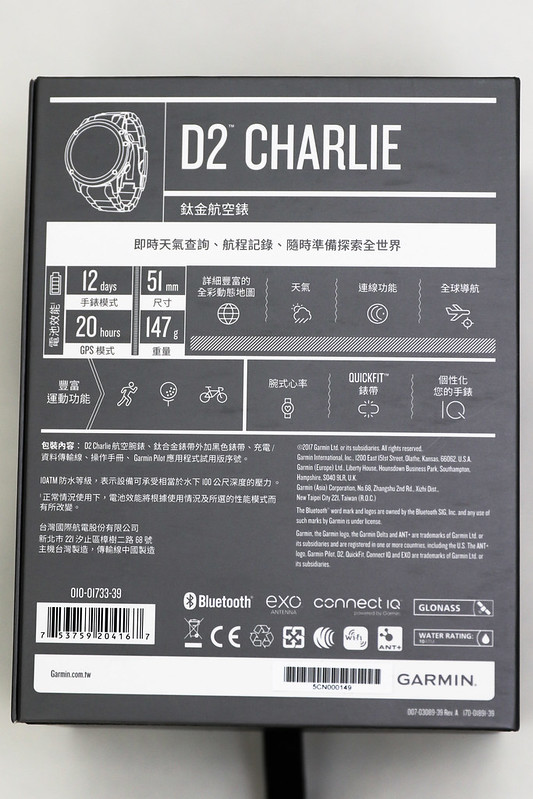 “Titanium Aviator Watch — Instant weather query, flight record, ready to explore the world at any time”
Anticipation is high.
“Titanium Aviator Watch — Instant weather query, flight record, ready to explore the world at any time”
Anticipation is high.
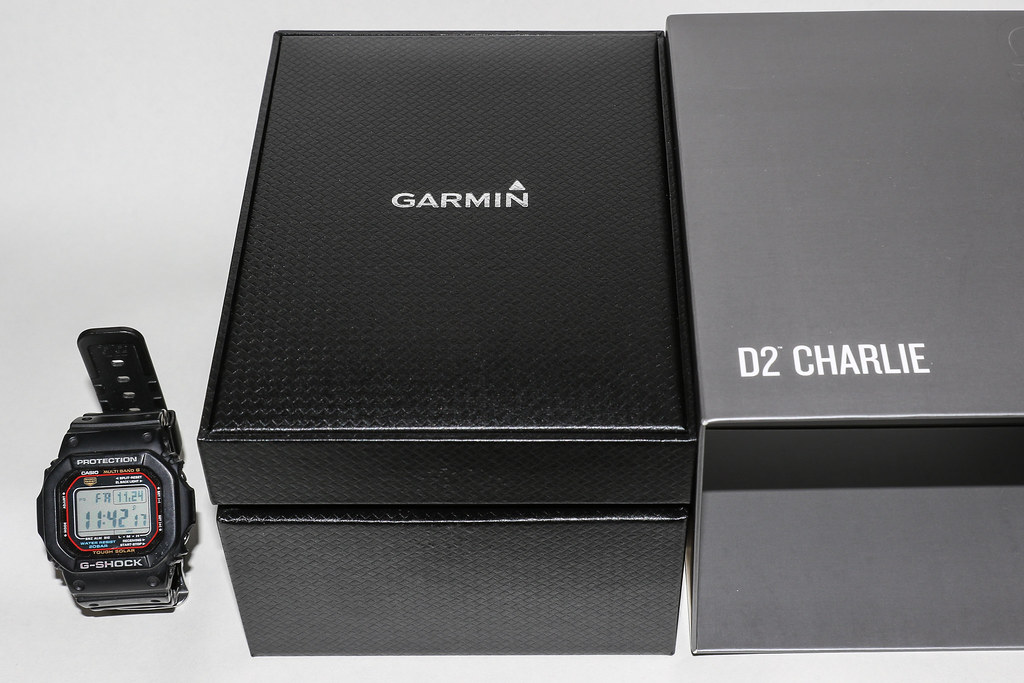 Removing the gray paper sleeve reveals the black, glossy premium box.
It's hard to tell what material this is made of,
but although the color is understated, it reveals an extraordinary noble temperament.
Removing the gray paper sleeve reveals the black, glossy premium box.
It's hard to tell what material this is made of,
but although the color is understated, it reveals an extraordinary noble temperament.
I couldn’t resist taking a close-up of the top of the premium box.
Next, opening the outer box with impatience,
the Garmin D2™ Charlie finally reveals its true colors!
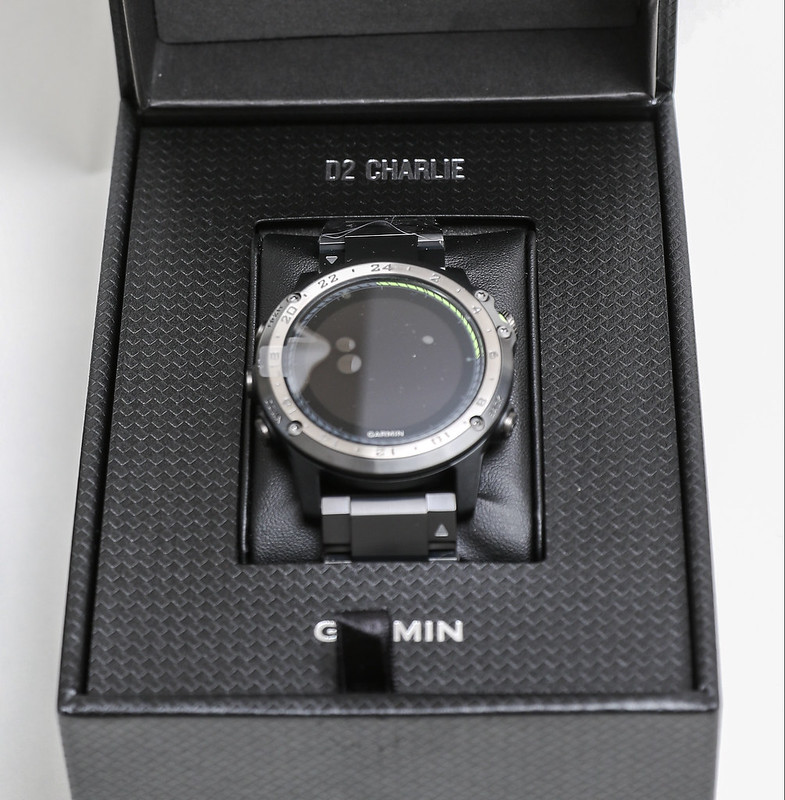
This is the legendary titanium bezel and bracelet, as well as the scratch-resistant sapphire crystal lens.
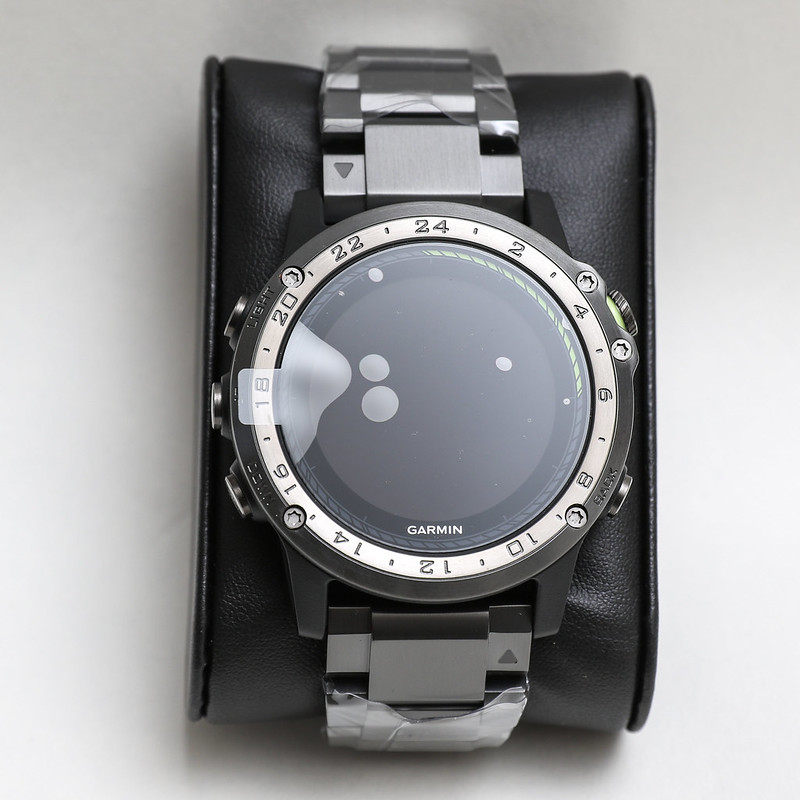 Excellent materials combined with exquisite workmanship—its reputation is indeed well-deserved.
Carefully removing the accessories from the box one by one,
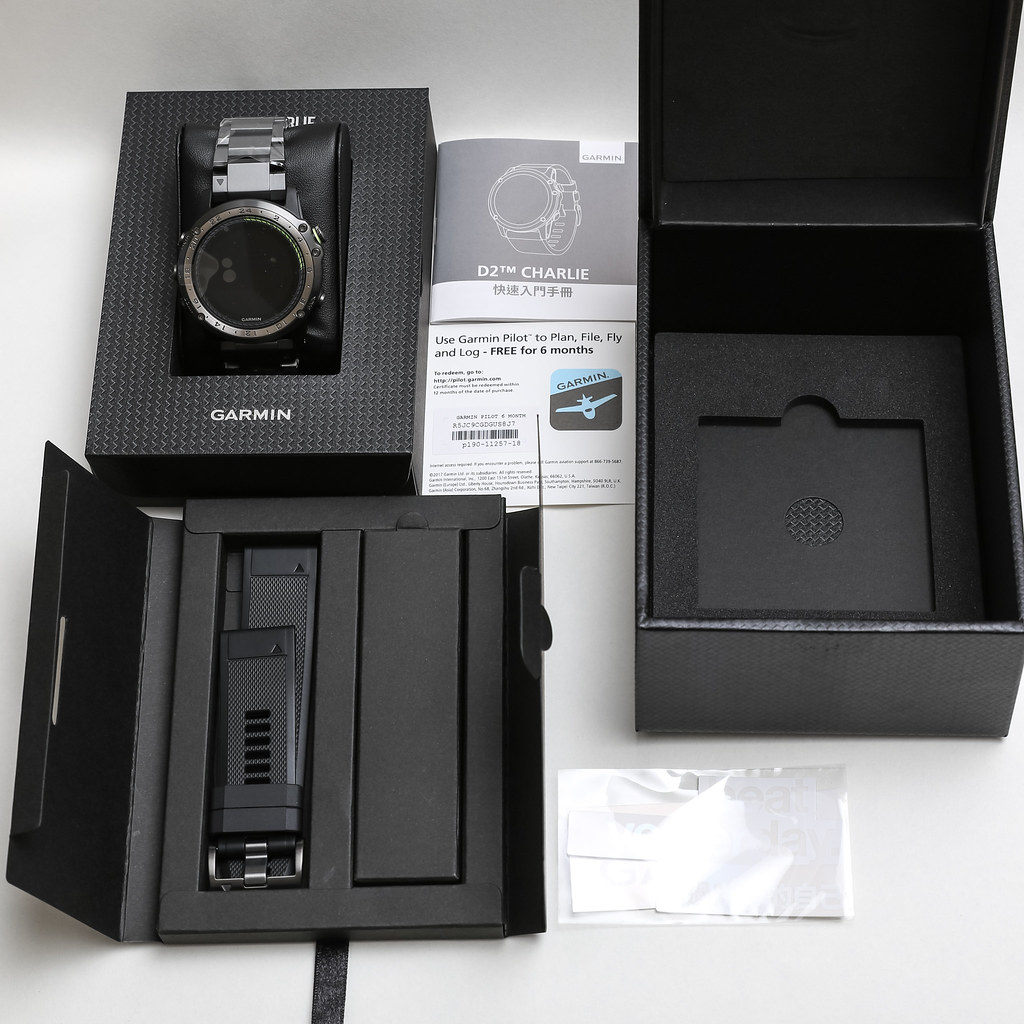 you can see that in addition to the D2™ Charlie watch itself,
the standard configuration also includes a black silicone strap, a small quick start manual,
a 6-month trial serial number for the Garmin Pilot App, several stickers,
and a small cardboard box, which I assume contains the charging cable.
you can see that in addition to the D2™ Charlie watch itself,
the standard configuration also includes a black silicone strap, a small quick start manual,
a 6-month trial serial number for the Garmin Pilot App, several stickers,
and a small cardboard box, which I assume contains the charging cable.
Opening the small box, sure enough, it is a USB cable.
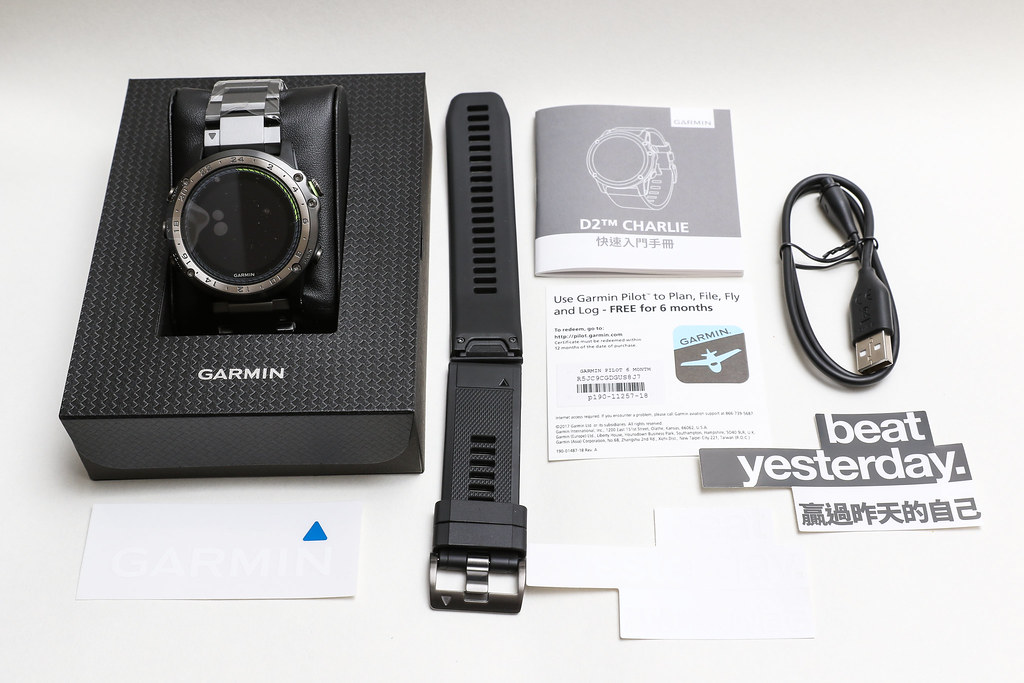 Taking a photo for the memory.
Turn the watch face over to look at the back.
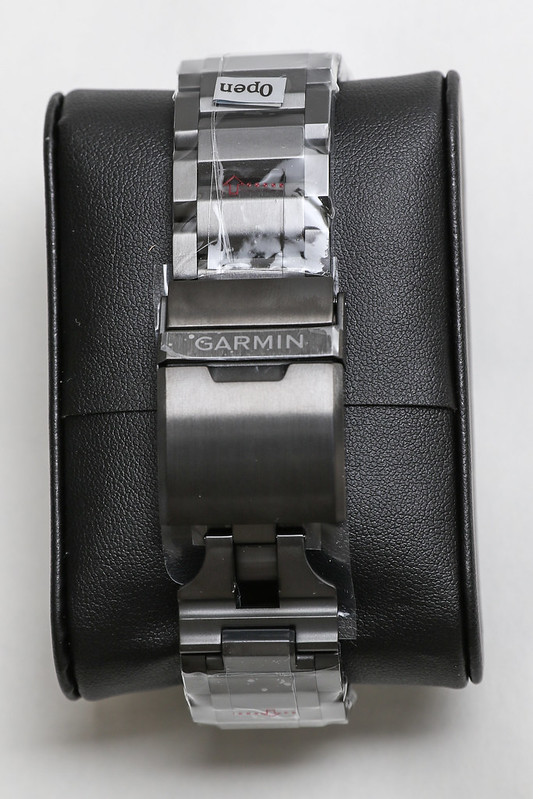 Speaking of the previous generation D2 Bravo, its strap was made of leather,
which wrinkled easily, and you could see many user complaints online.
The Charlie adopts a meticulously crafted 147g titanium strap,
which I believe users should be very satisfied with.
Speaking of the previous generation D2 Bravo, its strap was made of leather,
which wrinkled easily, and you could see many user complaints online.
The Charlie adopts a meticulously crafted 147g titanium strap,
which I believe users should be very satisfied with.
Pull the tab marked “Open” on the strap,
carefully remove the plastic wrapping from the watch,
and examine the details of the watch from various angles.
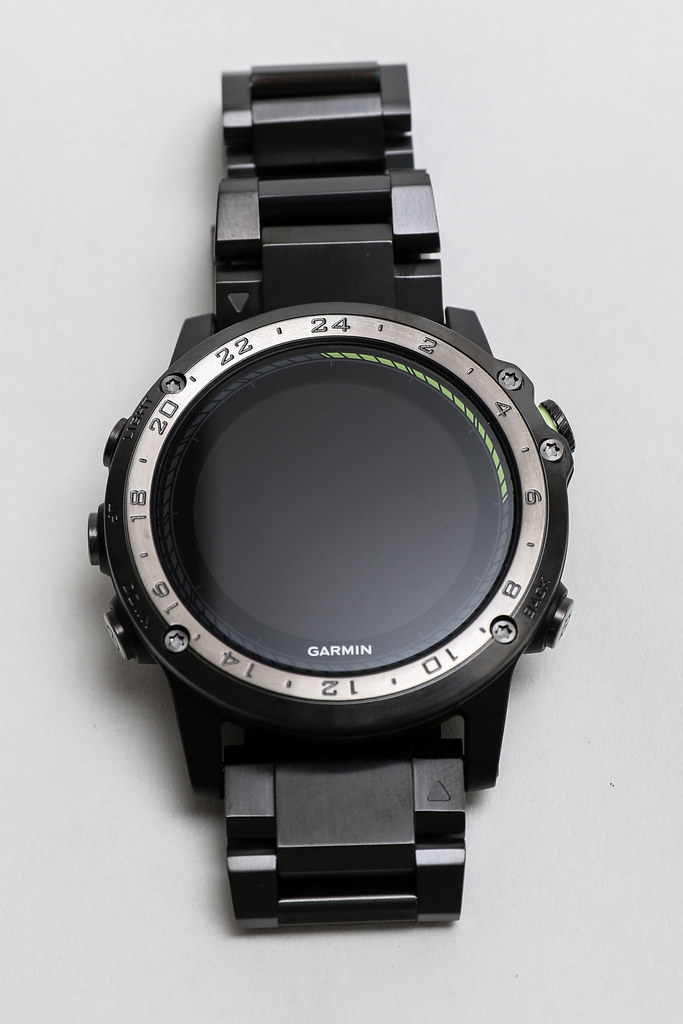
There are two buttons on the right side of the D2™ Charlie.
The top one is “Direct-to”, which allows for direct navigation to the Destination with a single button press during flight;
The bottom one is “Nearest”, which allows for direct queries of nearby ground targets during flight.
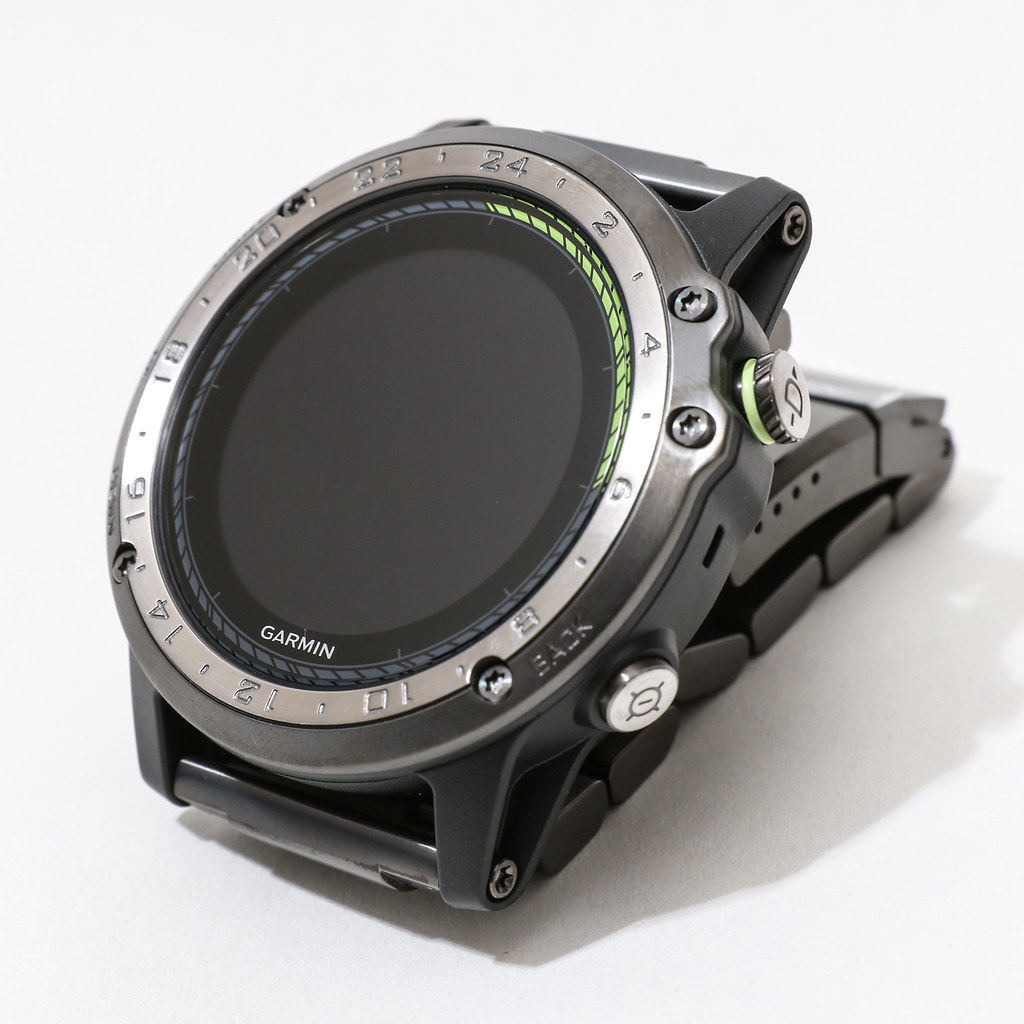 The lower “Nearest” button is also marked “Back” on the watch face,
indicating that it also functions to “Go back”, “Cancel”, or “Return to the previous screen”.
The lower “Nearest” button is also marked “Back” on the watch face,
indicating that it also functions to “Go back”, “Cancel”, or “Return to the previous screen”.
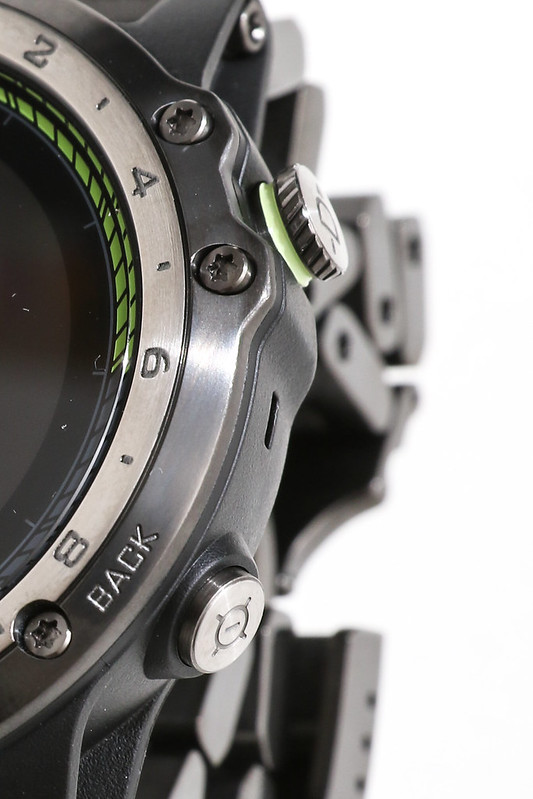
Looking at these two buttons again from the right side.
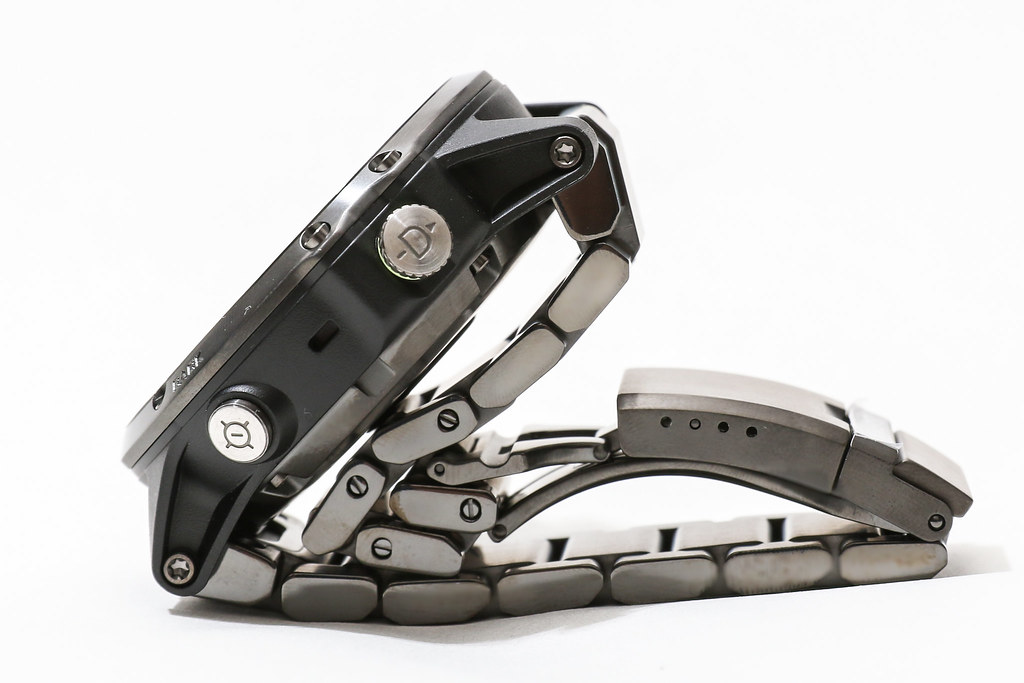 Although the upper “Direct-to” button is not marked,
it actually functions to “Confirm”, “OK”, or “Proceed to the next screen”.
Although the upper “Direct-to” button is not marked,
it actually functions to “Confirm”, “OK”, or “Proceed to the next screen”.
On the left side, there are three buttons.
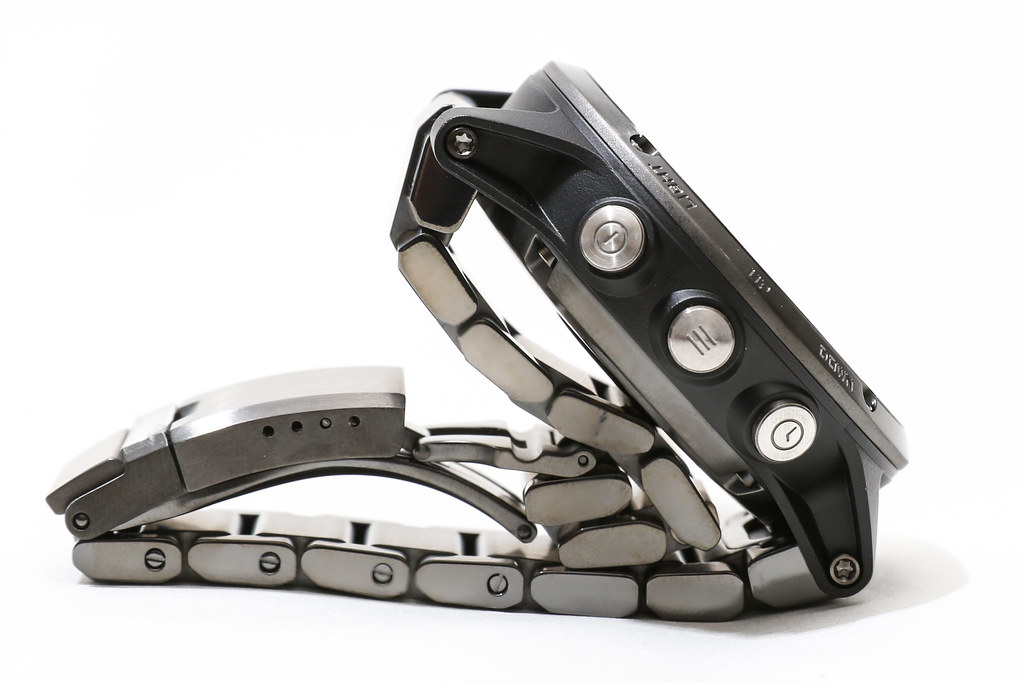 From top to bottom, they are “LIGHT”, “UP”, and “DOWN”.
The image below might make it clearer.
From top to bottom, they are “LIGHT”, “UP”, and “DOWN”.
The image below might make it clearer.
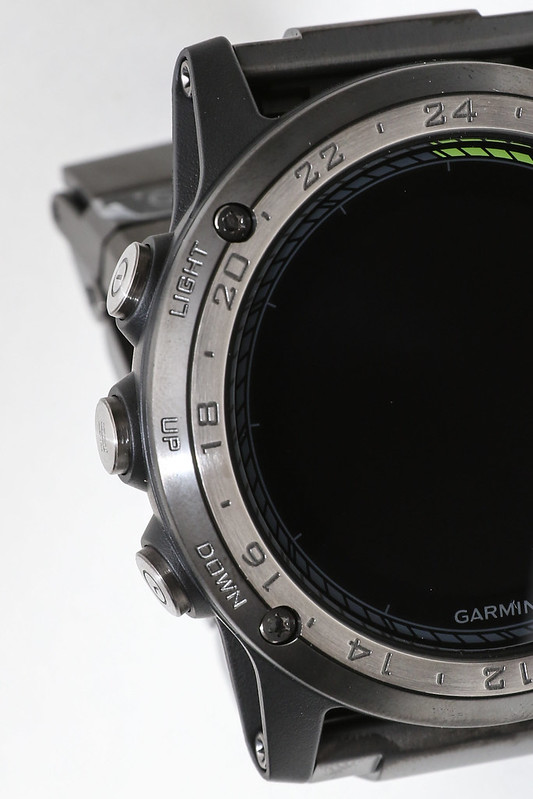
The functions of these three keys are easy to understand. “LIGHT” is naturally the backlight function for the watch face in dark places. “UP” and “DOWN” move the content on the display up and down. Additionally, “LIGHT” has a shortcut menu display, “UP” has a settings screen display, and “DOWN” has the function to return to the watch face display from various Apps and Widgets. I plan to explain their usage in detail in the next article.
The back of the watch features a wrist-based heart rate monitor in the center,
and a charging and data transfer port on the left.
 Although invisible, the watch actually contains many other sensors,
including GPS and GLONASS satellite navigation systems,
a barometric Altimeter, an electronic compass, an accelerometer, and a temperature sensor.
As the saying goes, “Small but complete.”
Although invisible, the watch actually contains many other sensors,
including GPS and GLONASS satellite navigation systems,
a barometric Altimeter, an electronic compass, an accelerometer, and a temperature sensor.
As the saying goes, “Small but complete.”
Next, plug the charging cable into Charlie.

Look at the watch face again; the watch starts automatically.
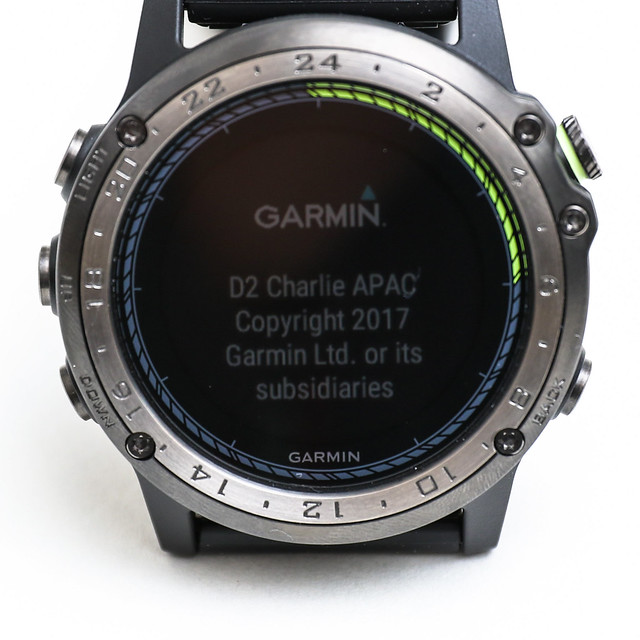 Since this is the first use after unboxing, the system enters the setup screen.
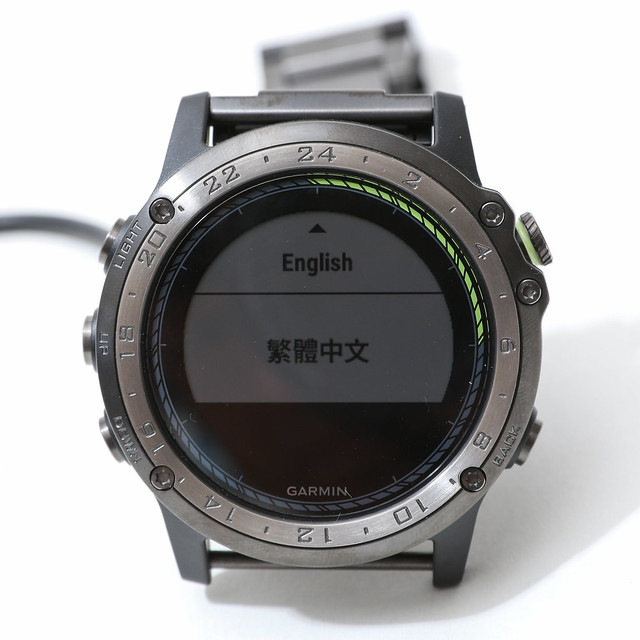 This should be the language selection screen.
You can see options for English and Traditional Chinese.
This should be the language selection screen.
You can see options for English and Traditional Chinese.
The setup process will take some time and covers a lot of content, so I will open another article tomorrow to introduce it slowly.
To commemorate the launch of Charlie, there was an online launch event from 11/23 to 12/22.
Simply buy a D2 Charlie and share it online to be entered into a draw for an in-air flight experience provided by Ange Flight Training Center.
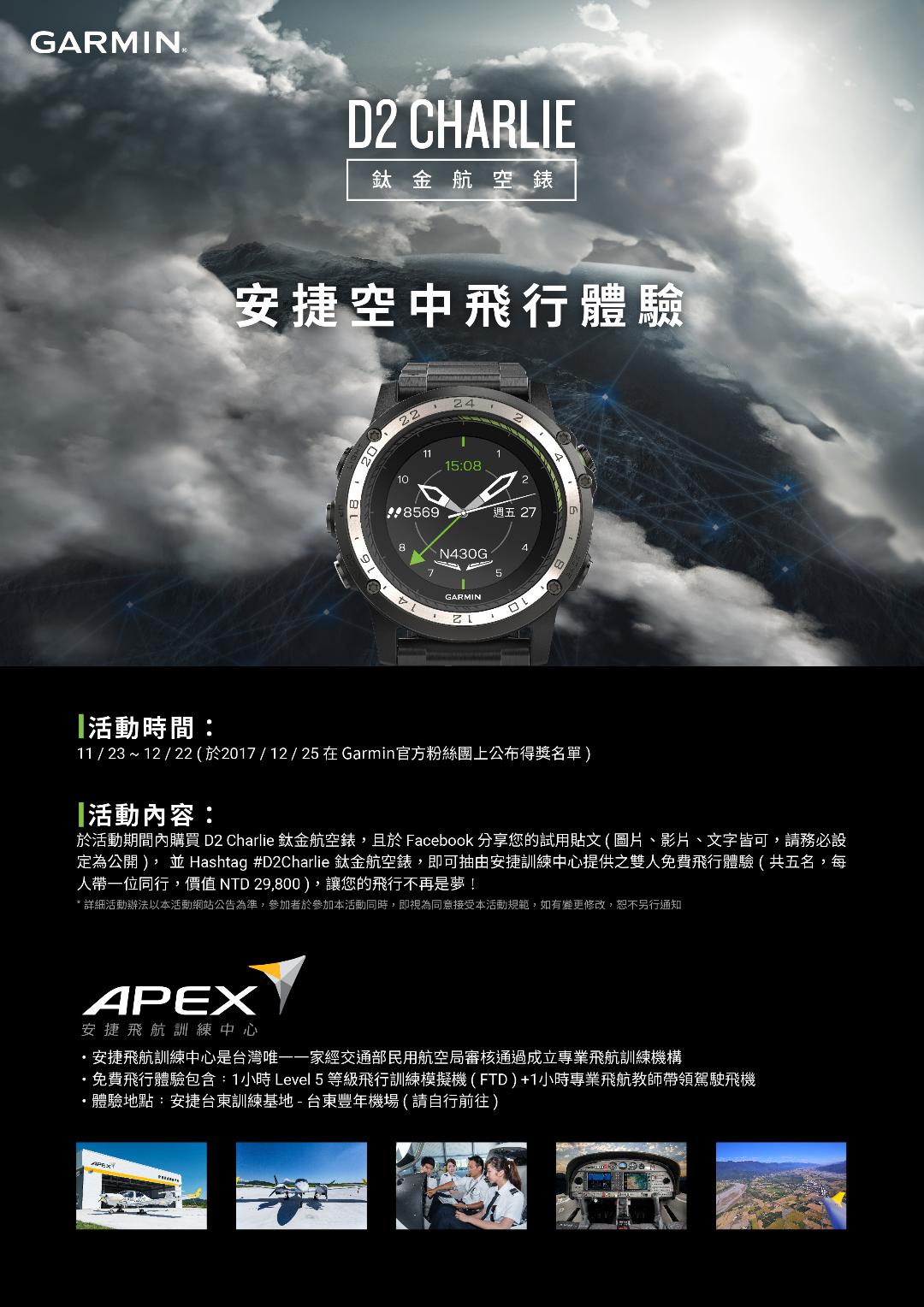 Hope you don’t miss this once-in-a-lifetime opportunity.
During the event period, purchase the D2 Charlie Titanium Aviator Watch and share your trial post on Facebook (images, videos, or text are all acceptable; please ensure it is set to Public), and add the hashtag #D2CharlieTitaniumAviatorWatch to be entered into a draw for a free dual flight experience provided by Ange Training Center (each person can bring one companion, value NTD29,800), making your flight no longer just a dream!Official website info here
In addition, I also recommend the unboxing review on Mobile01; professional media writes really well. The Iron Hero Soaring the Sky: Professional Aviation Watch Garmin D2 Charlie Unboxing Review
End