Professional Flight Planning Website 1800wxbrief.com
1800wxbrief.com is a professional website for pilots, but simulation flight enthusiasts like us can also use it for free, so I will give a brief introduction today.
After registering on the website, log in with your personal information and aircraft information, and then you can start planning.
Enter the flight type, aircraft, departure and destination, click Evaluate for the departure time,
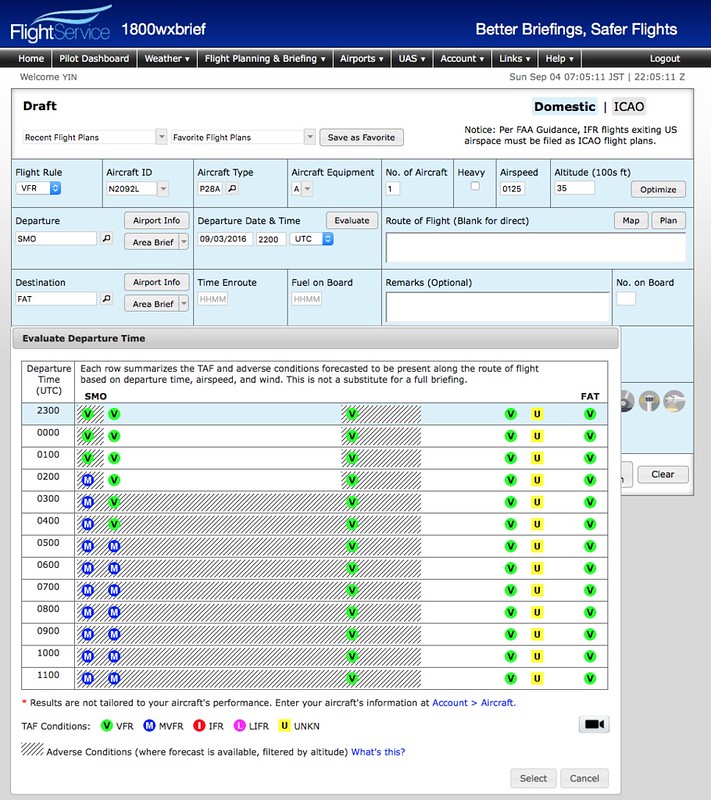 and you can see the meteorological conditions at the airport. It will become MVFR in a few hours; this information is very convenient.
The flight route is also automatically generated. Press Plan and the settings screen pops up.
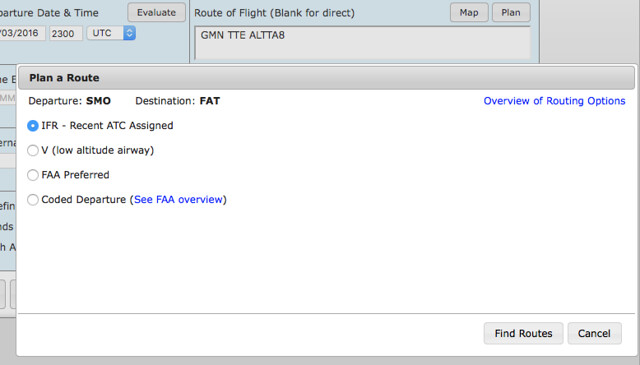 After selecting the type, for example, this time I chose from Santa Monica SMO to Fresno Yosemite International Airport FAT,
Waypoints like GMN TTE ALTTA are recommended.
After selecting the type, for example, this time I chose from Santa Monica SMO to Fresno Yosemite International Airport FAT,
Waypoints like GMN TTE ALTTA are recommended.
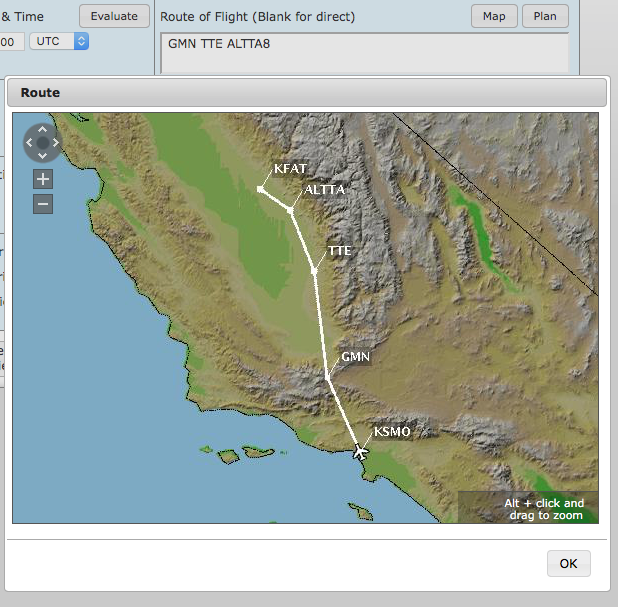 Click Map to view it on the map.
Fill in the other items as well, and then press Active, and the flight plan is ready.
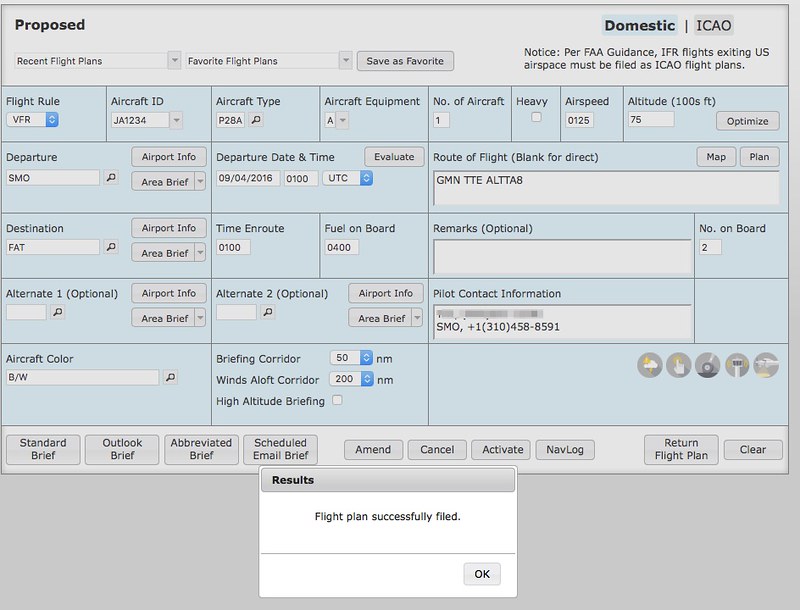
Click NavLog to see this familiar screen.
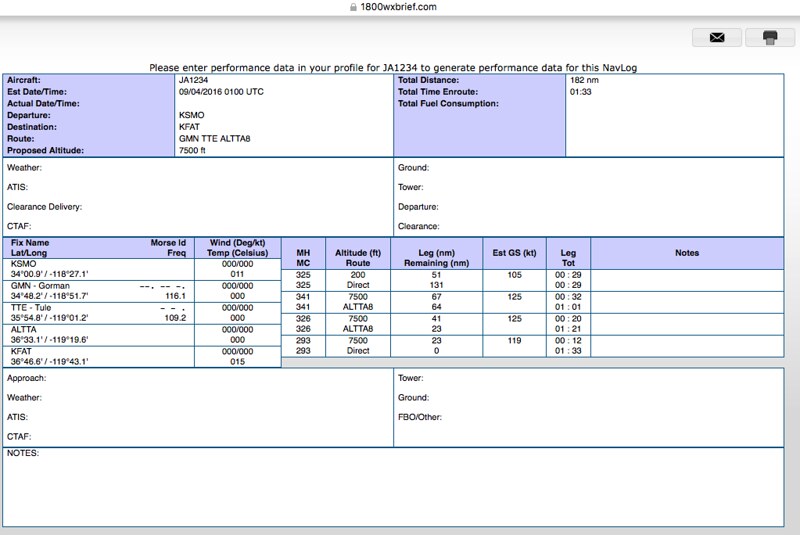 Unfortunately, I don’t know why the wind data en route wasn’t retrieved,
so MH and MC are the same.
Unfortunately, I don’t know why the wind data en route wasn’t retrieved,
so MH and MC are the same.
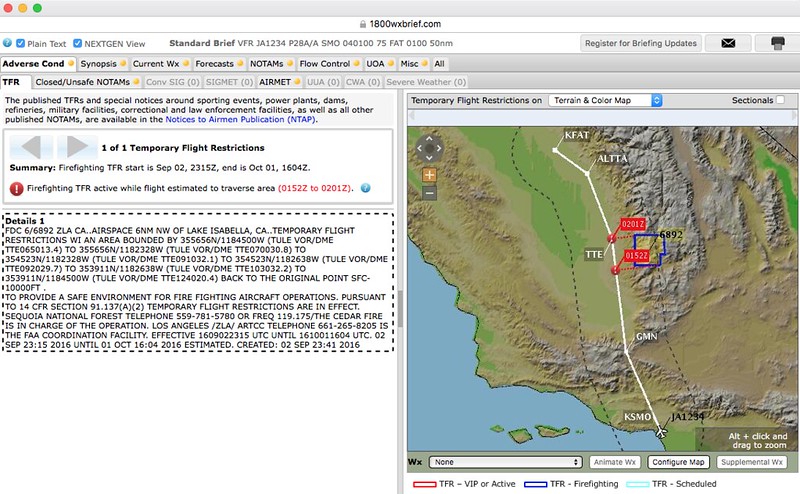
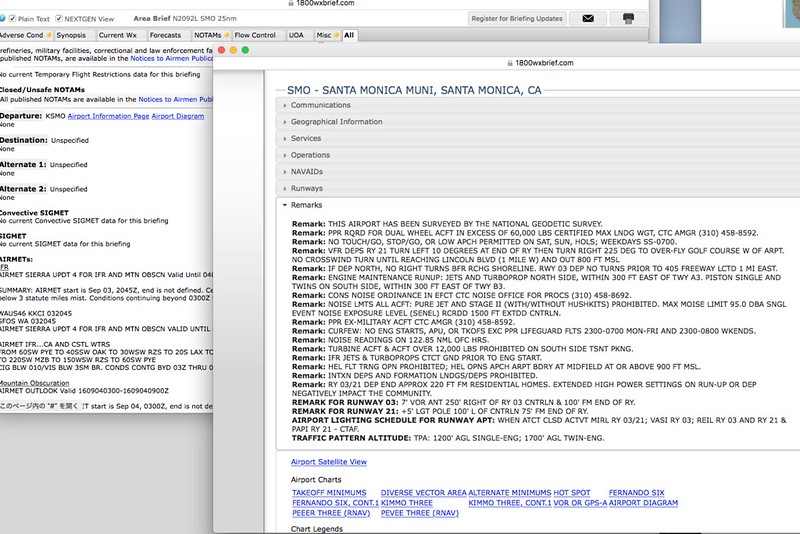
The most powerful feature of 1800wxbrief.com is probably its Briefing data. Press Standard Brief to take a look. Charts, weather forecasts and warnings, NOTAMs, airspace restrictions, and even drone information UOA are all included. It is really thoughtful for pilots. Below are a few screenshots to illustrate.
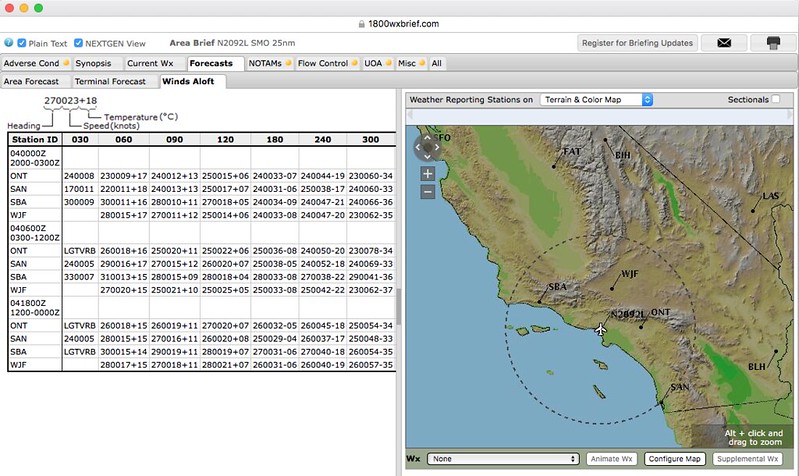 The upper-level wind data was retrieved here, though.
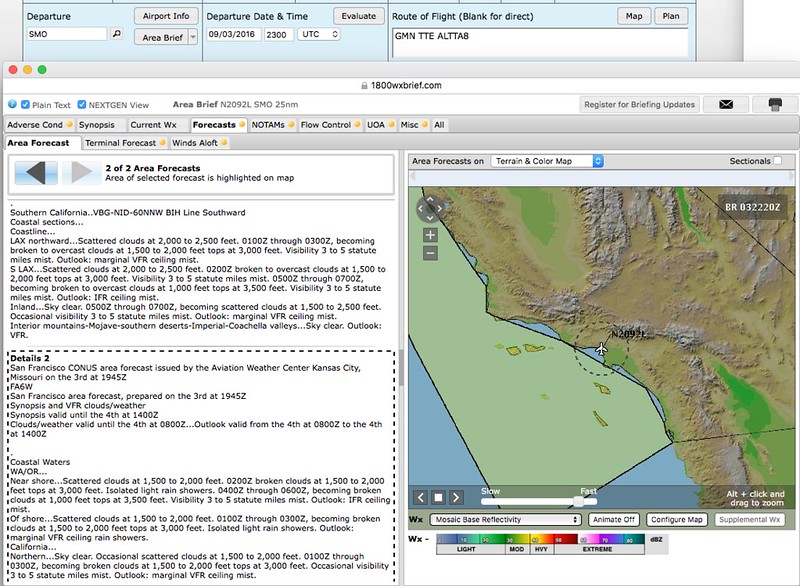
1800wxbrief provides detailed explanatory videos on YouTube. If you are interested, you can go check them out. I have just scratched the surface here; please research the specific usage methods yourself.