X-Life Traffic Plugin
It’s been over a month since I last wrote about X-Plane topics. Today, I’ll briefly introduce this X-Life traffic addon, which was just released recently. This is a product by the renowned JARDesign, and while it is still in the beta stage, it is completely free! Here is its slogan: X-Plane 10 traffic addon Windows / MAC OS 64 bit Plugin by JARDesign Group … You Are Not Alone In The Sky!
Surely you were bored in the empty sky, not watching the traffic aircraft around, independently choosing a Runway to take off, checking the weather without ATIS, giving yourself clearance to land in an empty airport e.t.c.
Now we have changed this. We’ve added a ground and air traffic making your favorite airport and airroutes alive and interesting for your flights.
In the default X-Plane, you either fly an aircraft alone in solitude, cruising in empty airports and skies; or you squeeze with those “silly” AI aircraft, cluttering together without any sense of order.
After using X-Life, the traffic order at airports and in the sky improves significantly. AI aircraft will wait in sequence at the Runway holding point or on the Taxiway for the aircraft ahead, and AI aircraft on Arrival will automatically perform a Go-Around upon discovering the Runway is occupied, thus enhancing realism considerably.
The installation method is simple: download from here and copy the X-Life zip file to the Resources/plugins/ folder.
Note that currently X-Life only supports a few European airports; its coverage area can be found here.
Next, let’s do a test flight.
After launching X-Plane, select London Heathrow Airport EGLL, then select X-Life from the Plugins menu,
you will see this menu,
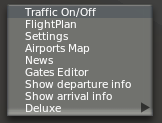 Click Traffic On/Off to enable X-Life mode.
By the way, on the first launch, X-Life will pop up a prompt asking whether to start. On Mac, you need to hold down the Shift key and click the start button on the screen to run it. Additionally, X-Life requires real-world weather to be enabled in the system.
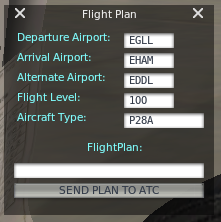
Then, enter a flight plan at will, as shown below.
Next, select “Show departure info” to get departure information, as follows,
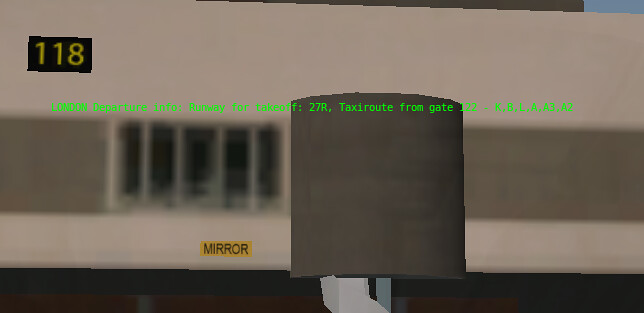 Today’s Runway is 27R, and the Taxi route is K, B, L, A, A3, A2.
Taxiing to 27R, I found a British Airways 777 stationary in front,
Looking further away, it turned out a propeller aircraft was on Approach,
After a while, it finally landed.
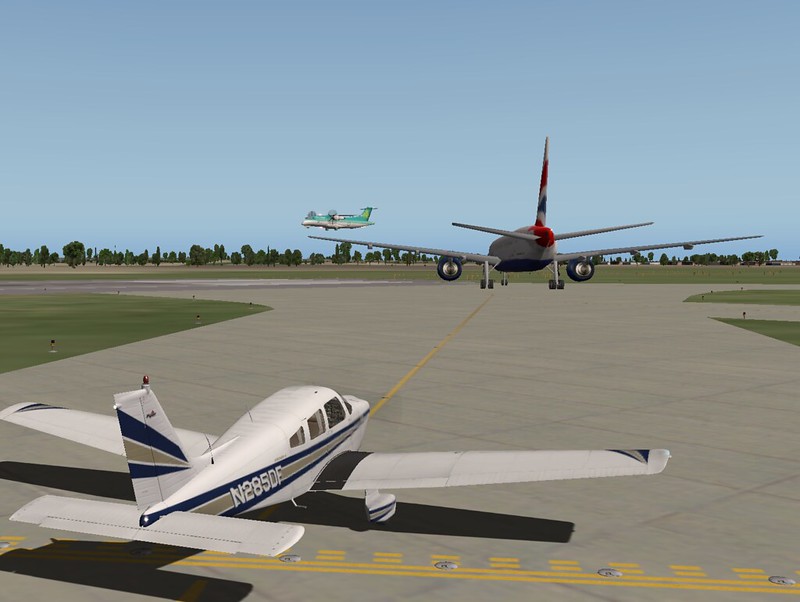 After waiting another 2 minutes, the British Airways 777 finally entered the Runway and took off.
You see, X-Life’s operation is quite impressive.
After waiting another 2 minutes, the British Airways 777 finally entered the Runway and took off.
You see, X-Life’s operation is quite impressive.
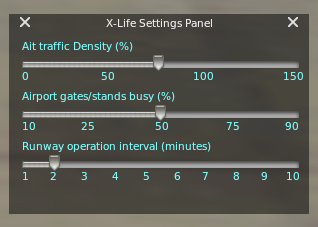 Also, in the Settings, you can see the traffic density,
and the time interval between Runway operations can be freely configured.
Also, in the Settings, you can see the traffic density,
and the time interval between Runway operations can be freely configured.
End