Garmin Pilot now supports X-Plane 10
Garmin Pilot is a renowned iPad app for pilots, offering features such as charts, flight planning, terrain maps, PFD, and ADS-B receiver connectivity. The latest version 8.1, released this month, began supporting X-Plane 10, allowing you to practice using Garmin Pilot at home. Therefore, I installed it immediately and briefly learned how to use it.
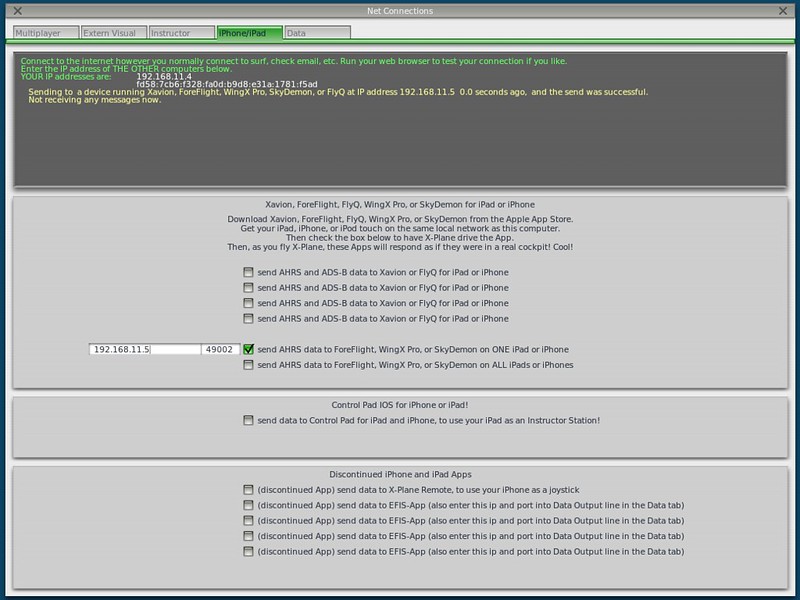
The setting in X-Plane is located within Net Connections.
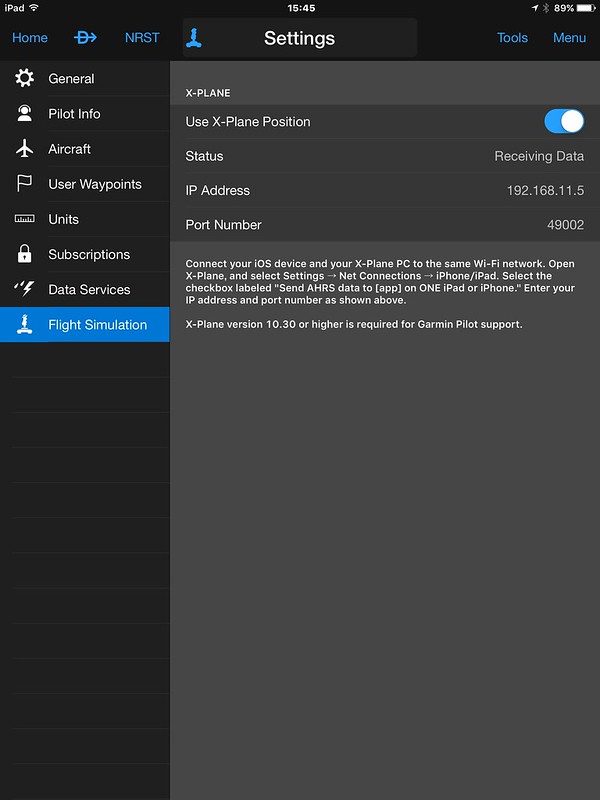
 The setting in the app is as follows; simply turn on “Use X-Plane Position”. It is very simple.
Then, I selected the Departure location as Sky Harbor S86. This is the airport used in the book Say Again, Please: Guide to Radio Communications. Since I have been reading it recently, I chose it as my base.
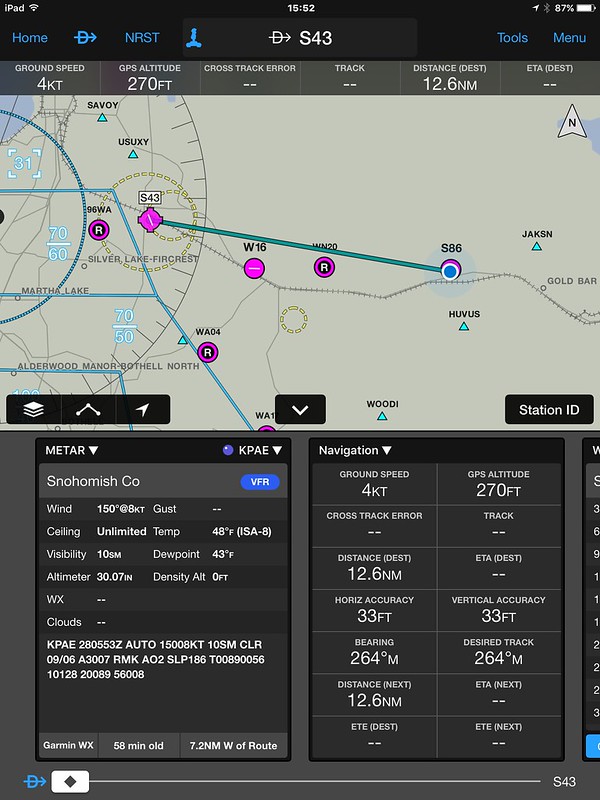 Then, click NRST (Nearest) at the top, which refers to nearby airports, and select the closest one, Harvey S43.
The METAR, distance, and bearing are then displayed automatically, and the route can also be seen on the map.
Since it is very close and a VFR flight, there is no need to file a flight plan.
By the way, although slightly off-topic, the scenery near Sky Harbor is really nice.
Then, click NRST (Nearest) at the top, which refers to nearby airports, and select the closest one, Harvey S43.
The METAR, distance, and bearing are then displayed automatically, and the route can also be seen on the map.
Since it is very close and a VFR flight, there is no need to file a flight plan.
By the way, although slightly off-topic, the scenery near Sky Harbor is really nice.
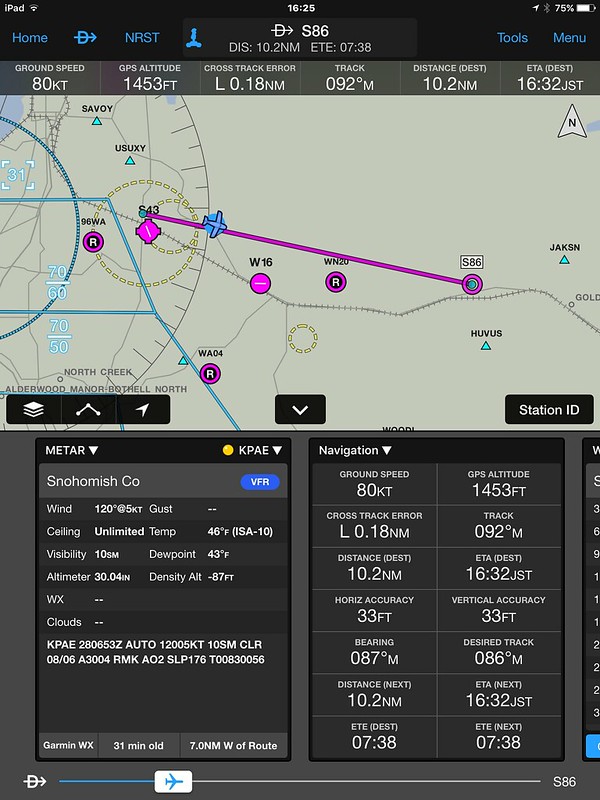
After Takeoff, you can see that the flight data is displayed.
The flight distance and estimated time of Arrival are calculated automatically. The UI is very cool.
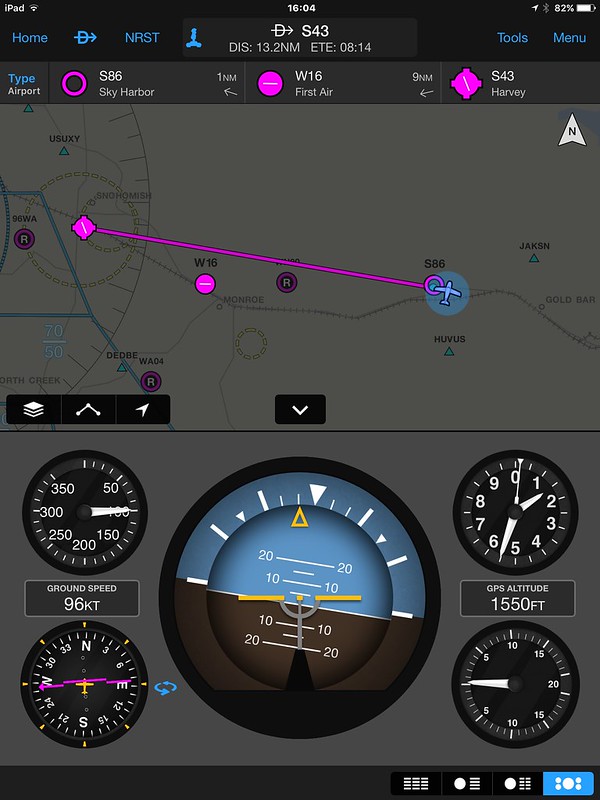
On the map during the return flight, the airspace and symbols for nearby airports are also easy to read.
Garmin Pilot certainly lives up to its reputation as a great app.
For other new features of Garmin Pilot, please refer to Garmin Pilot adds Flight Profile view and X-Plane support for a detailed explanation. If you are interested, please take a look.
End