SkyVector Introduces Flight Planning Feature
I opened SkyVector today to check the charts and found that the Flight Plan feature has been improved. It allows for creating very nice flight plans, which I highly recommend. However, you need to register an account to use this feature.
This is the data entry screen. Put the Waypoints in. For example, the image below shows the route from Tokyo to Shanghai.
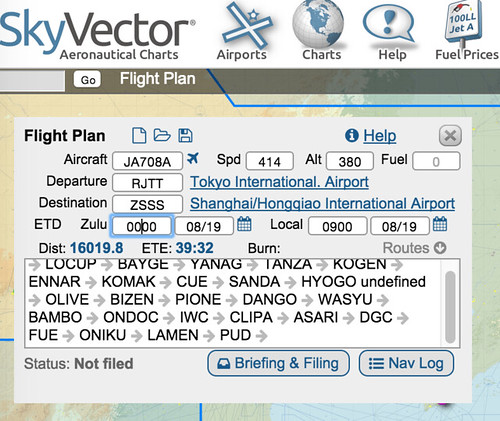 The entire route will then be displayed on the map.
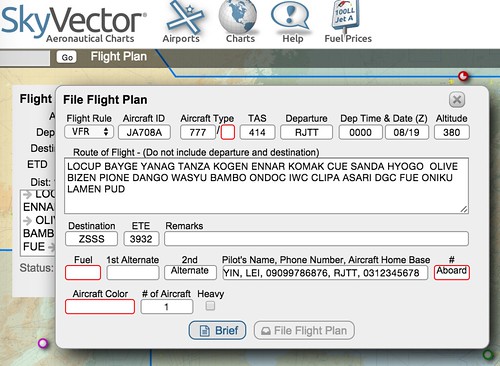
Next, click the Briefing & Filing button, and this dialog box will pop up.
You can modify the Waypoints here.
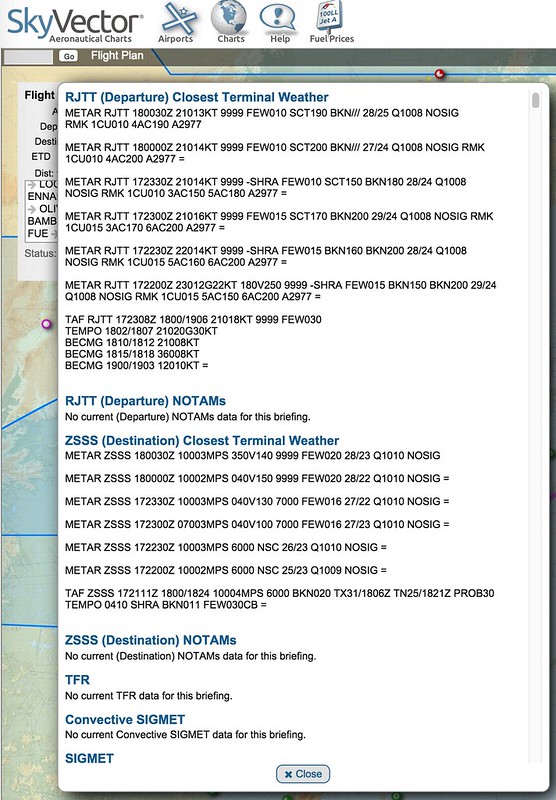
Then, click the Brief button, and METAR weather information, NOTAMs, Volcanic information, etc., will all be displayed automatically. It is extremely convenient.
Go back to the initial screen and click the Nav Log button.
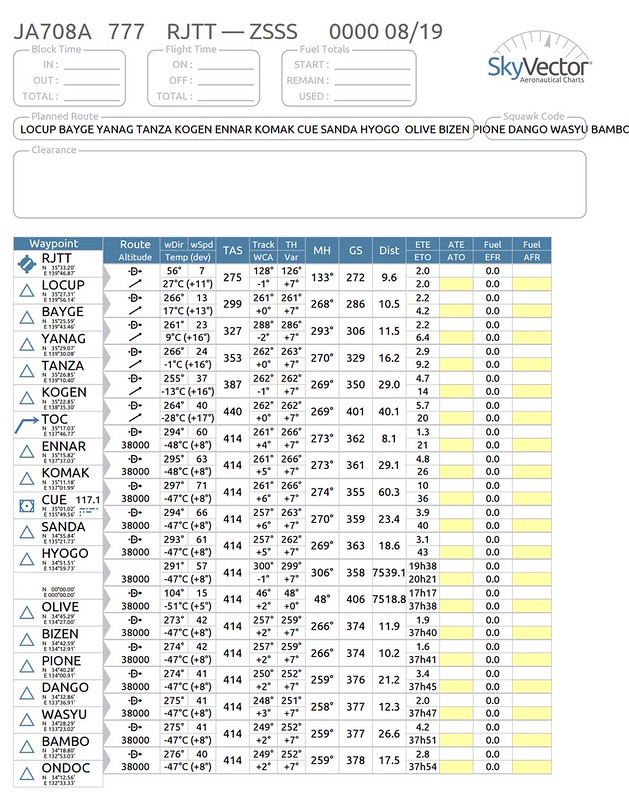 A beautiful flight plan is generated. Awesome!
Finally, you can give it a name and save it, so you can view it anytime in the future.
End