Scenery for 25000 small airports
For beginners, the most incomprehensible thing about X-Plane is that it occupies dozens of gigabytes of hard drive space, yet most airports are empty, basically just a Runway and wasteland, which is a huge disappointment.
As you gradually get used to it, you will learn to download and install various Scenery Addons and move past the beginner stage.
However, today I discovered a pretty impressive Plugin, Scenery for 25000 small airports.
It claims to include Scenery for 25,000 small airports. With this, the barren ground of X-Plane should improve instantly.
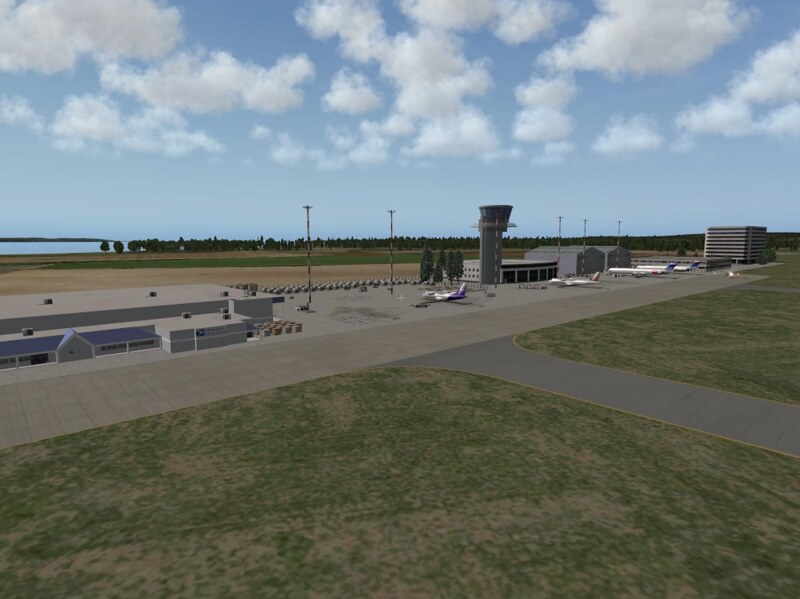
Installation instructions are as follows:
-
Download the files from the URL above. There are three compressed archives: x_Prefab_Library, x_Prefab_Airports_1xp, and x_Prefab_Airports_2xp.
-
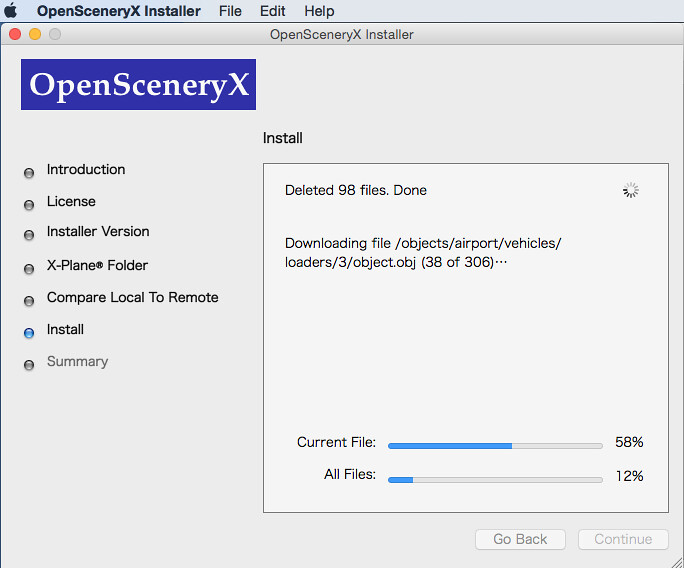
Install the latest version of OpenSceneryX installed (2.1.1).
-
Extract the compressed archives and copy them to the “Custom Scenery” folder.
-
Launch X-Plane and let the “scenery_packs.ini” file update automatically, then quit X-Plane.
-
Open “scenery_packs.ini” with editing software. Move the following entries from the top:
SCENERY_PACK Custom Scenery/x_Prefab_Airports_1xp/ SCENERY_PACK Custom Scenery/x_Prefab_Airports_2xp/ SCENERY_PACK Custom Scenery/x_Prefab_Library/
Move them below your various custom Scenery to prevent this Scenery package from overwriting your previously installed Scenery. For example, my settings are as follows:
SCENERY_PACK Custom Scenery/Japan Tokyo/
SCENERY_PACK Custom Scenery/RJAF Matsumoto jp/
SCENERY_PACK Custom Scenery/USA_HI_OAHU_PHNL_Honolulu Intl v2.1/
SCENERY_PACK Custom Scenery/Aerosoft - EBBR Brussels/
SCENERY_PACK Custom Scenery/Aerosoft - EDDF Frankfurt/
SCENERY_PACK Custom Scenery/Aerosoft - EDDM Munich/
SCENERY_PACK Custom Scenery/Aerosoft - EDDT Berlin Tegel/
SCENERY_PACK Custom Scenery/Aerosoft - EDLP Paderborn-Lippstadt/
SCENERY_PACK Custom Scenery/Aerosoft - EGBB Birmingham/
SCENERY_PACK Custom Scenery/Aerosoft - EGKK London-Gatwick/
SCENERY_PACK Custom Scenery/Aerosoft - EGLL Heathrow/
SCENERY_PACK Custom Scenery/Aerosoft - EGPF Glasgow/
SCENERY_PACK Custom Scenery/Aerosoft - EGSS London-Stansted/
SCENERY_PACK Custom Scenery/Aerosoft - EIDW Dublin/
SCENERY_PACK Custom Scenery/Aerosoft - LEBL Barcelona/
SCENERY_PACK Custom Scenery/Aerosoft - LEMD Madrid/
SCENERY_PACK Custom Scenery/Aerosoft - LFMN Nice Cote d Azur X/
SCENERY_PACK Custom Scenery/Aerosoft - LFPG Paris CDG/
SCENERY_PACK Custom Scenery/Aerosoft - LFPO Paris Orly/
SCENERY_PACK Custom Scenery/Aerosoft - LPFR Faro/
SCENERY_PACK Custom Scenery/Aerosoft - LSGG Genf/
SCENERY_PACK Custom Scenery/Global Airports/
SCENERY_PACK Custom Scenery/x_Prefab_Airports_1xp/
SCENERY_PACK Custom Scenery/x_Prefab_Airports_2xp/
SCENERY_PACK Custom Scenery/x_Prefab_Library/
SCENERY_PACK Custom Scenery/LOWI Demo Area/
SCENERY_PACK Custom Scenery/KSEA Demo Area/
SCENERY_PACK Custom Scenery/KSEA Demo Terrain/
SCENERY_PACK Custom Scenery/ff_library/
SCENERY_PACK Custom Scenery/ff_library_extended_LOD/
SCENERY_PACK Custom Scenery/osm2xp/
SCENERY_PACK Custom Scenery/ruscenery/
SCENERY_PACK Custom Scenery/OpenSceneryX/
SCENERY_PACK Custom Scenery/zzz_hd_global_scenery3/
And that should do it.
Finally, I must mention that you shouldn’t set your expectations too high for this Scenery.
Because it only randomly provides a few pre-prepared patterns for airports that don’t have Scenery, it cannot truly simulate the terminal buildings and structures of that specific airport.
End