alpilotx.net Releases Japan Scenery
A few months ago, I recommended the AlpilotX.net terrain mesh addon. Yesterday, I noticed they released Japan HD Scenery. This is a must-have! The file date is July 23, 2014, offering a brand-new scenery.
Here are the installation steps. First, download all the files from the URL above. Note that the total file size is nearly 2GB, so it will take some time.
Next, install the Treelines files. Unzip Treelines_Japan_v2.zip and copy the entire zzz_Treelines_Japan_v2 directory to the “Custom Scenery” folder.
Then, create a new directory named “zzz_hd_global_scenery2” within your scenery directory (e.g., “Custom Scenery/zzz_hd_global_scenery2/”). Inside that, create an “Earth nav data” directory. Copy the latitude/longitude range directories from the downloaded files into it. For example:
Custom Scenery/zzz_hd_global_scenery2/
-> Earth nav data
—> +20+120
—> +20+130
—> +20+140
—> +30+130
—> +30+140
—> +40+130
—> +40+140
Finally, don’t forget to edit the Custom Scenery/scenery_packs.ini file and add the following two lines:
SCENERY_PACK Custom Scenery/zzz_Treelines_Japan_v2/
SCENERY_PACK Custom Scenery/zzz_hd_global_scenery2/
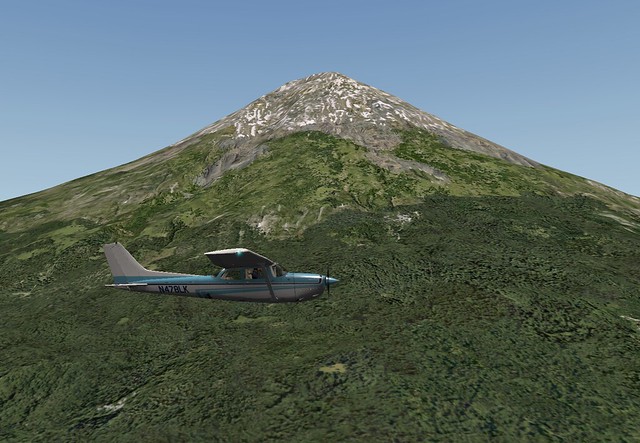
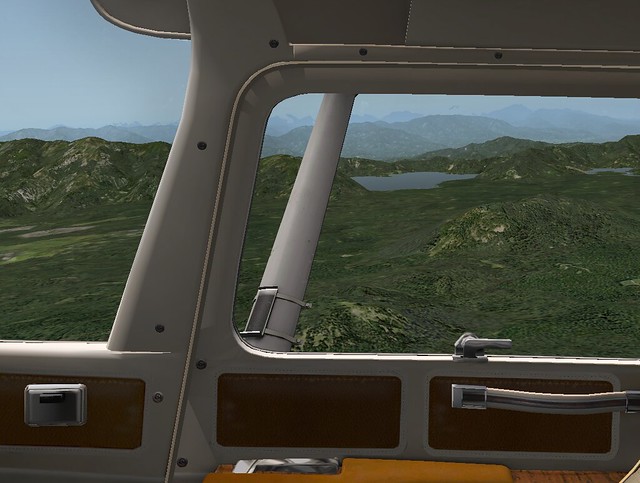
After installation, I took a test flight near Mount Fuji. The terrain definitely feels more refined. Although it’s still far from being high-definition in the strictest sense, it’s a significant improvement over the default XP10 scenery. I’ll be sticking with this from now on.
Reference: http://www.alpilotx.net/downloads/x-plane-10-hd-scenery-mesh-v2/#23072014---Japan-added