X-Plane 10.30 Beta 1 Usage Test
Watching the Champions League final while browsing the web early in the morning, I discovered that X-Plane’s latest version, 10.30 Beta 1, has finally been released. At first, I was worried that the new version might not be stable enough and hesitated about whether to install it. However, since the previous developer blog mentioned that this version had already undergone some external testing, the quality shouldn’t be too bad, so I decided to go ahead and install it.
I clicked X-Plane 10 Installer.app to launch the updater.
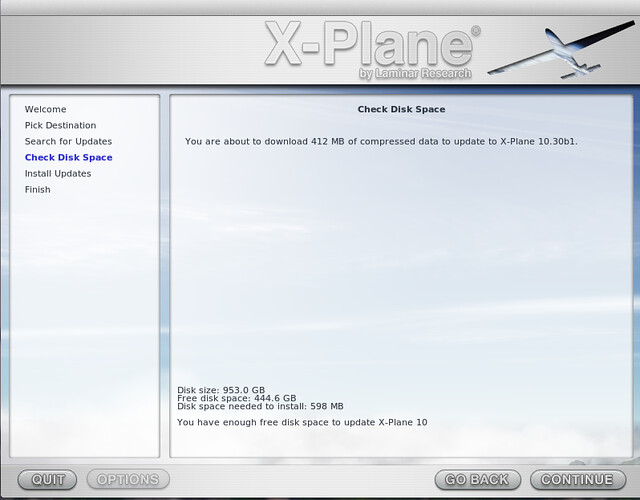 The whole process took over half an hour to complete, and everything went very smoothly without any issues.
Upon launching X-Plane, I found that the first issue was that all the hardware button assignments were messed up. I needed to reassign all the keys. Fortunately, I had compiled a hardware setup memo a while ago. After reconfiguring, I used X-Assign, an aircraft-specific hardware configuration Plugin, to save the new settings to a new config file. Restoring everything wasn’t too painful.
I immediately took a test flight. I started the engine of my favorite Cessna 152, taxied onto the Runway, took off, Climbed, cruised, Descended, and landed. Everything felt very normal. Not bad, not bad at all. Beta 1 seems quite stable, so everyone can upgrade with confidence.
Next, I tested the new features. I switched to the default Cessna 172SP. Oh, sure enough, the default navigation device has changed to the Garmin 430.
I’m not very familiar with this advanced gadget yet, and it’s so small that it’s a strain on the eyes, so let’s just check out the cloud effects first.

I set the cumulus cloud height to around 2000 feet. The sense of layering feels noticeably improved compared to before. The rendering of the cloud masses is also more refined; it doesn’t look like a big white mass connected together like before. For instance, when flying into the clouds, you can feel the gradual transition from light to dense. It feels much more realistic. Great stuff. Also, based on my observations, the frame rate didn’t drop significantly, so you don’t need to worry too much about display performance.
I accidentally clicked on the Garmin 430, and a large instrument display popped up. This is nice; it looks much more comfortable.
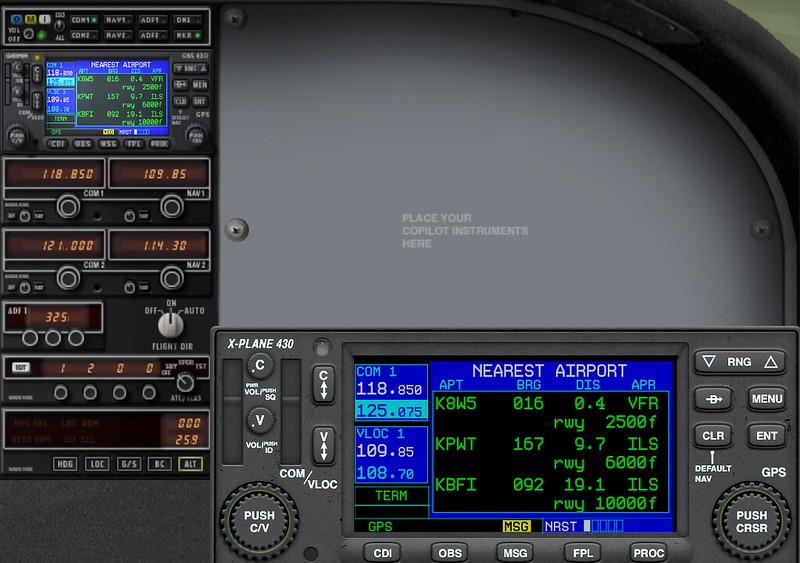 I randomly pressed some buttons to test it out. Sure enough, a list of nearby airports appeared. The Approach databases for various airports are all there too.
Bearings and distances are clear at a glance. Friends who like to fly on autopilot will be very satisfied.
(Too bad I’m a manual flight fan, so this feature won’t be very useful to me in the future…)
I randomly pressed some buttons to test it out. Sure enough, a list of nearby airports appeared. The Approach databases for various airports are all there too.
Bearings and distances are clear at a glance. Friends who like to fly on autopilot will be very satisfied.
(Too bad I’m a manual flight fan, so this feature won’t be very useful to me in the future…)
Looking at the official X-Plane 10.30 Release Notes, it is incredibly long. I’m too lazy to translate it bit by bit, so I’ll just learn slowly.
The End