Personal Hardware Device Setup Memo
With the accumulation of hardware, the settings have also increased, and over time, I’ve even forgotten them myself. Today, taking advantage of a rest day, I will summarize them here for future reference.
Below are the settings for flying a small propeller aircraft. The equipment used includes: Saitek Pro Flight Yoke Saitek Three Level Pro Throttle Quadrant Saitek Pro Flight Rudder Pedals Saitek Pro Flight Cessna Trim Wheel Saitek Pro Flight Radio Panel CH Products Fighterstick USB
The settings can be configured in the Settings menu.
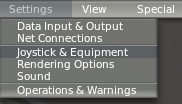
Let’s look at the settings one by one:
-
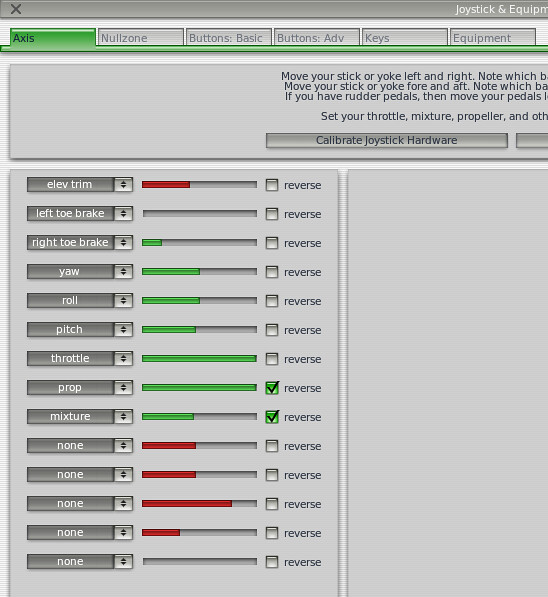
Saitek Pro Flight Yoke Elevator pitch control: Y-axis telescopic axis (forward and backward movement) Aileron roll control: X-axis telescopic axis (left and right movement)
 Moving view up, down, left, right: 8-way hat switch on the left side
 View zoom: A1/A2 buttons on the left side
Aileron trim: B1/B2 buttons on the right side
Rudder trim: C1/C2 buttons on the right side
Brakes: Red D button on the right side
View toggle (2D panel, 3D cockpit, Chase view): Mode switch wheel (left/center/right)
Master battery switch toggle: Red E button on the left side
View zoom: A1/A2 buttons on the left side
Aileron trim: B1/B2 buttons on the right side
Rudder trim: C1/C2 buttons on the right side
Brakes: Red D button on the right side
View toggle (2D panel, 3D cockpit, Chase view): Mode switch wheel (left/center/right)
Master battery switch toggle: Red E button on the left side -
Saitek Three Level Pro Throttle Quadrant Throttle: Left movable lever Prop: Middle movable lever Mixture: Right movable lever Flaps up/down: T1/T2 buttons Carburetor heat: T3 button Engine starter: T4 button Replay: T5 button Map display: T6 button
-
Saitek Pro Flight Rudder Pedals Left and right brakes: Left and right toe brake pedals Rudder/Yaw: Left and right pedals
-
Saitek Pro Flight Cessna Trim Wheel Pitch trim: Trim wheel
-
Saitek Pro Flight Radio Panel Frequency adjustment and settings for COM1/COM2/NAV1/NAV2/DME/ADF/XPDR communication and navigation instruments. For details, see here.
-
CH Products Fighterstick USB Landing lights: Up/Down on the 1st 8-way hat switch Taxi lights: Left/Right on the 1st 8-way hat switch Strobe lights: Up/Down on the 2nd 8-way hat switch Spot lights: Left/Right on the 3rd 8-way hat switch Beacon lights: Up/Down on the 3rd 8-way hat switch Navigation lights: Left/Right on the 3rd 8-way hat switch Fuel pump: Up/Down on the 4th 8-way hat switch Pitot heat: Left/Right on the 4th 8-way hat switch
End