Marking Practice Traffic Pattern with OverlayEditor
OverlayEditor is a free X-Plane addon tool that can be used to create Scenery plugins. You can use it to place various buildings on the map, acting like a construction worker to build your own dedicated airports and other Scenery.
Here, I do not intend to introduce how to create exquisite plugins, but rather from the perspective of practicing rectangular patterns (i.e., practicing traffic patterns), I will introduce how to use OverlayEditor to help improve your flight techniques.
First, a brief explanation for friends with no experience using OverlayEditor on its installation and usage. I will still take the installation on Mac OS as an example; the method on Windows should be largely the same.
The software download can be found in x-plane.org. After downloading, you can directly get the executable file OverlayEditor.app. However, because OverlayEditor needs to use the wxPython library, you also have to download it from here on www.wxpython.org. For Mac, I used wxPython3.0-osx-cocoa-py2.7. After downloading, you get the wxPython3.0-osx-3.0.0.0-cocoa-py2.7.dmg compressed package. After decompressing, you get the wxPython3.0-osx-cocoa-py2.7.pkg installer package, double-click it to start the installation program. For newer OS versions after MacOS 10.8, also note that if running downloaded software is not allowed in System Preferences → Security & Privacy, you will need to change the setting to install normally.
Okay, OverlayEditor is ready to use.
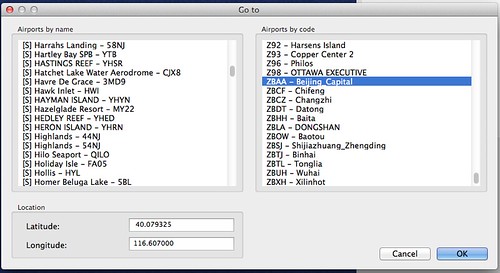
First, specify the airport; here select ZBAA, Beijing Capital International Airport.
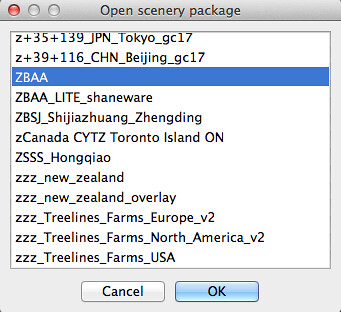
 Next, select the Scenery package to modify. You can create a new Scenery, but for convenience, I will open an existing one here.
Then, place 3D objects on the map. Because the goal is to practice the traffic pattern,
and X-Plane’s default Scenery is mainly flat. Even Scenery plugins using satellite photos have poor 3D perception,
so consider placing obvious landmark buildings at each Turn position on the 5 sides outside the airport.
Here, I chose a 100-meter-high TV antenna tower,
 I set up a total of 4 around the airport. This way, during every Turn, using the antenna tower as a reference,

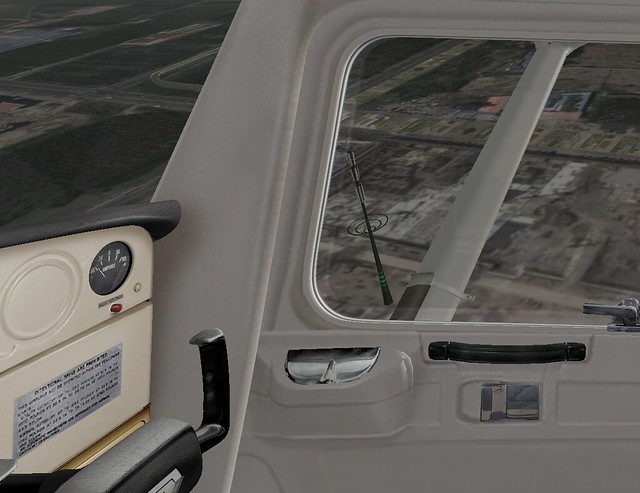 The resulting Track is very straight and overlaps every time, no longer winding and uneven like when there were no reference objects.

End