Alpilotx.net Terrain Scenery Plugin
This blog has previously recommended the excellent New Zealand Pro Scenery, developed by the famous alpilotx.net.
Recently, another product developed by alpilotx.net (author Andras Fabian), the HD Mesh Scenery V2 freeware Scenery, won the 2013 Freeware Addon of the Year Award by flusinews.de.

If you don’t mind the large file size, you might consider installing it to try it out. The download link is at http://download.isdg.com.au/downloads/xp10_hd_mesh_v2/, I only tested the installation of two files for Asia, xp10_hd_mesh_v2_+40+020-asia.zip and xp10_hd_mesh_v2_+60-170-asia.zip , and felt that they are indeed slightly more detailed than the default X-Plane Scenery, with better texture quality. It is worth installing.
In addition, a free Trees and Farms Addon v2 was recently released here,
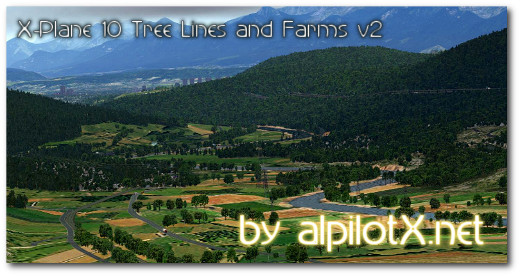 The download link is here.
I tried installing it and flew around San Francisco and the Grand Canyon in the US, but found it wasn’t as good as advertised. I’m not sure why; I’ll check it again later.
The download link is here.
I tried installing it and flew around San Francisco and the Grand Canyon in the US, but found it wasn’t as good as advertised. I’m not sure why; I’ll check it again later.
The installation method is similar to other Addons. First, decompress the Treelines archive and copy it to the “Custom Scenery” folder, like this: Custom Scenery/zzz_Treelines_Farms_North_America_v2/ Custom Scenery/zzz_Treelines_Farms_Europe_v2/
Then create a new directory “zzz_hd_global_scenery2” under the Scenery folder, i.e., “Custom Scenery/zzz_hd_global_scenery2/”. Then create an “Earth nav data” folder inside it, and copy the latitude/longitude range folders from the downloaded Asian Scenery files into it, for example: Custom Scenery/zzz_hd_global_scenery2/ -> Earth nav data —> +60+170 —> +40+020
Next, simply write the directory names into the settings file Custom Scenery/scenery_packs.ini, like this: SCENERY_PACK Custom Scenery/zzz_Treelines_Farms_North_America_v2/ SCENERY_PACK Custom Scenery/zzz_Treelines_Farms_Europe_v2/ SCENERY_PACK Custom Scenery/zzz_hd_global_scenery2/
End