X-Plane Kansai International Airport RJBB Scenery and Charts
Seeing that VATSIM China (VATPRC) and VATSIM Japan (VATJPN) have decided to jointly hold the “City Express: Shanghai Pudong - Osaka Kansai” event on March 8th, netizens are looking for Scenery for Kansai Airport. Here is a brief introduction to the relevant information.
- Scenery Scenery 1 Download the Japan (Tokyo, Kansai, Nagoya) Scenery Pack Japan.zip file from Ted’s X-Plane Scenery Download Page.
This Scenery pack requires the OpenSceneryX Object Library. For installation instructions, please refer to this article on our site.
The installation method is very simple: unzip Japan.zip and copy it to the Custom Scenery folder in your X-Plane 10 main directory.
Then, modify scenery_packs.ini and add the following line.
“SCENERY_PACK Custom Scenery/Japan/”
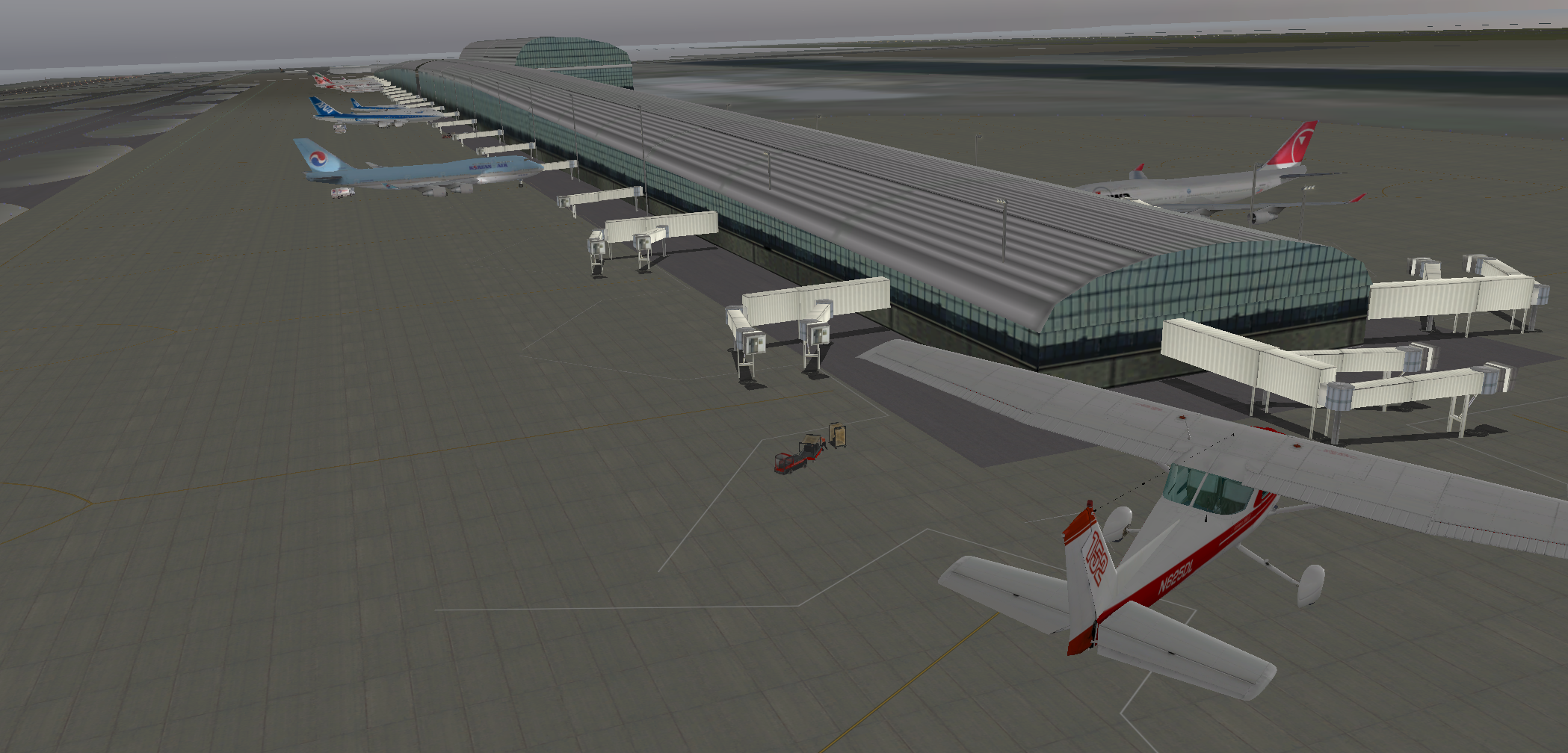
Scenery 2 @ShaneMontoya introduced this Scenery pack on http://www.avsimrus.com. It is more detailed than the Scenery above, so it is highly recommended.
-
Charts This site provides Charts for major Japanese airports. Although they are slightly old, Kansai Airport RJBB_Kansai_INTL.pdf should be basically sufficient.
-
Introduction to Kansai International Airport
Kansai International Airport Photography Notes Kansai Airport RJBB Visit Notes
End