X-Avionics Xavion-SIM iPad Software
X-Avionics is a paid iPad Electronic Flight Instrument System (EFIS) software developed by Austin Meyer, the creator of X-Plane, designed for real-world flight. It serves as an effective EFIS, displaying a wealth of flight data on the iPad. Furthermore, it can automatically search for the nearest airports and calculate the landing track, making it a truly intelligent pilot assistant software.

Here is some good news: X-Avionics has now released a trial version that can be used in conjunction with X-Plane. If you own an iPad, I highly recommend installing this free app—Xavion-SIM.
The installation method is very simple. Download Xavion-SIM to your iPad from the URL above, launch X-Plane on your computer, and then start Xavion-SIM. At this point, Xavion-SIM will display its IP address (ensure your computer and iPad are on the same Local Area Network),
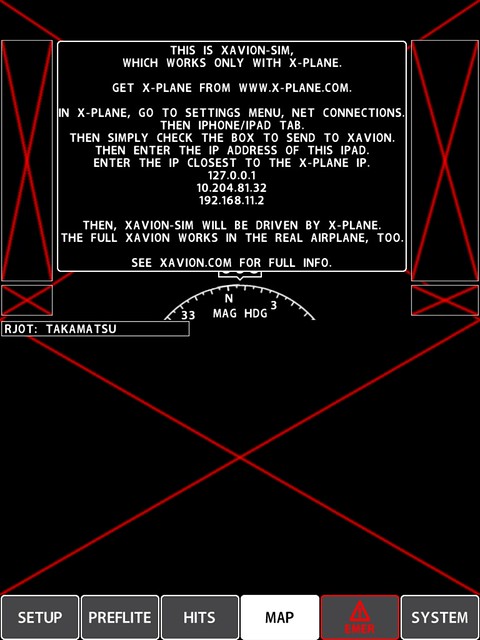
Then, simply add this IP to the network settings in X-Plane 10.
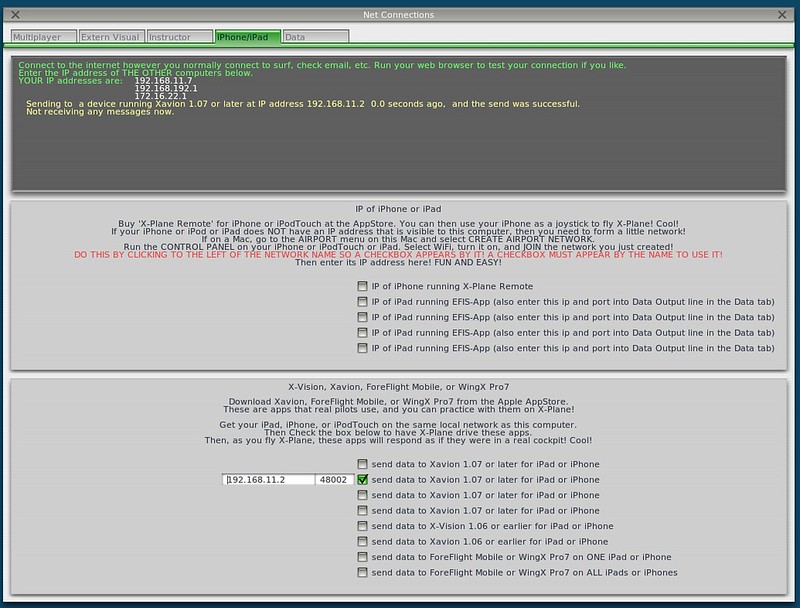
I took a quick flight to test it out,
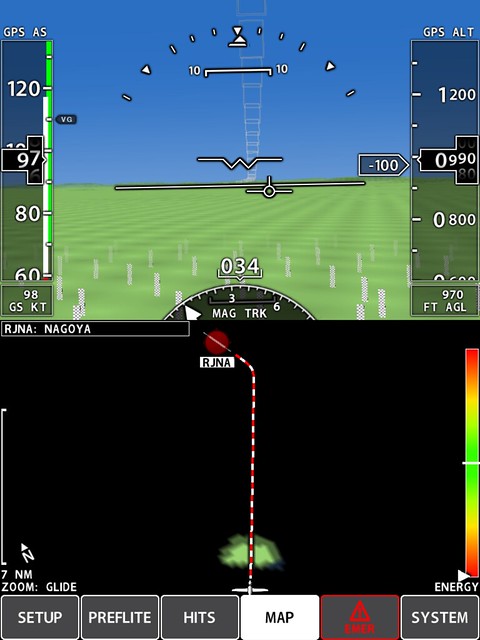 The software screen is essentially a PFD (Primary Flight Display). The top section includes Attitude, Speed, Altitude, and Heading data—it is extremely convenient. The bottom section is the map mode, displaying the aircraft, nearby terrain, and the automatically calculated Track to the airport.
Let’s check out the Descent. Although there is no guidance from navigation aids like ILS, Xavion-SIM can still automatically calculate the glide path based on airport data.
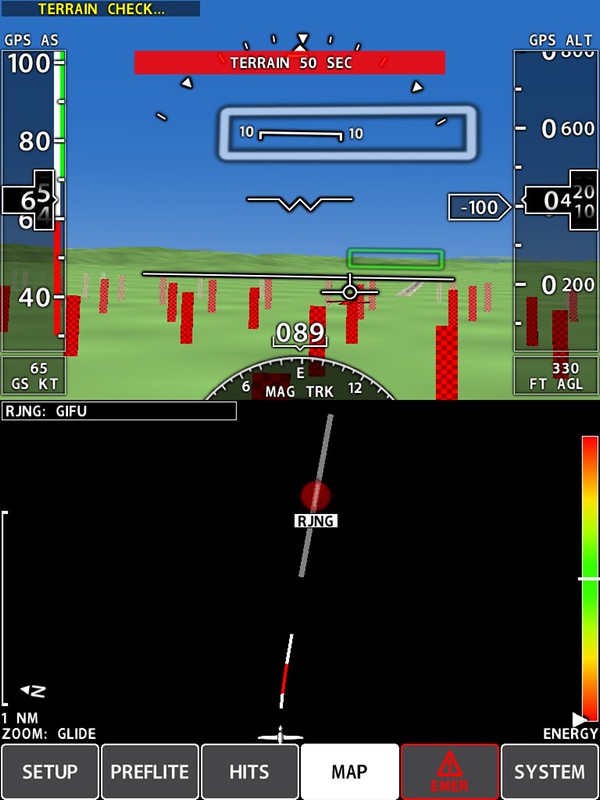 As long as you control the aircraft to follow the box position in the image above, you can land safely.
It really is intelligent, isn’t it?
As long as you control the aircraft to follow the box position in the image above, you can land safely.
It really is intelligent, isn’t it?
Fin