E6B Flight Computer App on iOS -- iE6-B
This is the third blog post about the E6B. The more I learn and use it, the more I realize the E6B is truly a great tool. I hope everyone can learn how to use it. After all, the principles aren’t too difficult; just use it frequently, and you’ll naturally remember it.
Alright, back to business. You can now use the E6B on iPhone/iPad. This is the iE6-B app. You can find it by searching the App Store. This software is paid, costing $1.99. I think it’s good value for money, so I’m recommending it to everyone.
Here is a brief introduction to how to use it.
First is the front side. At the bottom of the screen, there are three command buttons. Zoom is for zooming in and out. The usage is similar to standard iOS apps: tap the Zoom button to enter zoom mode, then operate with two fingers. Pan is the move mode. Since zooming in only displays a part of the slide rule on the screen, using Pan mode allows you to move the viewpoint. The far right is the Rotate button, which is naturally used for rotating the disc. Additionally, during rotation mode, +/- buttons appear for fine adjustments. The rotation operation might feel a bit awkward at first, but you’ll get used to it after 10 minutes.
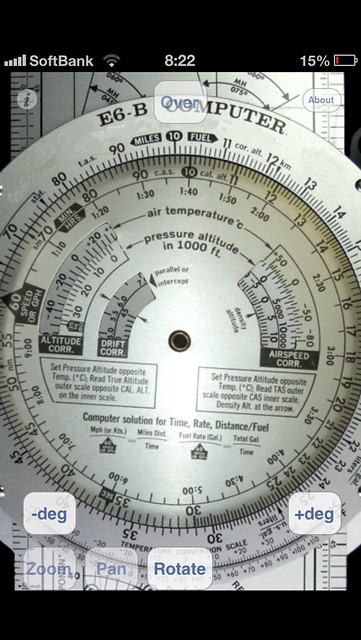 As for functions, it has everything: multiplication/division, speed unit conversion, miles/nautical miles/kilometers unit conversion, gallons/pounds, Mach, True Airspeed, Density Altitude, True Altitude, and more.
Now let’s look at the Wind Correction Angle (WCA) side.
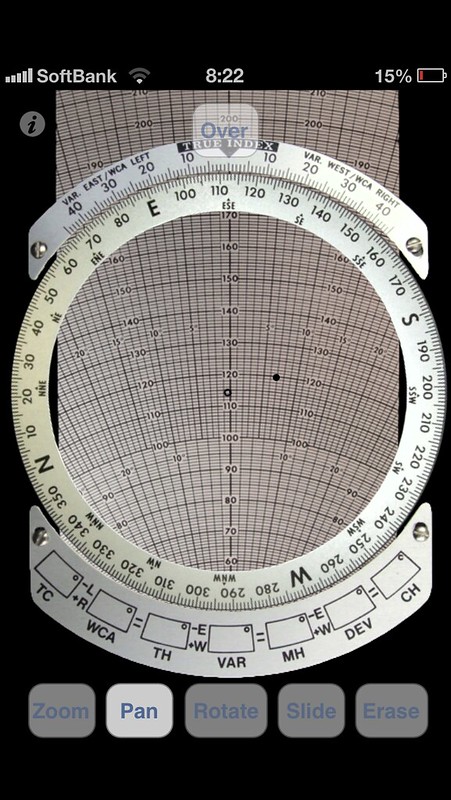 There are two additional buttons. One is Slide, which is naturally used to pull the middle sliding scale; it’s easy to understand. The other is the Arm/Erase button. Arm is for drawing points on the azimuth disc, and Erase is for deleting points drawn with Arm. Because the screen is small, drawing points is a bit of a struggle, so generally, you need to use Zoom to enlarge it first before drawing points.
I originally thought about buying a physical E6B online to play with, but with this app, I feel the functionality is already sufficient. Compared to products costing tens of dollars, this $2 app is highly recommended.
Reference materials: Chinese E6B User Manual E6Bx2_Manual.pdf
End
Postscript
However, I later bought a metal ASA E6-B on US Amazon after all, hehe. After all, the feel of the real thing is just different.