Title: New Features in X-Plane 10.10 Beta 9 -- Airport Map Navigation iPad App ForeFlight Mobile Support
X-Plane 10.10 Beta 9 is released, and it looks like a lot of bugs have been fixed. However, the highlight of this version is the support for the iPad/iPhone airport map navigation app, ForeFlight Mobile. It can display Visual Flight Charts, radar, flight plans, airport maps, and other information.
Here is a brief introduction on how to use it. First, upgrade X-Plane and install ForeFlight on your iPad/iPhone.
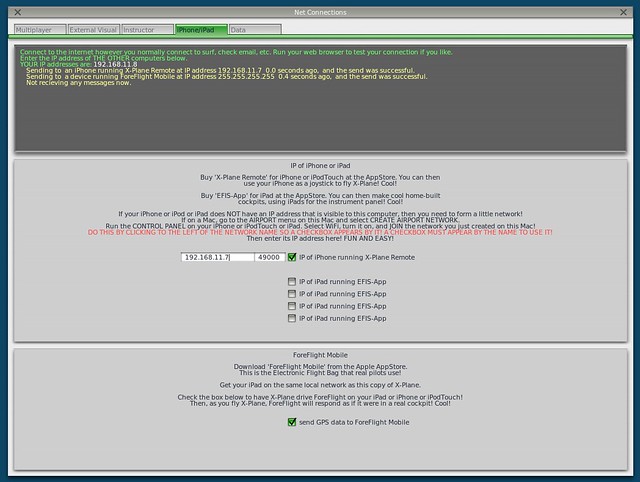
After starting X-Plane, open the Internet option in the Settings menu, then select the iPhone/iPod tab and check the “ForeFlight Net Connections” item at the bottom of the screen, as shown below.
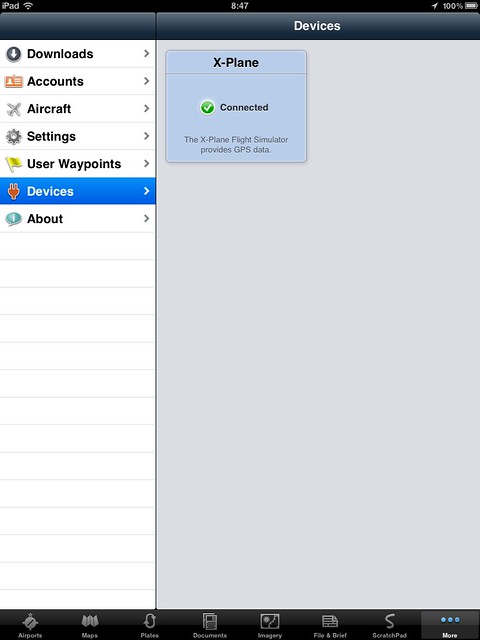
Next, launch the ForeFlight Mobile app. First, select the “More” button in the bottom right corner, and select the “Devices” item.
The X-Plane logo should appear here. Select it, as shown below.
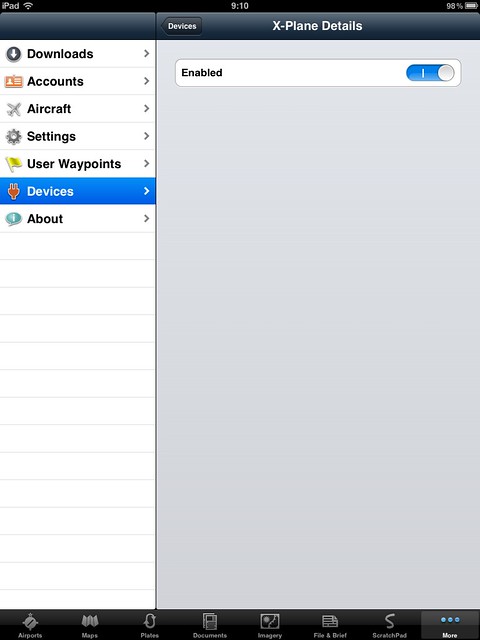
And activate the device, as shown below.
With that, the basic setup is complete.
In X-Plane, fly the aircraft near the Golden Gate Bridge and open the VFR chart on the ForeFlight Mobile map. Sure enough, it’s connected.
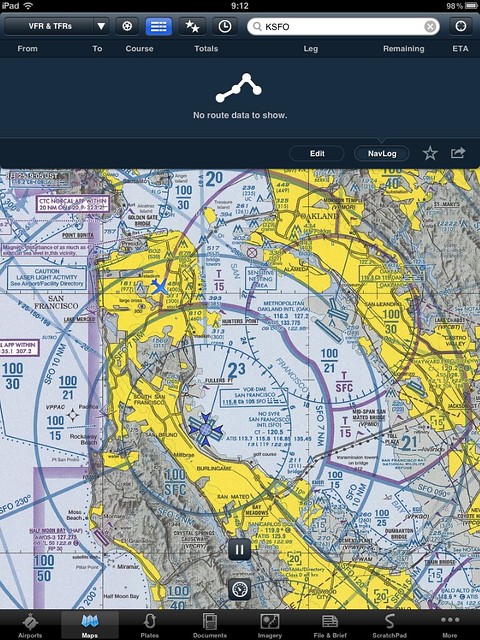
As the aircraft moves, the aircraft icon on ForeFlight Mobile moves in real-time on the map.
Let’s try switching to an IFR chart.
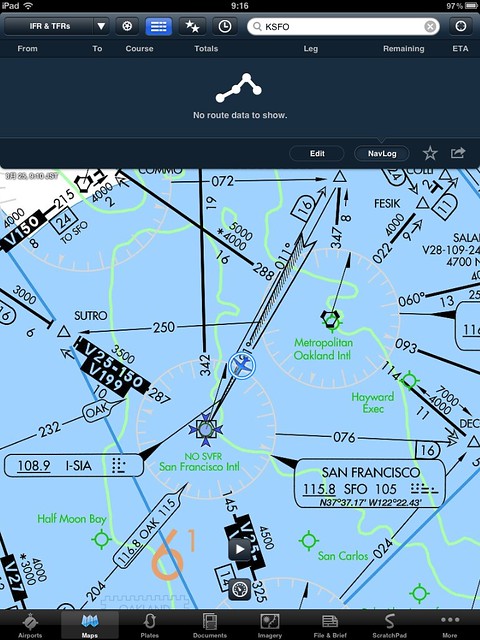
Wow, just fly along the airways. It is way too convenient.
Check the airport information; various communication frequencies, weather, and Standard Instrument Departure (SID)/Standard Terminal Arrival (STAR) procedures are all there.
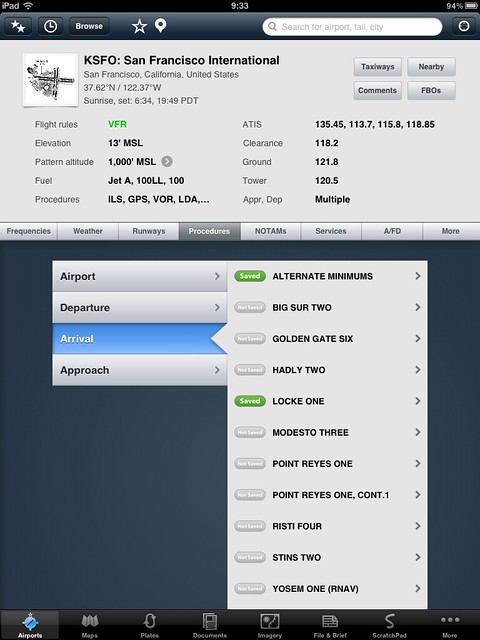
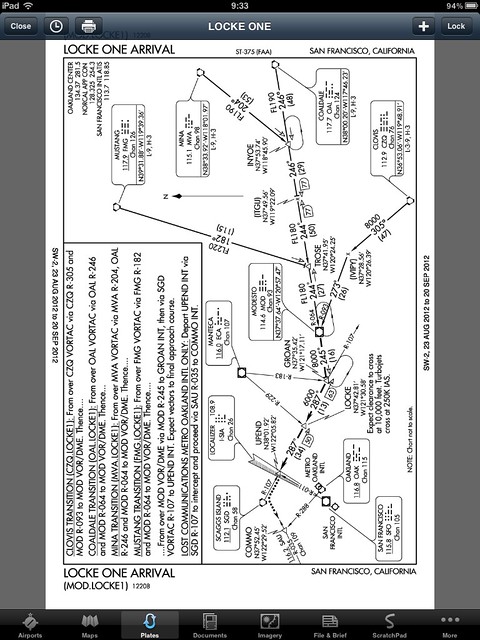
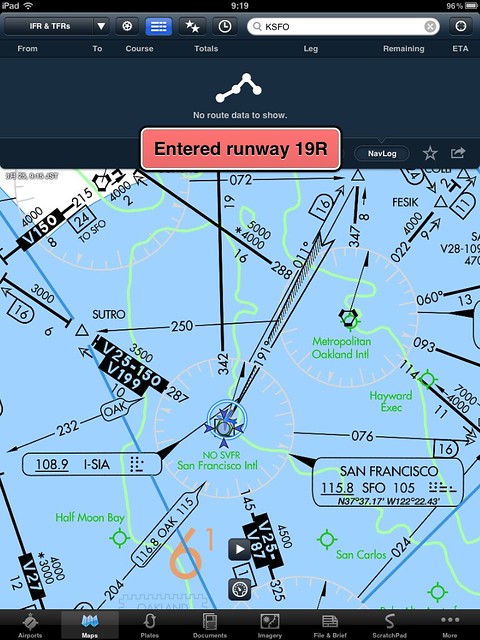
Looking at the iPad, I simply landed at San Francisco International Airport (KSFO) on Runway 19L. Taxiing across 19R, audio prompts actually appeared automatically. It’s so powerful, as shown below.
By the way, the charts are only available for the US and Canada. For other regions, you can only see the world map.
But it is still quite convenient.
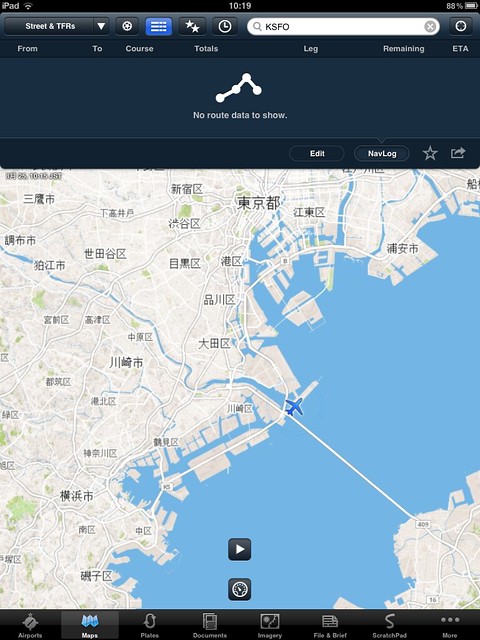
In short, starting today, the ForeFlight Mobile app has become an essential tool for playing X-Plane. Highly recommended.
End