Dassault Falcon 7X Business Jet Freeware Addon
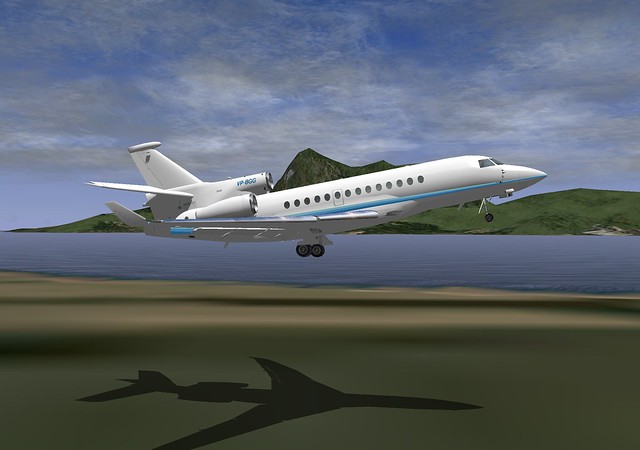
The X-Plane official website introduced a free plugin/addon for the Dassault Falcon 7X business jet.
I downloaded and tested it myself; the flying feel is quite nice, so let me introduce it to you.
You need to download it from x-plane.org. If you don’t have an account for this official community website, please register one first. The download link is here.
Installation is very simple. Extract the downloaded zip file to generate the falcon7X_v9_50org directory, and copy the entire directory to Aircraft/General Aviation/ in your main X-Plane directory.
I assume you know how to use the aircraft? Open Aircraft… so I won’t explain much here.

I feel the exterior of this plugin aircraft is just average, a bit plain,
but its 3D cockpit is highly recommended. Firstly, it looks quite beautiful,

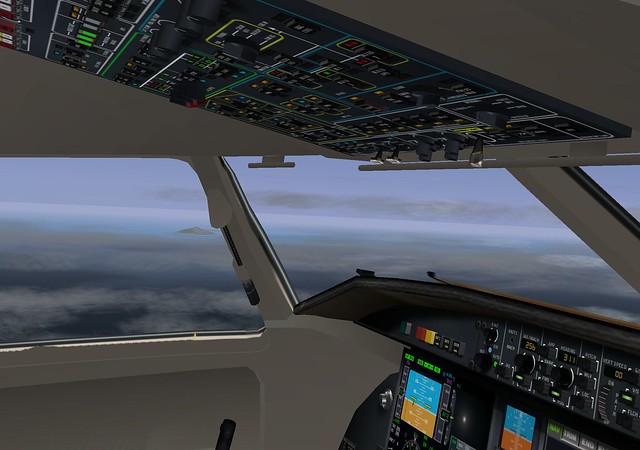
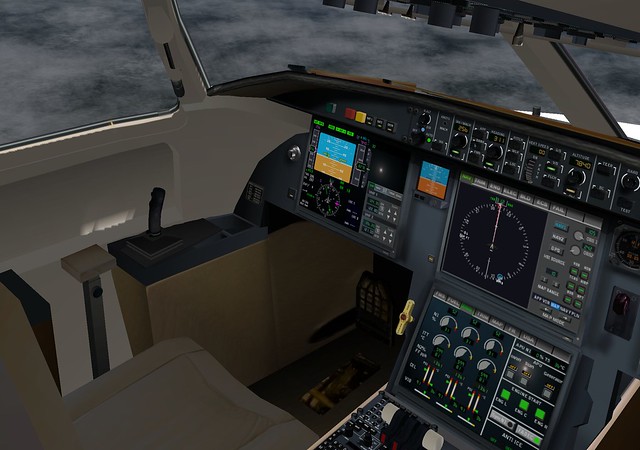 It can almost rival the 747-400 we introduced previously.
However, what I like most is its control method—the digital control panel.
It is very similar to the iPad-style touch interface, essentially a soft keyboard.
For flight sim players using a mouse, switching input modes and pressing buttons
is extremely convenient.
For example, in the following two images, when operating the CDU in the bottom right, the feeling of switching between FMS and ENG
is like switching between tabs in a browser. It has a very PC-like feel and is very comfortable.
The UI for adjusting radio frequencies—doesn’t it feel familiar? It is clearly just a standard browser control.
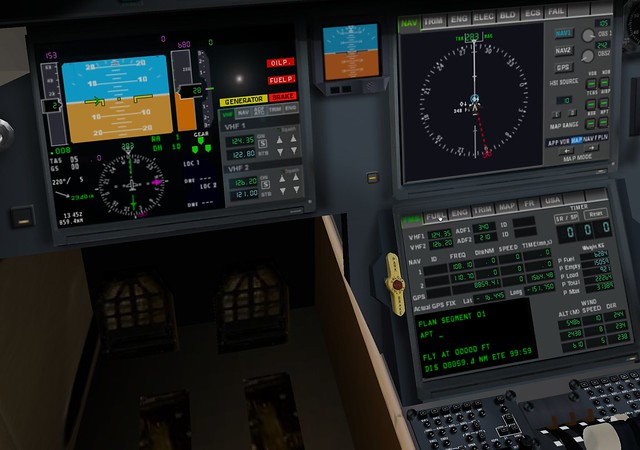
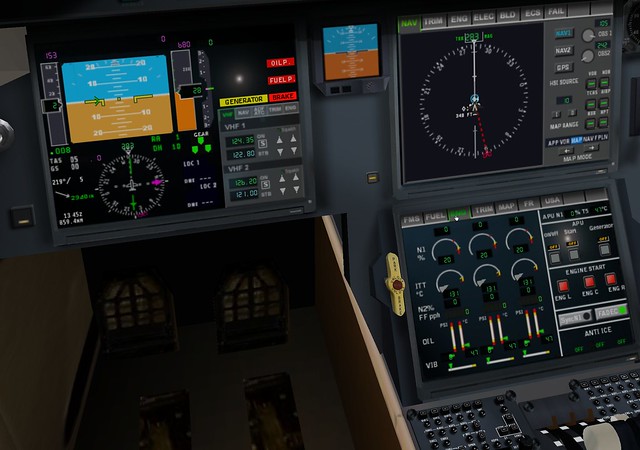 Note on the image above: After a hot start, the APU stays on. In the ENG section, there are On/Off switches, Start, and Generator buttons,
making it very simple to shut down.
Note on the image above: After a hot start, the APU stays on. In the ENG section, there are On/Off switches, Start, and Generator buttons,
making it very simple to shut down.
Additionally, its autopilot operation feels just like a standard large airliner, so you can get started basically without learning anything new.
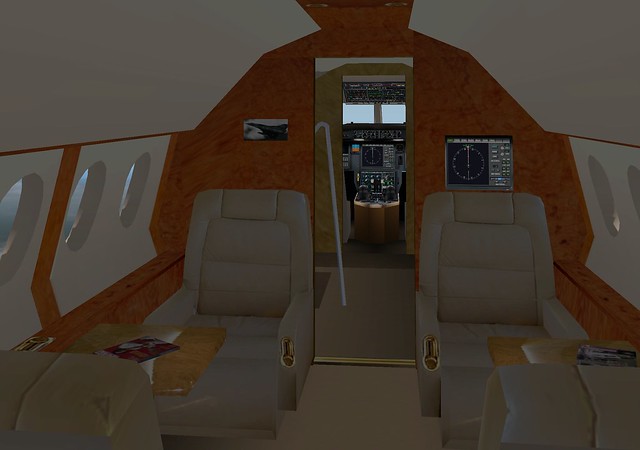
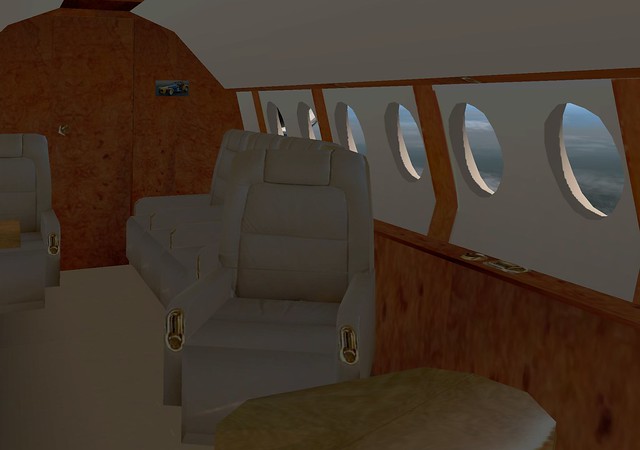
Finally, here are two 3D view screenshots of the cabin. Very luxurious, isn’t it?
End