Introduction to X-Mapper: A Convenient X-Plane Map Display App for iPad/iPhone
Today, I’d like to introduce a fantastic free app for iPad/iPhone — X-Mapper. It transmits your aircraft’s real-time geographic position during flight to an iPad or iPhone, letting you view the terrain using iOS’s built-in world map or satellite imagery. The realism is 100%.
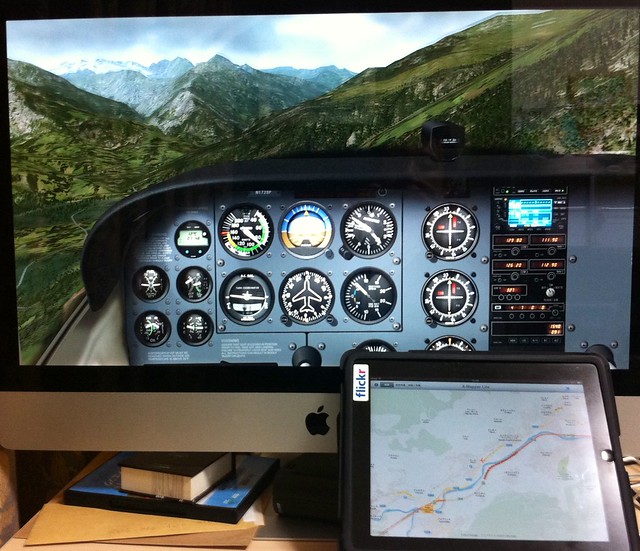
The photo below was taken with an iPhone while using an iMac and an iPad simultaneously at home.
The flight location is near Briançon, France — the highest town in Europe.
The shot was taken flying from the town towards the Alps, and you can even see the snow-capped mountains in the distance.
However, flying a Cessna 172 here is definitely a foolish move; shortly after, I flew into the clouds and crashed into a mountain, haha.
Alright, let me explain how to use it.
First, download this app from the Apple App Store,
Then launch X-Mapper, and it will display the setup instruction screen,
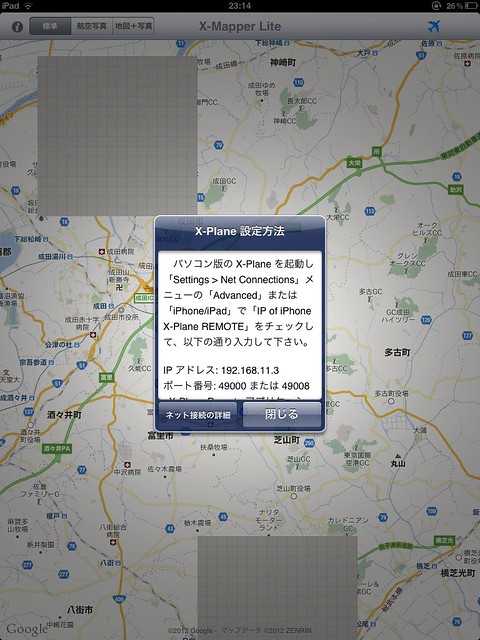 As long as your computer and iPad/iPhone are on the same network segment,
Go to the Net Connections option in X-Plane’s Settings menu. Under Advanced or iPhone/iPad,
Check the box for “IP of iPhone X-Plane REMOTE” or “IP of iPad running EFIS-App”,
And enter the IP address and port number displayed on X-Mapper, for example, 192.168.11.3 and 49000 as shown in the image above, and you are good to go.
As long as your computer and iPad/iPhone are on the same network segment,
Go to the Net Connections option in X-Plane’s Settings menu. Under Advanced or iPhone/iPad,
Check the box for “IP of iPhone X-Plane REMOTE” or “IP of iPad running EFIS-App”,
And enter the IP address and port number displayed on X-Mapper, for example, 192.168.11.3 and 49000 as shown in the image above, and you are good to go.
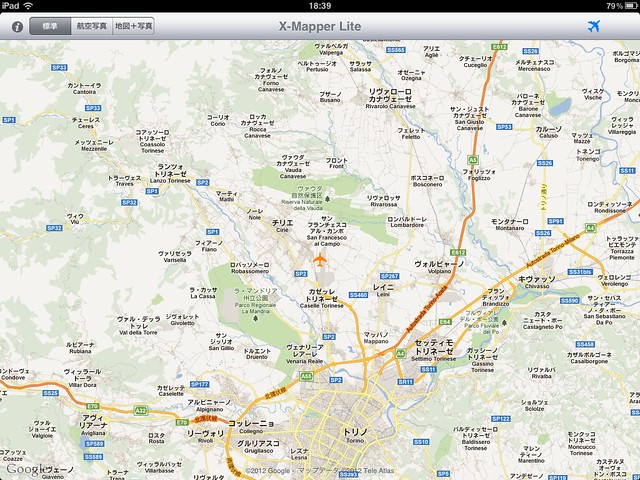
Once setup is complete, X-Mapper will automatically display your aircraft’s current location within X-Plane,
And smoothly move the map as the aircraft flies, so you don’t need to constantly open X-Plane’s map to check your current position,
You can simply enjoy your sightseeing flight.
Updated on May 10, 2017
X-Mapper TNG is the new version compatible with X-Plane 11.