Title: Plugin Introduction: Radio Settings
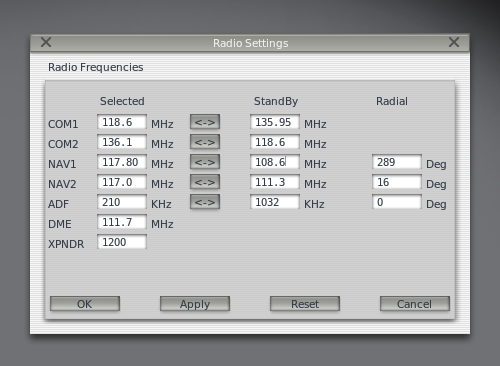
A few days ago, I introduced a plugin called COM1RadioTuner for adjusting radio frequencies. Today, I am introducing an even more convenient plugin. Not only can you set ATC frequencies like COM1 and COM2, but you can also set navigation frequencies such as NAV1, NAV2, ADF, and DME. Plus, it features a Standby setting column, making it much more convenient to use.
Installation is as follows:
Click the Download link from the webpage below to download the PI_radios.py file.
http://forums.x-plane.org/index.php?app=downloads&showfile=14196
Copy that file to the Resources/plugins/PythonScripts/ directory in your main X-Plane folder.
 Please note that this plugin requires the PythonInterface to be installed first. For installation instructions, please refer to previous plugin introductions.
Usage is simple. Start X-Plane, open the Plugins menu, and click on this plugin to launch the settings window.