Plugin Introduction: COM1RadioTuner
When accepting ATC commands, having to constantly use the mouse to change radio frequencies is not only inconvenient but also diminishes the realism of the flight simulation.
Recently, I found this convenient Plugin online that can alleviate the hassle of mouse operations.
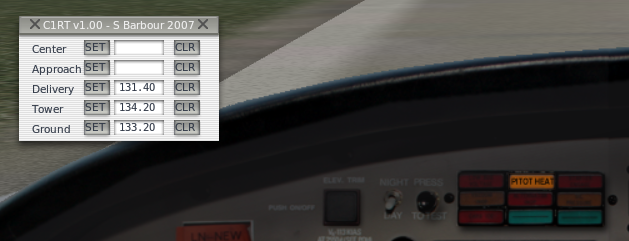
As shown in the figure, before the flight, you can pre-input the frequencies for Clearance, Ground, Tower, Approach, and Center. Then, simply press the SET button when needed, and the COM1 frequency will be set instantly. It is extremely convenient.
The website for this Plugin is: http://www.xpluginsdk.org/misc_plugins.htm
The specific usage method is:
- First, download the Plugin program from the webpage above and locate “Com1 Radio Tuner”.
- If your computer is a Mac, download " Mac COM1RadioTunerMac.sit". This is a compressed file.
- Decompress the file to get the COM1RadioTunerMac.xpl file.
- Copy the COM1RadioTunerMac.xpl file to the Resources/plugins directory under the main X-Plane directory.
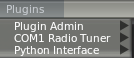
- Start X-Plane, open the Plugins menu, and enable the COM1 Radio Tuner Plugin.