Garmin D2 Charlie Titan Aviatiker-Uhr Firmware-Update auf 4.00
<a href=Garmin D2 Delta PX Titan-Aviatuhr Unboxing <a href=Garmin D2 Delta PX Titan-Aviatuhr Einrichtungsanleitung
Vor etwa einem halben Jahr habe ich vorgestellt, wie man Daten und Anwendungen auf der Garmin D2 Charlie Titan-Aviatuhr aktualisiert. Damals war die Systemversion 3.2. Kürzlich bemerkte ich, dass Version 4.00 veröffentlicht wurde, also schloss ich den Computer an und führte das Upgrade durch. Der gesamte Vorgang dauerte vielleicht 1 Minute.
Die genaue Verwendungsmethode ist genau dieselbe wie oben, daher werde ich hier nicht im Detail darauf eingehen, sondern einfach die Funktionen der neuen Version hier abtippen.
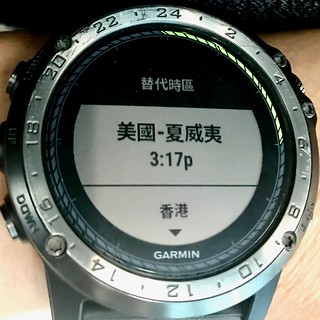
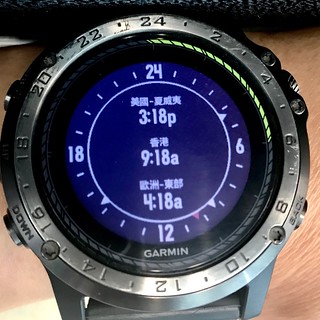
Changes made from version 3.30 to 4.00:Added helicopter ownship symbol option for aviation map. Settings > Activities & Apps > FLY > FLY Settings > Ownship. Added support for a Sunrise & Sunset widget. Settings > Widgets > Add Widgets > Sunrise & Sunset. Added support for an Alternate Time Zones Widget. Settings > Widgets > Add Widgets > Alt. time Zones. Improved rendering of aviation navigation symbols on map at larger zoom ranges. Improved Bluetooth connectivity with Huawei phones. Improved the accuracy of resting heart rate measurements. Improved the accuracy of All-Day Stress tracking. Improved the smart notification text layout for longer messages. Fixed an issue where the Heart Rate graph would intermittently stop updating. Fixed an issue where the altitude on device wasn’t accurate when using the Jumpmaster app. Fixed an issue where Flashlight would turn off when using gestures. Fixed an issue where a ConnectIQ watchface would flash when downloaded using the Garmin Connect Mobile app and the device would revert back to a stock watchface.
Changes made from version 3.20 to 3.30:
Added the ability to navigate with the FLY activity Direct-To a Saved Locations (Navigate>Flight Planning>Saved Locations and then Direct-To) Added the ability to view raw METAR text from within the METAR widget (‘Show Raw Text’ is an option in the menu on the last page of METAR/TAF info) Fixed an issue with the operation of Altimeter, Barometer, and/or Compass when added to, and launched from the control menu. Fixed an issue where Flight Plans and Courses could not be created using certain types of waypoints. Improved stability of Connect IQ watchfaces and applications.
Man sieht, dass es sich meist um kleine Bugfixes und Verbesserungen handelt, bei der Nutzung gibt es nichts Besonderes zu spüren. Persönlich finde ich die folgenden Funktionen ziemlich nützlich:
Die “Show Raw Text”-Funktion bei METARs in Version 3.3
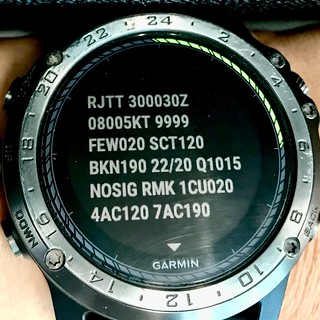 Hier ist ein Foto des aktuellen Wetterberichts für RJTT.
Sunrise & Sunset Widget in Version 4.0
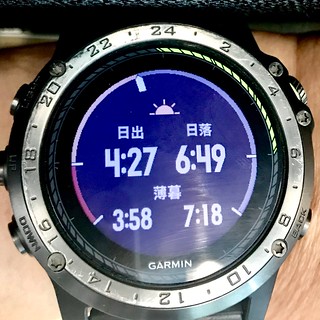
Alternate Time Zones Widget